
You can now compare our PCB Calculation Details with the LHDN Calculator without manually entering the data. The system will automatically pre-fill the information for you with just few simple steps.
How To Use
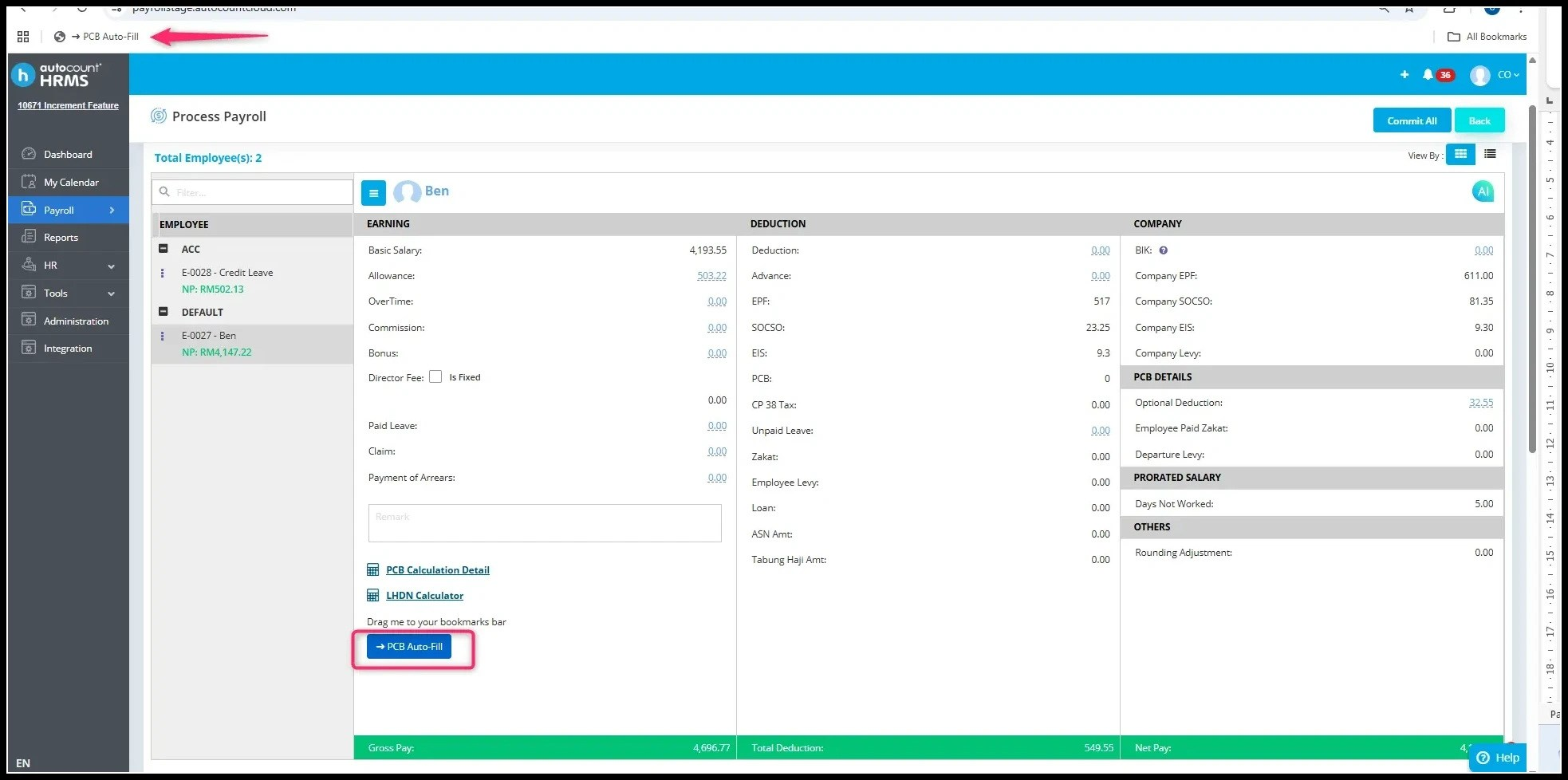
1. Go to Process Payroll > LHDN Calculator and drag the "PCB Auto Fill" button to your bookmarks bar.
2. Click on LHDN Calculator.
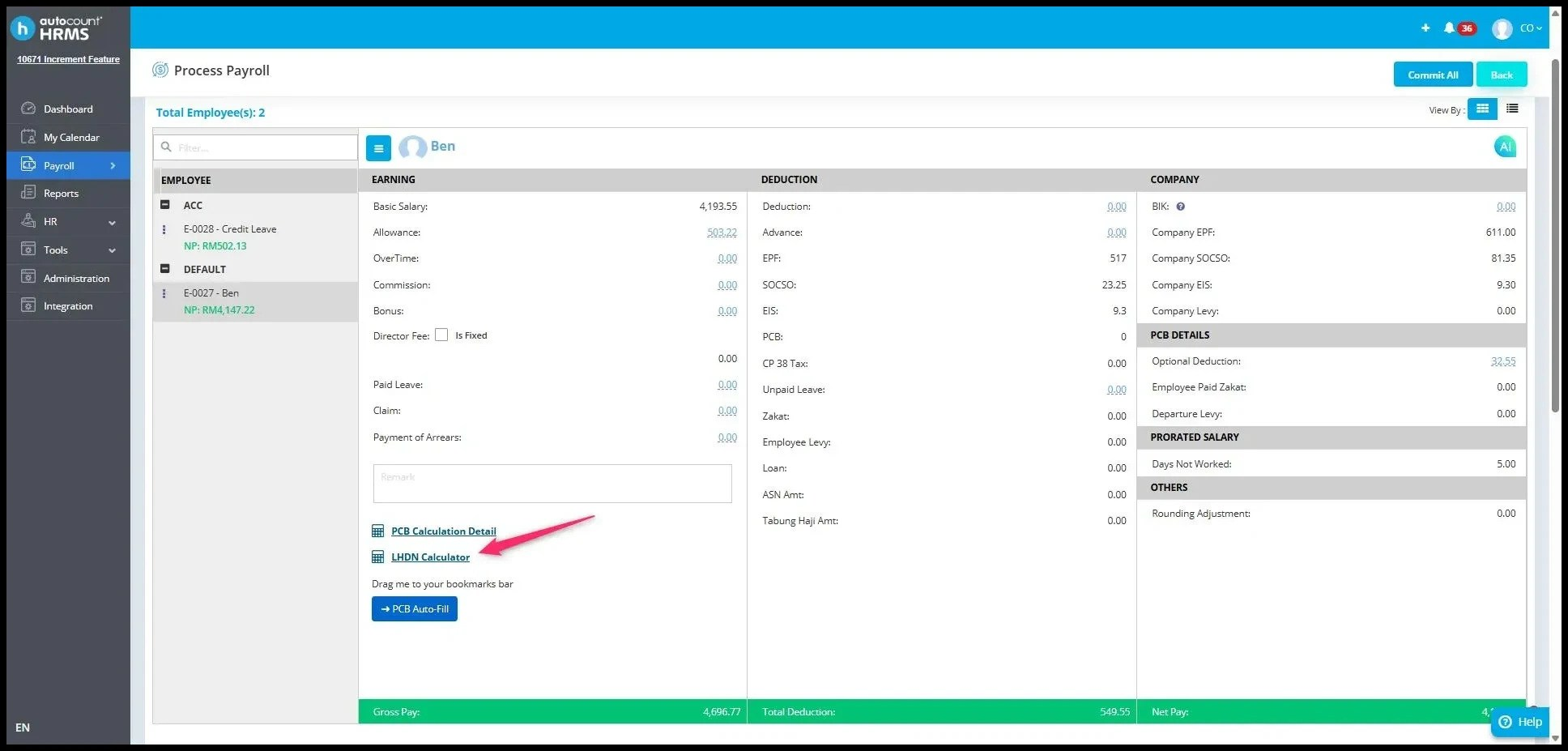
Then a new tab will open.
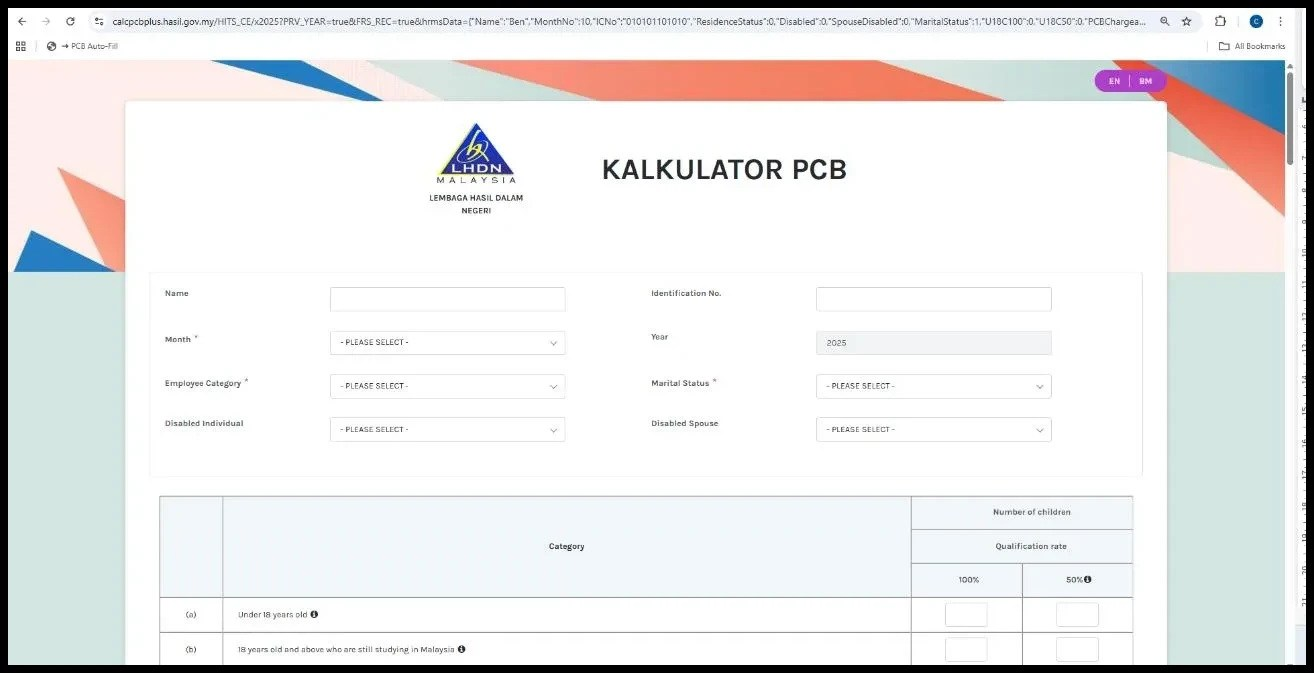
3. In LHDN Calculator page, click the PCB Auto Fill. The system will auto-populate the required details for you.
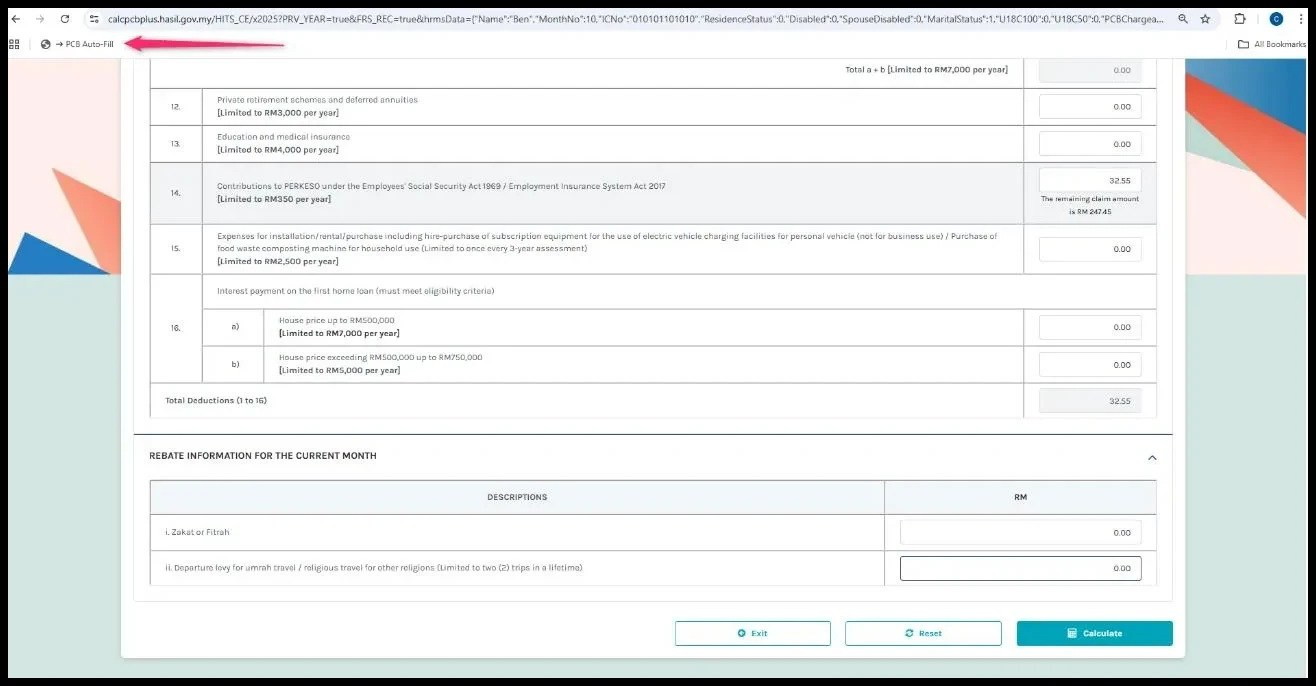
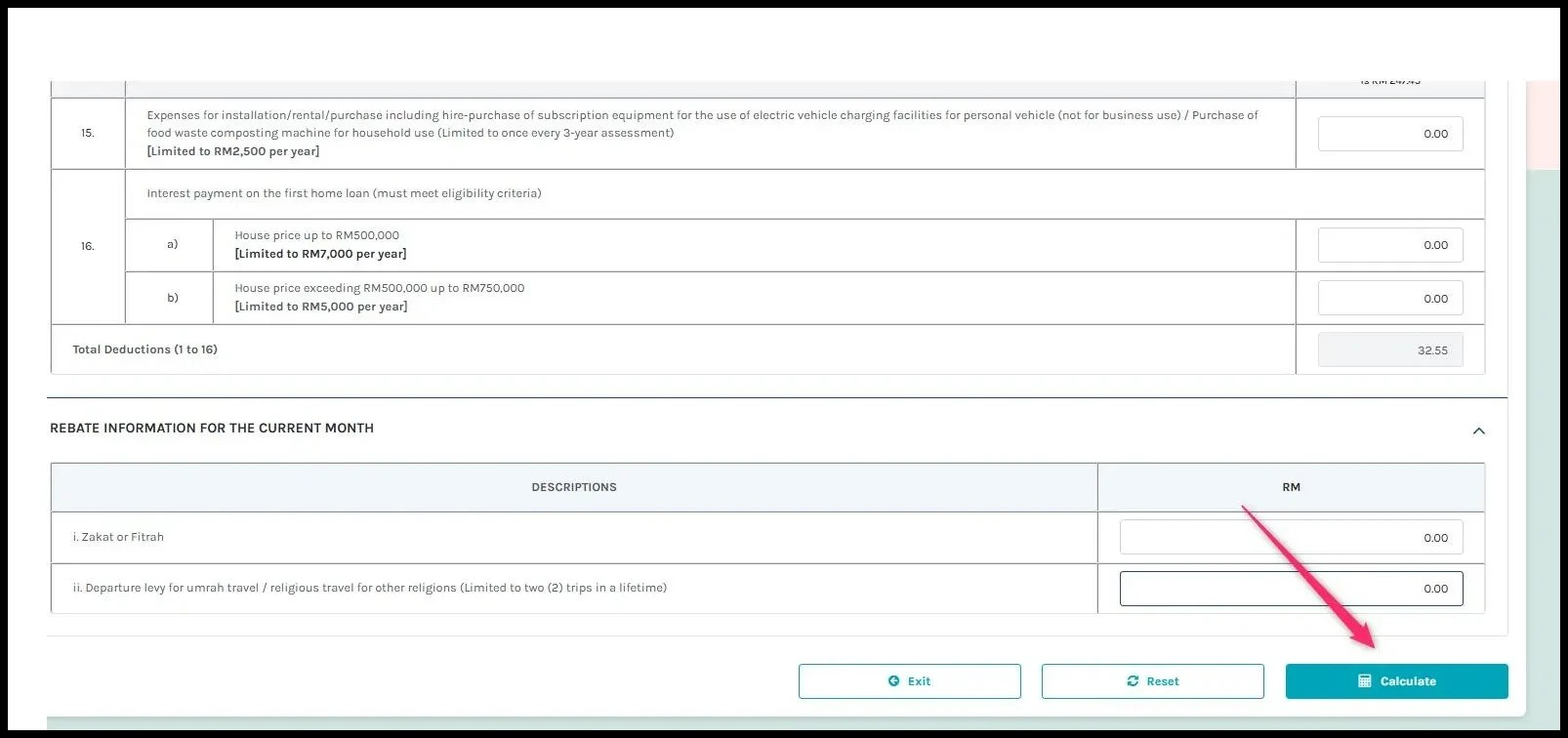
4. Click Calculate and you can easily compare the PCB Calculation details with the LHDN Calculator results.
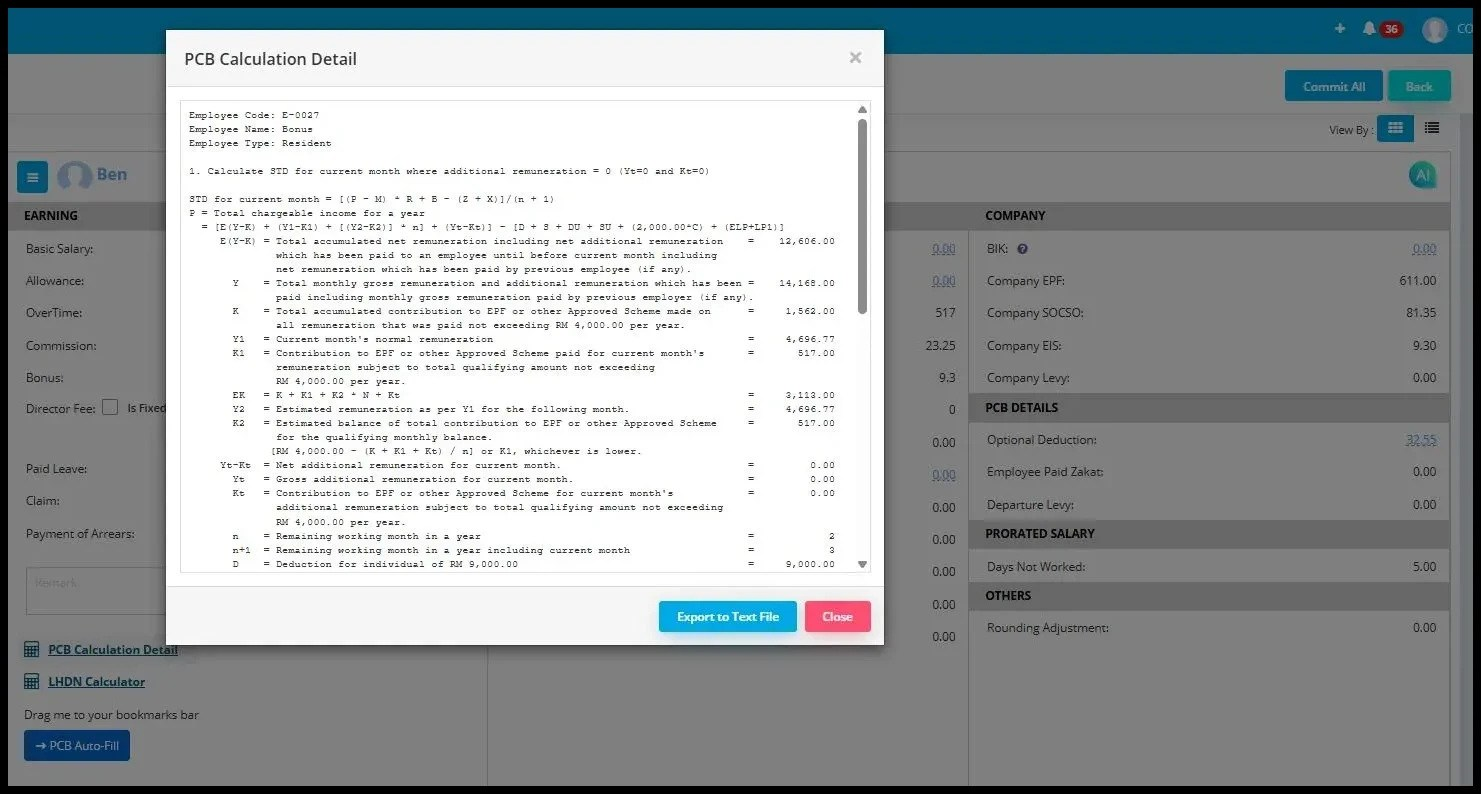
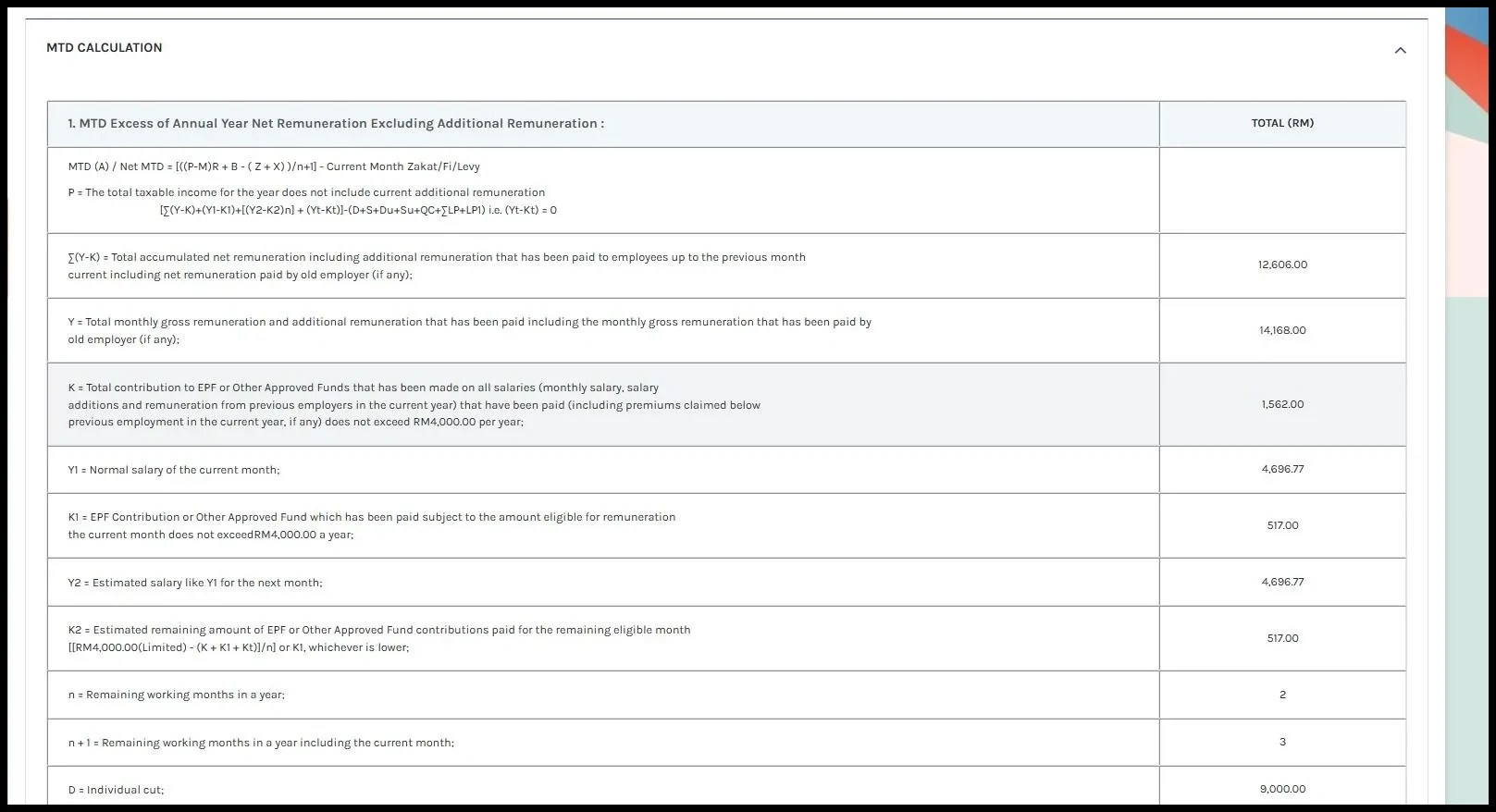
Comparison between LHDN Calculator and PCB Calculation Detail
PCB Calculation Detail
LHDN Calculator
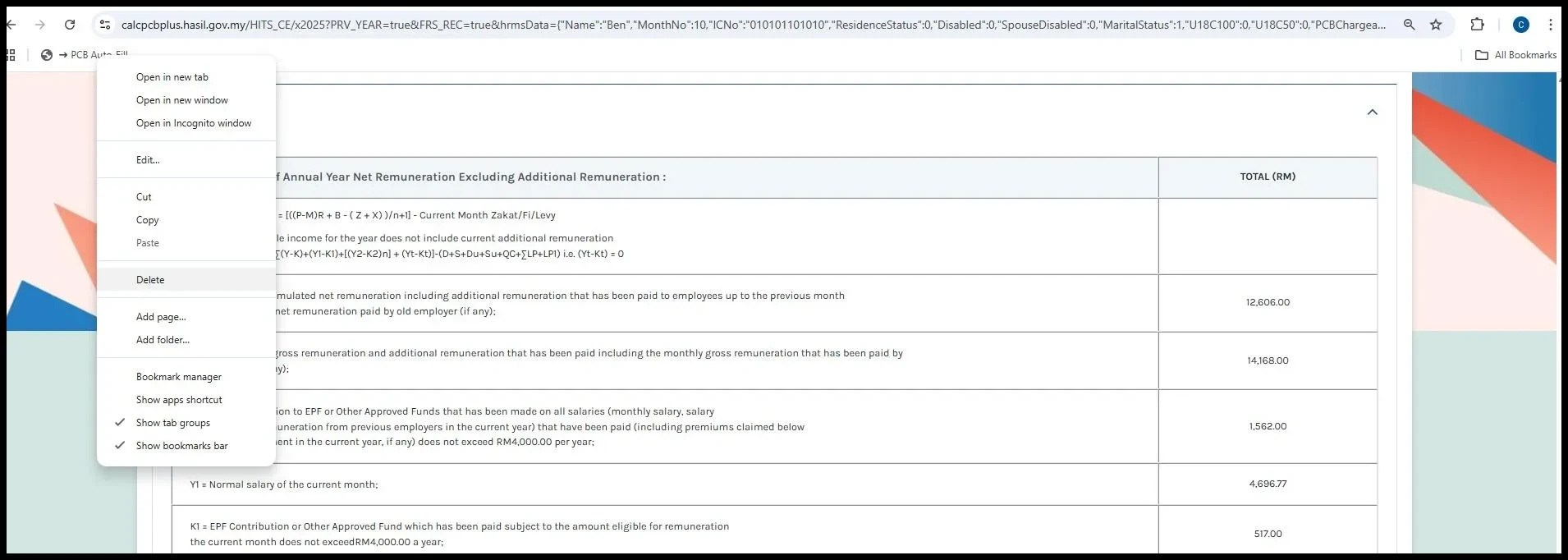
How To Remove The "PCB Auto Fill" Bookmark?
Go to Bookmarks bar > PCB Auto Fill > Right Click > Delete
Note:
If you notice the version does not match, please delete and re-add the bookmark to ensure you are viewing the most up-to-date version.
By ChenOng 251204, Azirah 251205