
Overview
The rounding Options for Earn Leave and Advance Earn Leave determines how fractional leave entitlements are handled during calculation. This options applies specifically at key points in time:
- The resignation month, or
- The end of the calendar year (December)
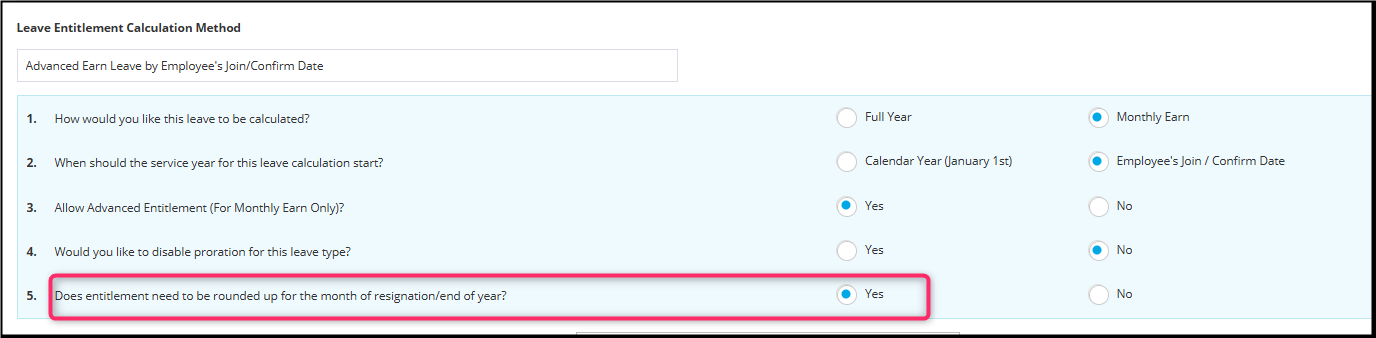
When enabled, the system will perform rounding based on the defined rules and reflect the final rounded values in:
- Employee Payslips (Resigned month),
- and Monthly Leave Report
Note:
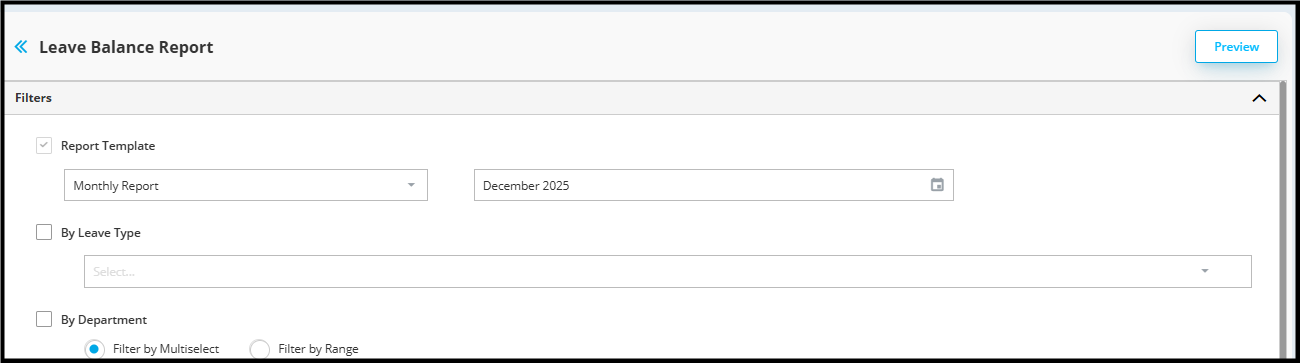
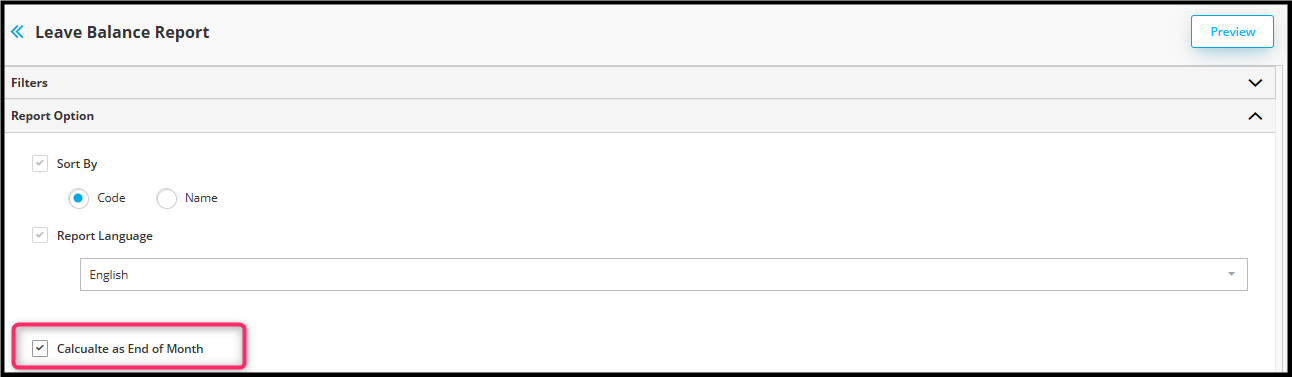
To generate accurate Monthly Leave Report, ensure selected period is "December" and check the "Calculate as End of Month".
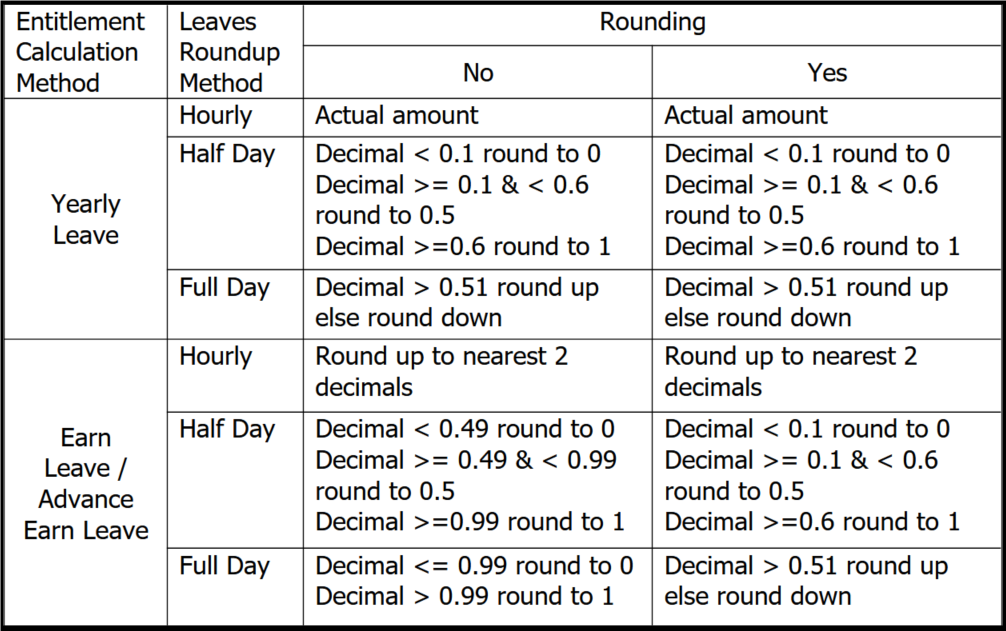
Rounding Behavior - Leave Calculation Method
EXAMPLES
Example 1: Mid-Year Joiner
Scenario
Entitlement Setting = 14 Days
Join Date = 1/3/2025
Yearly Entitlement for 2025 = 12 Days

Example 2: Employee Resignation
Scenario
Entitlement Setting = 10.5 Days
Join Date = 01/04/2023
Resign Date = 18/11/2025
Yearly Entitlement for 2025 until Nov 25 = 10 Days
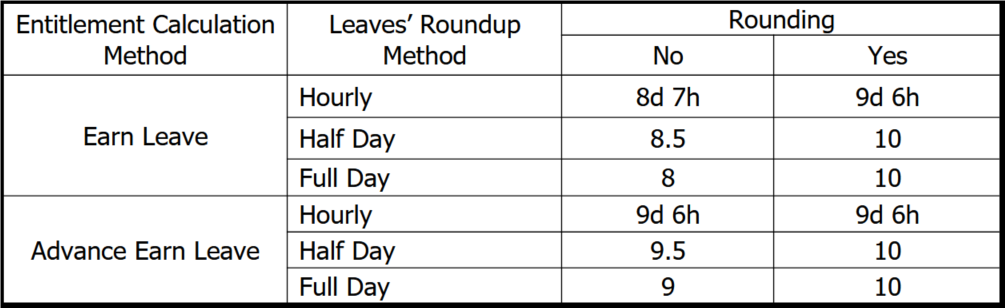
Notes:
Rounding applies only during resignation month or year-end (December).
Monthly leave accrual is not affected.
Applies to Earn Leave and Advance Earn Leave calculation method only. Other leave calculation methods are not affected.
Half-day and full day leave balances are rounded based on the configured rules when enabled.
Payslips and Monthly Leave reports (December) will display the rounded leave balances.
By ChenOng 251223, Azirah 251224