
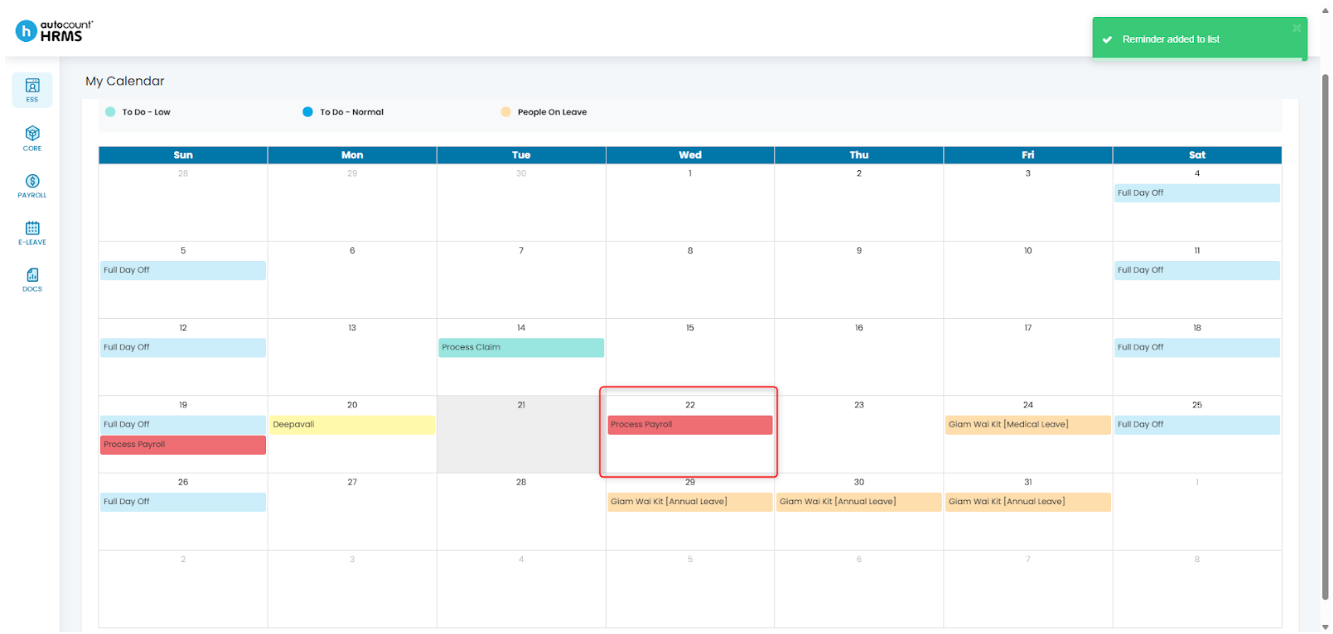
The My Calendar page provides employees with a clear monthly view of upcoming tasks, events, and holidays. Employees can create personalised to-do items and organise them by priority.
For example, you may add reminders such as “Process Payroll” or “Submit Claim Report” to help you stay on track and manage your workload effectively.
Steps to Create a To-Do List Task:
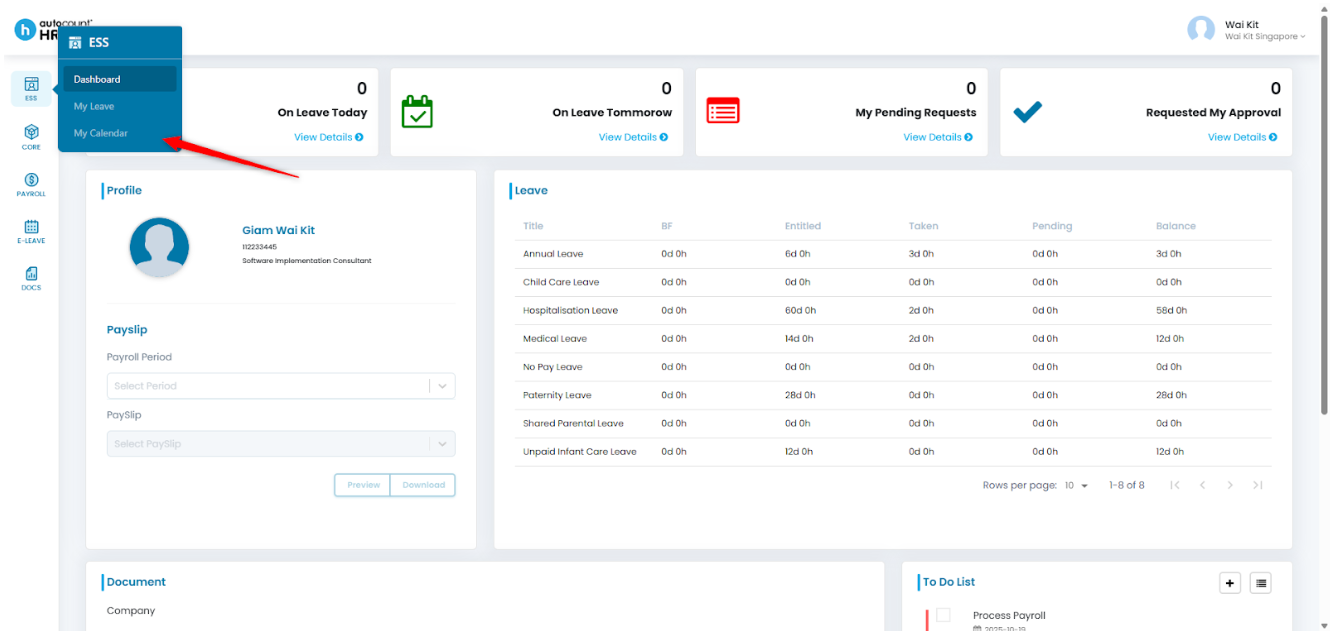
1. Go to ESS > My Calendar.
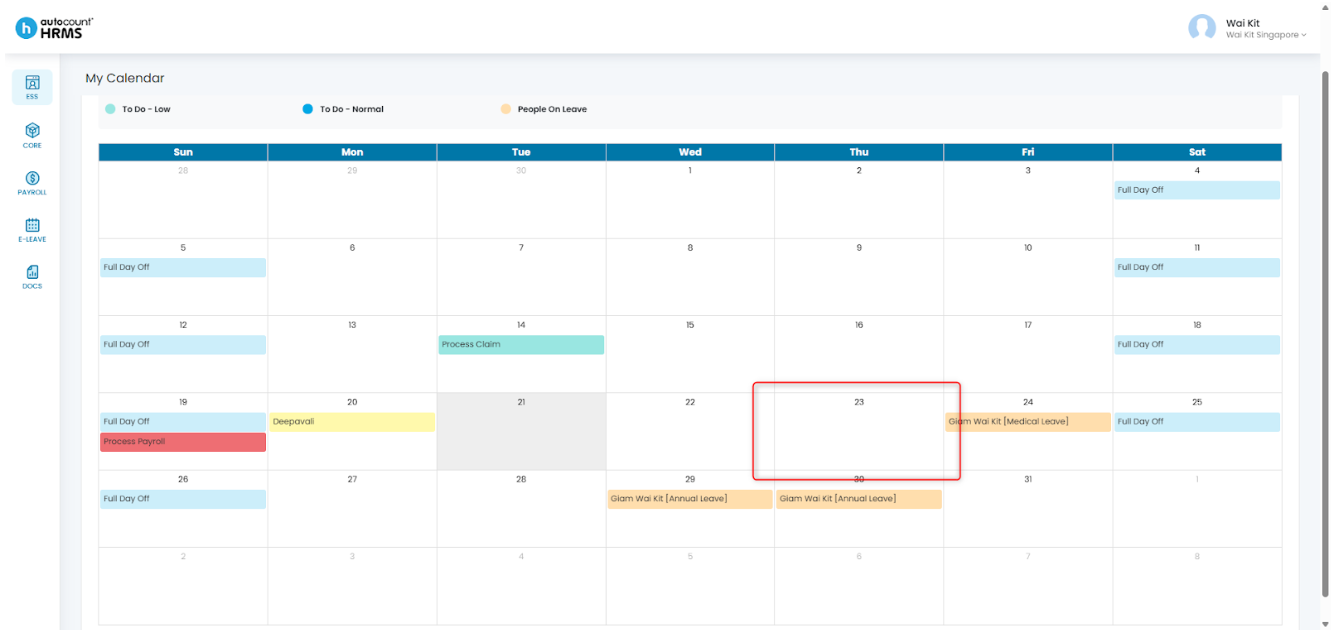
2. Click on the date that you would like to add a To-Do List item.
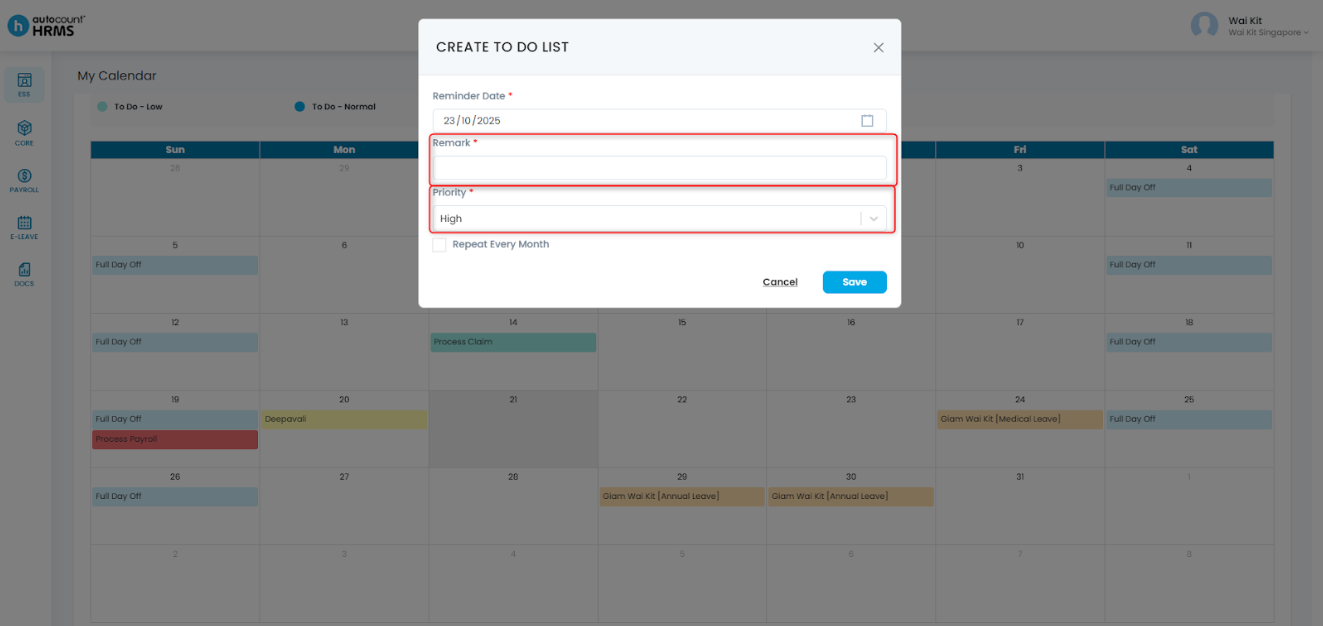
3. A Create To-Do List panel will pop up, fill in the necessary information such as the Remark, Priority, and Reminder Date.
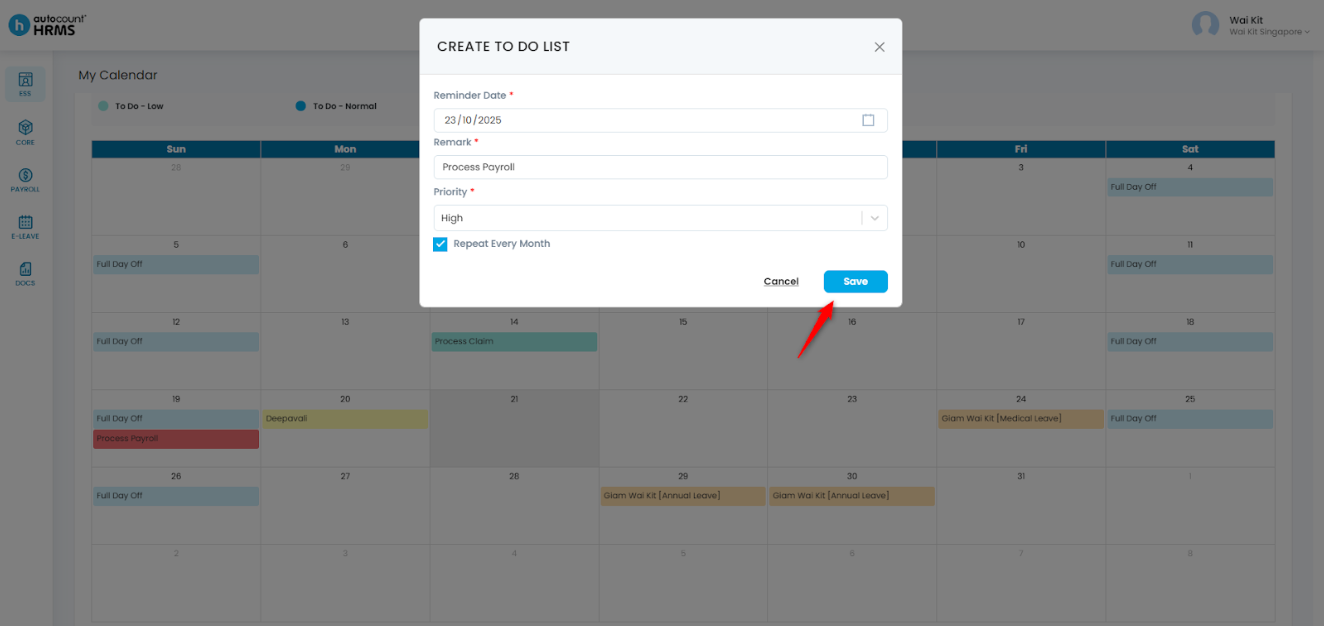
4. Once done, click Save to create the To-Do List item.
5. The To-Do List item will now be added to the calendar.
Note: Employees may also create a To-Do List item through Dashboard: Set To-Do List in ESS Dashboard
Written by: Giam Wai Kit (20251022)
Modified by: Teah Rui Harn (20251201)
Reviewed by: Tek Ee Lin (20251202)