
The HRMS Leave Request feature enables employees to submit, edit, or cancel their personal leave applications easily, ensuring accurate tracking of leave balances and approvals.
Steps to Apply for Leave:
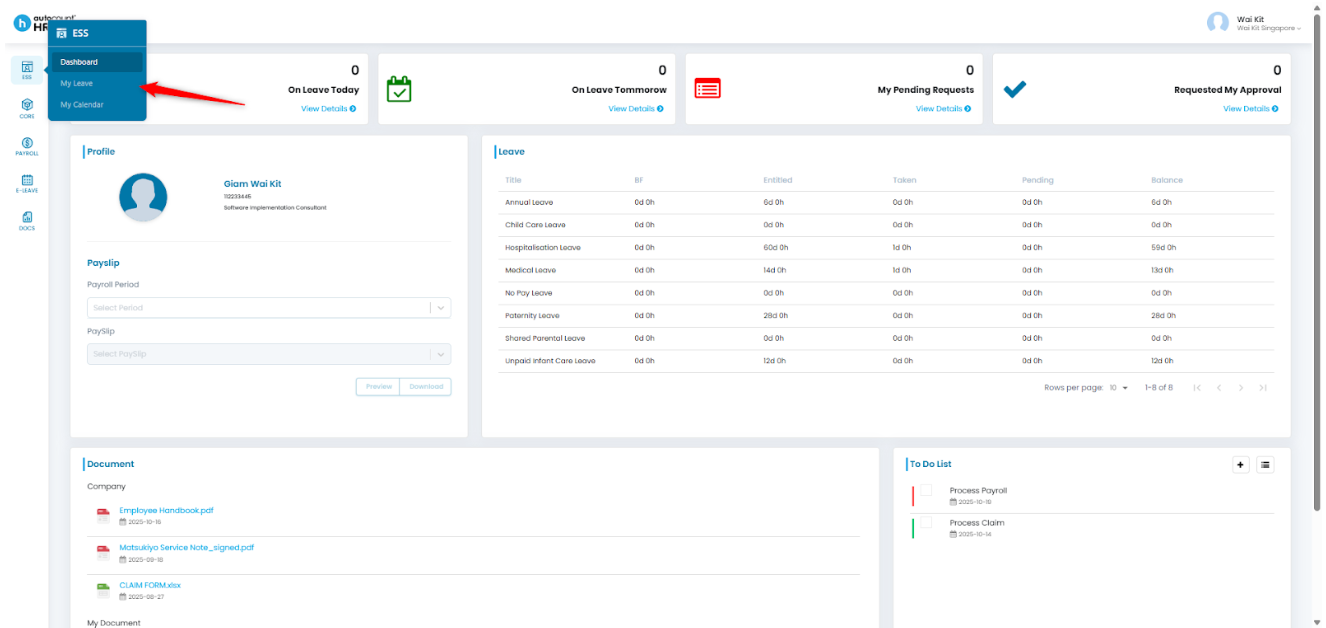
1. Go to ESS > My Leave.
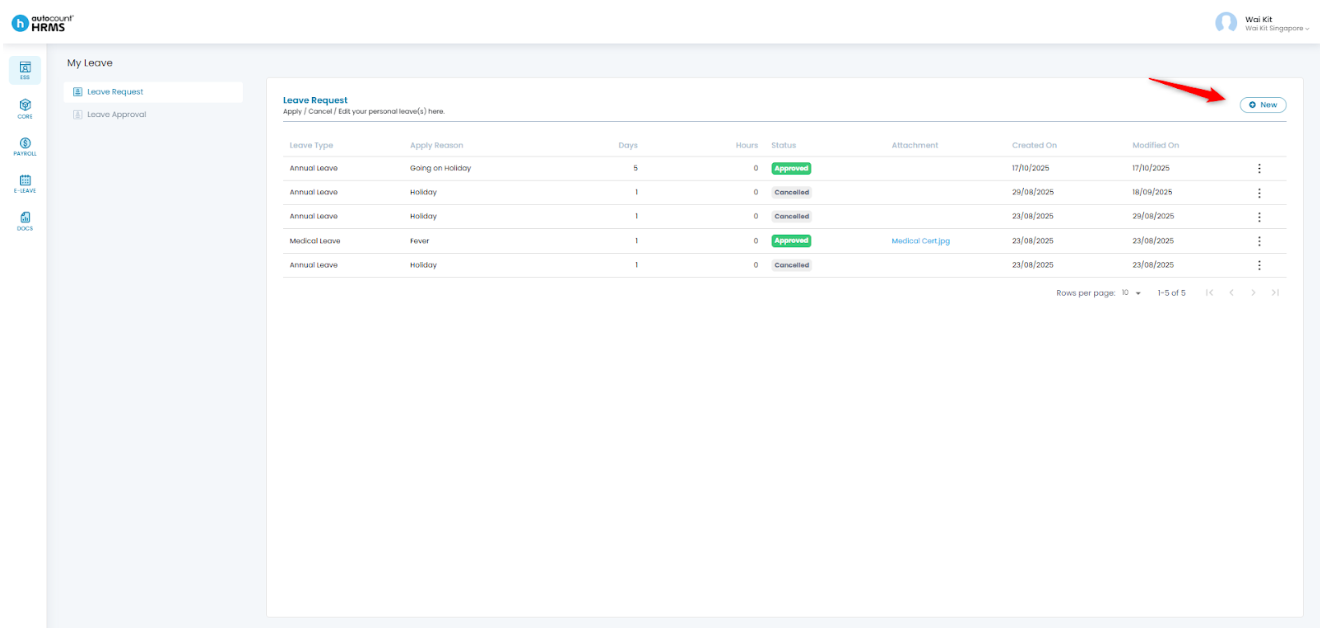
2. Click New to create a new leave request.
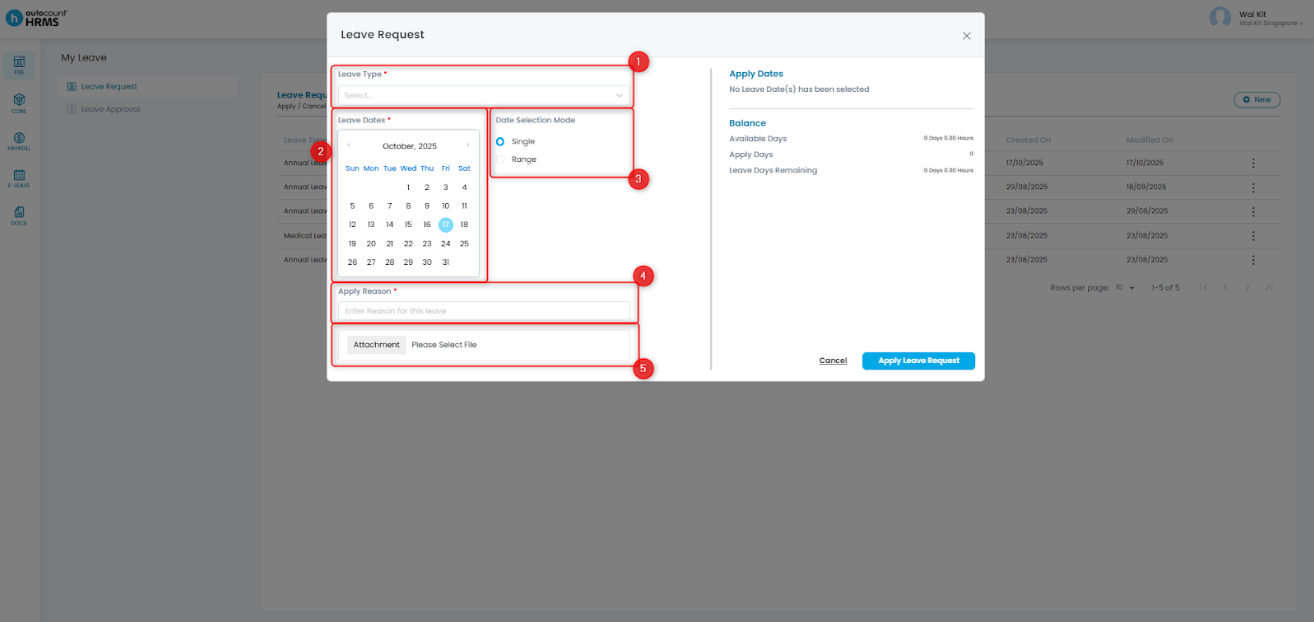
3. Complete the required fields:
- Leave Type – Select the type of leave you would like to apply for
- Leave Dates – Choose the date(s) you’re applying for
- Date Selection Mode (optional) – Choose Single or Range for date selection
- Apply Reason – Enter the reason for leave
- Attachment – Upload supporting documents if needed
4. Review your Apply Dates and ensure sufficient balance. Click Apply Leave Request to submit.
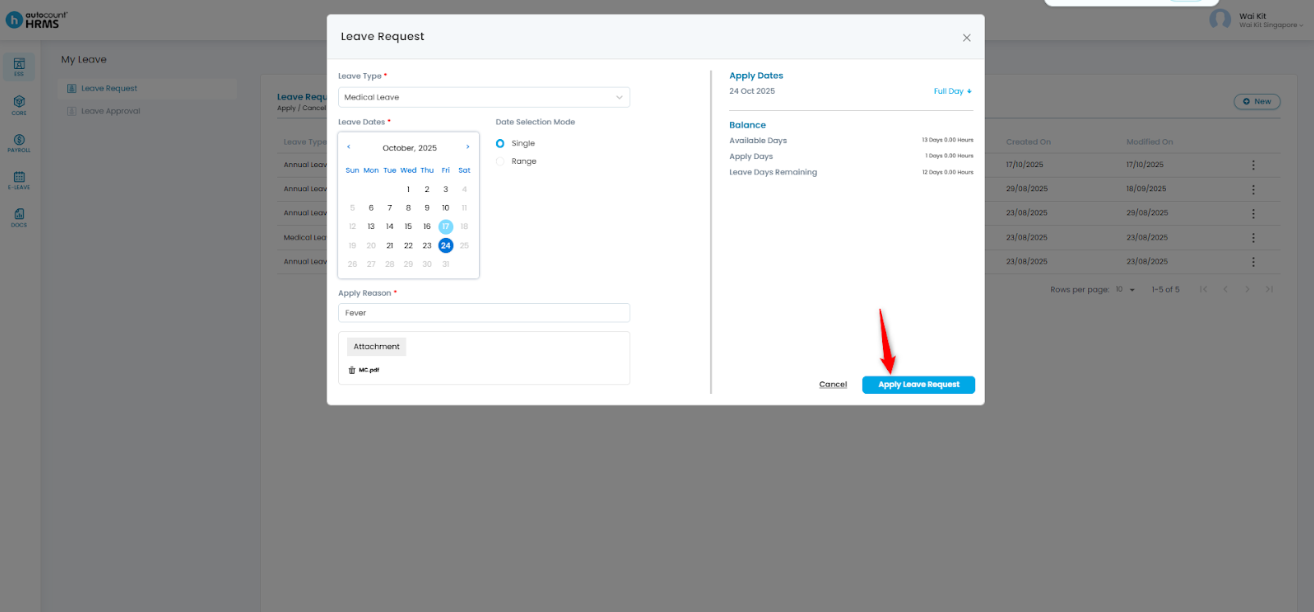
5. Your leave application will be submitted and is now pending approval.
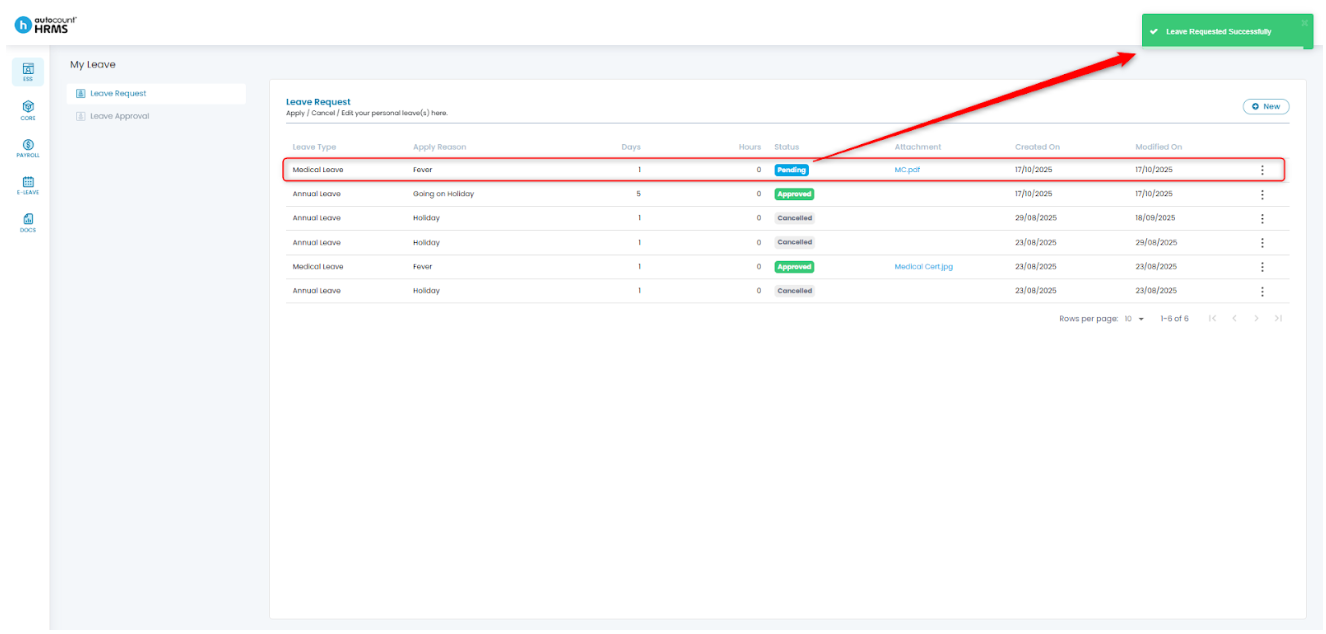
Steps to Cancel Leave:
1. Go to ESS > My Leave.
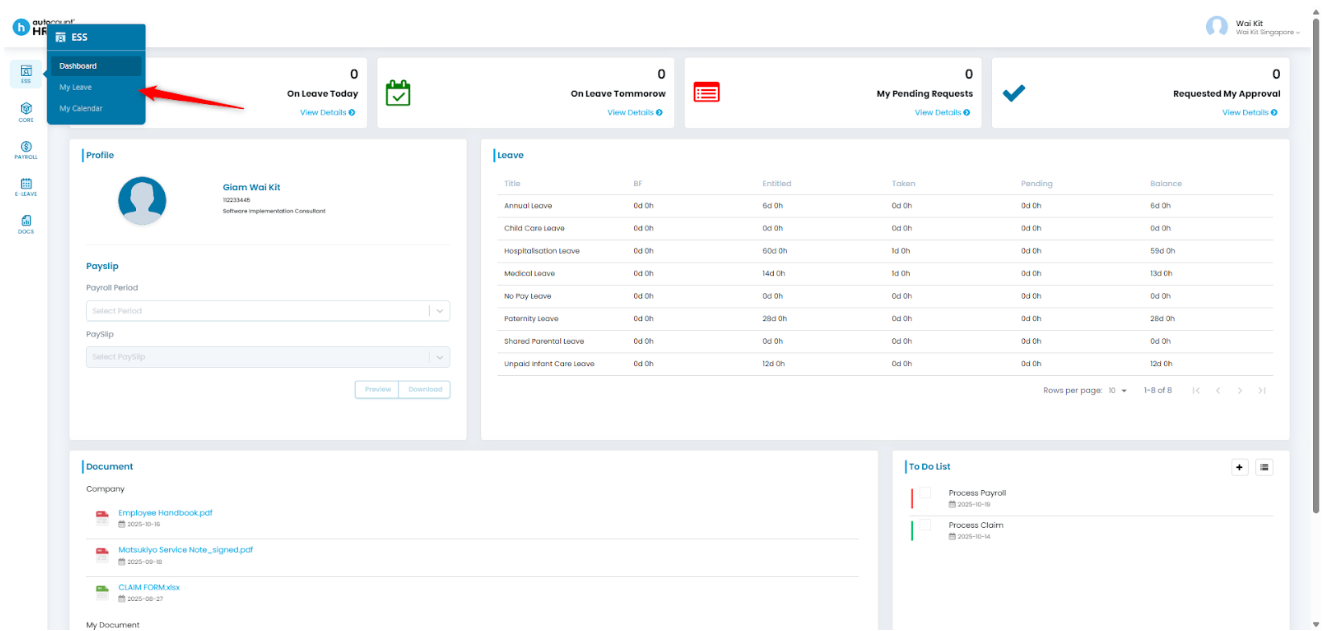
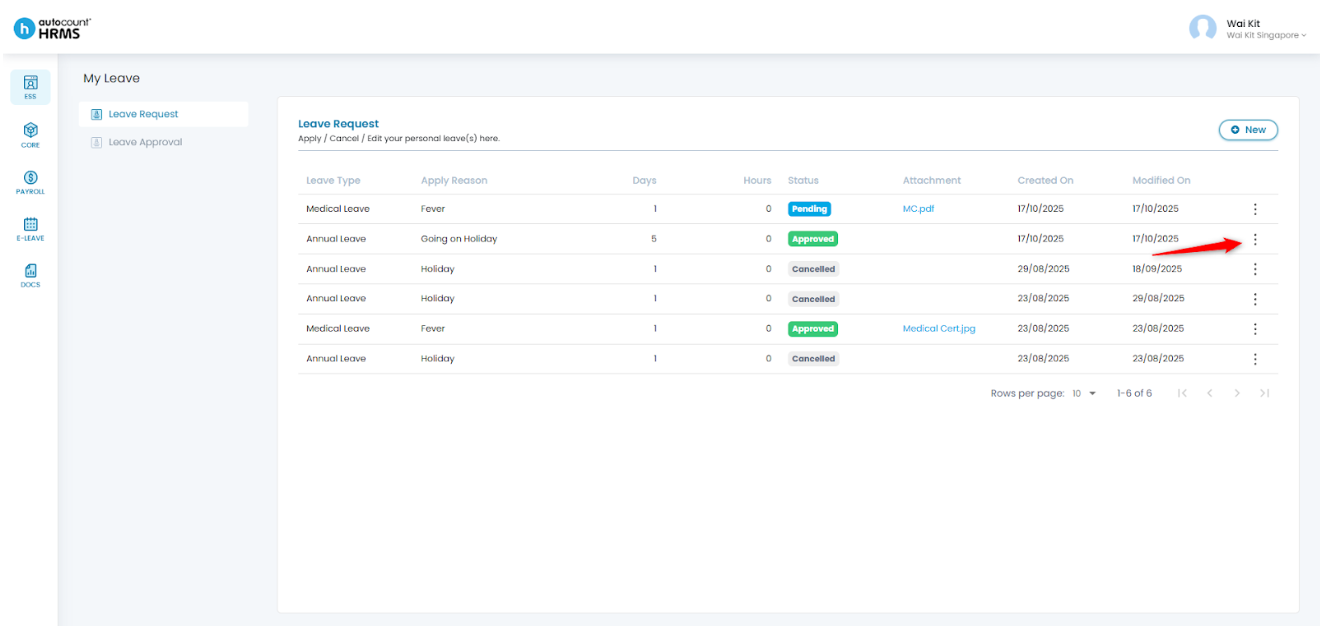
2. Click the three-dot icon at the end of the leave request you want to cancel.
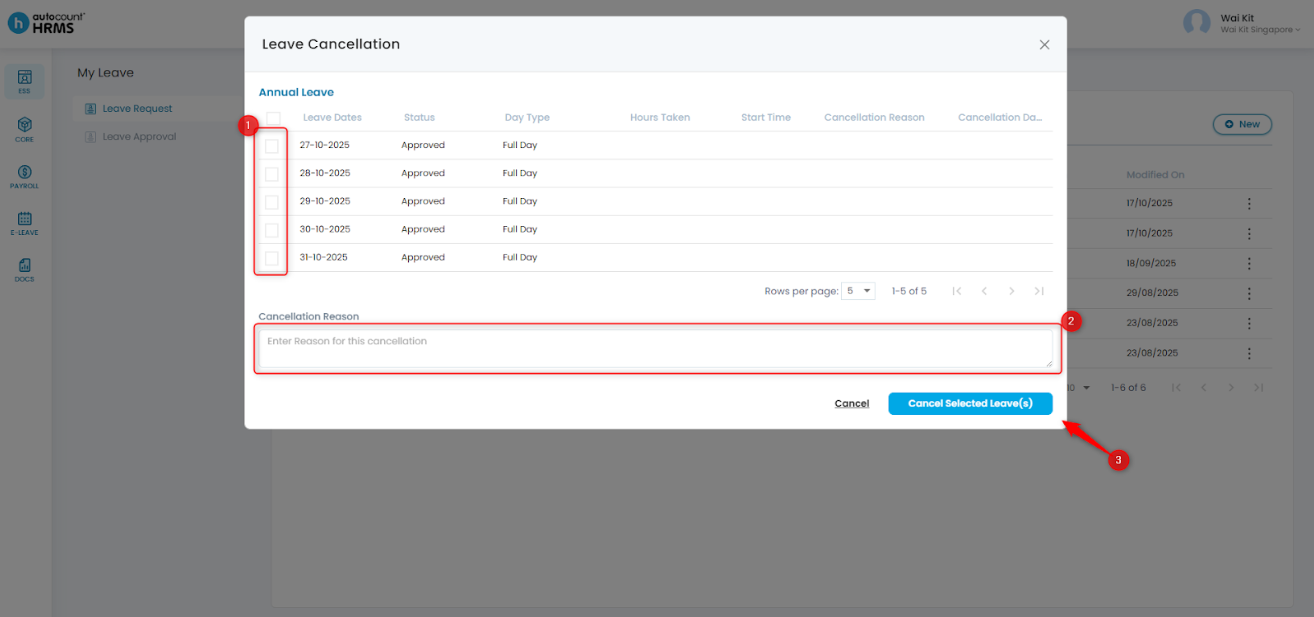
3. Select the leave date(s) to cancel, enter the Cancellation Reason, review the selection, and click Cancel Selected Leave(s).
4. Click Yes to confirm the cancellation.
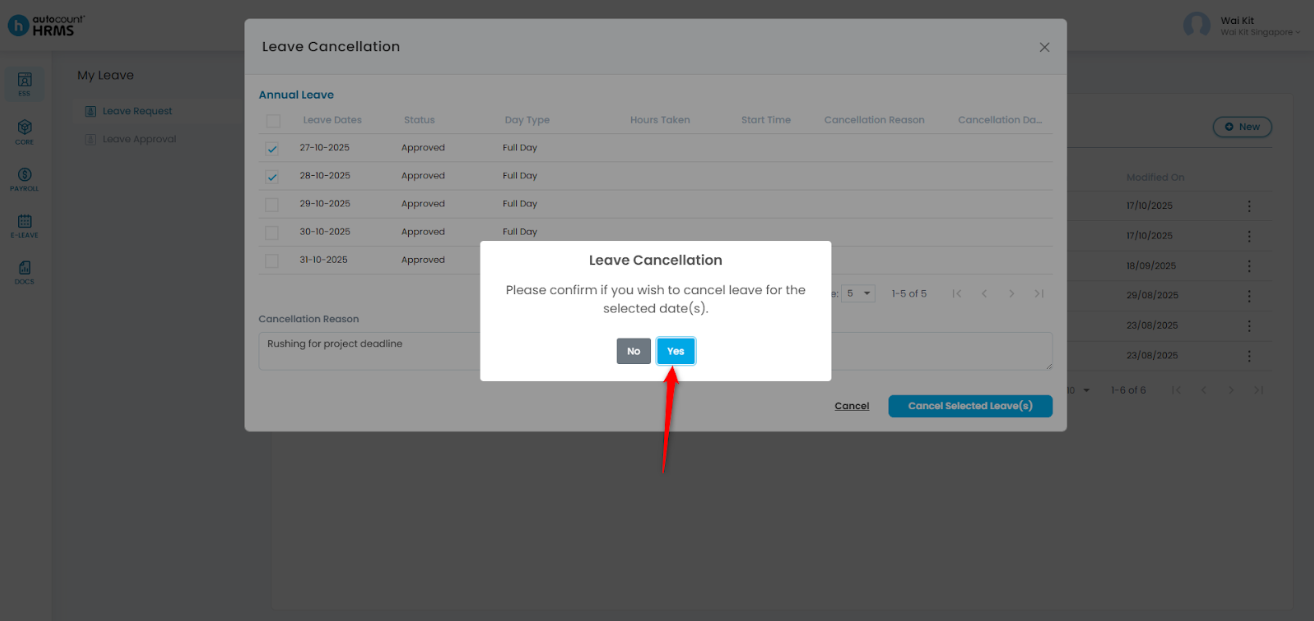
5. The cancellation request will be submitted to the approver for review.
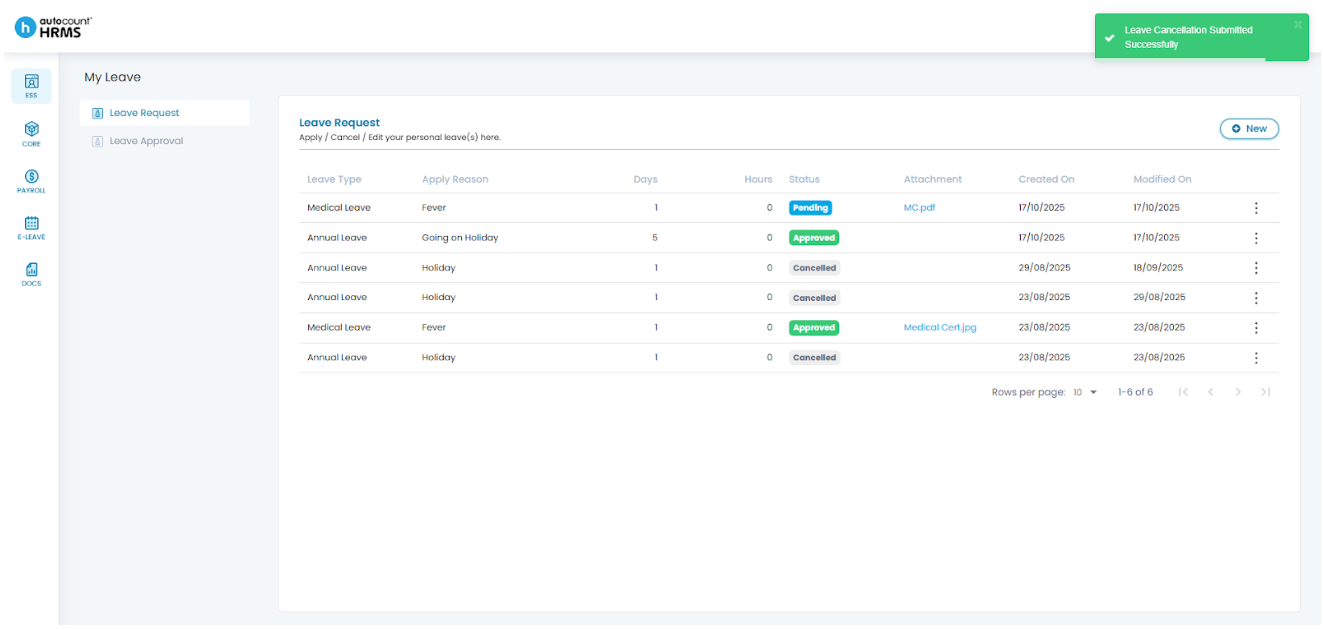
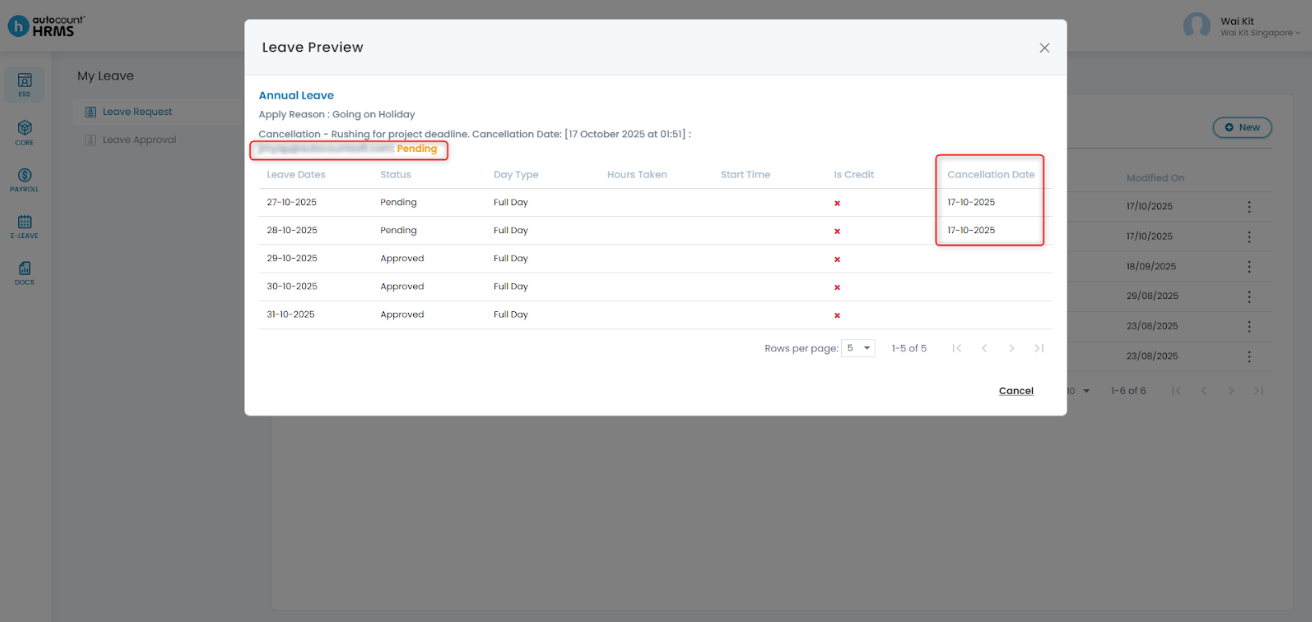
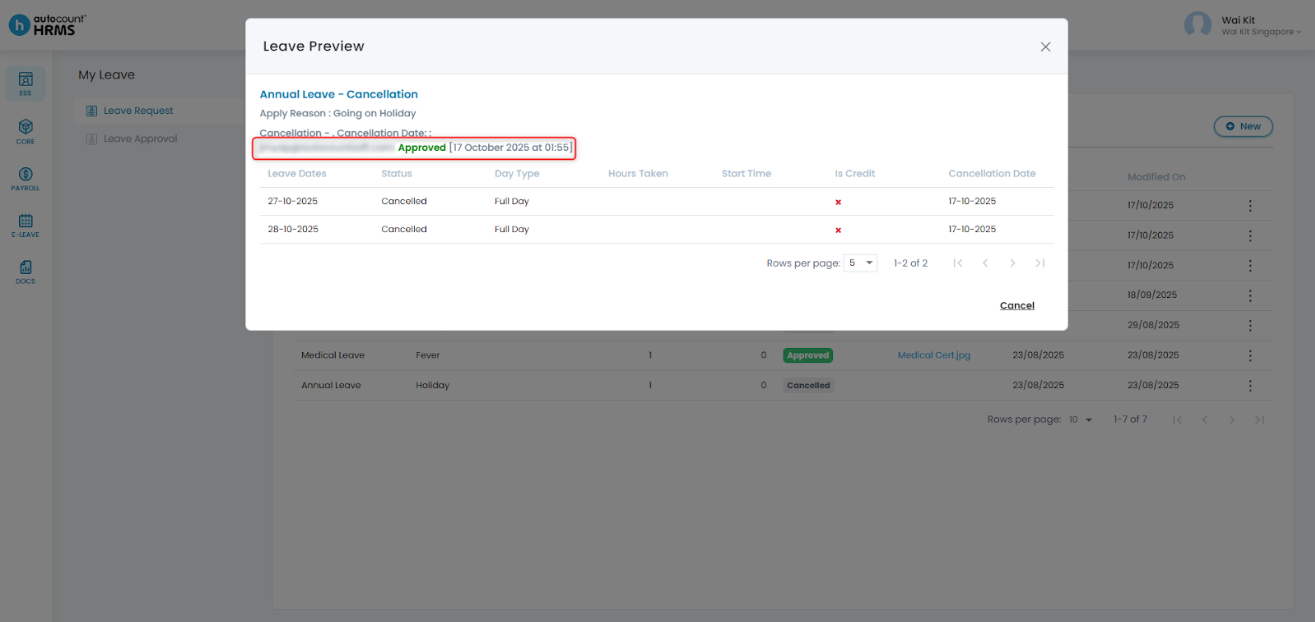
You can check the status of your cancellation by clicking the three-dot icon > Preview.
Written by: Giam Wai Kit (20251017)
Modified by: Teah Rui Harn (20251201)
Reviewed by: Tek Ee Lin (20251202)