
The Leave Approval feature allows employees who are approvers to view leave requests assigned specifically to them for approval or rejection.
This differs from Leave Transaction under e-Leave > Management, which provides access to view and act on all company leave transactions.
Steps to Check My Leave Approval:
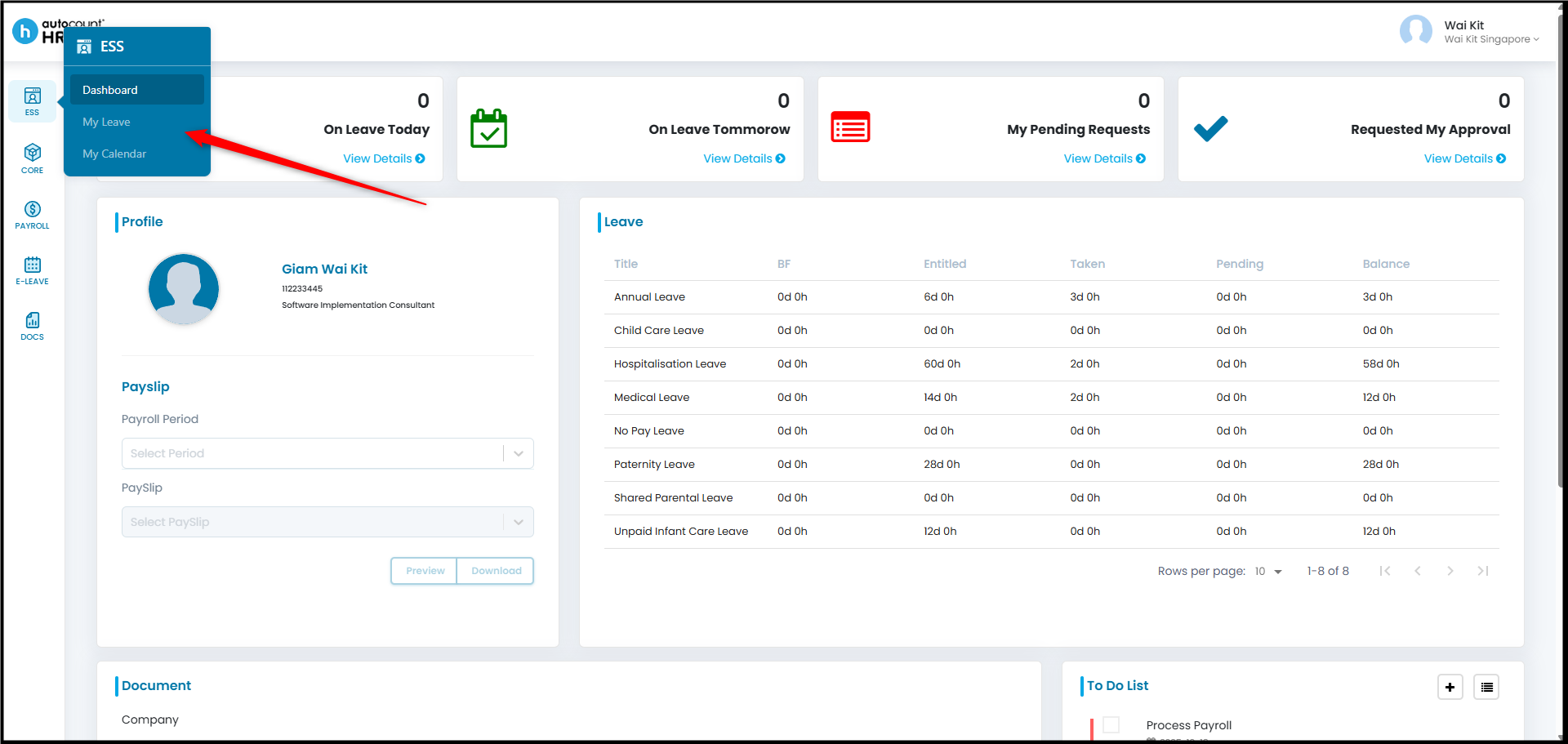
- Go to ESS > My Leave.
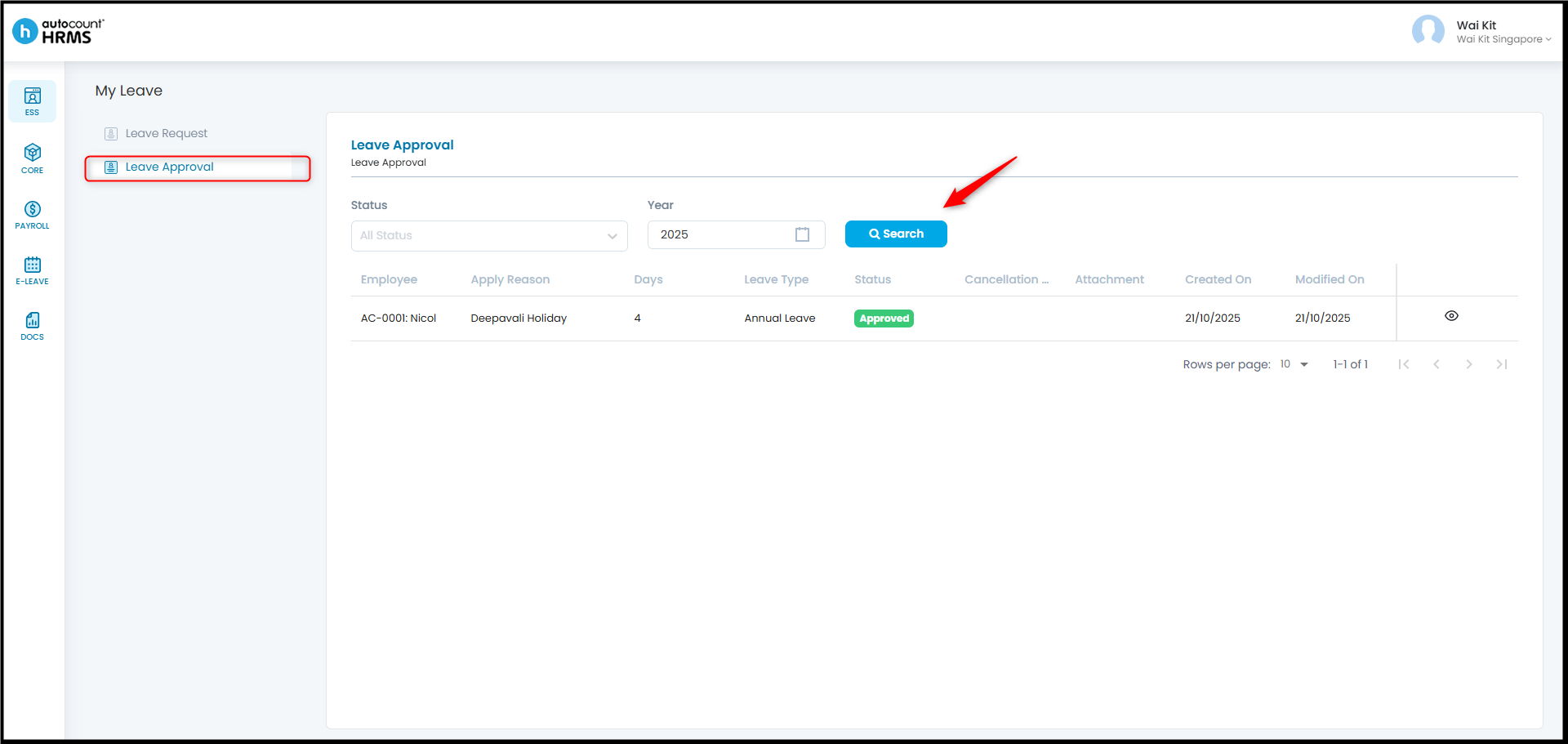
- Click Leave Approval. Apply filters (e.g. by status) if needed, or click Search to view all requests.
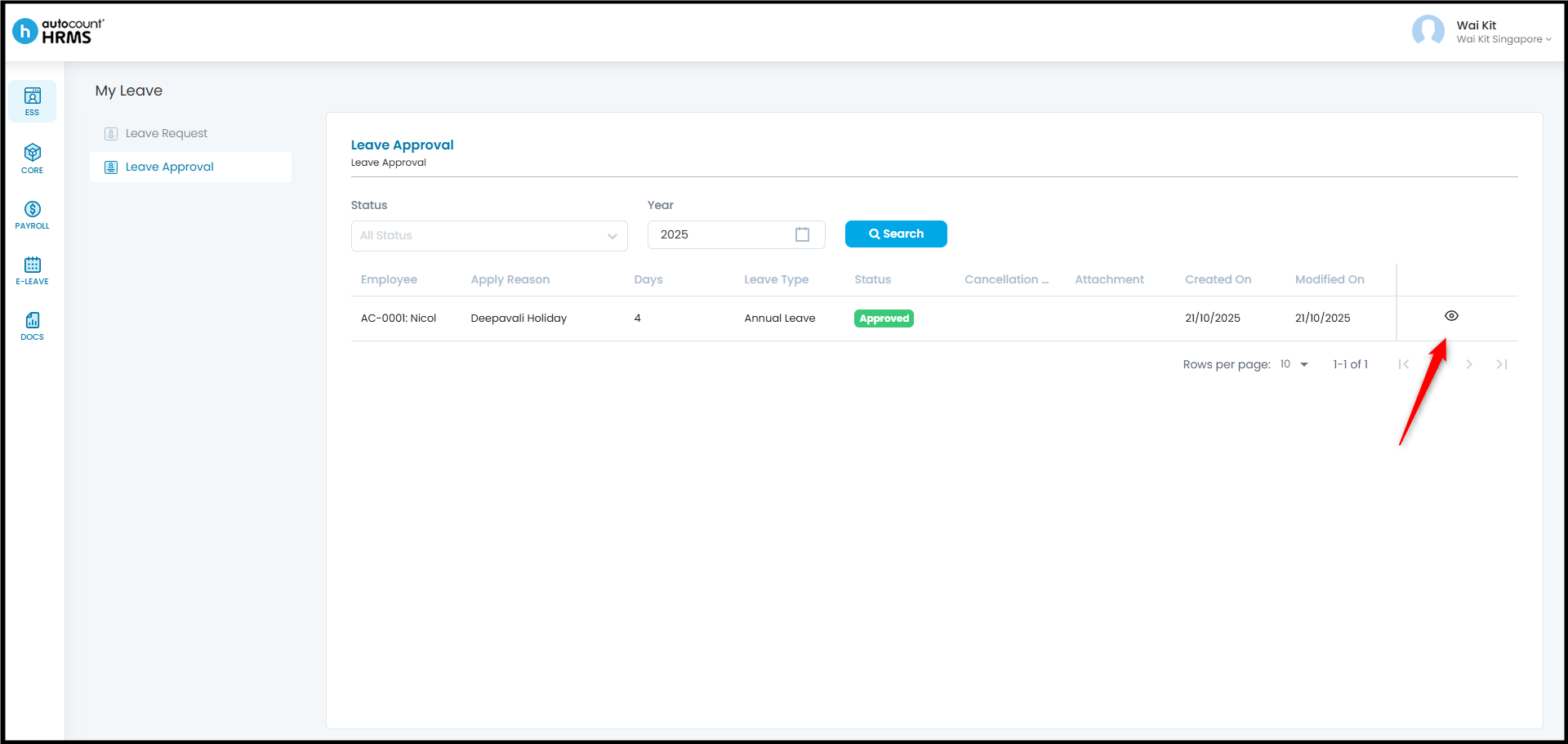
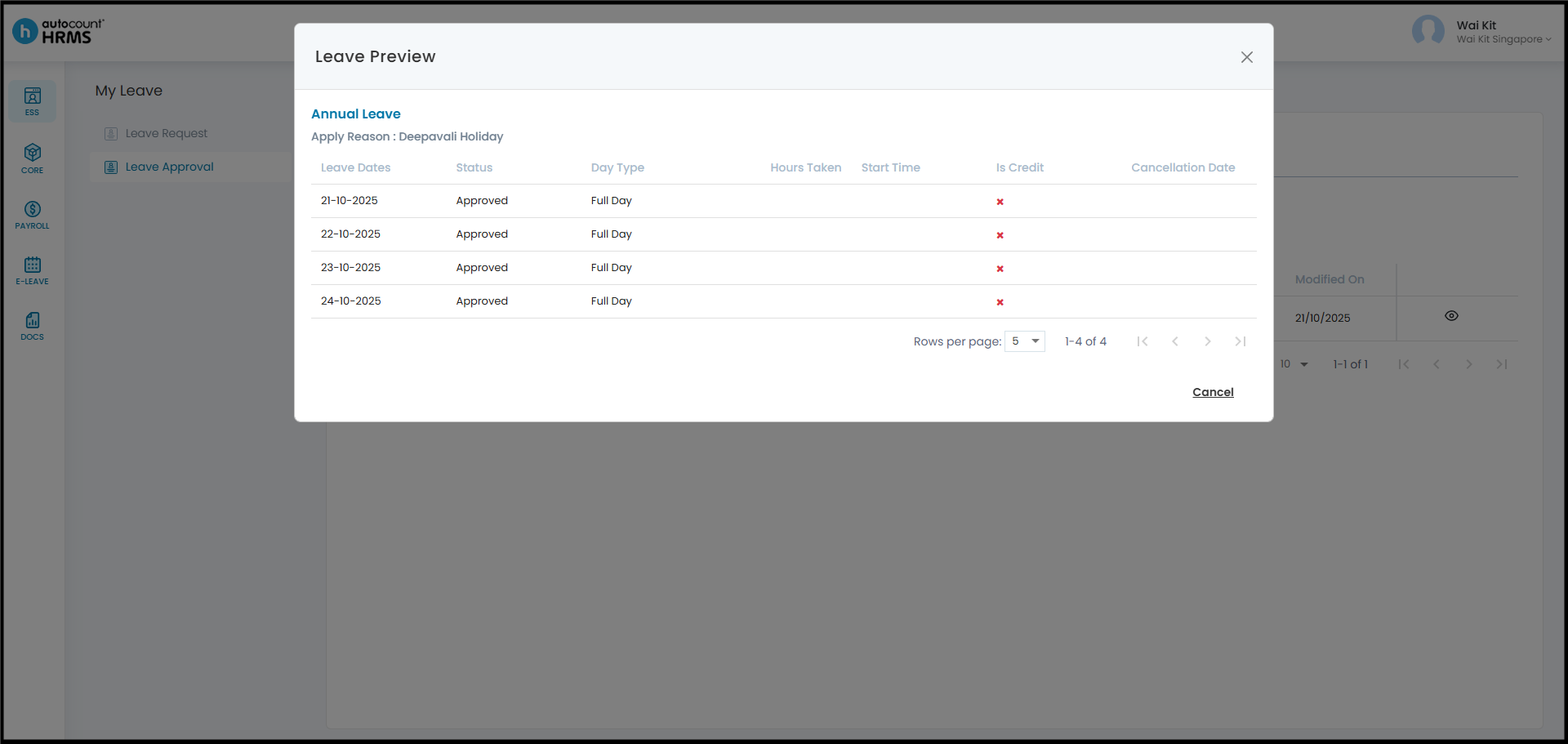
- Click the Eye icon to preview the selected leave transaction.
Written by: Giam Wai Kit (20251022)
Modified by: Teah Rui Harn (20251201)
Reviewed by: Tek Ee Lin (20251202)