
Employers can make announcements to staff about upcoming company activities or notices — such as the annual company trip, training sessions, or additional public holidays — through HRMS.
Steps to Create a New Announcement:
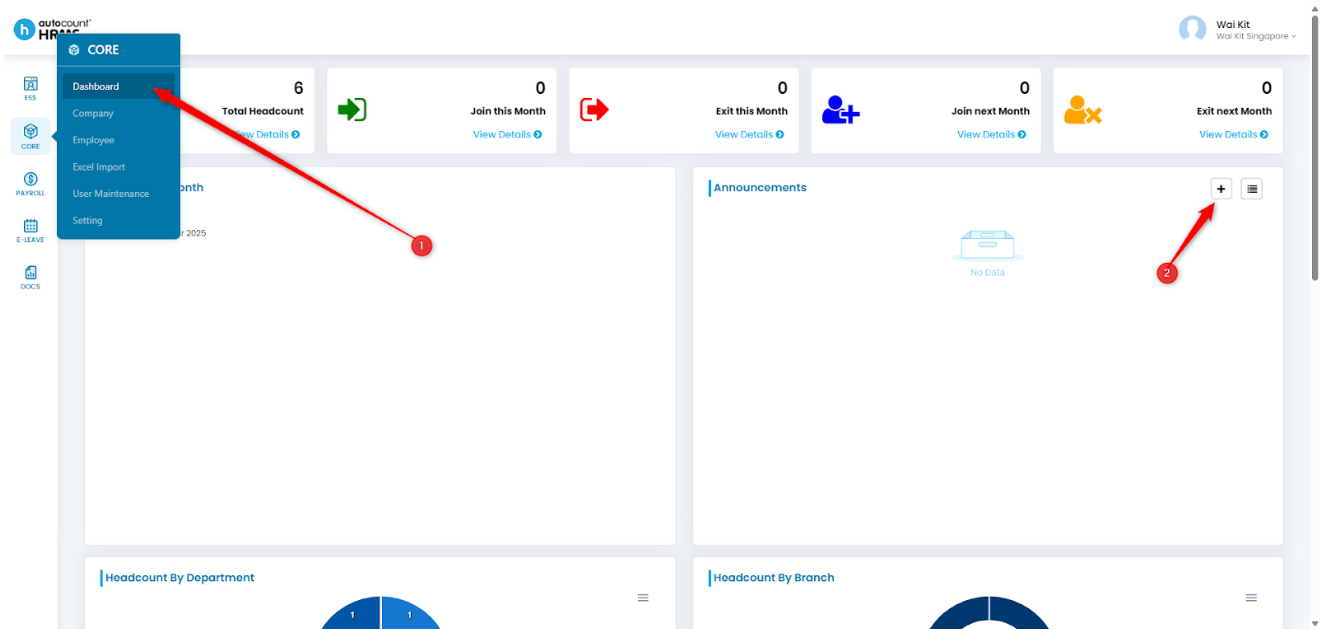
1. To create a new announcement, go to Core > Dashboard. Locate Announcements and click the plus (+) icon to add a new announcement.
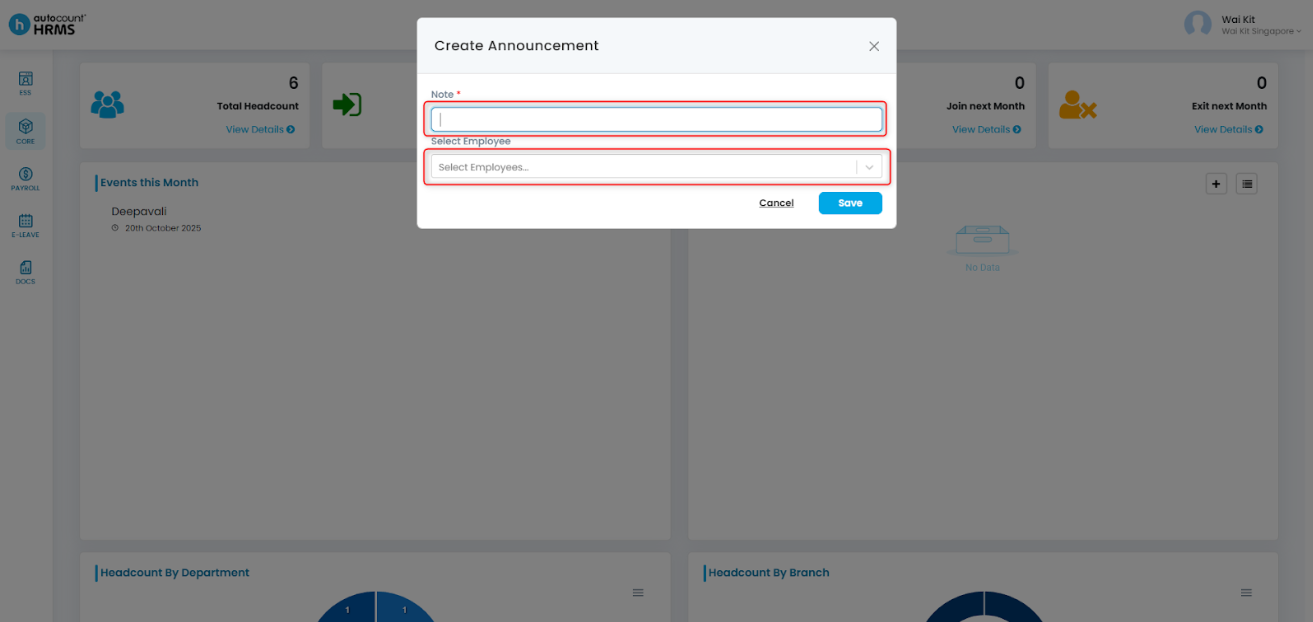
2. Fill in the necessary information:
- Note: The content of your announcement.
- Select Employee: Select the employee(s) that you would like to receive this announcement
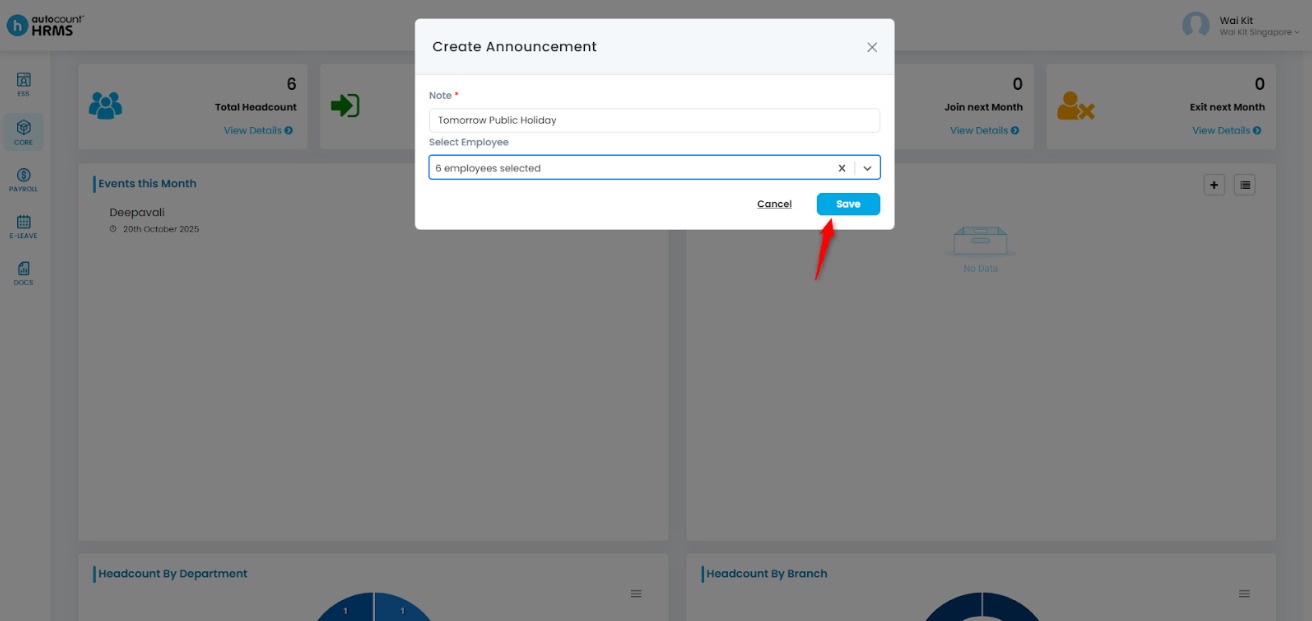
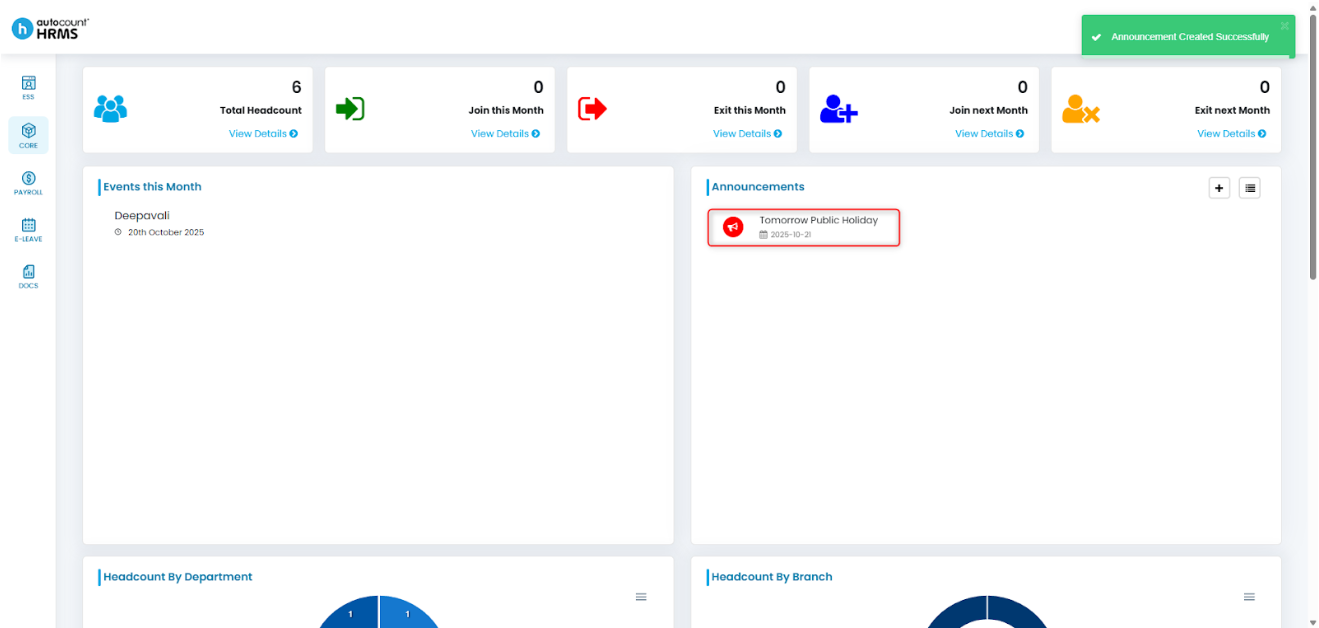
3. Click Save and the announcement is created.
Written by: Giam Wai Kit (20251021)
Modified by: Teah Rui Harn (20251201)
Reviewed by: Tek Ee Lin (20251202)