
The Department feature in HRMS allows employers to create and manage organisational divisions within the company, such as Finance, Sales, or Operations. Assigning employees to departments helps improve workforce organisation, reporting accuracy, and approval workflows.
Steps to Create a New Department:
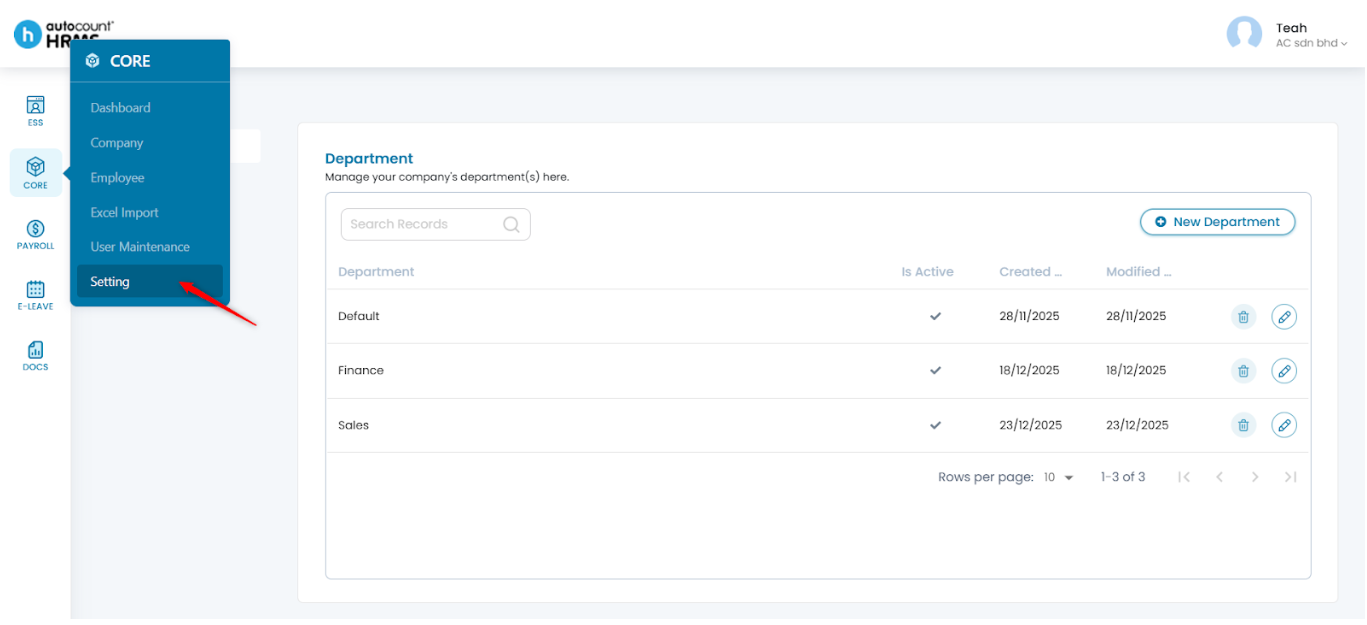
1. Go to Core > Setting.
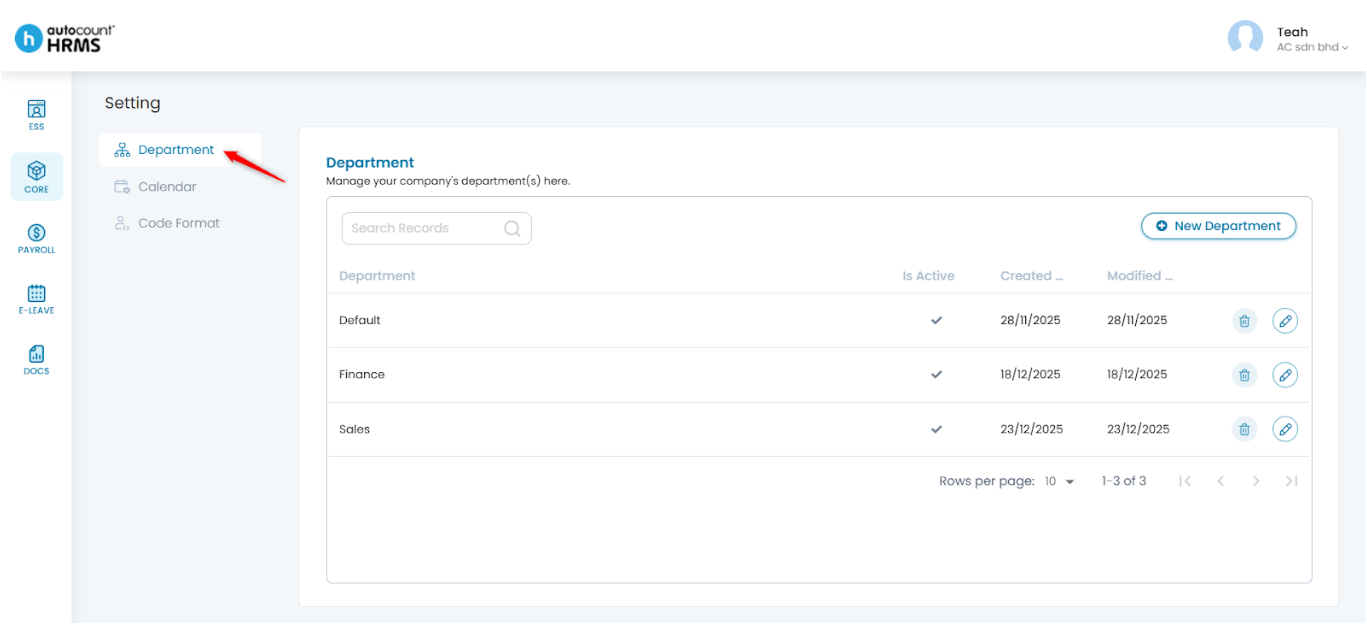
2. Under Setting, select Department.
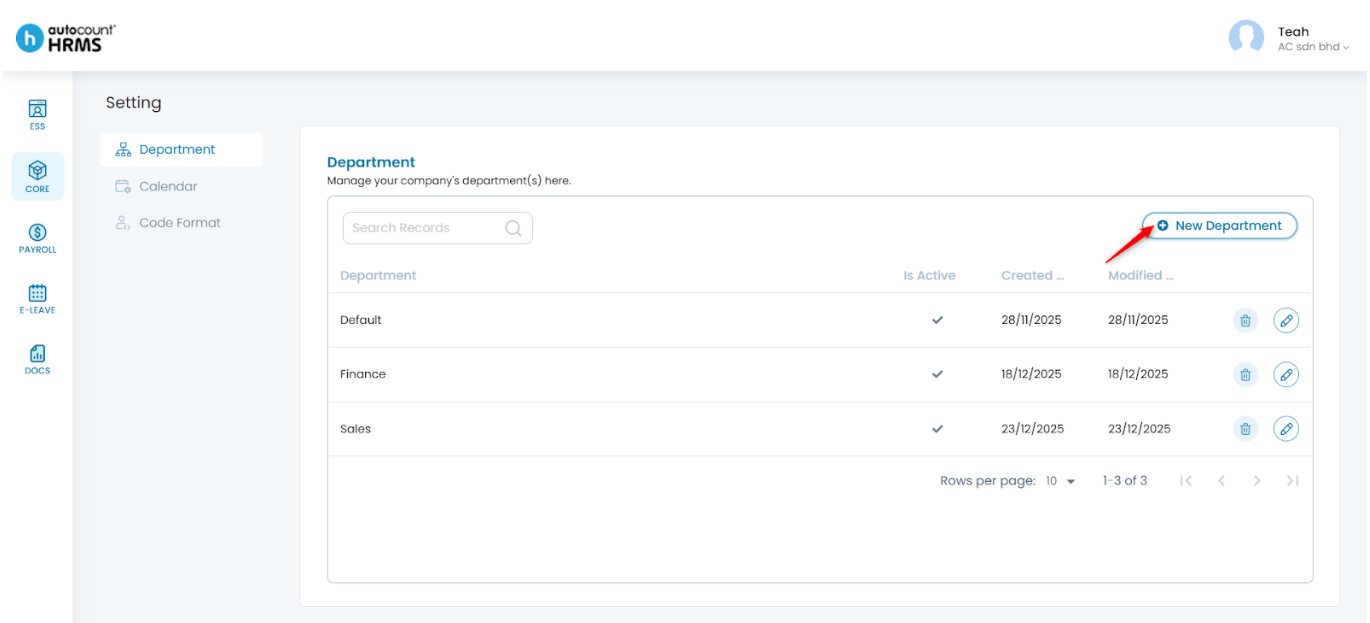
3. Click New Department.
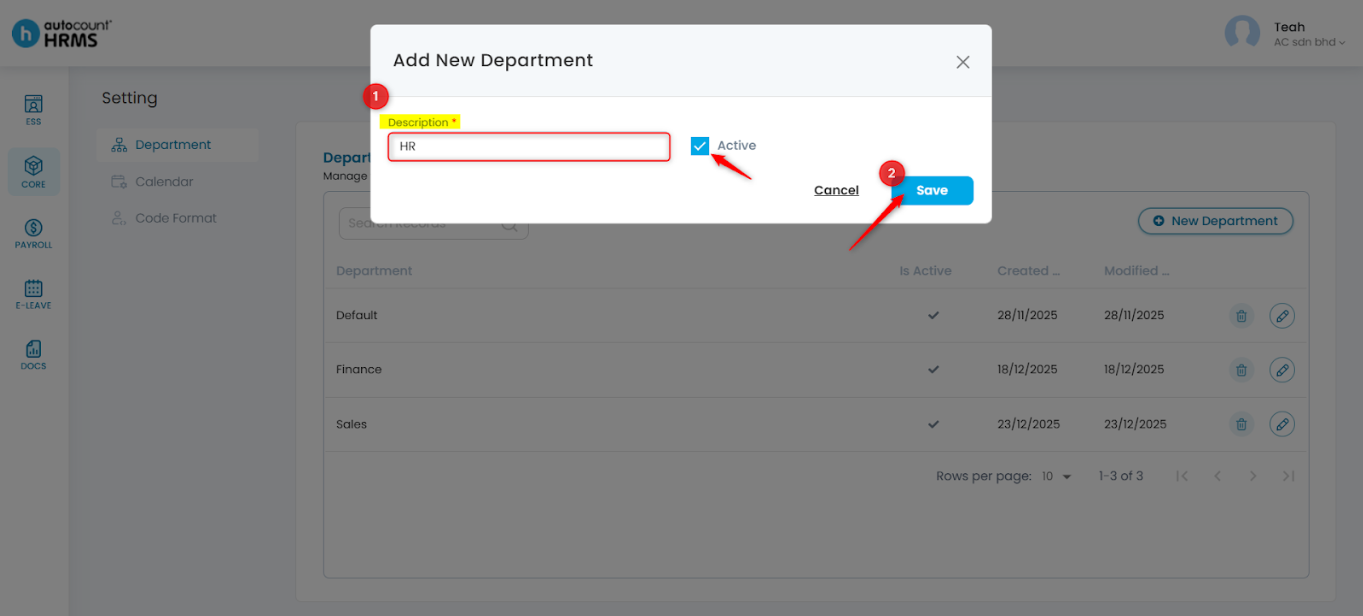
4. Enter the Description, tick Active to activate the department, then click Save.
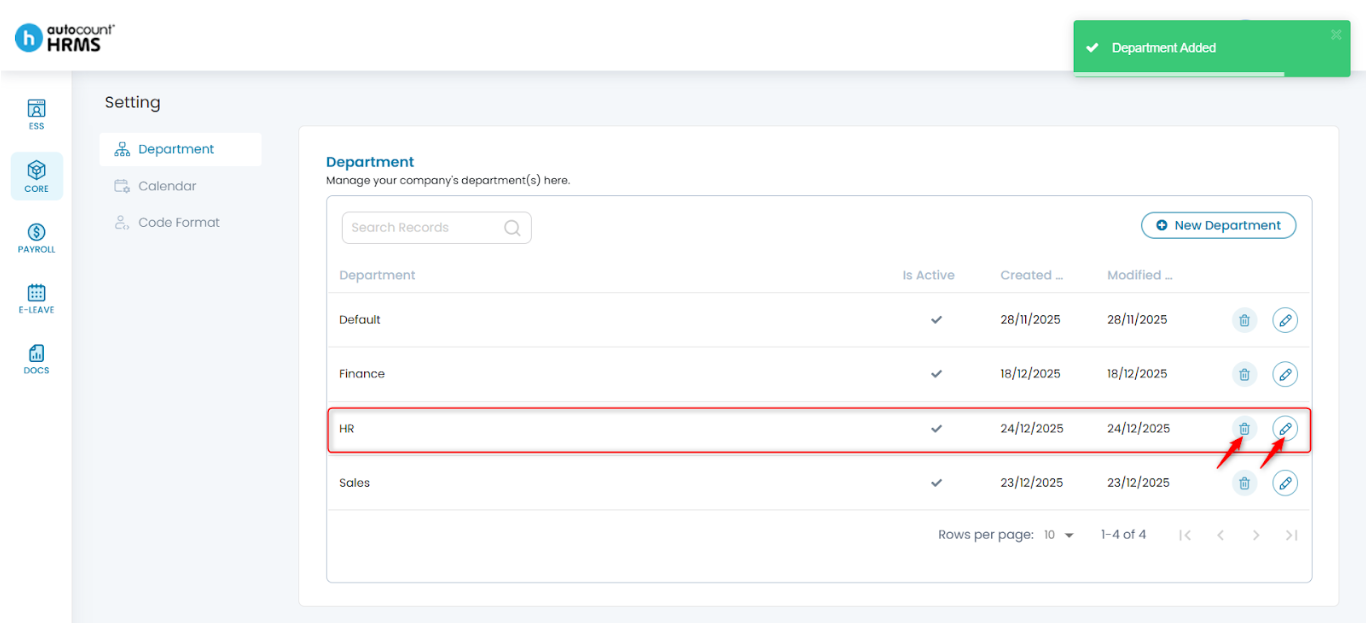
5. All departments will be listed on the page.
- To edit, click the pencil icon, make the necessary changes in the Update Department panel, then click Save.
- To delete, click the trash bin icon, then click Yes to confirm.
Note: Departments that are already assigned to employees are restricted from deletion.
Written by: Teah Rui Harn (20251226)
Reviewed by: Tek Ee Lin (20251226)