
A billing party is required when managing subscriptions. The billing party receives invoices, is responsible for subscription payments, and is listed as the buyer on all invoices. You may select an existing billing party or create a new one at the subscription renewal page by following the steps below.
Steps to Update a Billing Party:
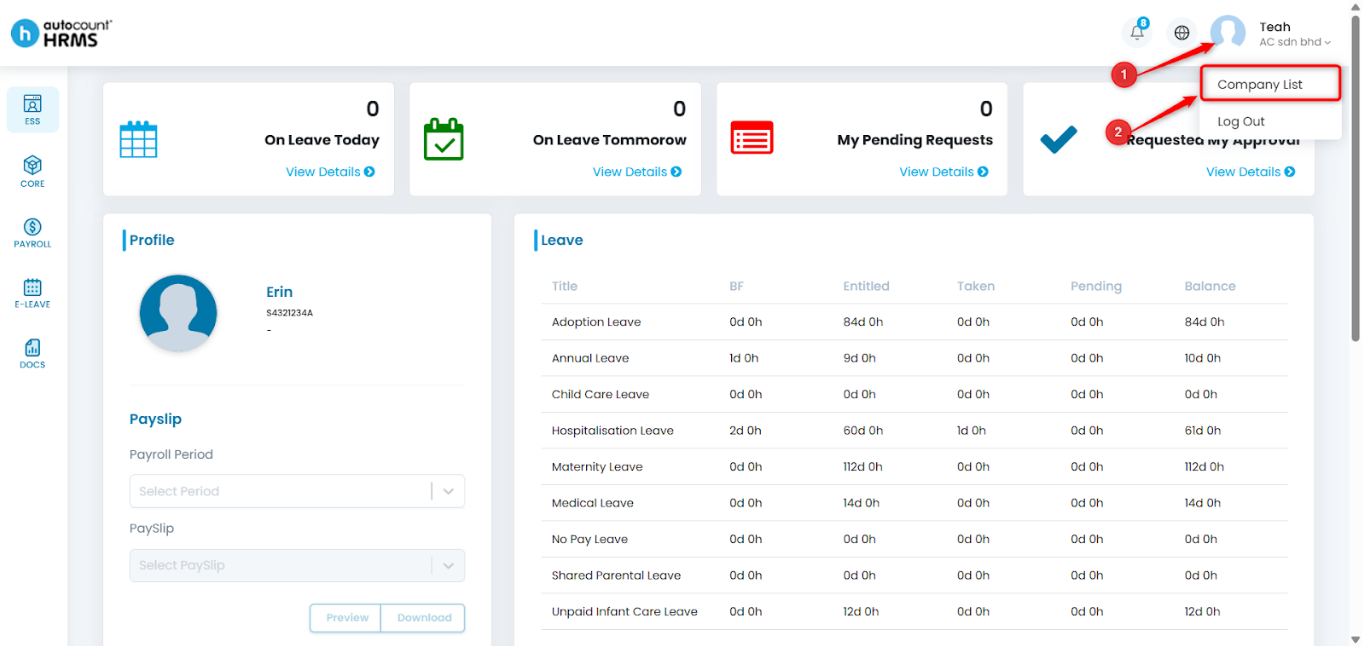
1. Click your Profile at the top-right corner, then select Company List.
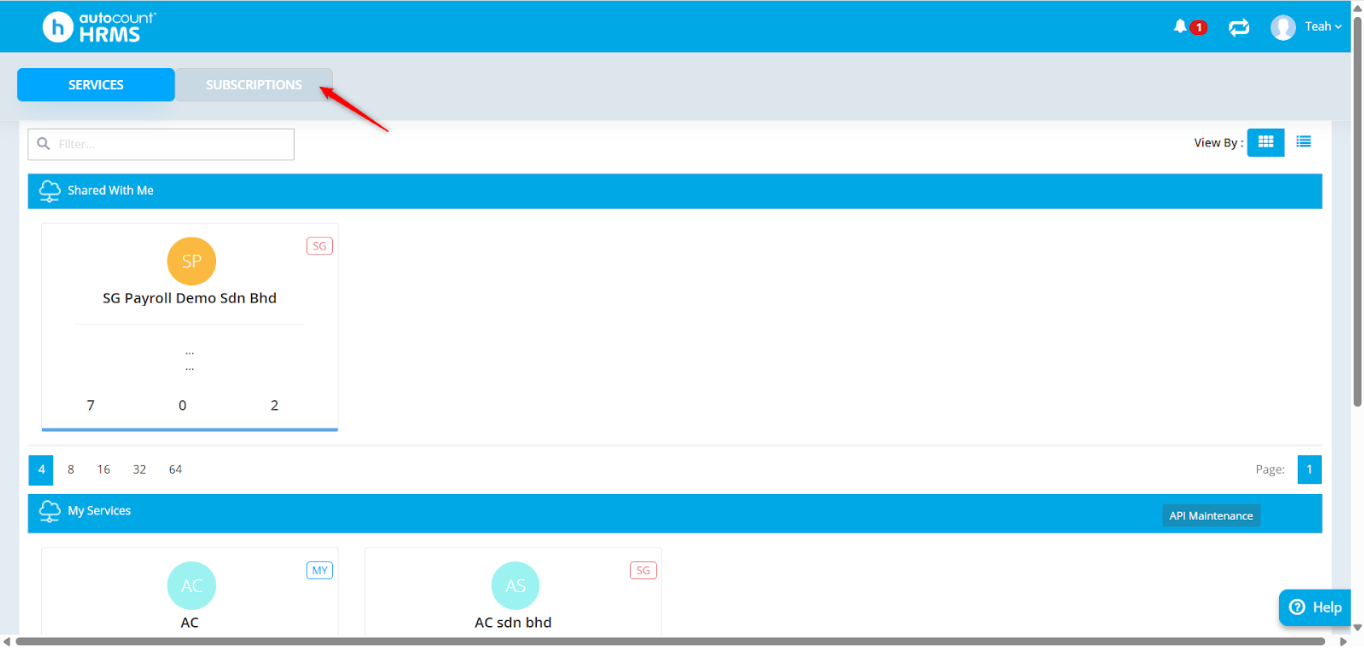
2. Go to Subscriptions.
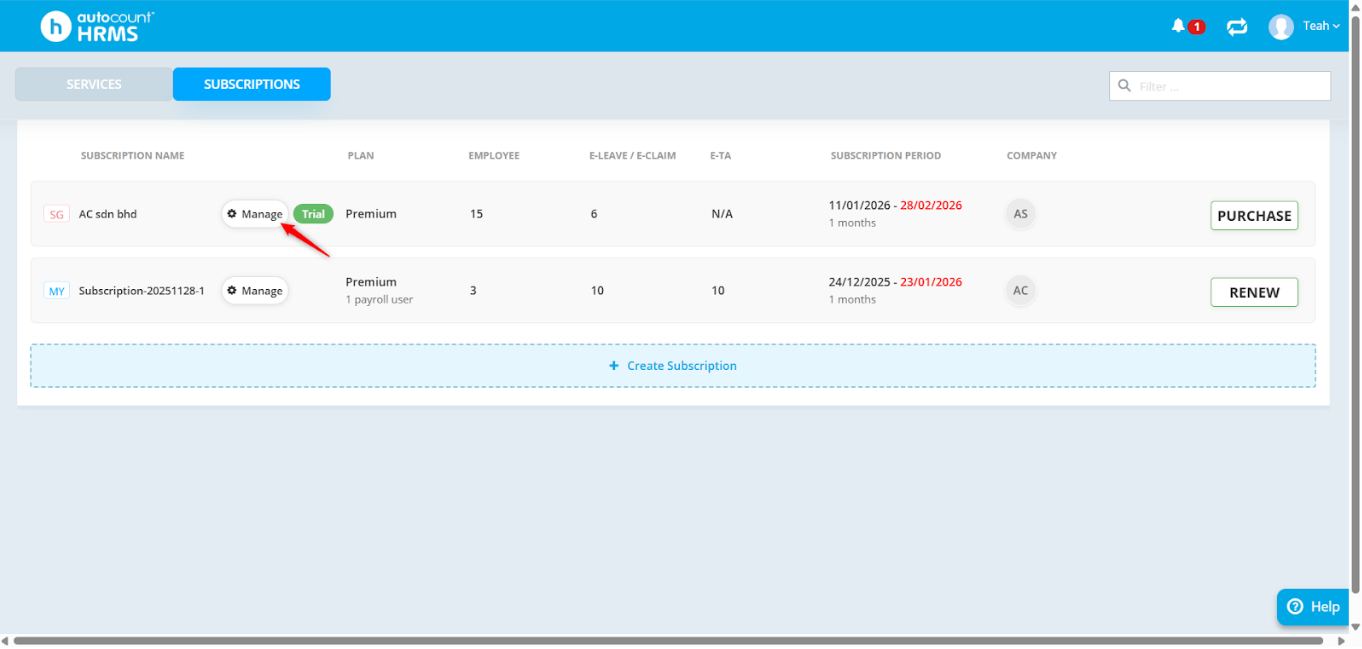
3. Click Manage.
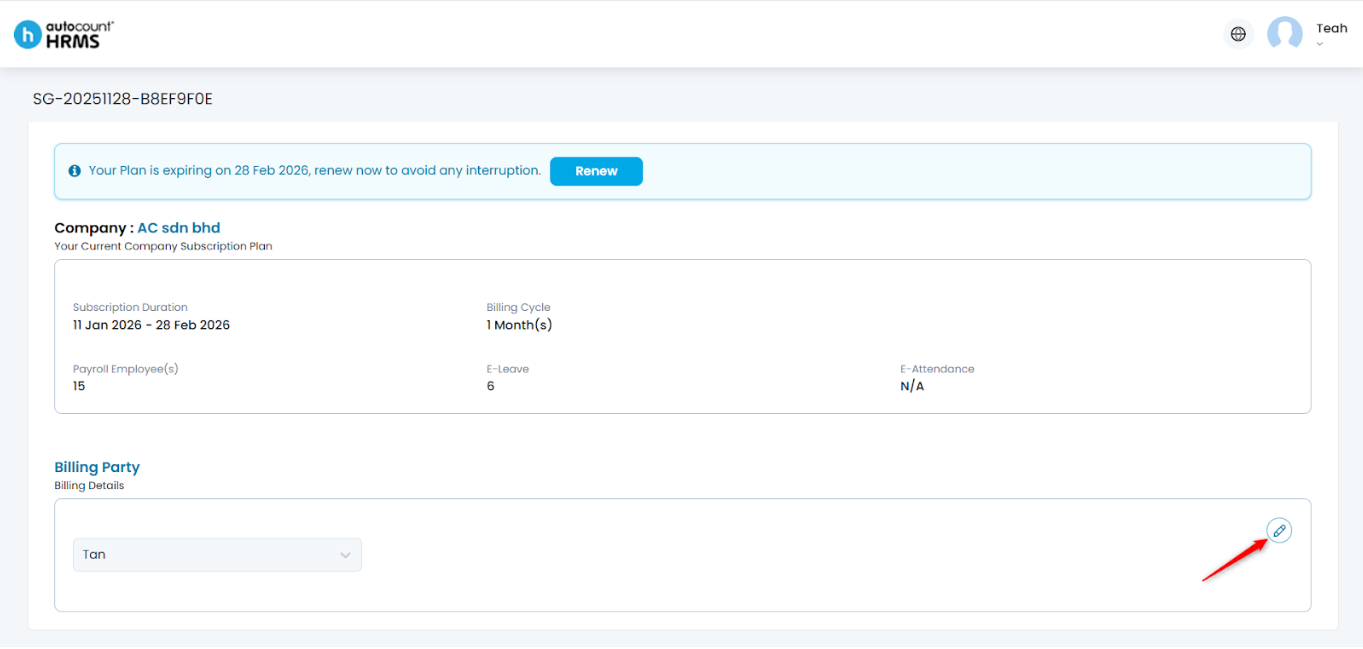
4. Click the pencil icon.
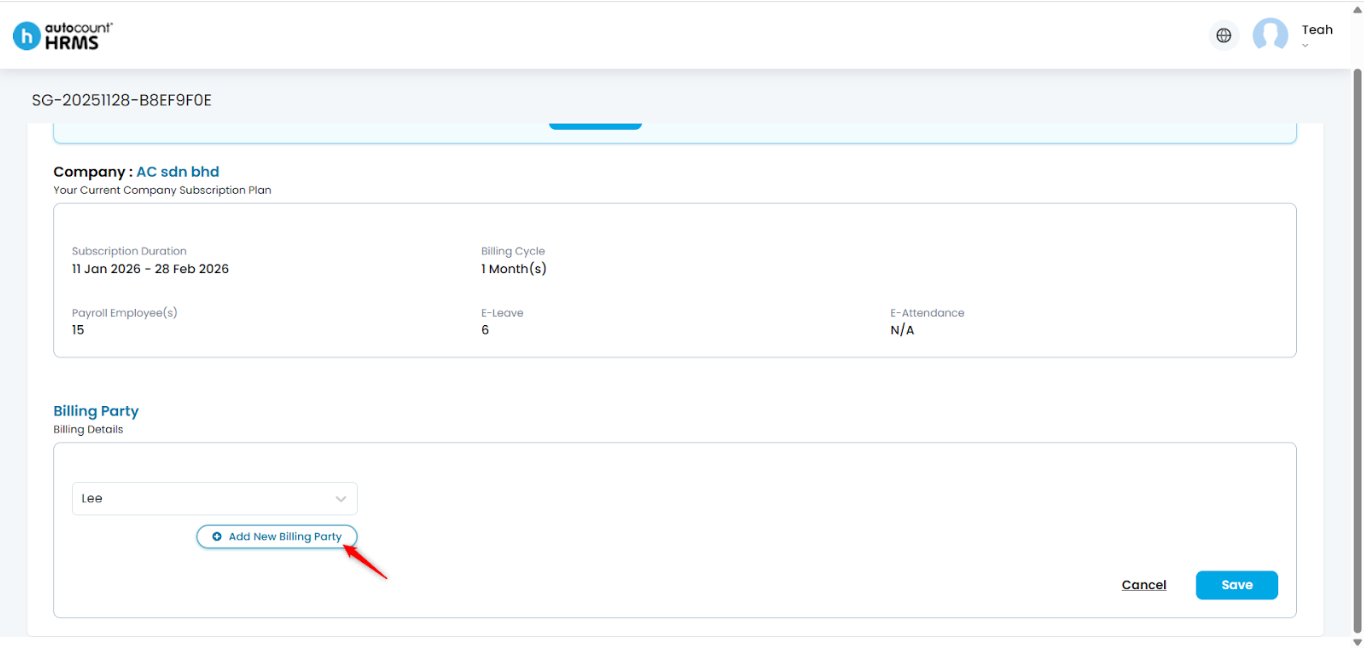
5. To add a new billing party, click + Add New Billing Party.
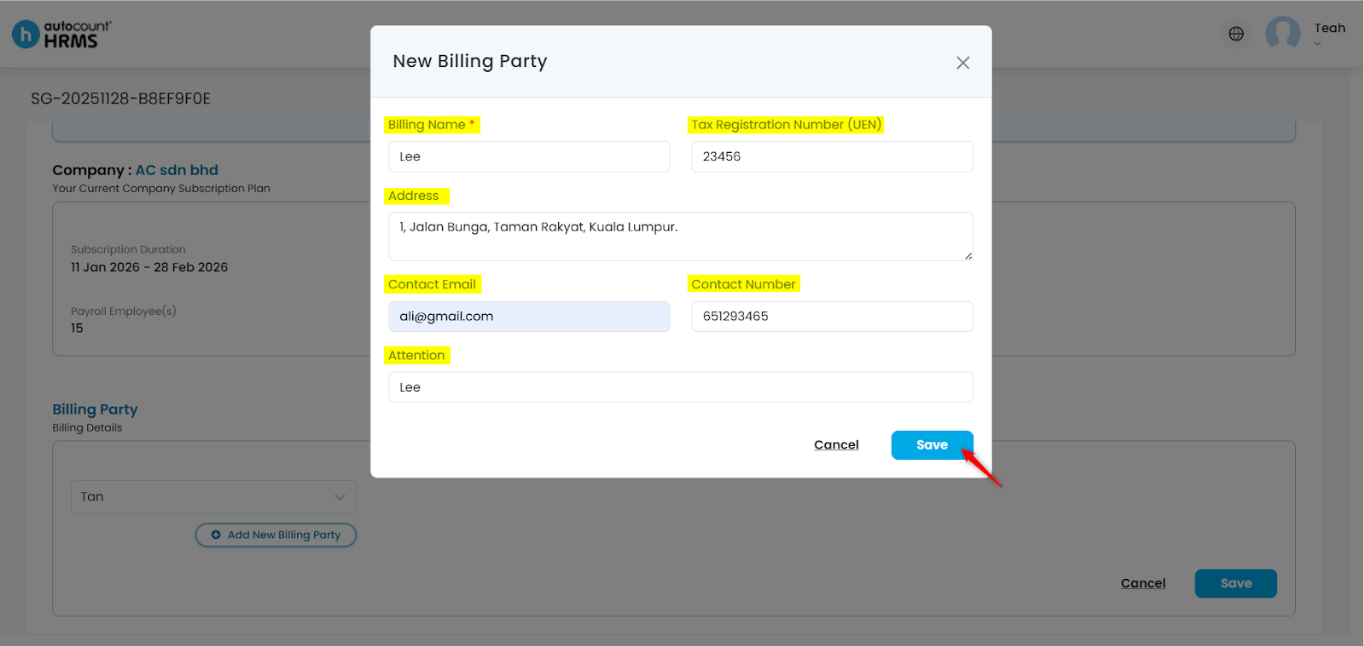
6. Enter the required details, then click Save:
- Billing Name – Enter the name of the billing party.
- Tax Registration Number (UEN) – Enter the billing party’s UEN number.
- Address – Enter the billing party’s address.
- Contact Email – Enter the email address for billing correspondence.
- Contact Number – Enter the contact number of the billing party.
- Attention –Enter the name of the person to be addressed.
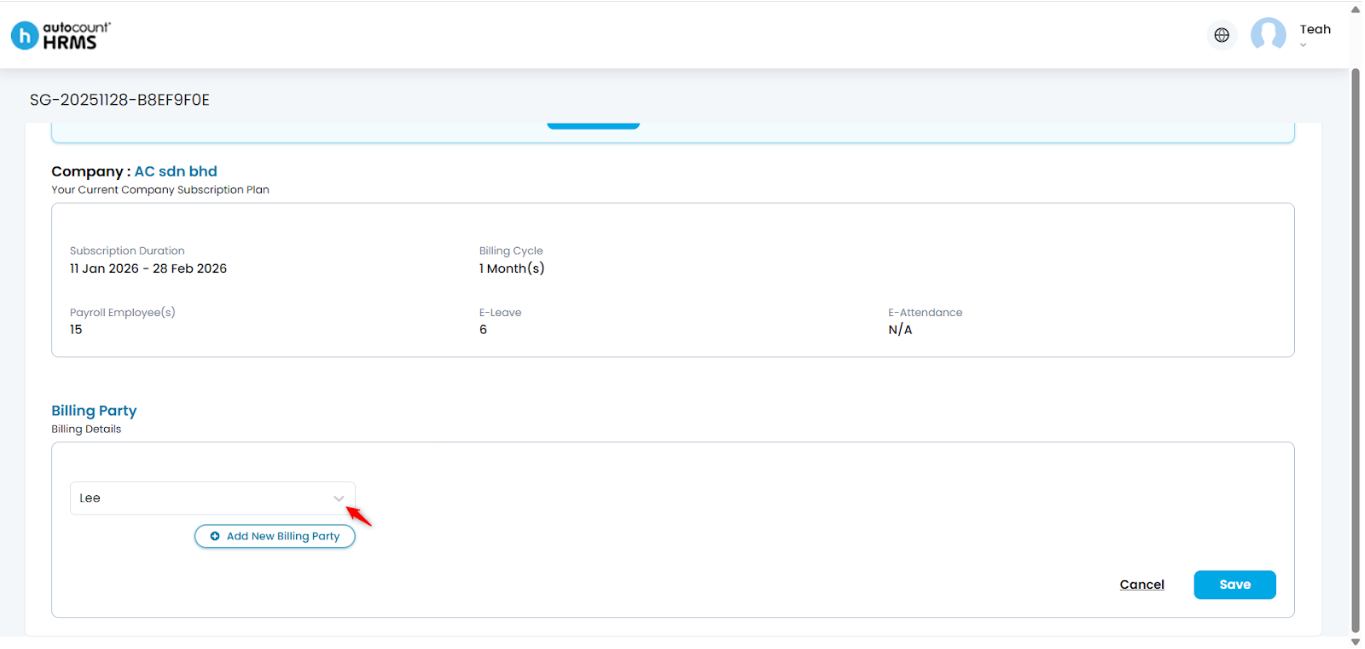
7. Select the billing party from the drop-down list.
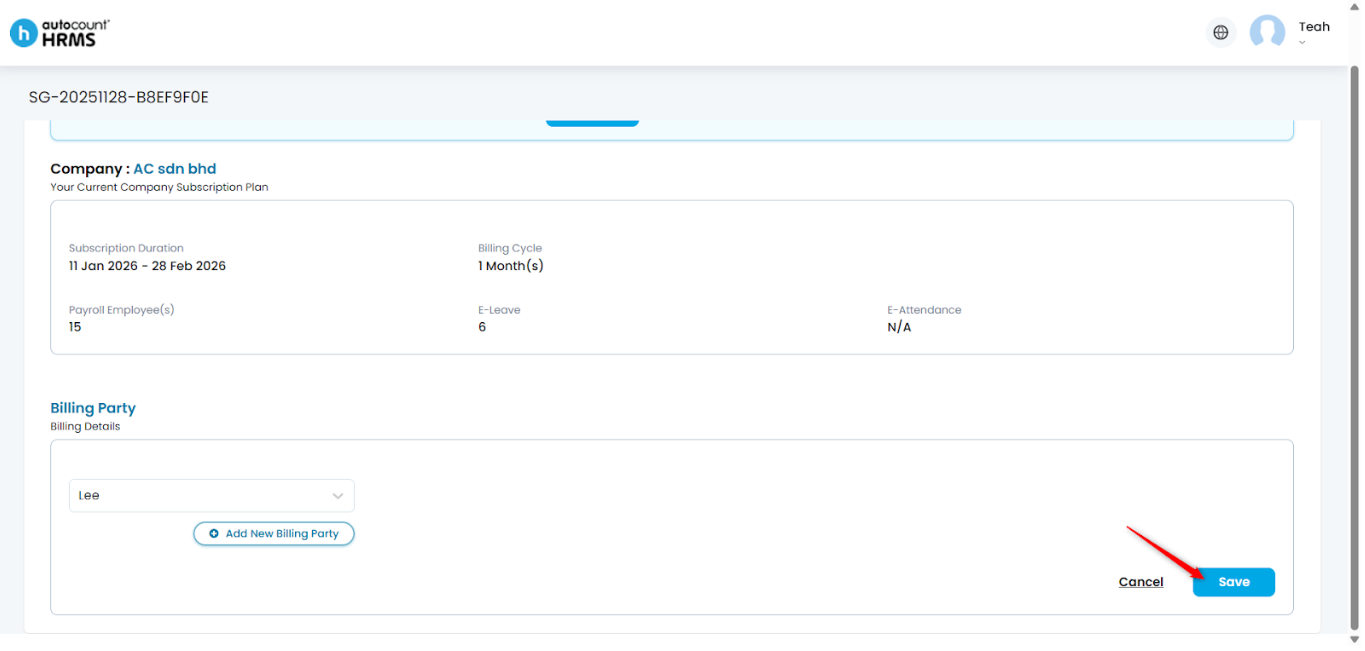
8. Click Save to apply the changes.
Written by: Teah Rui Harn (20260116)
Reviewed by: Tek Ee Lin (20260120)