
A Payroll Profile defines how often payroll is processed — such as monthly, semi-monthly, or weekly — and determines how employees’ salaries are calculated for each period.
By default, the system includes two profiles:
- Month End – for processing payroll once a month.
- Semi-Monthly – for processing payroll twice a month, where the employee’s basic salary or rate is divided equally between two pay periods.
If your organisation processes payroll on a different cycle (for example, weekly), create a new Payroll Profile.
Steps to Create a Payroll Profile:
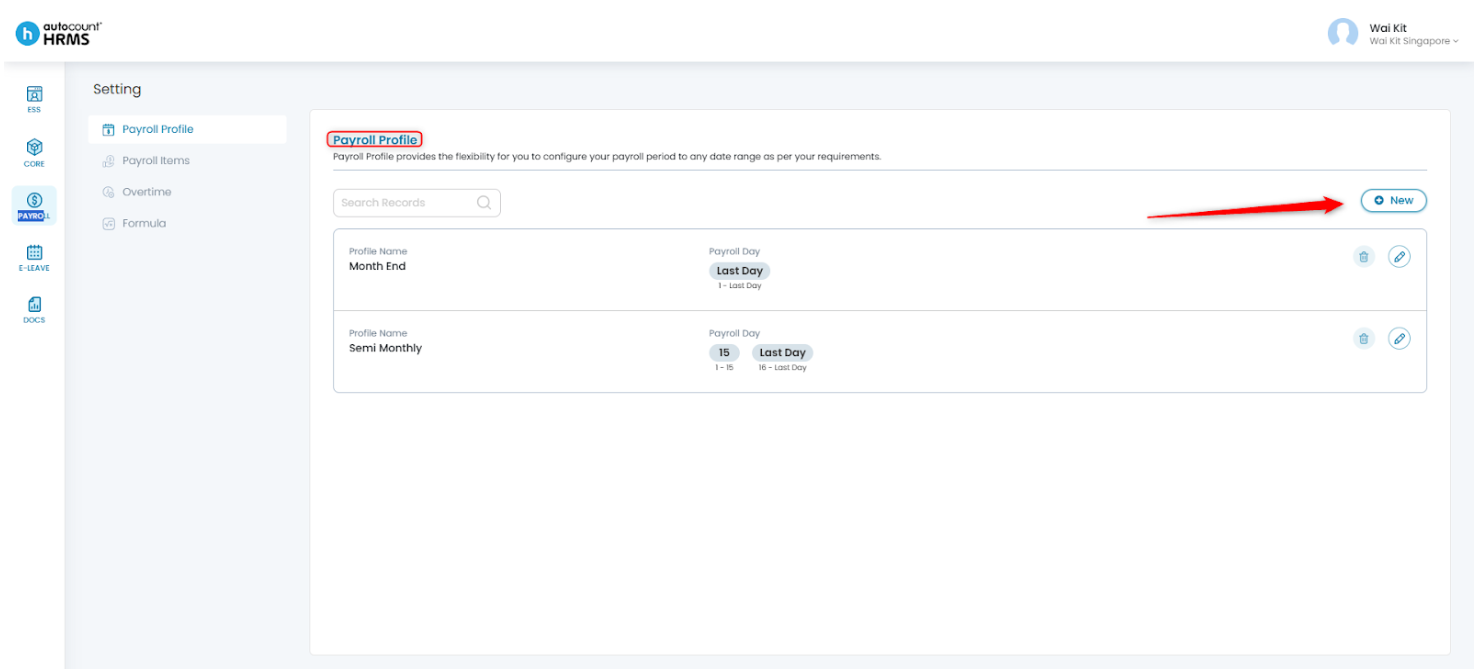
1. Go to Payroll > Settings from the main menu.
2. Click New to create a new Payroll Profile.
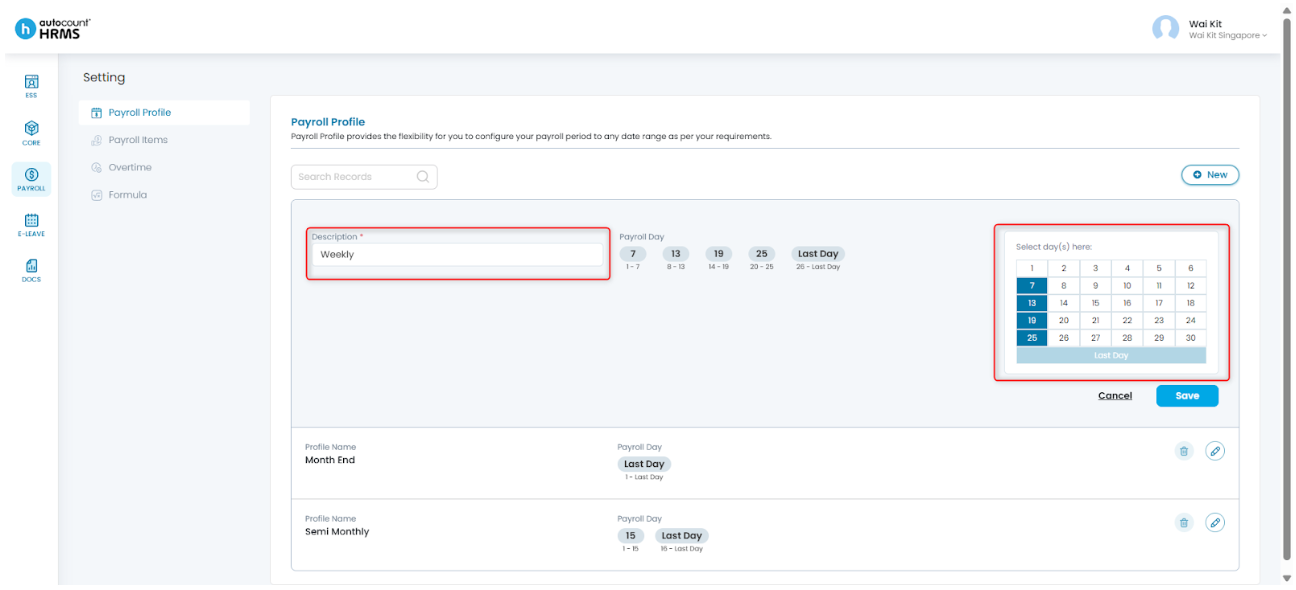
3. Enter the Description and configure the payroll dates.
- The first day of the month is selected automatically.
- Select the last day of the first cut-off period based on your payroll frequency.
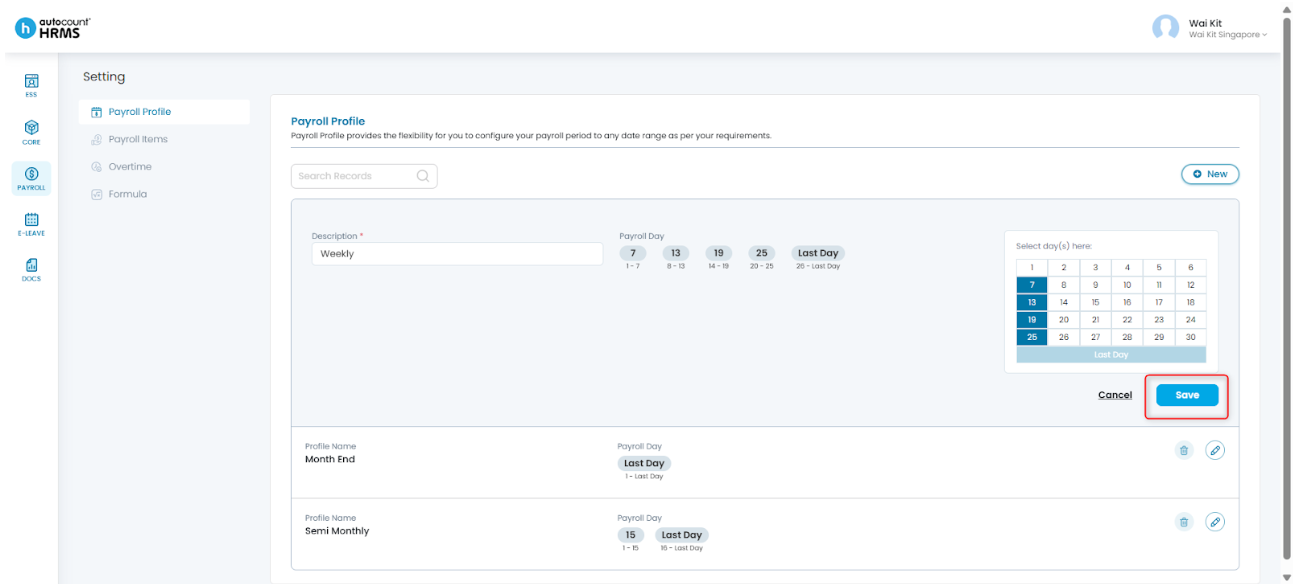
4. Click Save to apply the changes.
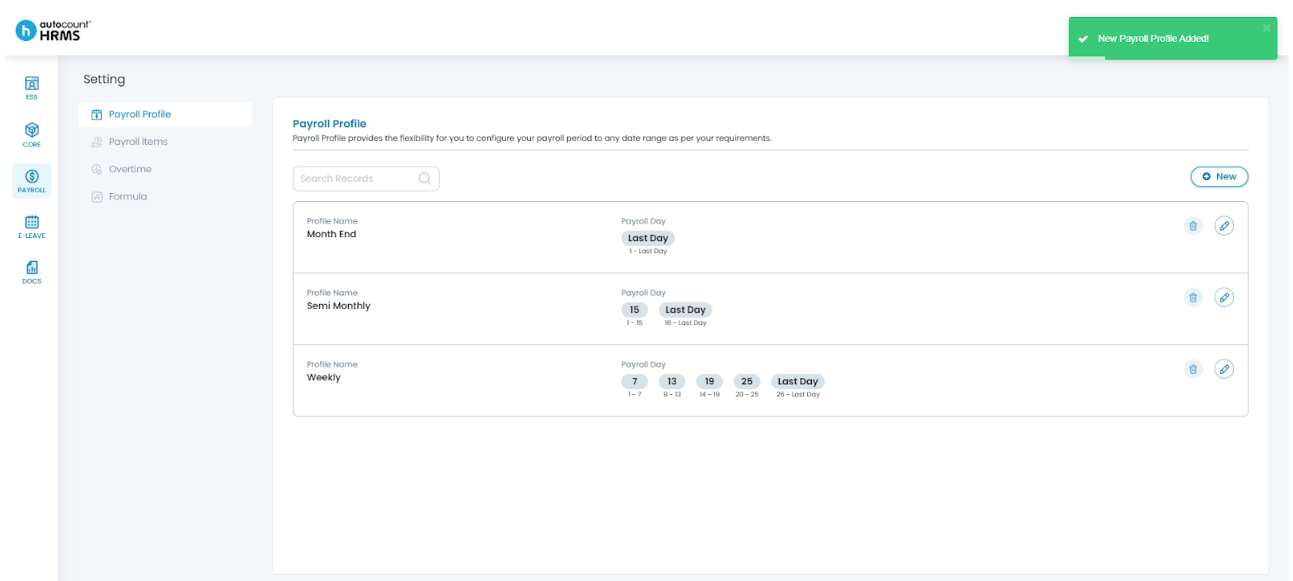
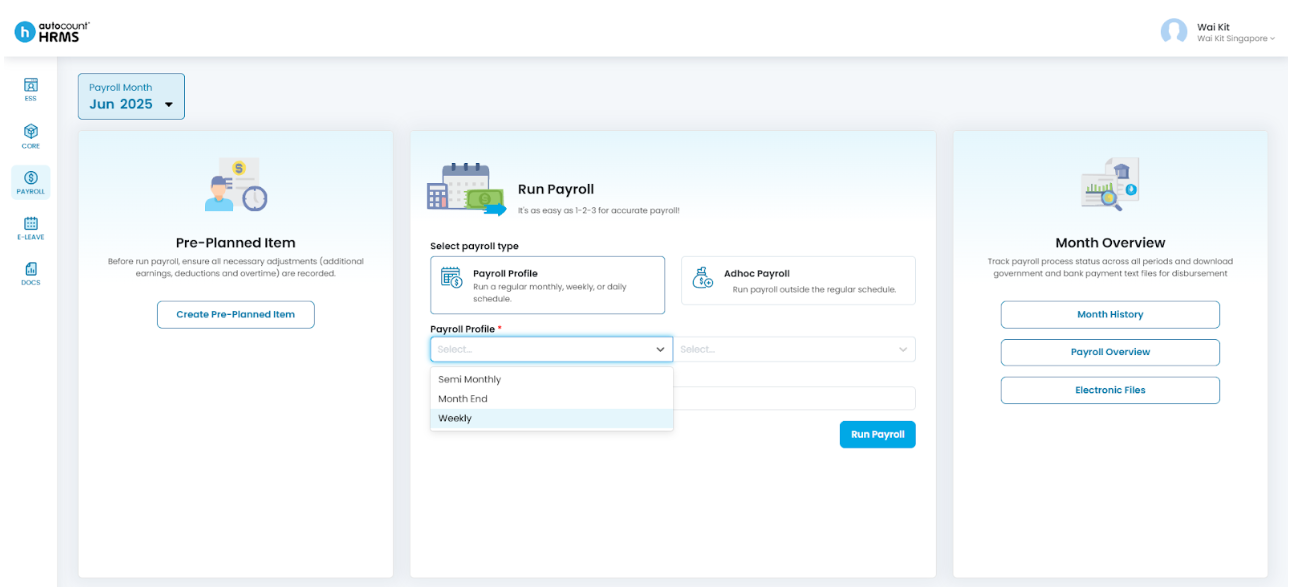
5. The new Payroll Profile will be created and available for use during payroll processing.
Tip:
After creating a new Payroll Profile, assign it to the relevant employees in their profiles to ensure payroll is processed according to the correct schedule.
Written by: Giam Wai Kit (20251017)
Modified by: Teah Rui Harn (20251201)
Reviewed by: Tek Ee Lin (20251202)