
The HRMS Formula feature allows employers to view, create, and manage formulas used to calculate payroll items such as Additions, Deductions, and Overtime. These formulas help automate payroll processing by ensuring consistent and accurate calculations for all applicable payroll items.
There are two types of formulas available:
- Payroll Items Formula – Used to calculate additions and deductions. These formulas are fully editable.
- Overtime Formula – Used to calculate overtime payments. The default formulas follow Singapore’s Ministry of Manpower (MOM) requirements and can be previewed but not edited. However, employers may create new custom formulas if needed.
Steps to Create a New Formula:
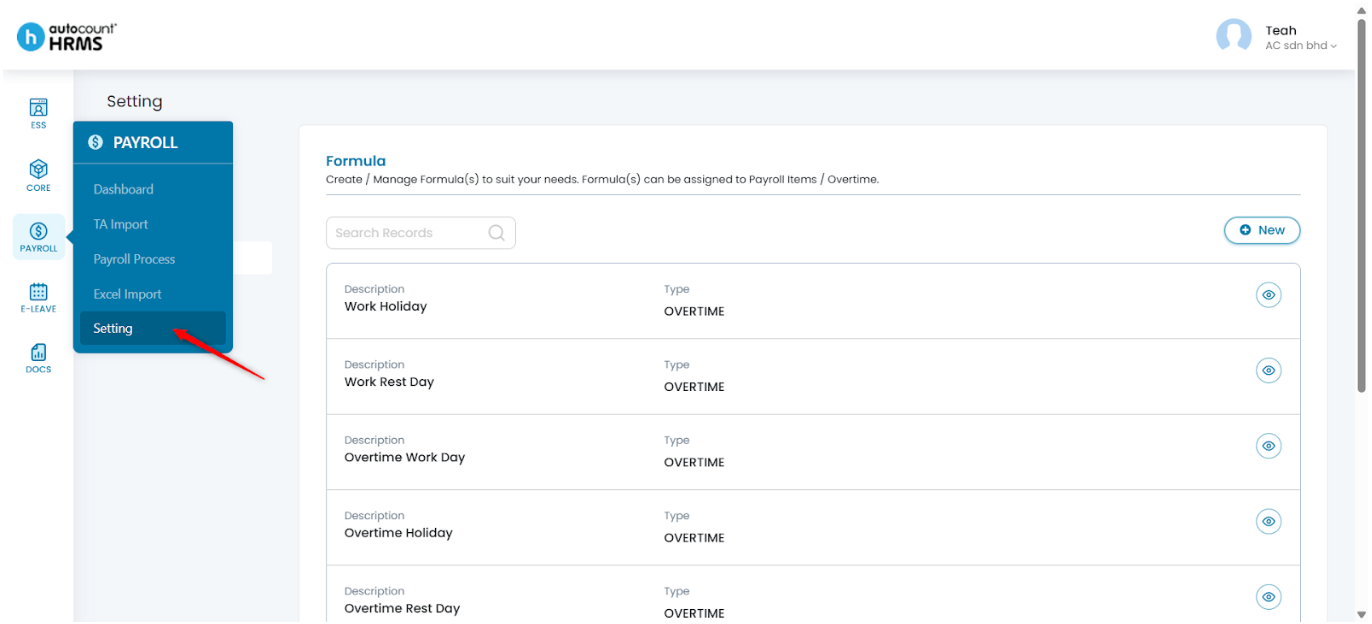
1. Go to Payroll > Setting.
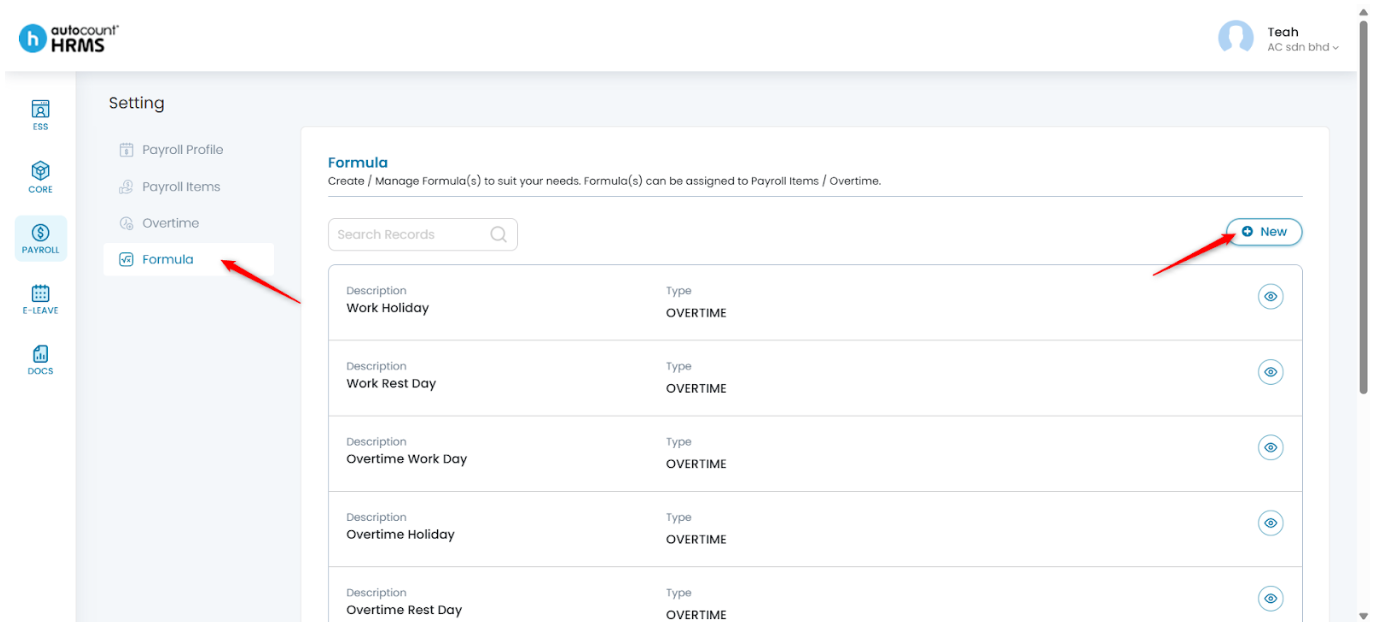
2. Under Setting, select Formula, then click New at the top right corner.
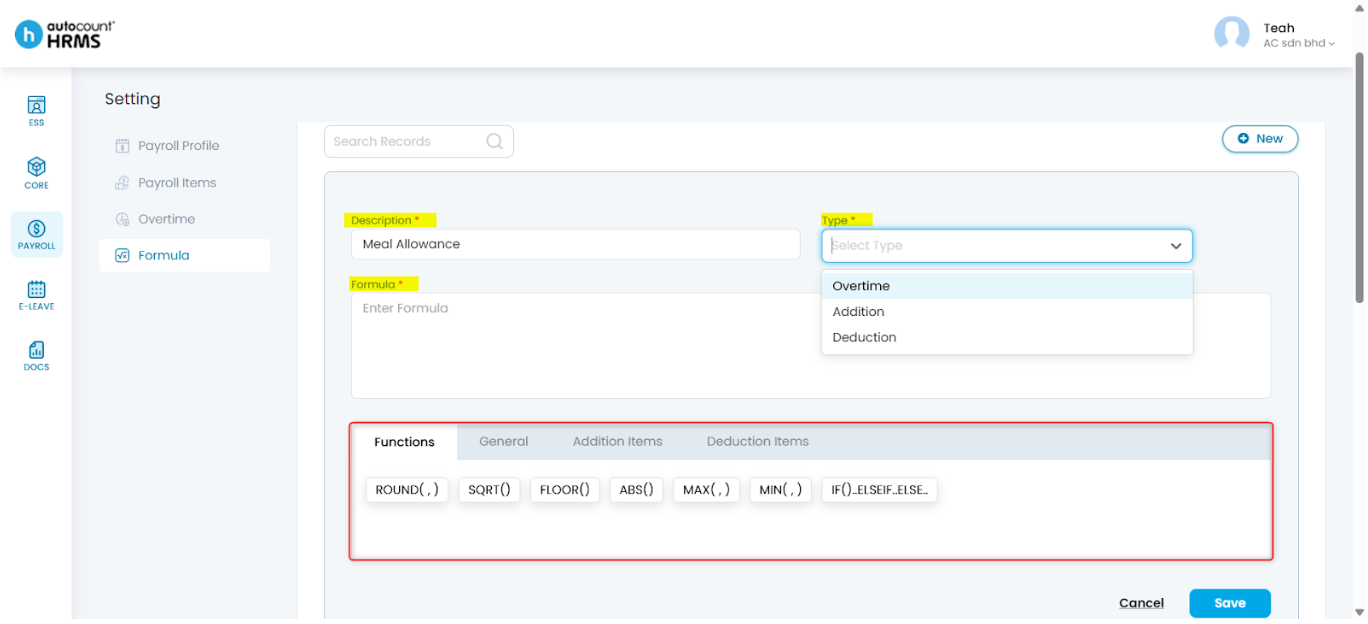
3. Fill in required details:
- Description – Name of the formula.
- Type – Select the purpose of the formula:
- Overtime – For calculating overtime payments.
- Addition – For addition items such as allowances or bonuses.
- Deduction – For deduction items such as lateness or unpaid leave.
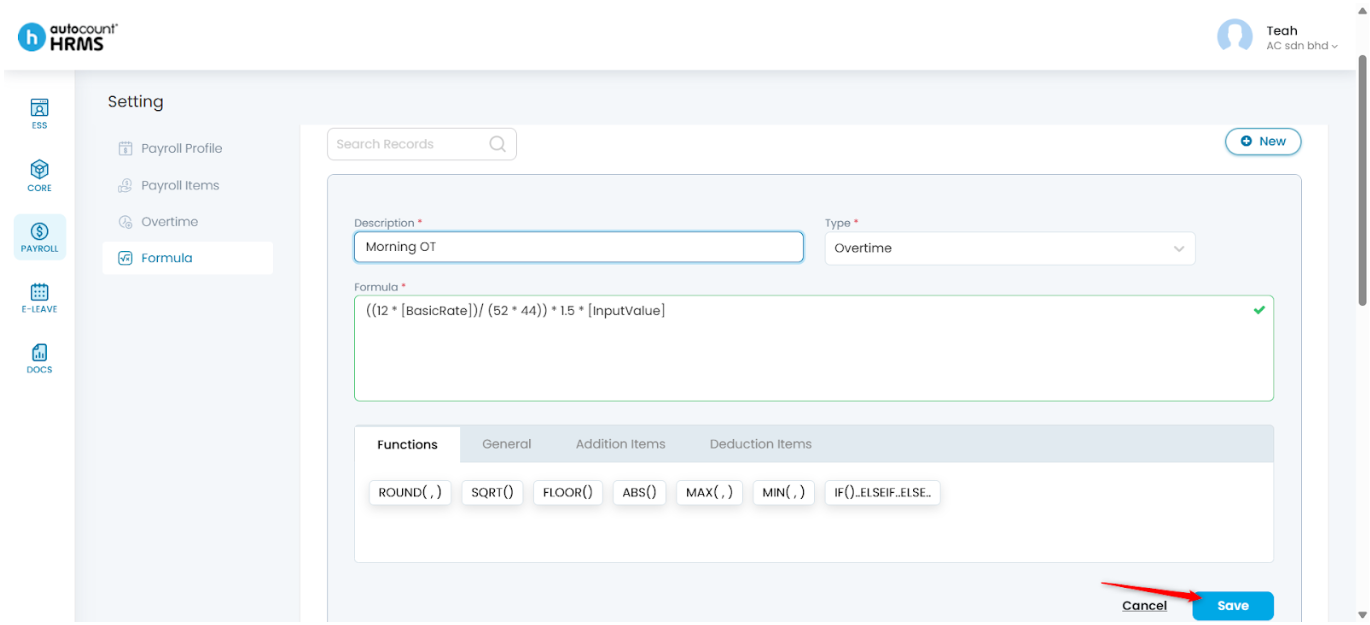
- Formula – Enter the formula expression. You may drag and insert the available code snippets into the formula box for customisation.
4. Click Save.
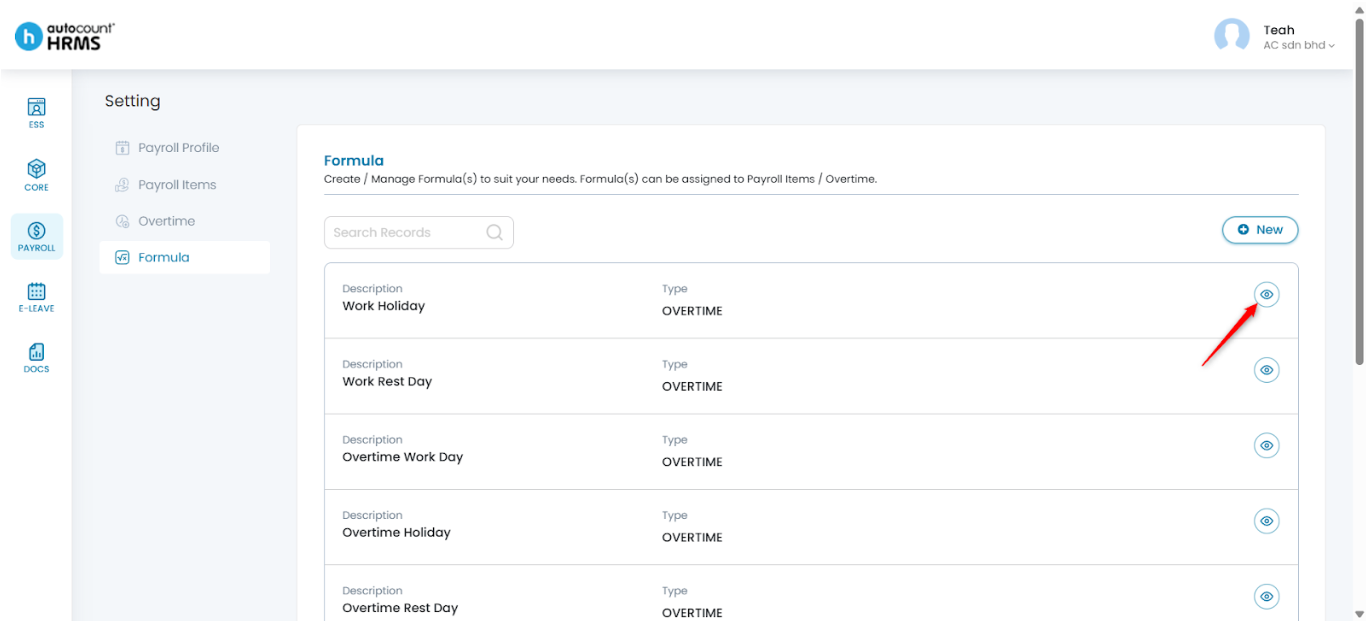
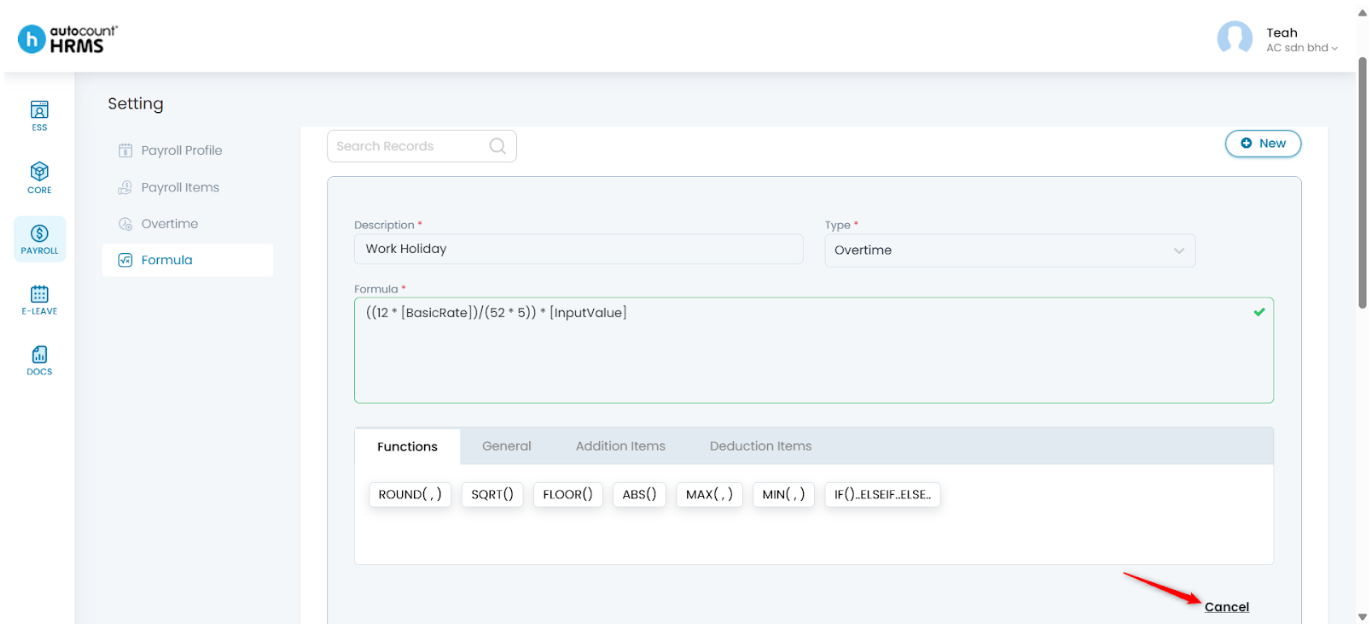
Steps to Preview an Overtime Formula:
1. Click the eye icon next to the overtime formula you want to preview.
2. Click Cancel to exit.
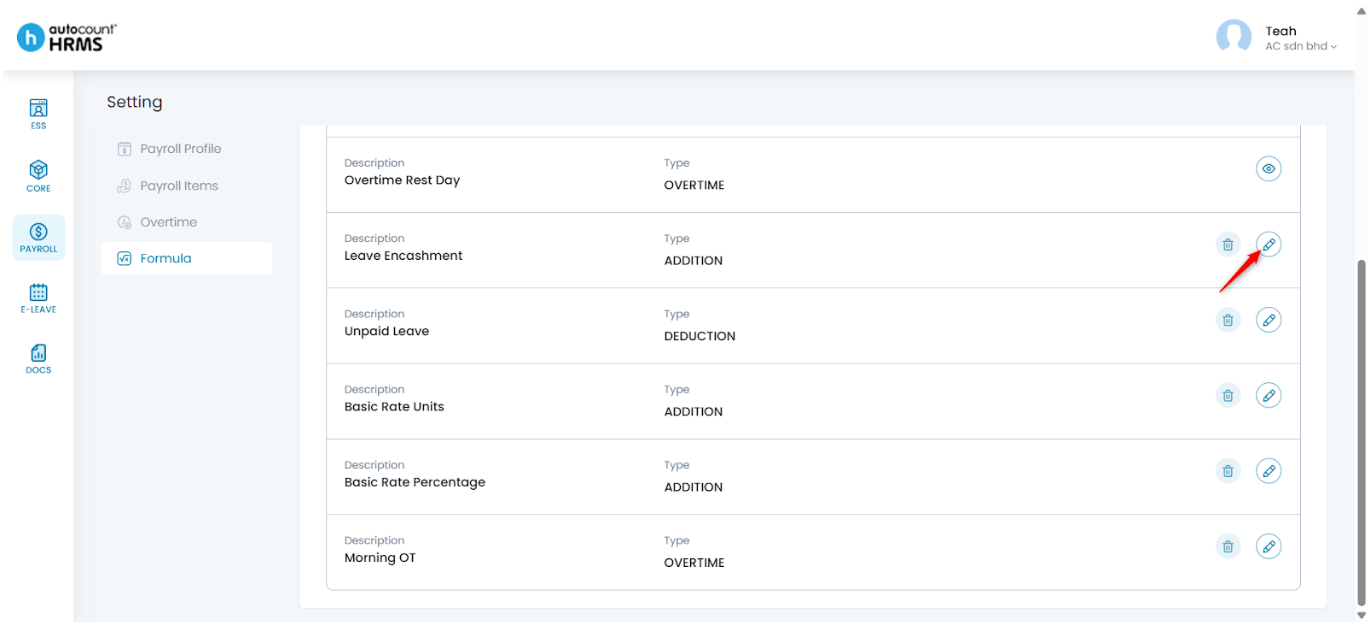
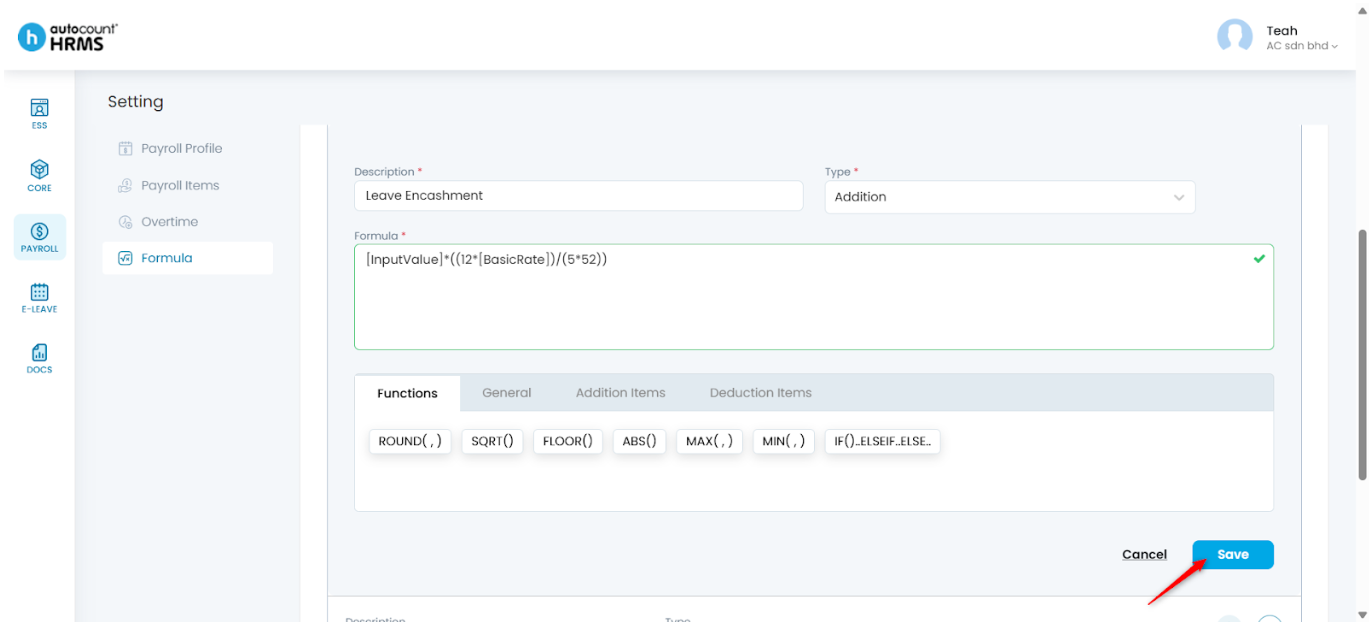
Steps to Edit a Formula:
1. Click the pencil icon next to the formula.
2. Make the necessary edits, then click Save.
Steps to Delete a Formula:
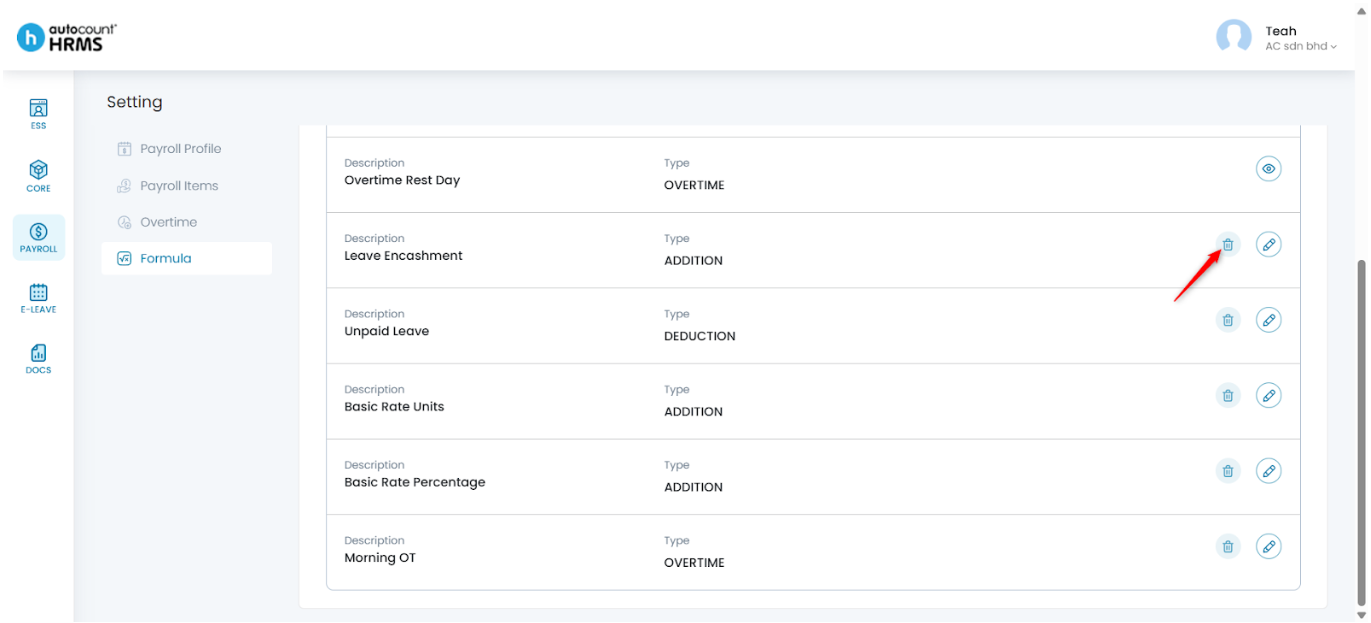
1. Click the trash bin icon next to the formula.
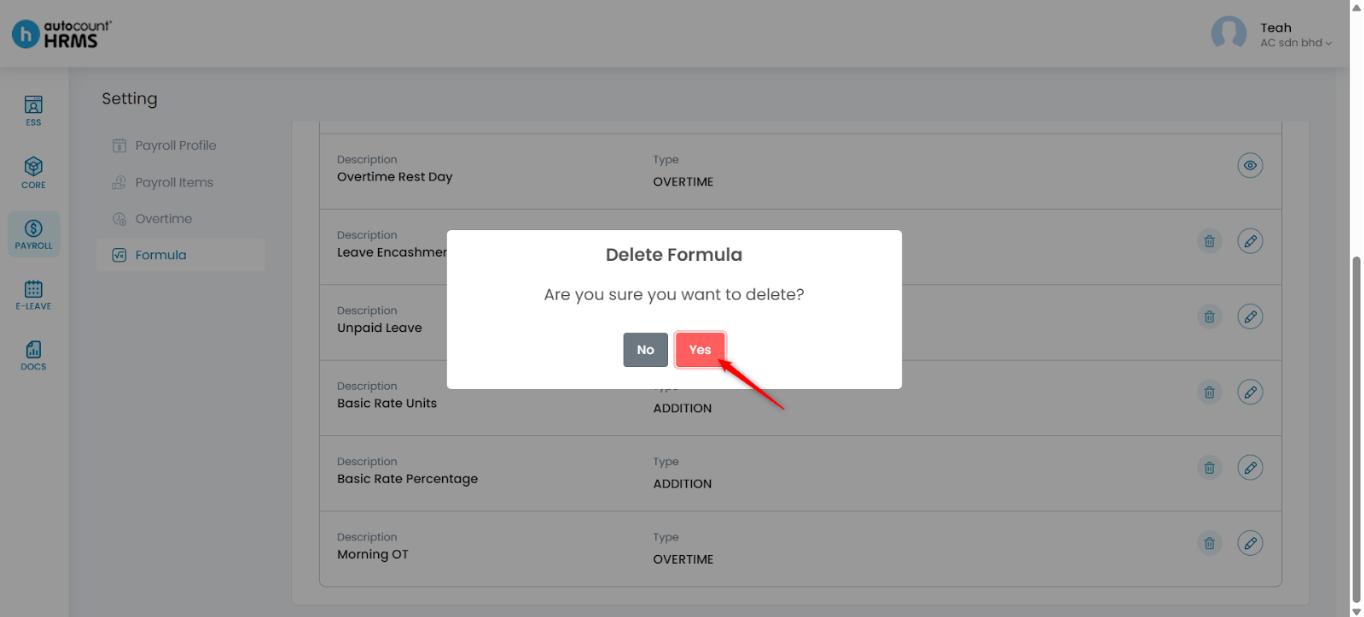
2. Click Yes to confirm deletion.
Written by: Teah Rui Harn (20251203)
Reviewed by: Tek Ee Lin (20251205)