
The Employee Approvers feature allows employers to assign specific approvers—typically managers or supervisors—to review and approve employees’ leave requests. This ensures a controlled approval workflow and supports adherence to company policies.
HRMS supports two types of leave approval methods:
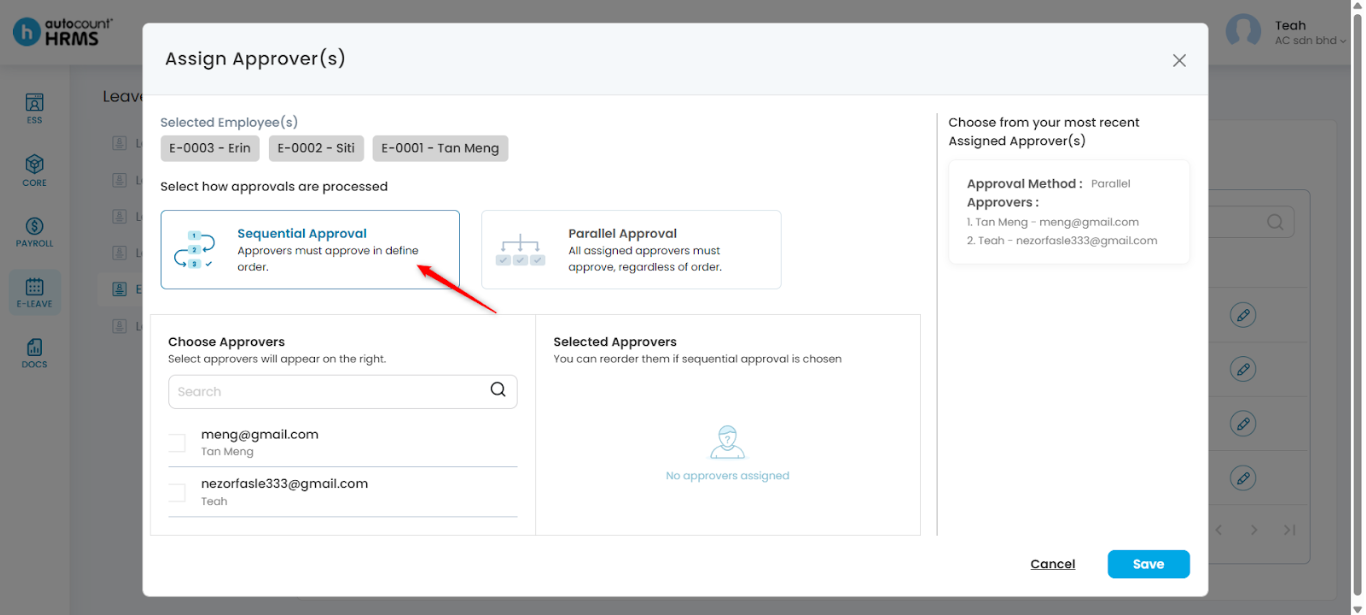
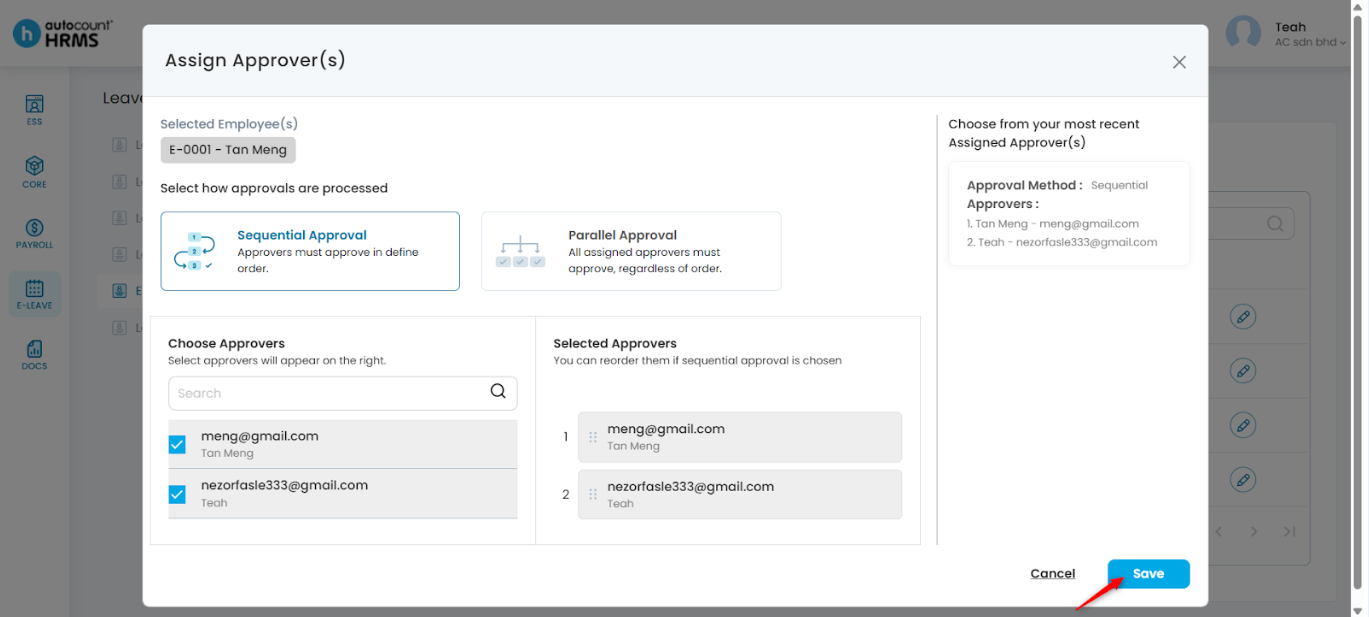
- Sequential Approval – The leave request is routed to approvers in a defined order. If the first approver rejects the request, it will not proceed to subsequent approvers.
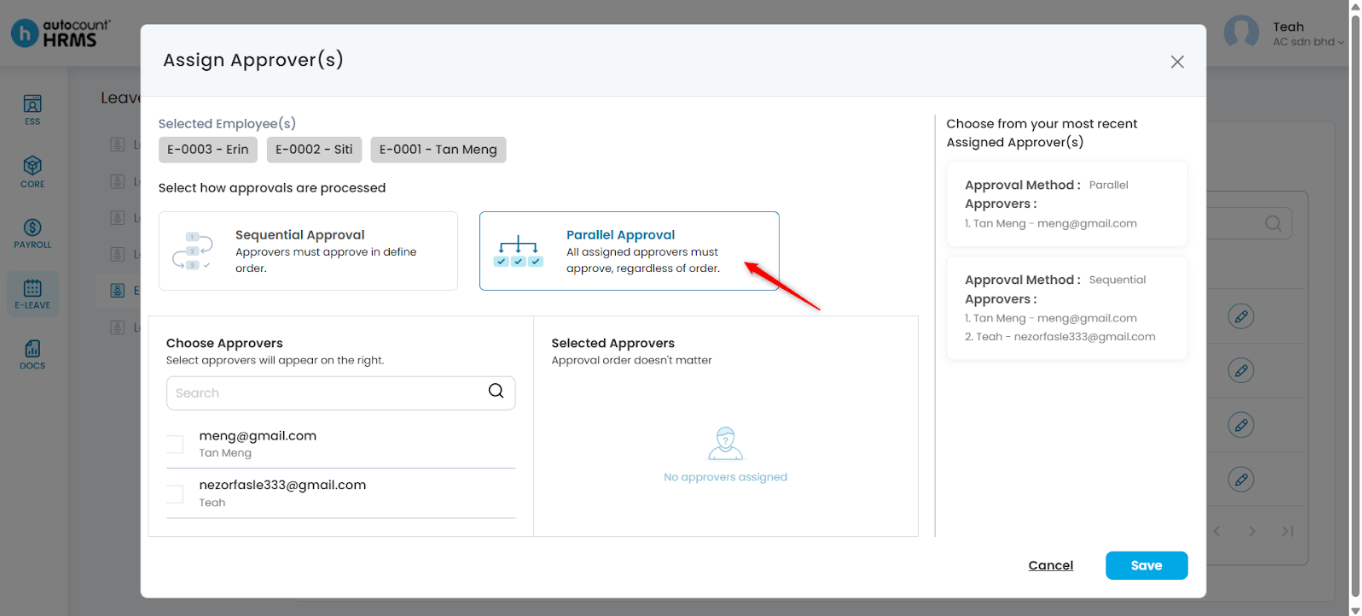
- Parallel Approval – The leave request is sent to all assigned approvers at the same time. All assigned approvers must approve the leave request for it to be fully approved. If any approver rejects the request, the leave request will be rejected.
Steps to Assign Approver(s) to Employee(s):
1. Go to E-Leave > Management.
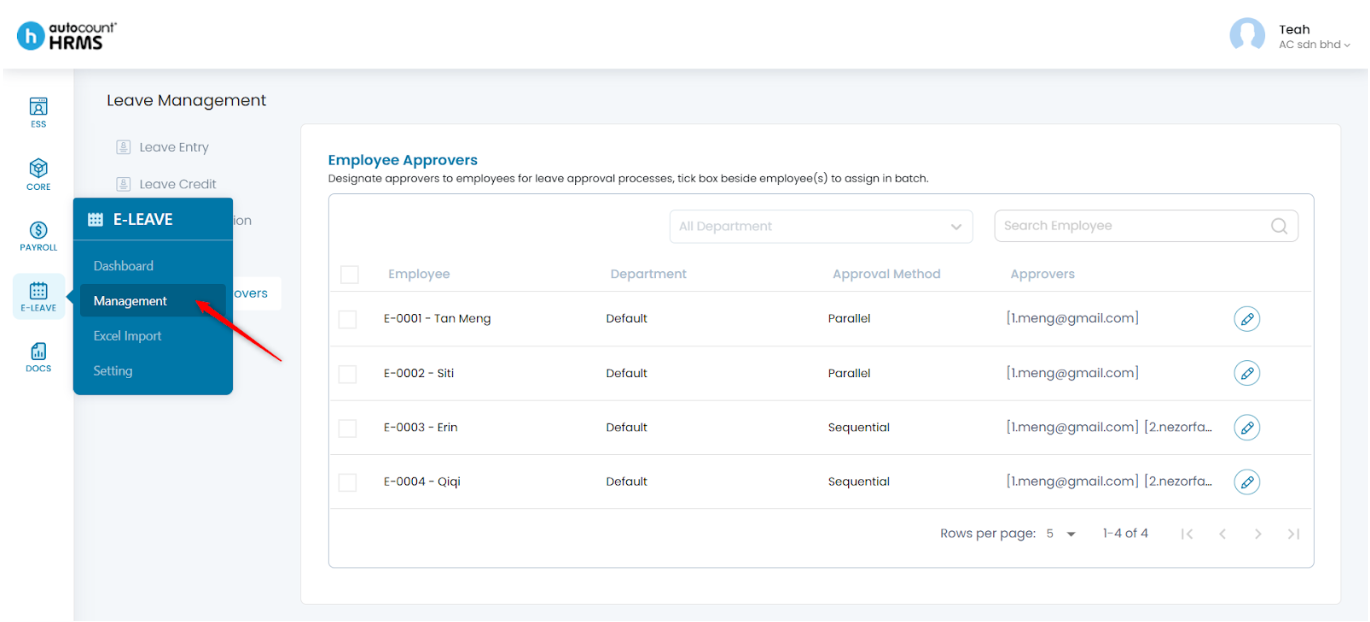
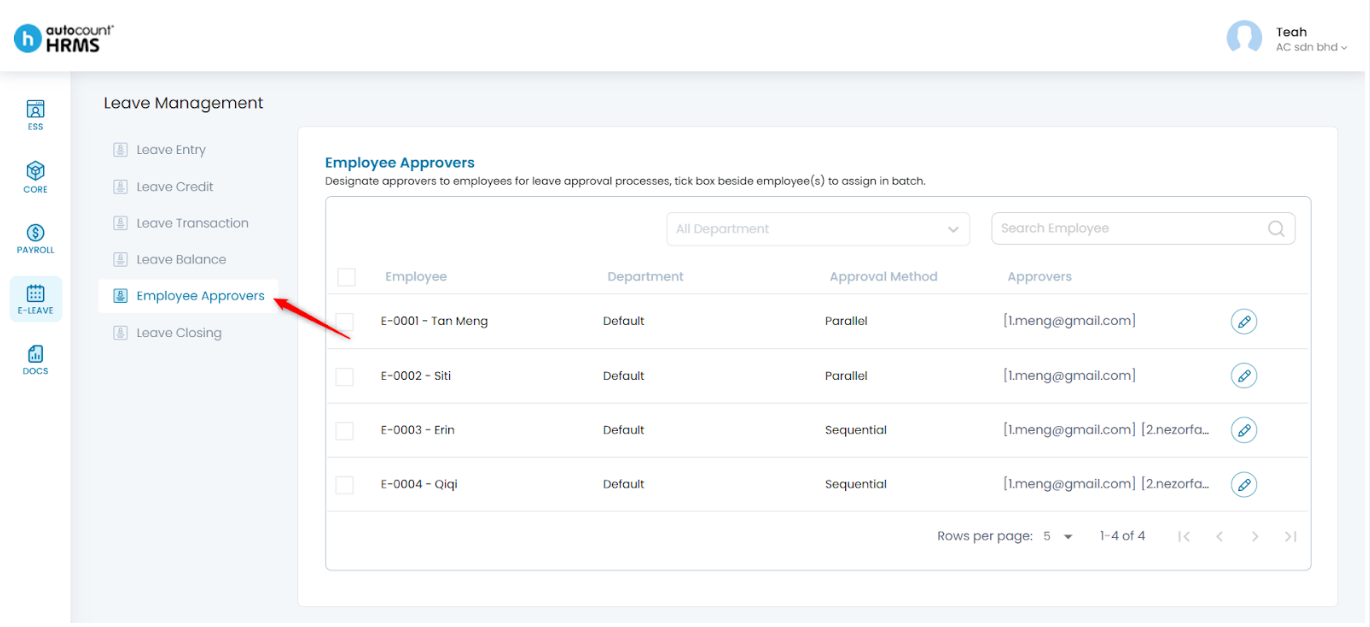
2. Under Leave Management, select Employee Approvers.
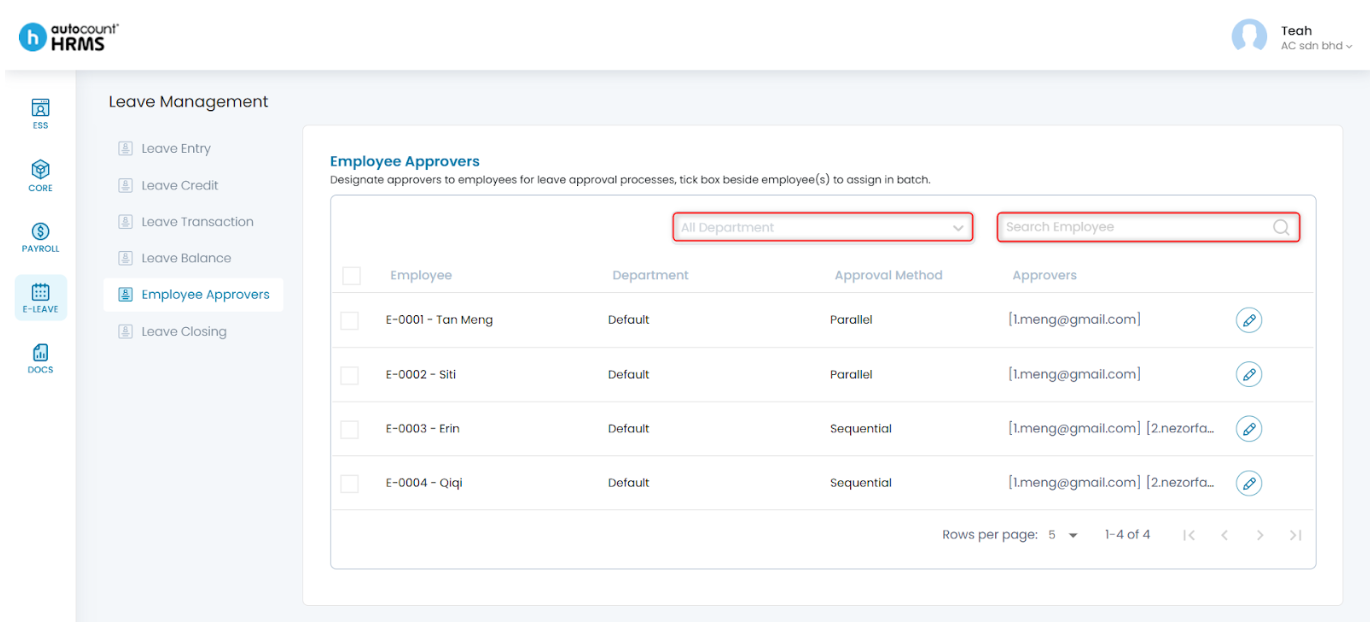
3. Filter by Department if needed to narrow down the employee list.
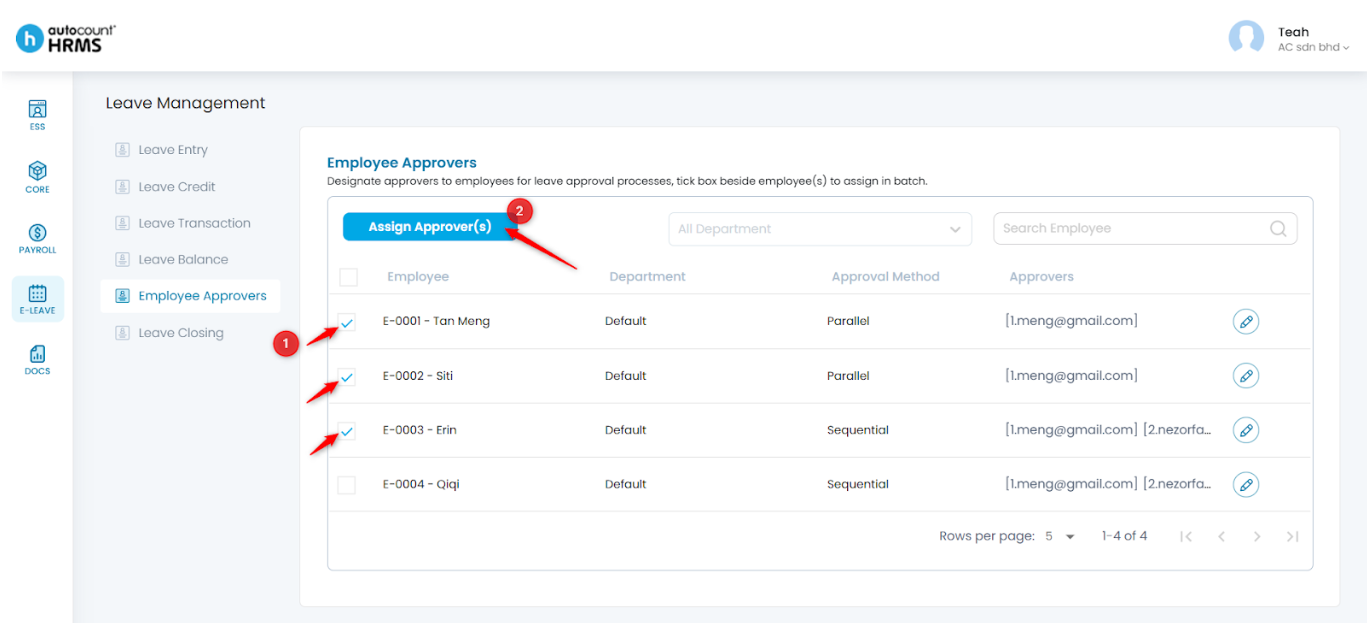
4. Tick the employees you want to assign approvers to, then click Assign Approver(s).
Option 1: Parallel Approval Method
1. Select Parallel Approval.
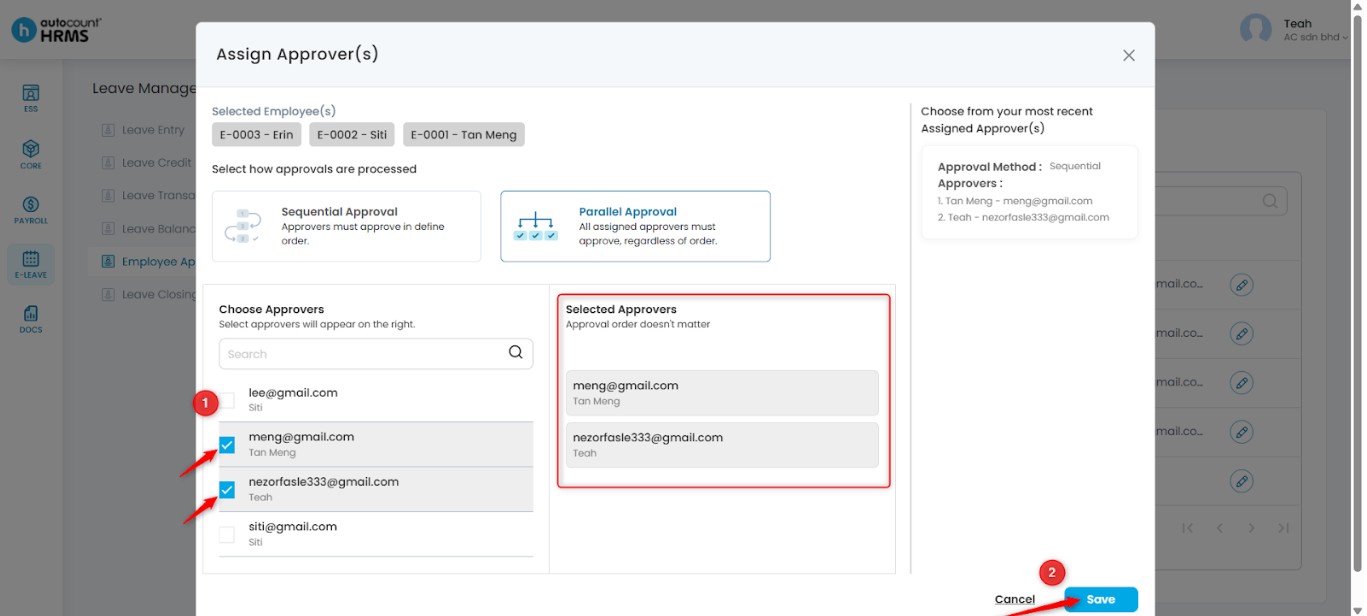
2. Tick the checkbox next to the approver’s name/email. Click Save. The selected approvers will appear in the Selected Approvers list on the right.
Option 2: Sequential Approval Method
1. Select Sequential Approval.
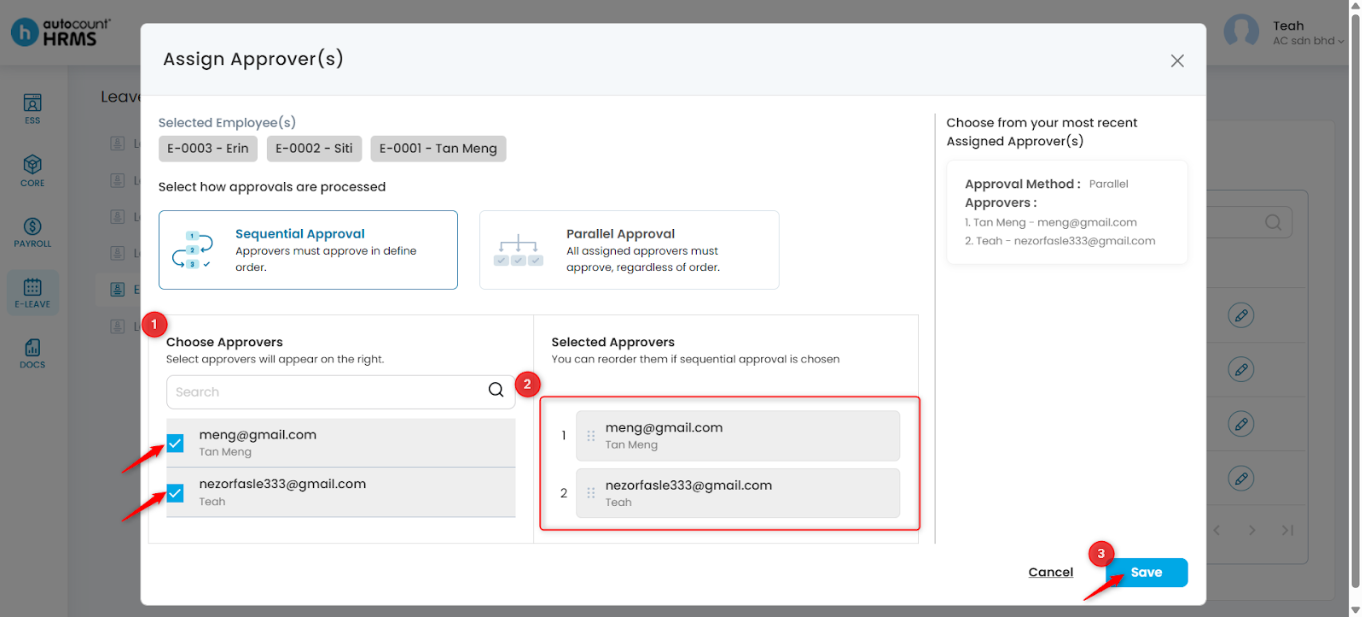
2. Tick the approvers you want to include. Arrange the order of approvers in the Selected Approvers section. Then, click Save.
Note: To Add or Remove Leave Approver(s), go to Core > User Maintenance.
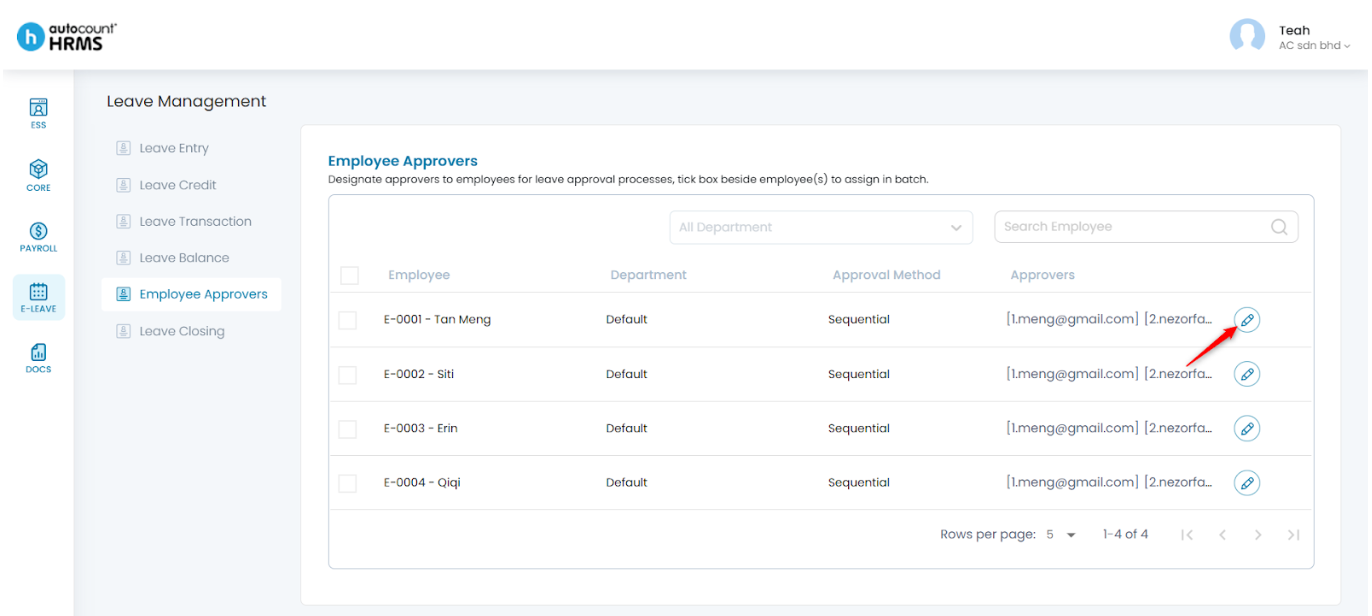
Steps to Edit an Employee’s Assigned Approver:
1. Click the pencil icon next to the employee.
2. Update the approver settings as required, then click Save.
Written by: Teah Rui Harn (20251209)
Reviewed by: Tek Ee Lin (20251209)