
The HR Letter feature in HRMS Docs provides ready-to-use templates that allow employers to generate professional HR-related letters and forms.
Available Templates:
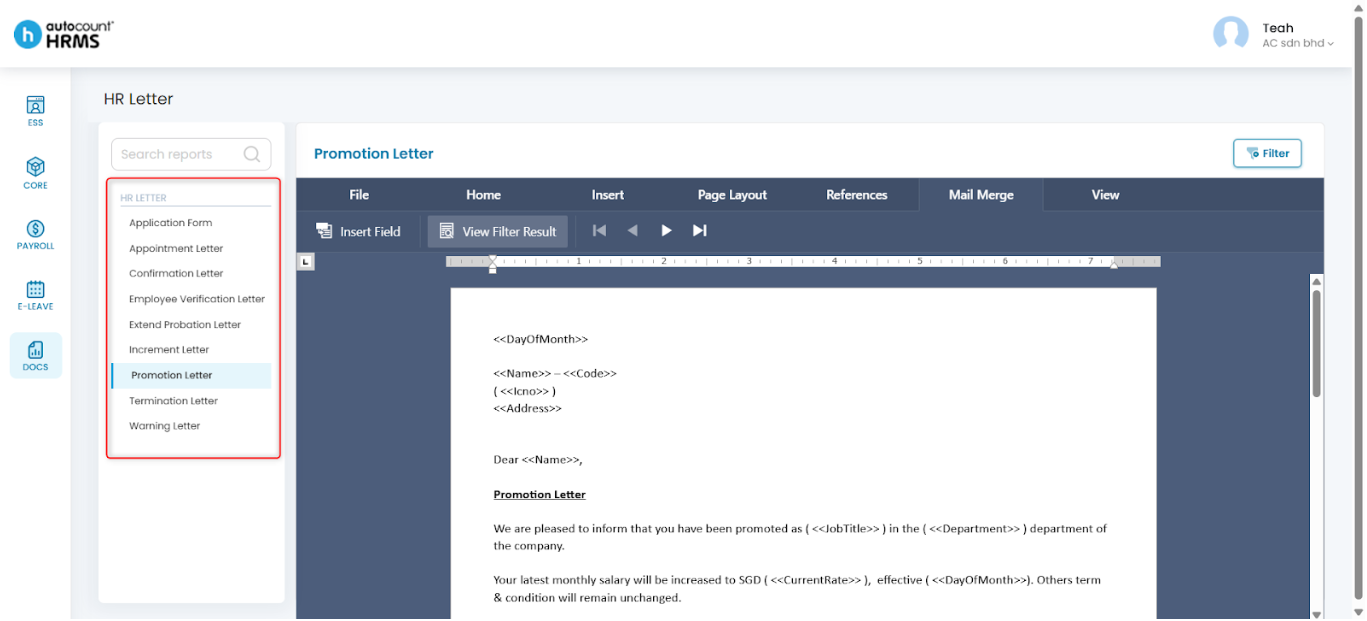
- Application Form – For employees to submit personal and employment details.
- Appointment Letter – To officially confirm an employee’s recruitment.
- Confirmation Letter – To notify an employee of their successful job confirmation.
- Employee Verification Letter – To verify an individual's employment details.
- Extend Probation Letter – To inform an employee that their probationary period has been extended.
- Increment Letter – To communicate an approved salary increase.
- Promotion Letter – To confirm an employee’s job advancement.
- Termination Letter – To formally notify an employee of employment termination.
- Warning Letter – To address misperformance or misconduct issues.
Steps to Edit HR Letter Template:
1. Go to Docs > HR Letter.
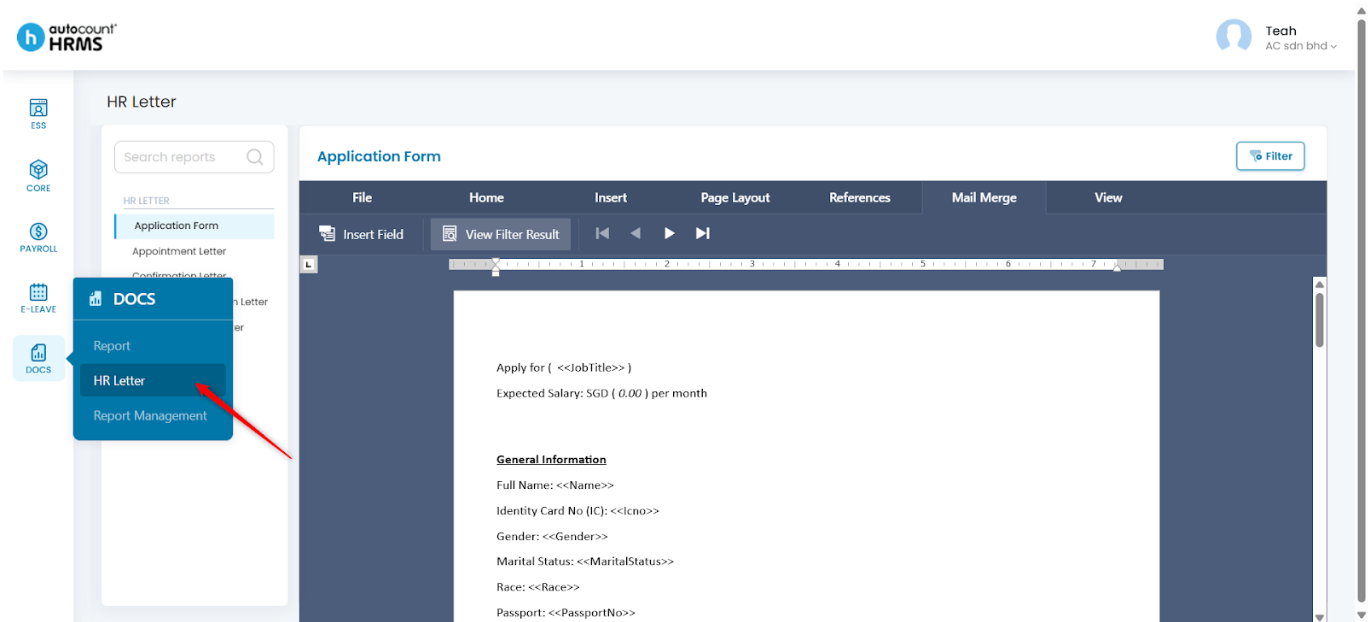
2. Under HR Letter, select the HR Letter required.
3. Modify the template and type in necessary information.
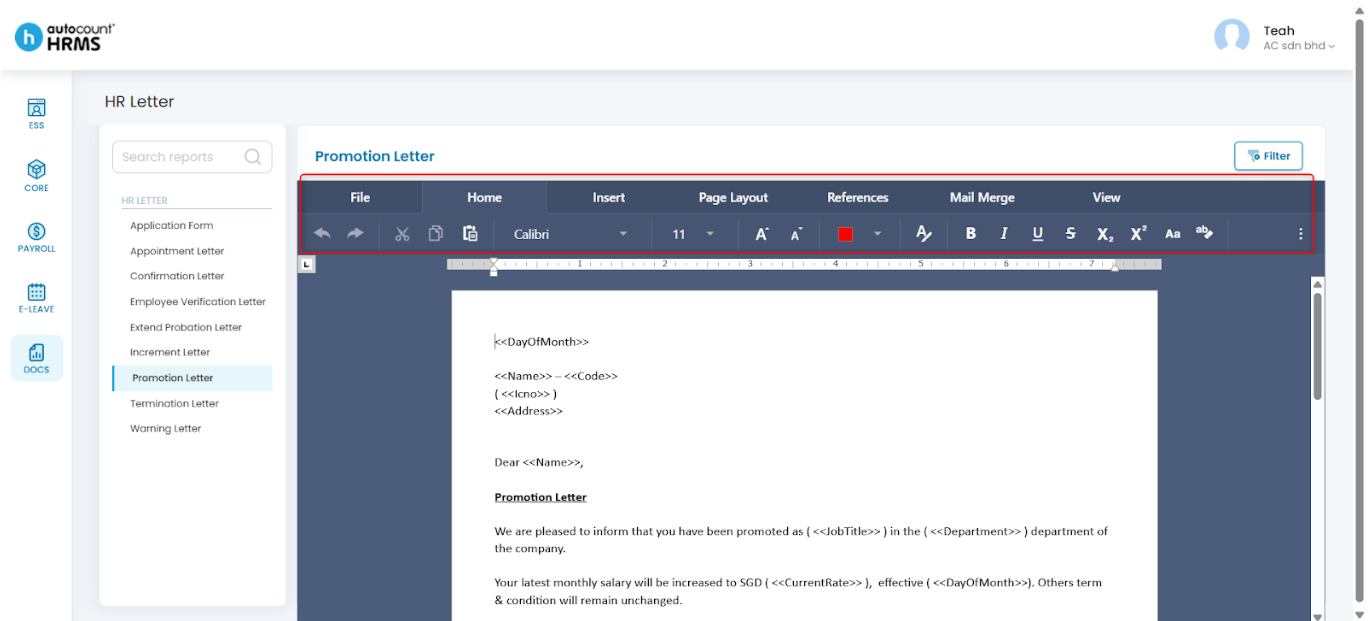
Note: Refer to HR Letter Modification for HR Letter toolbar customisation.
Steps to Apply Employee Data Automatically:
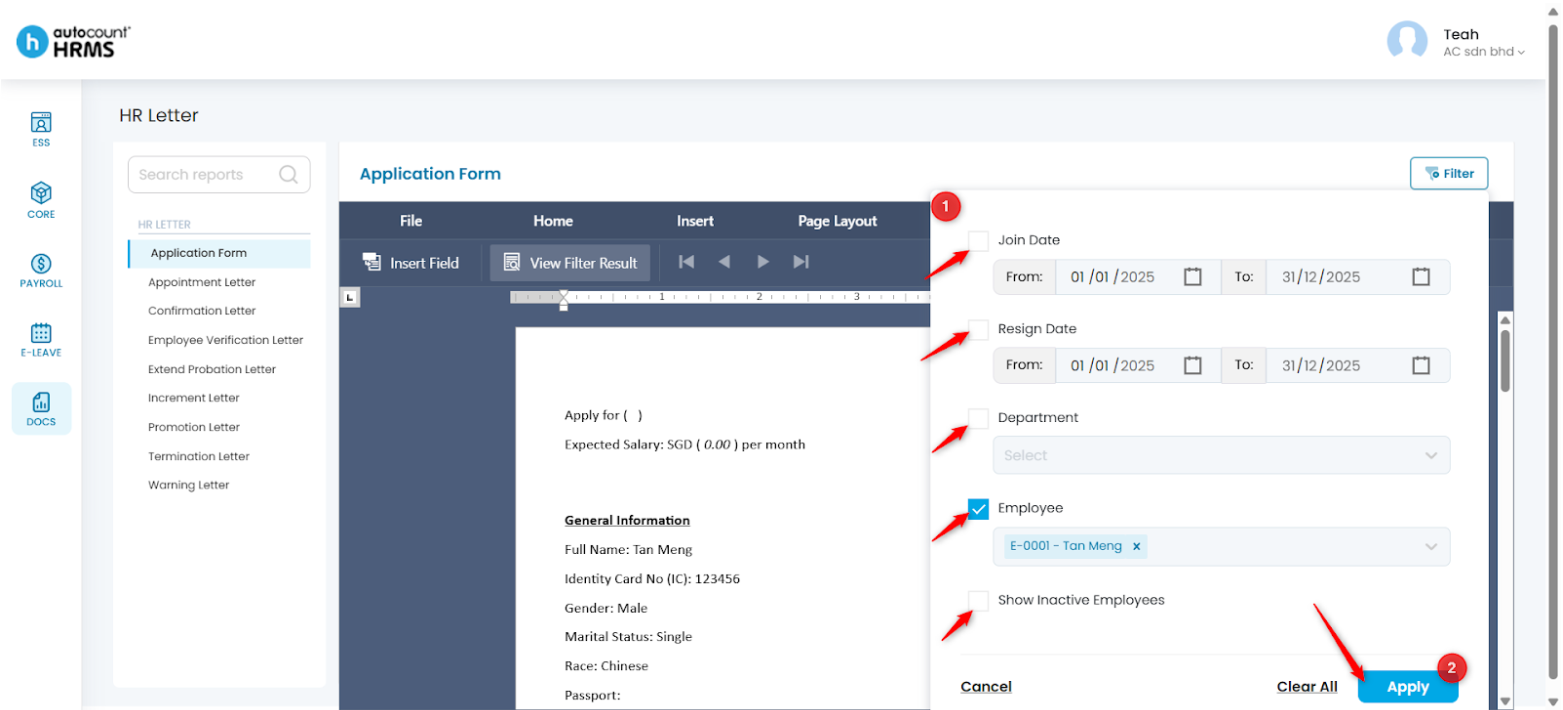
1. Click Filter at the top right corner above the letter.
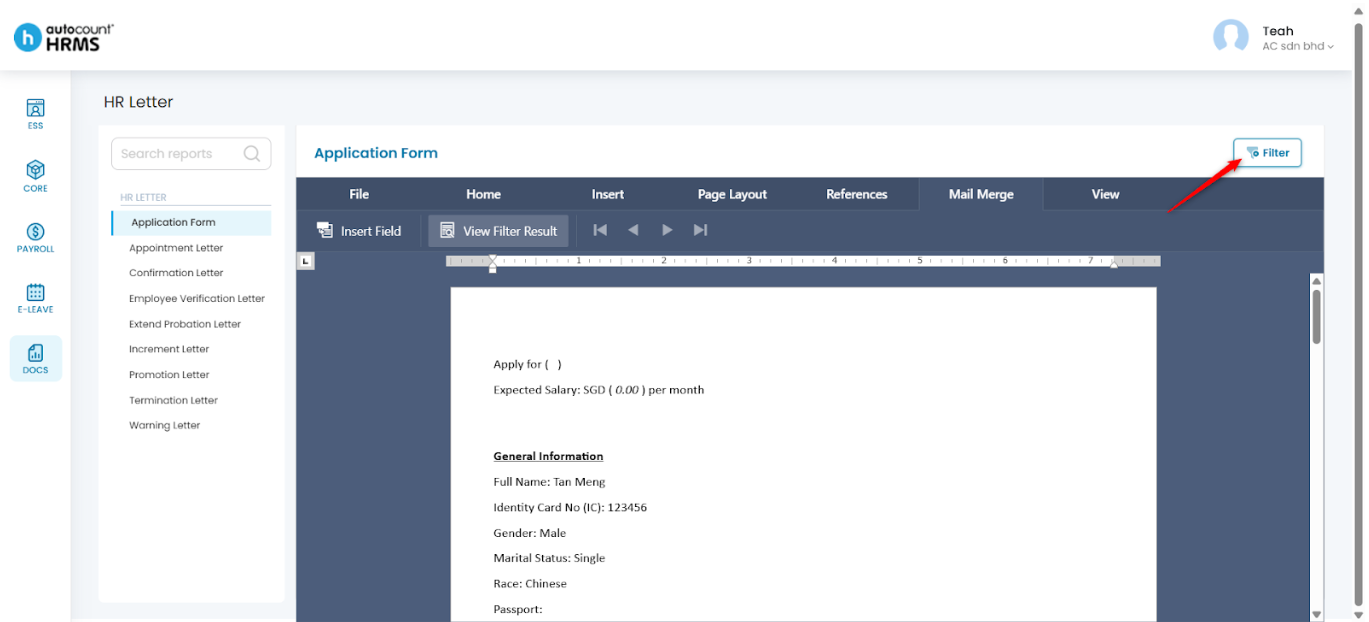
2. Apply filters using:
- Join / Resign Date – Select a date range using the calendar
- Department / Employee – Select from the dropdown list
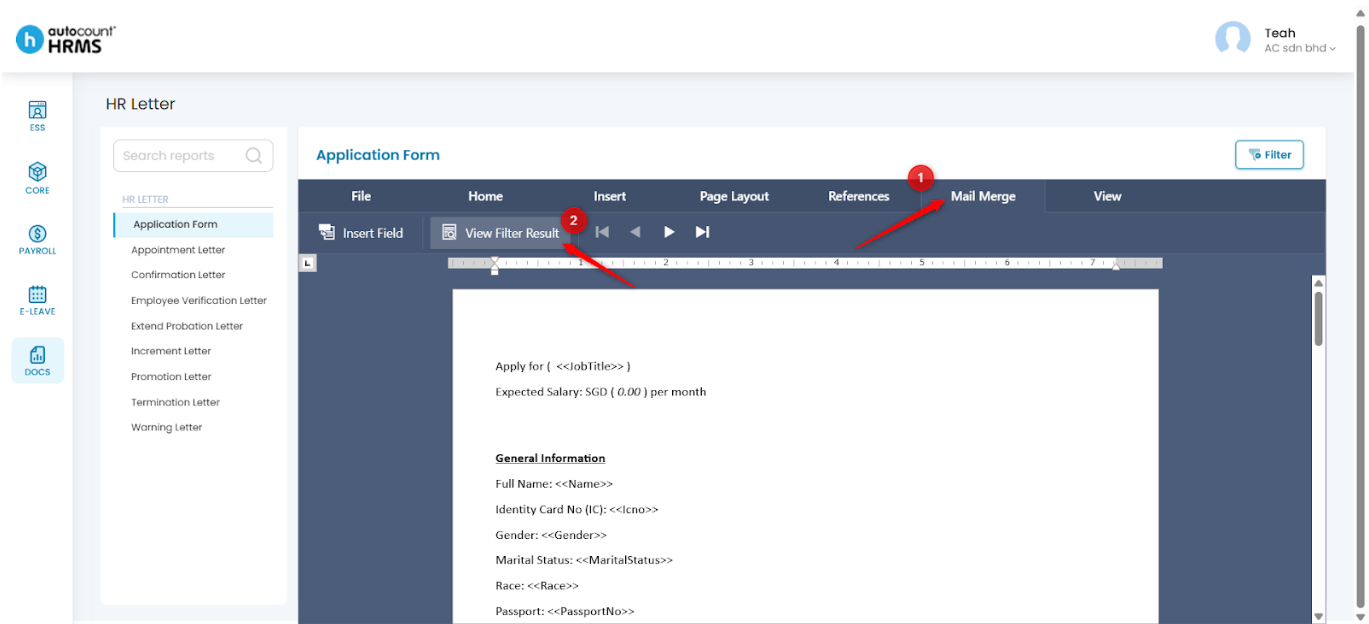
3. Go to Mail Merge and click View Filter Result.
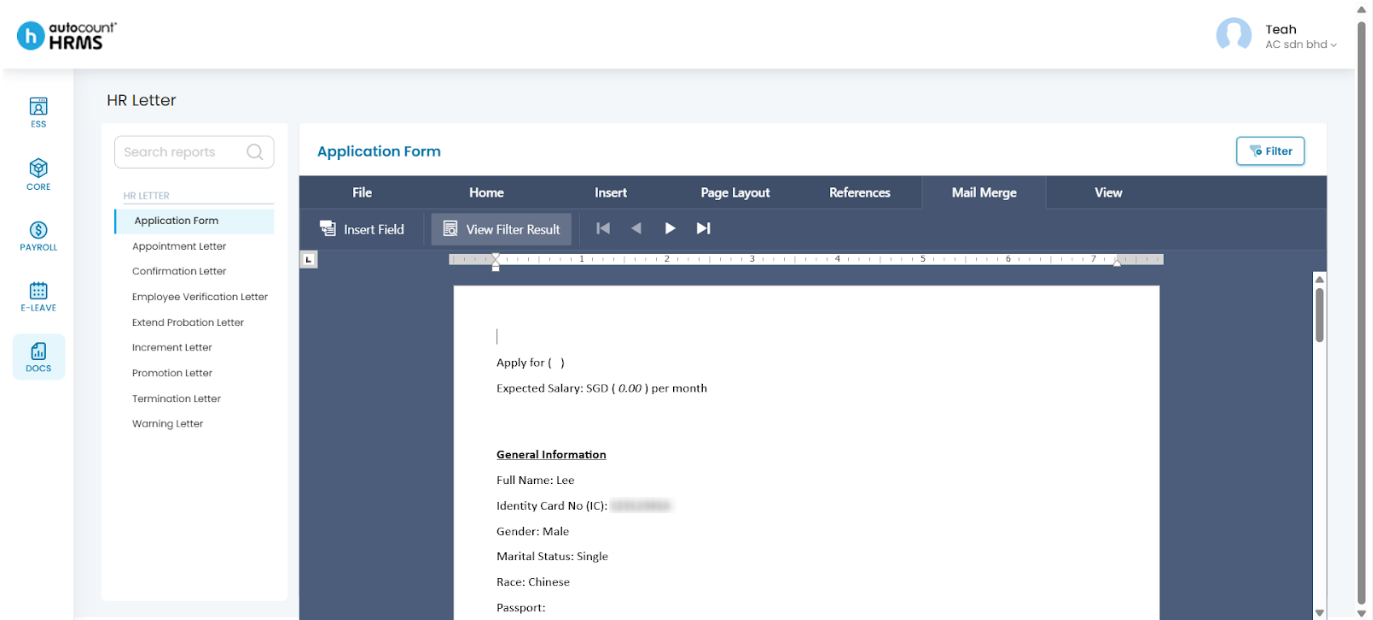
4. Use the arrow icons next to View Filter Result to switch between different employees’ letters.
Written by: Teah Rui Harn (20251216)
Reviewed by: Tek Ee Lin (20251222)