
If you forget your password, you can easily reset it from the AutoCount HRMS login page.
Steps to Reset your Password:
1. Go to the AutoCount HRMS login page.
2. Click Forgot your Password?
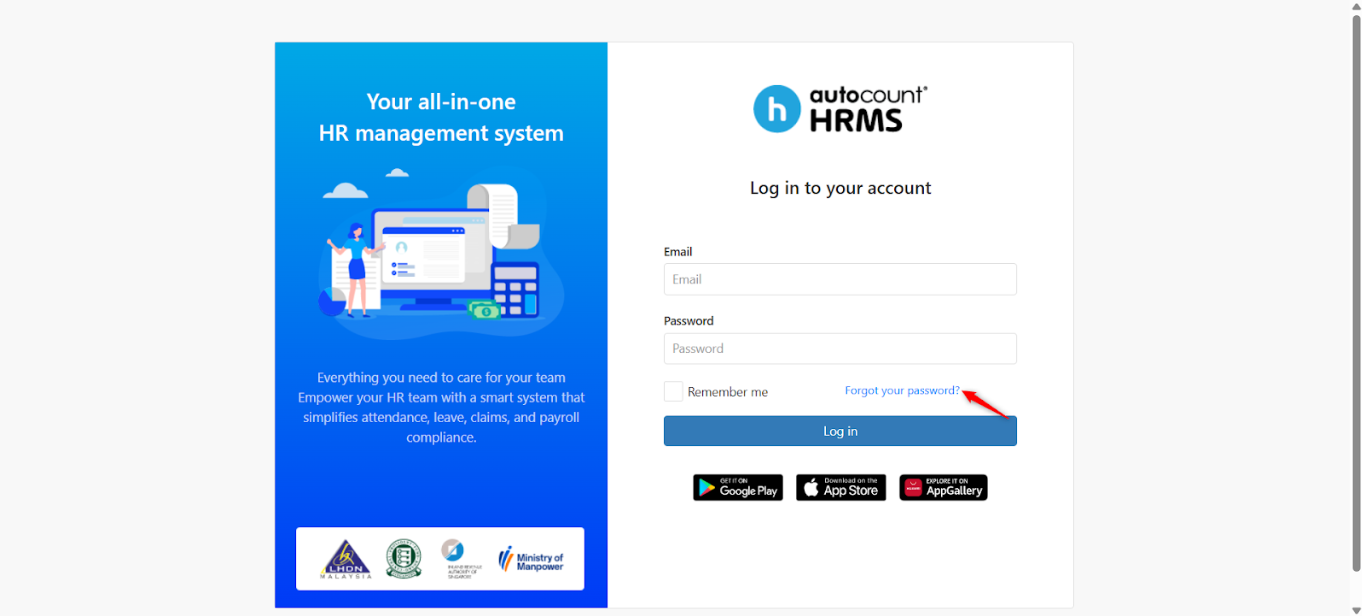
3. Enter your registered email address, then click Submit.
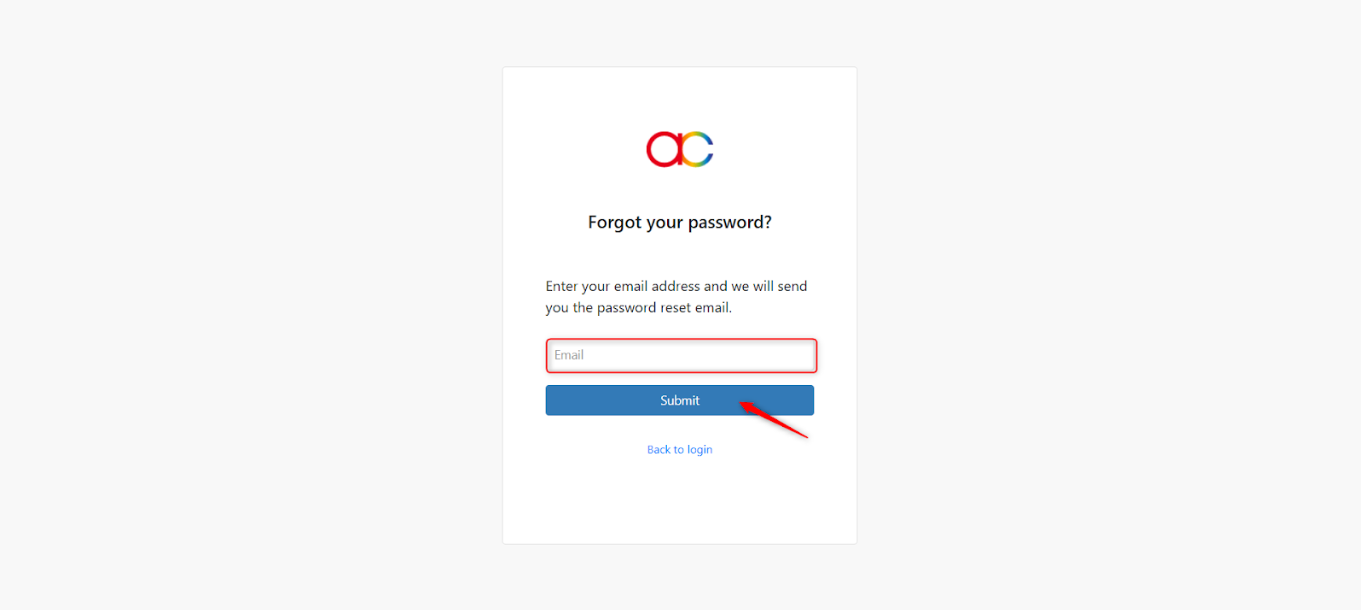
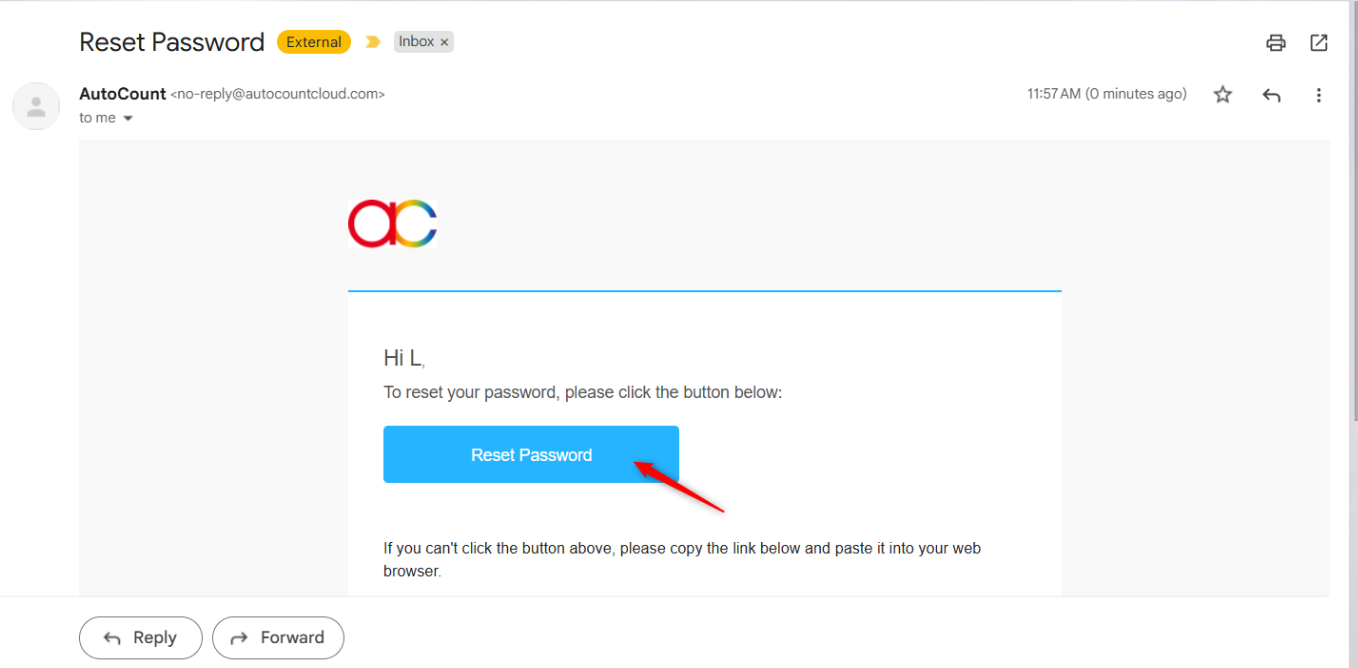
4. Check your inbox for the password reset email. If you do not receive the reset email, please check your spam or junk folder.
5. Click Reset Password in the email.
6. Enter and confirm your new password, then click Submit.
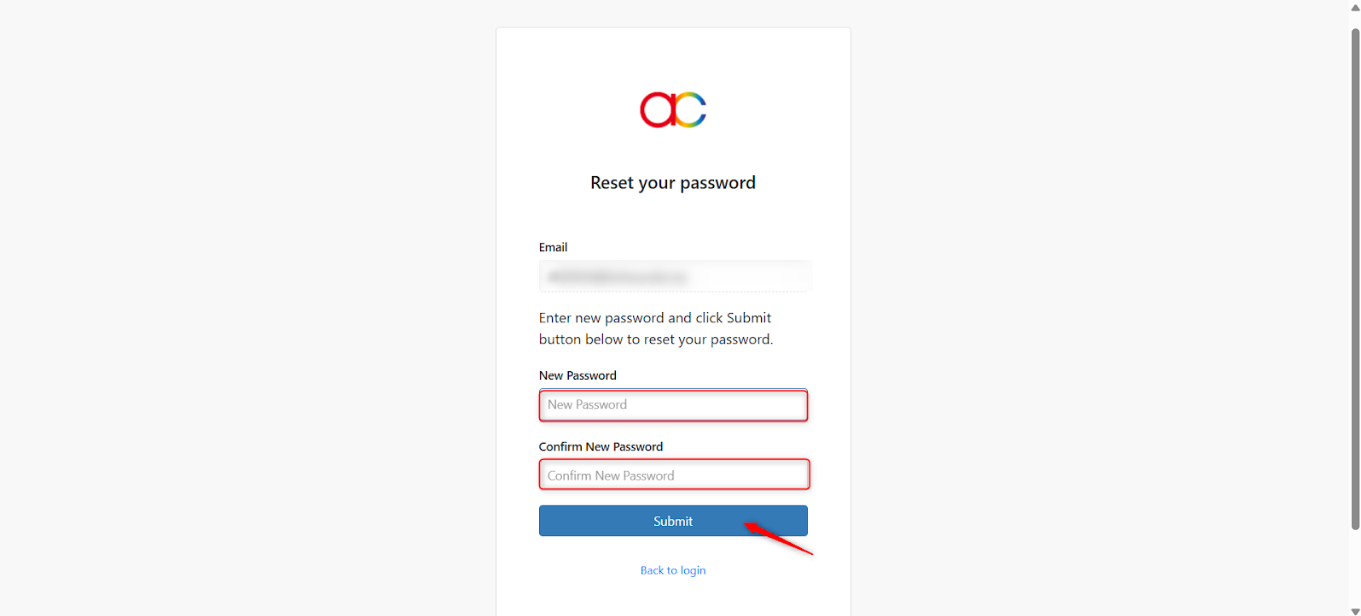
7. Click Back to Login and sign in using your new password.
Written by: Teah Rui Harn (20260105)
Reviewed by: Tek Ee Lin (20260112)