
You can view and download your payslip through your own HRMS account once your employer has released the payslip.
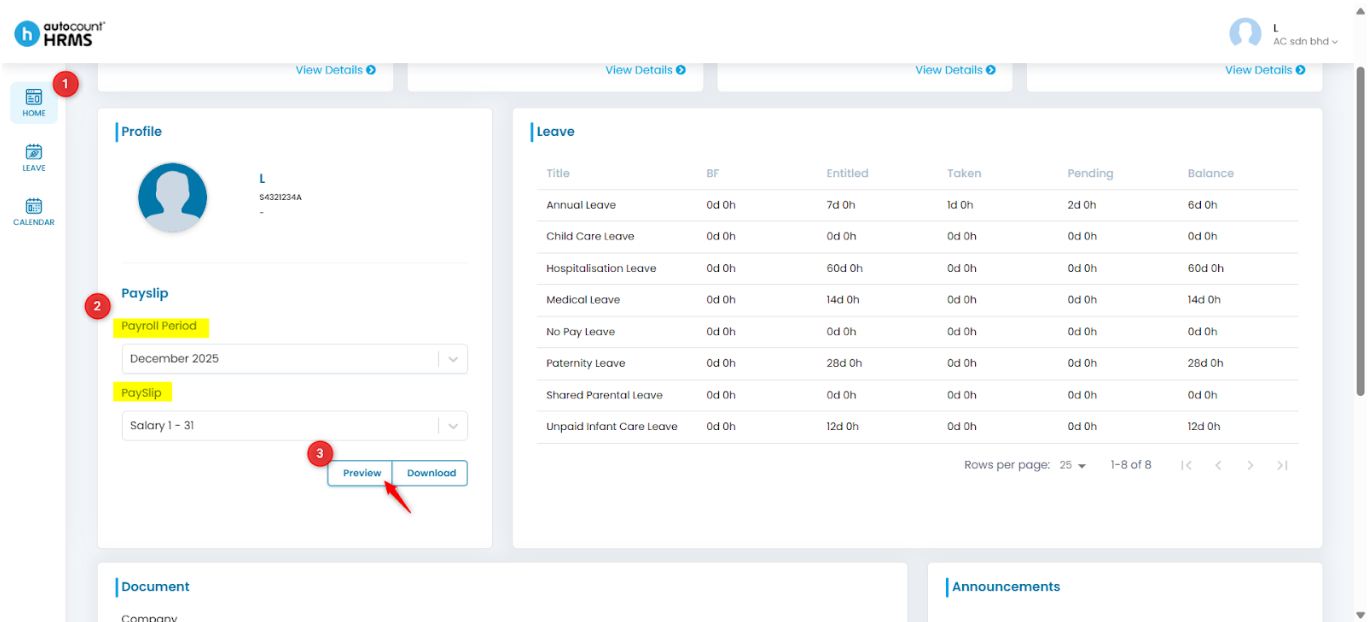
Steps to View your Payslip:
- Log in to your HRMS account.
- Go to Home.
- In the Profile section, select the payslip period and payslip from the drop-down list.
- Click Preview to view your payslip.
- Click Download to save a copy to your device.
Written by: Teah Rui Harn (20260105)
Reviewed by: Tek Ee Lin (20260112)