
If your employer has enabled E-Leave access, you can manage your leave applications directly through your HRMS account or mobile application.
Please note that leave applications may be edited or cancelled while pending for approval. To edit an approved leave, you will need to cancel and reapply.
Steps to Apply for Leave via ESS:
1. Go to Leave.
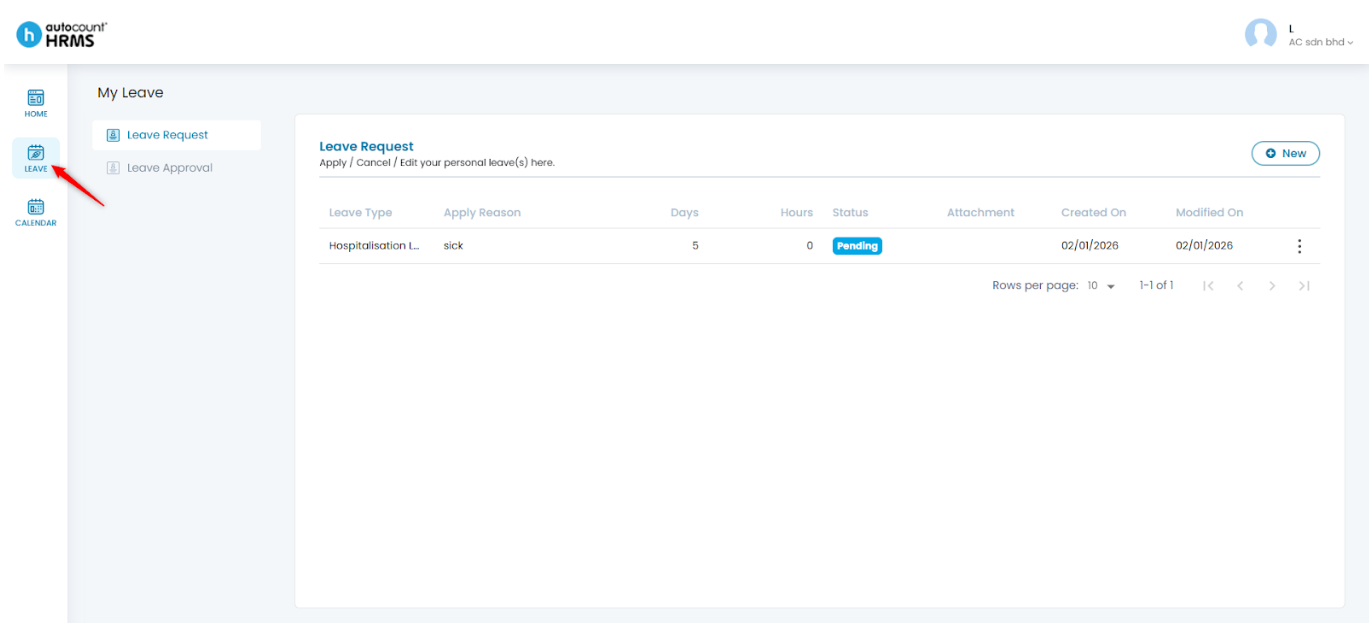
2. Under My Leave, go to Leave Request. Click New.
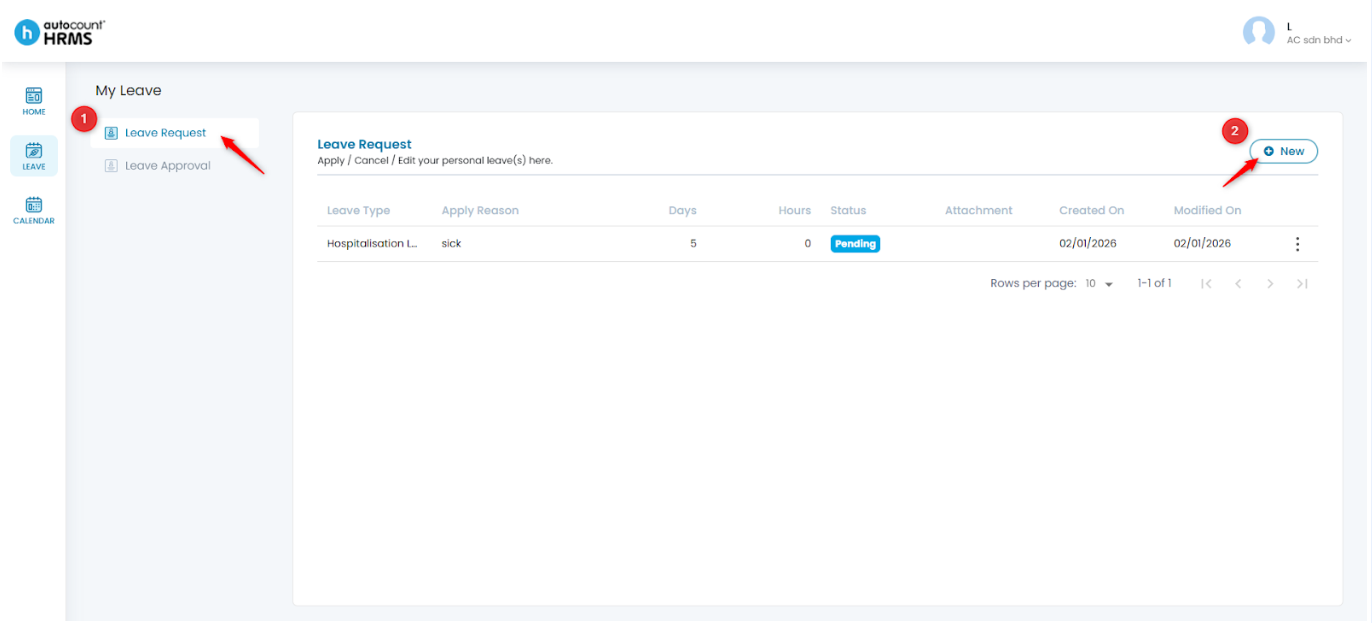
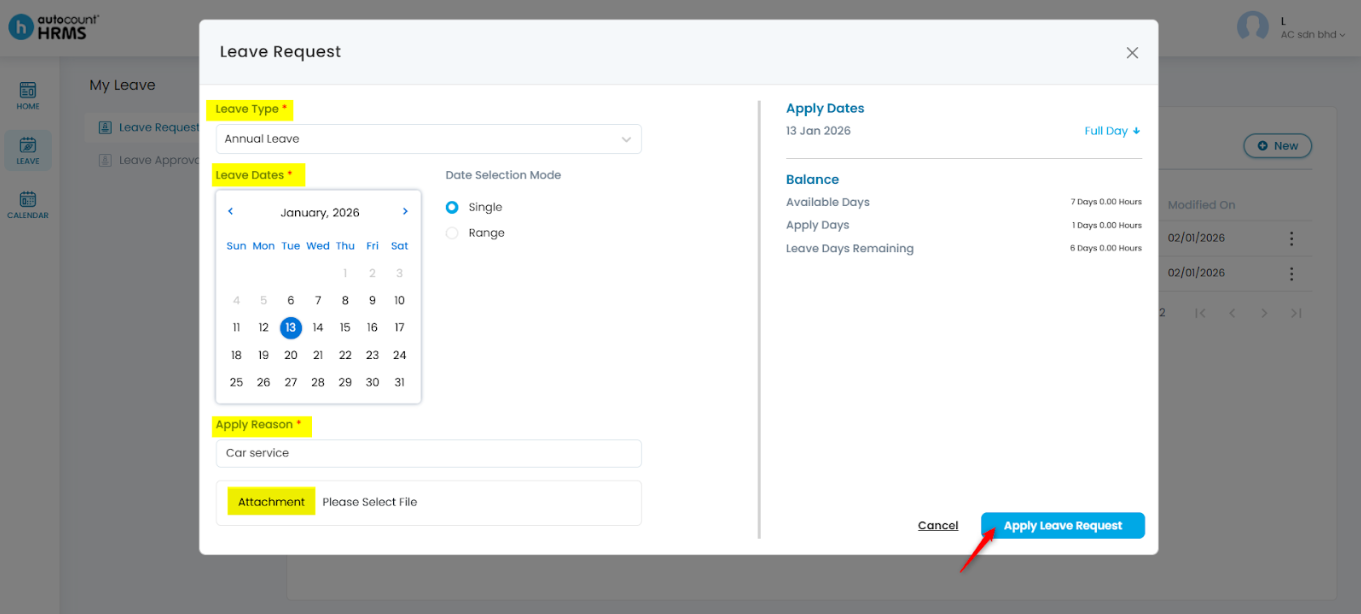
3. Enter the required details:
- Leave Type – Select from the drop-down list.
- Leave Dates – Choose the applicable date(s) from the calendar.
- Apply Reason – Enter the reason for the leave.
- Attachment – Upload supporting documents if required (optional).
4. Click Apply Leave Request to submit.
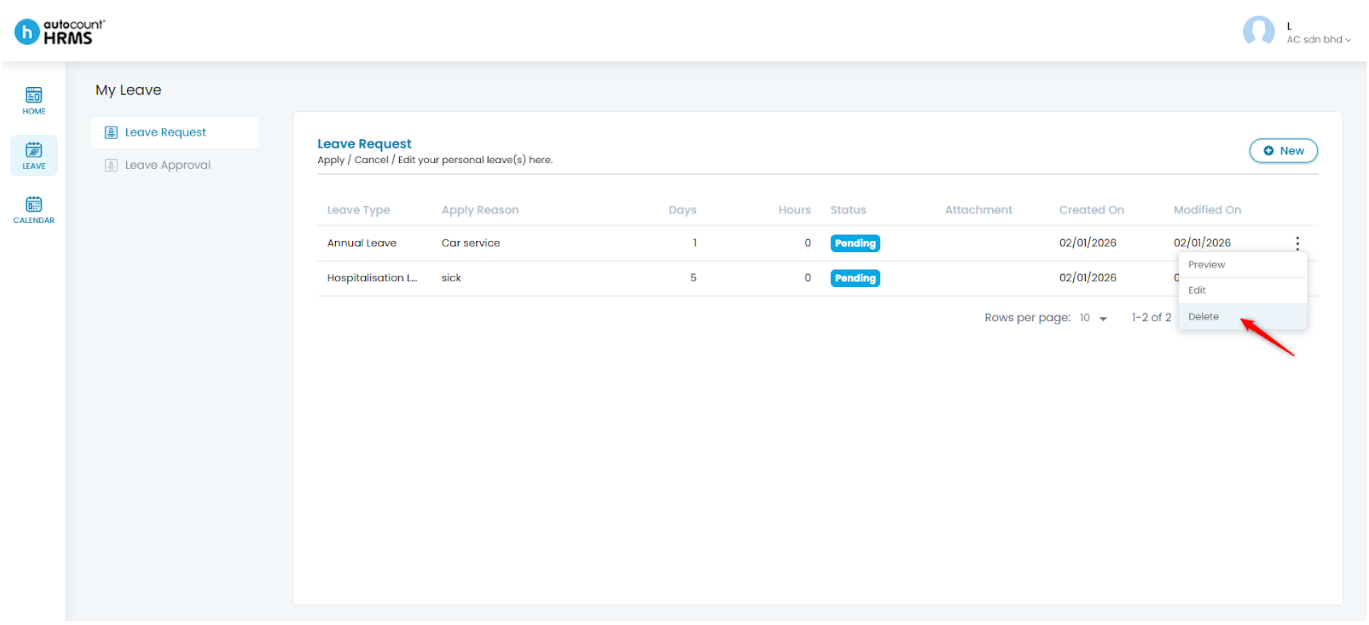
Steps to Cancel a Pending Leave Application:
1. Click the three-dot icon next to the pending leave request.
2. Click Delete.
3. Click Yes to confirm.
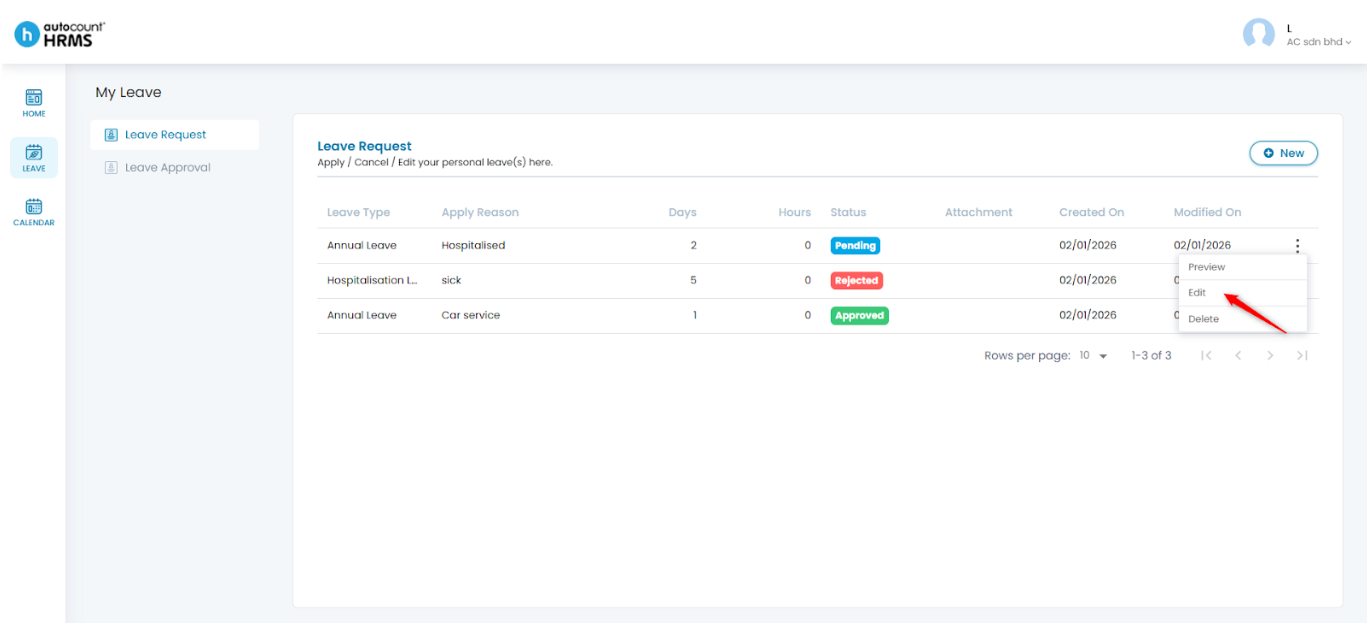
Steps to Edit a Pending Leave Application:
1. Click the three-dot icon next to the pending leave request.
2. Select Edit.
3. Make the necessary changes. Click Apply Leave Request.
Note: Approved leave cannot be edited. If changes are required, the leave must be cancelled and reapplied.
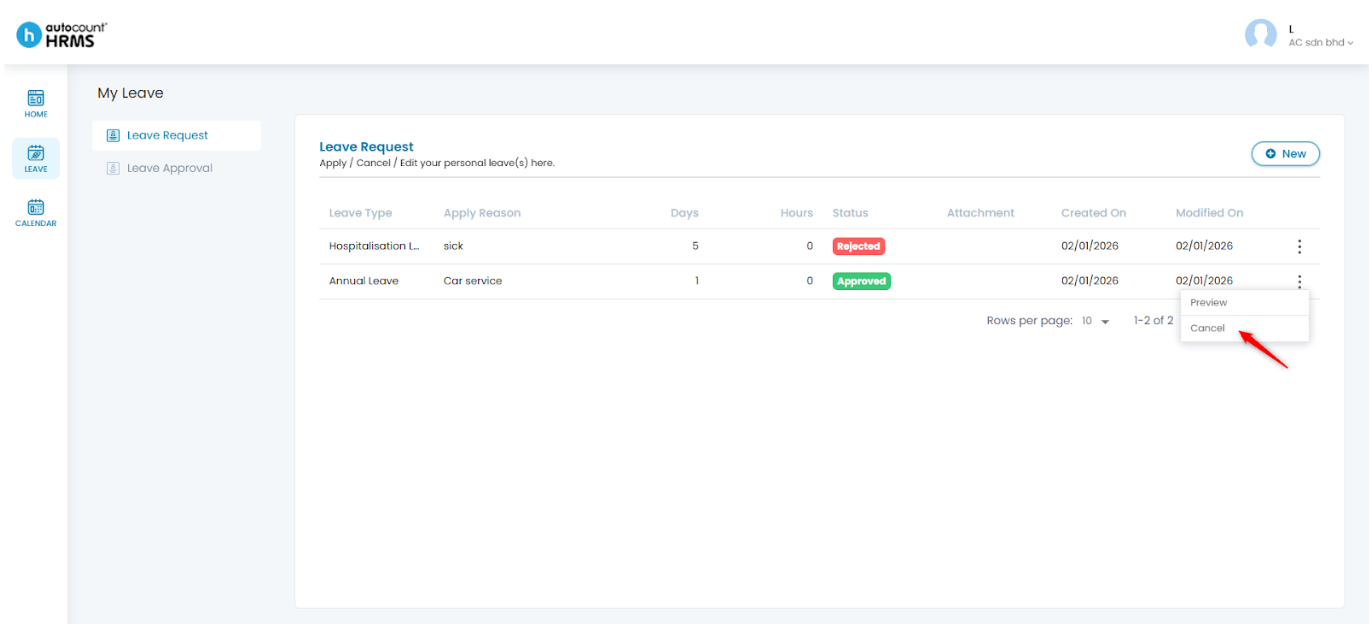
Steps to Cancel an Approved Leave Application:
1. Click the three-dot icon next to the approved leave request.
2. Select Cancel.
3. Tick the leave date(s) to be cancelled and enter a cancellation reason if required.
4. Click Cancel Selected Leave(s), then click Yes to confirm.
Written by: Teah Rui Harn (20260105)
Reviewed by: Tek Ee Lin (20260112)