
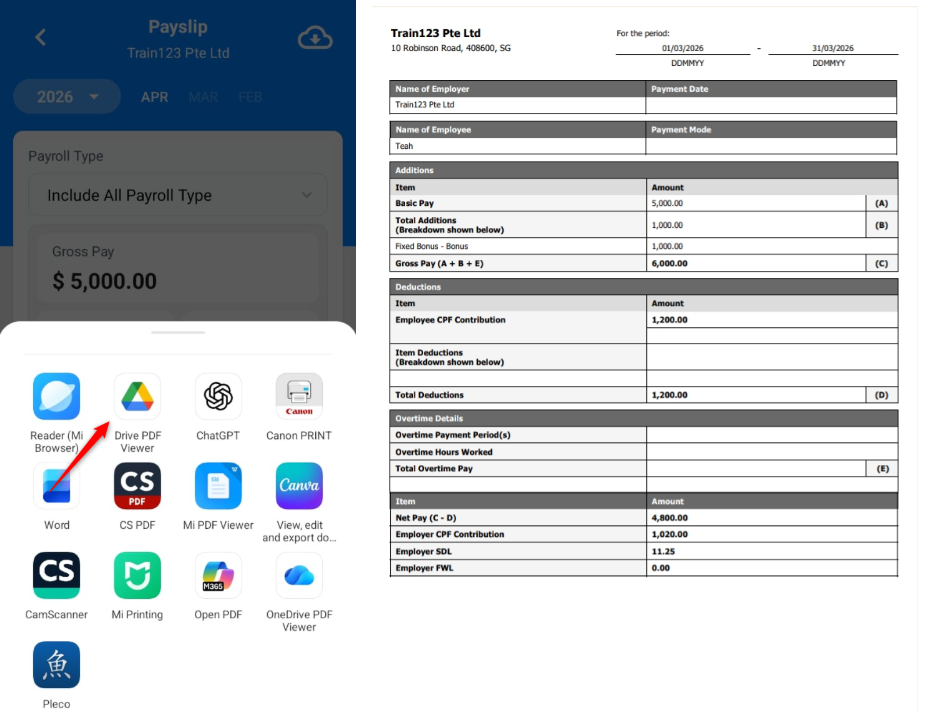
Employees can view and download their monthly payslips through the mobile app. The payslip includes details such as Gross Pay, Basic Pay, and CPF deductions.
Steps to View Payslips via Mobile App:
1. Go to Payslip.
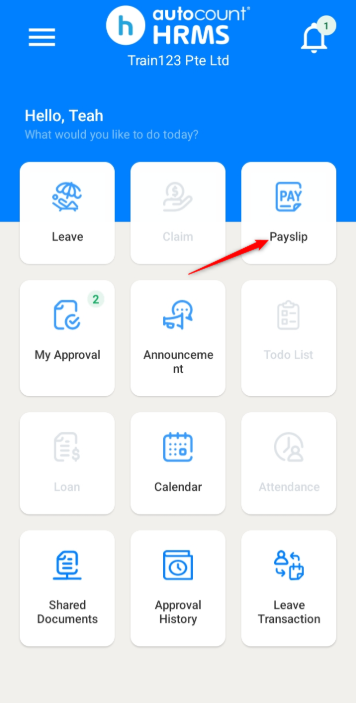
2. Select the year from the drop down list and choose the relevant month.
3. Select the Payroll Type:
- Include All Payroll Type – Displays the full month’s payroll.
- Month End 1-30 – Applicable for employees with Month End Payroll Profile. Payroll by month-end will be displayed.
- Semi Monthly 1-15 – Applicable for employees with Semi Monthly Payroll Profile. Payroll for the first half of the month will be displayed.
- Semi Monthly 16-30 or Semi Monthly 16-31 – Applicable for employees with Semi Monthly Payroll Profile. Payroll for the second half of the month will be displayed.
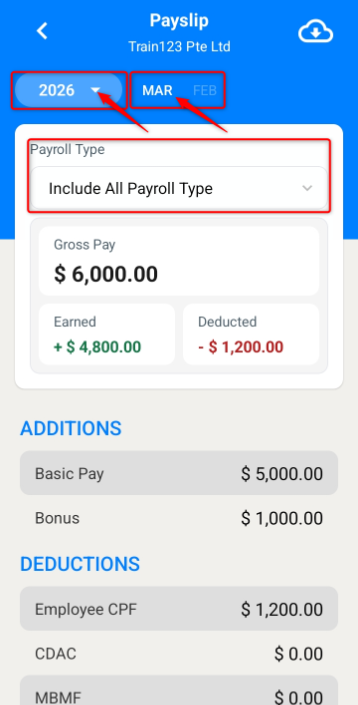
4. You may view your payslip details on this page.
Steps to Download Payslip:
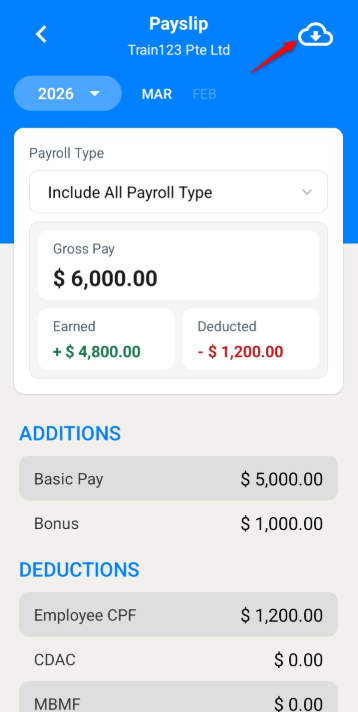
1. On the Payslip page, click the download icon on the top right corner.
2. Click Include All Payroll Types to proceed with the download.
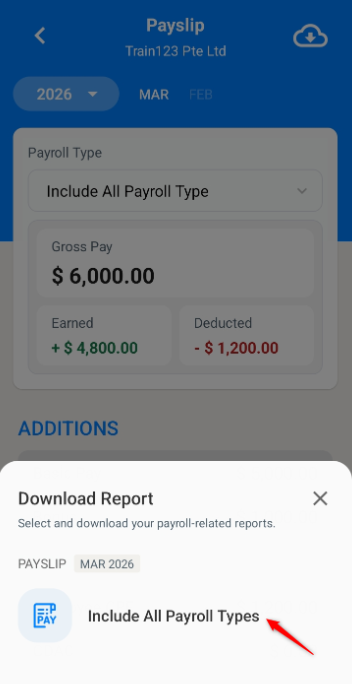
3. The payslip will be saved to your device’s storage.
4. You may then open it using your preferred application.
ℹ️Note: For added security, you can enable biometrics to protect your payslips. Refer to Enable Biometrics.
Written by: Teah Rui Harn (20260412)
Reviewed by: Tek Ee Lin (20260417)