
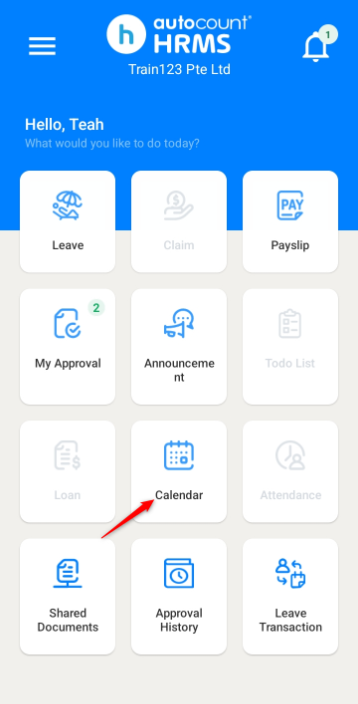
Employees can view their calendar details through the mobile app.
Steps to View Calendar Details:
1. Go to Calendar.
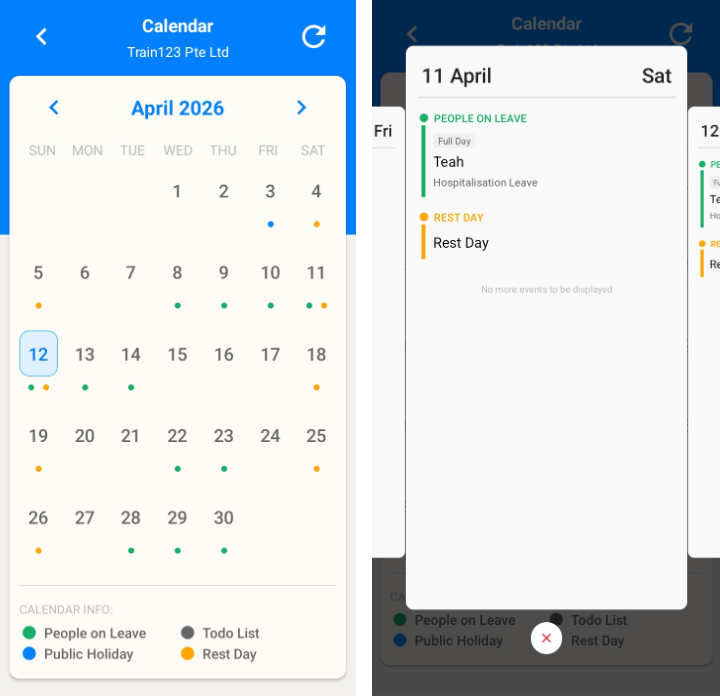
2. Click on a date to view the details.
ℹ️ Note:
- Green dots — Employees(s)’ on-leave date
- Blue dots — Public holidays
- Yellow dot — Rest days
Written by: Teah Rui Harn (20260412)
Reviewed by: Tek Ee Lin (20260417)