
Employees can view all past leave transactions in this section. Please note that only Payroll Users can access this feature. Employee Users are not permitted to use this function.
Steps to View Leave Transactions:
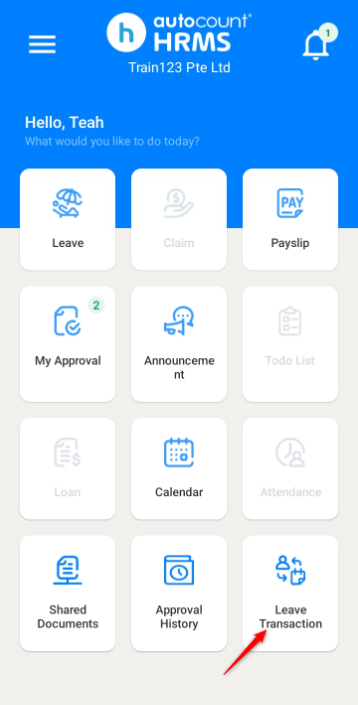
1. Go to Leave Transaction.
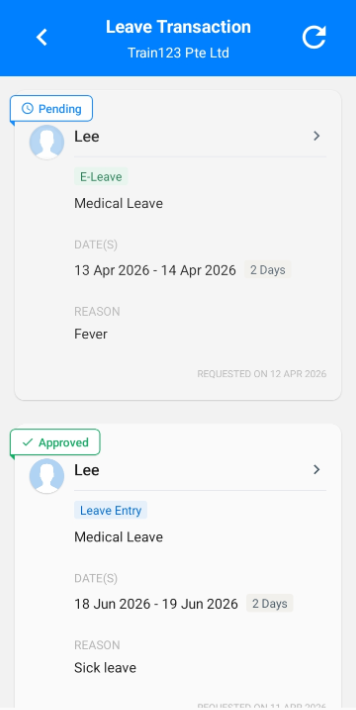
2. You may view submitted leave applications, including their status (Approved, Rejected or Pending).
Steps to Approve or Reject a Pending Leave Application via Leave Transaction:
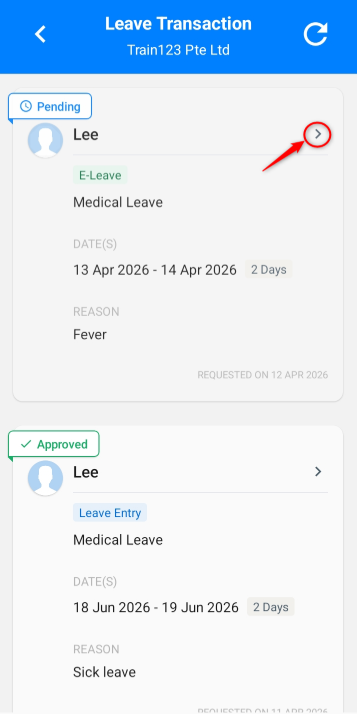
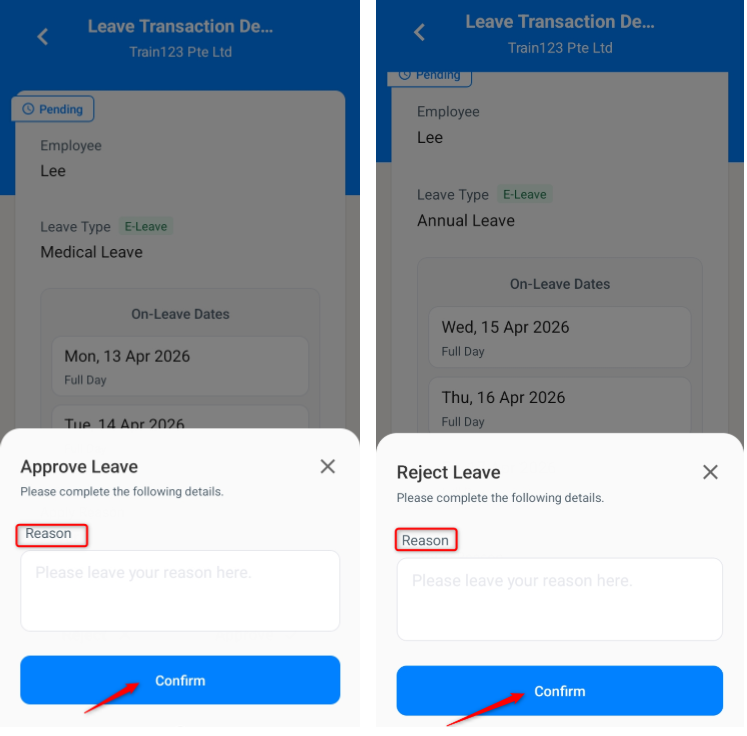
1. In the Leave Transaction page, click on a pending leave application.
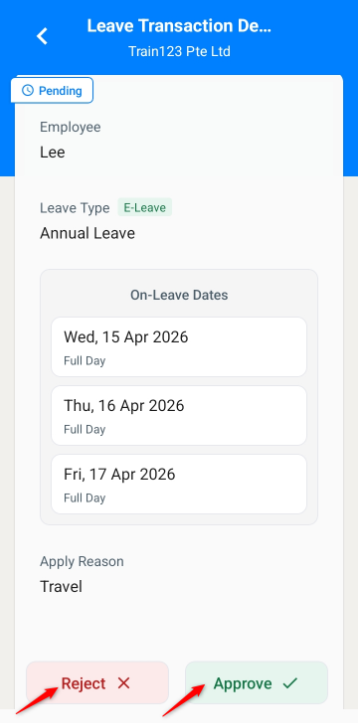
2. Scroll down and click APPROVE or REJECT.
3. Enter a reason (if applicable) and click Confirm.
4. The leave application will be successfully approved or rejected.
Steps to Cancel an Approved Leave Application via Leave Transaction:
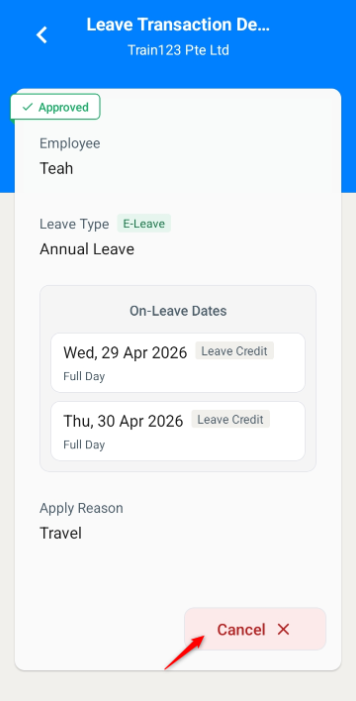
1. In the Leave Transaction page, click on an approved leave application.
2. Scroll down and click Cancel.
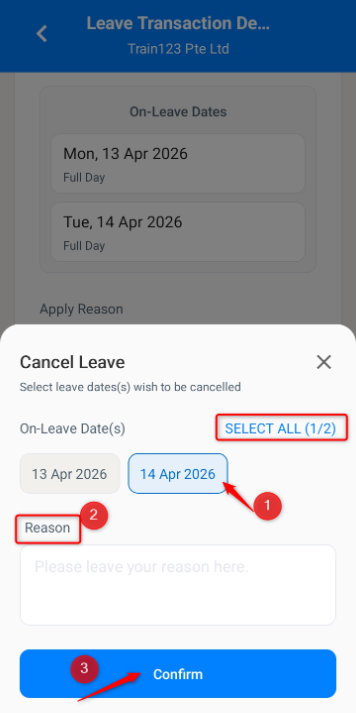
3. Select the date(s) to be cancelled, enter a Reason and click Confirm.
Written by: Teah Rui Harn (20260412)
Reviewed by: Tek Ee Lin (20260417)