
The HRMS mobile app allows users with biometric-enabled devices to access payslips securely using biometric authentication, ensuring confidentiality.
Steps to Enable Biometrics:
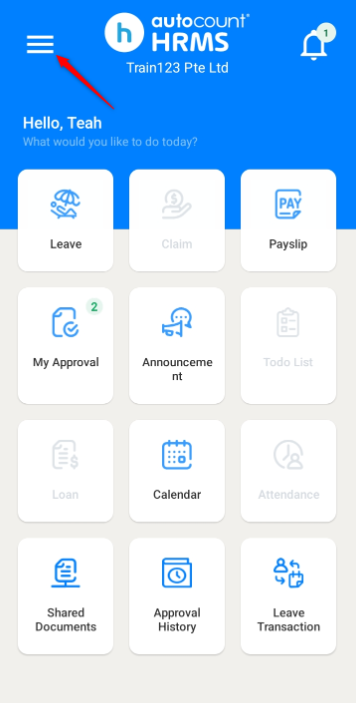
1. Tap the three horizontal line icon.
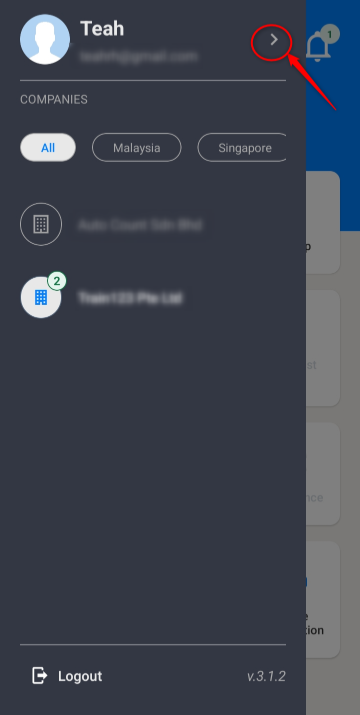
2. Click the > icon next to your name to go to the Profile page.
3. Enable Biometrics.
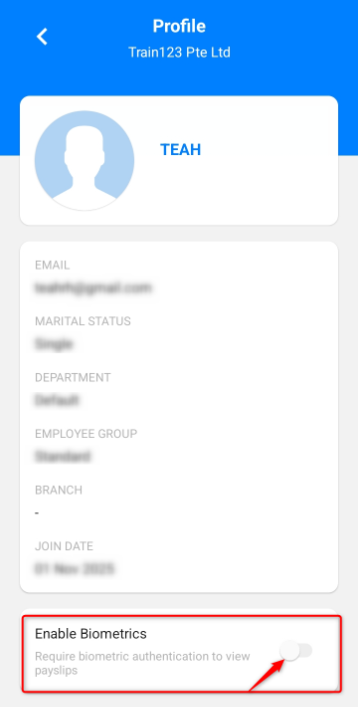
4. You will be required to use your fingerprint to access your payslips.
Written by: Teah Rui Harn (20260412)
Reviewed by: Tek Ee Lin (20260417)