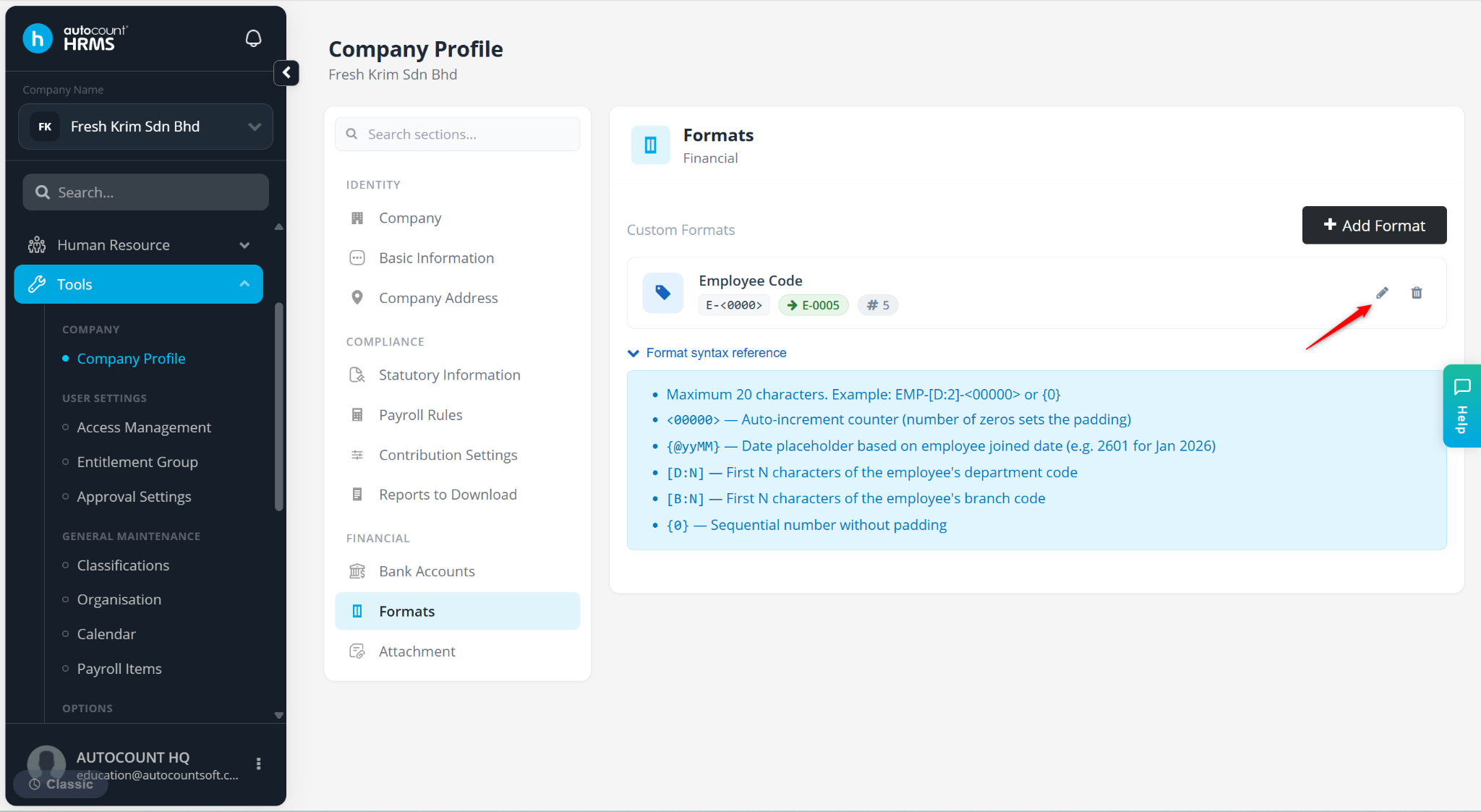
This feature allows users to define the format used for generating employee codes. The configured format helps maintain a consistent employee numbering structure when creating new employee records.
Steps to Maintain Employee Code Format:
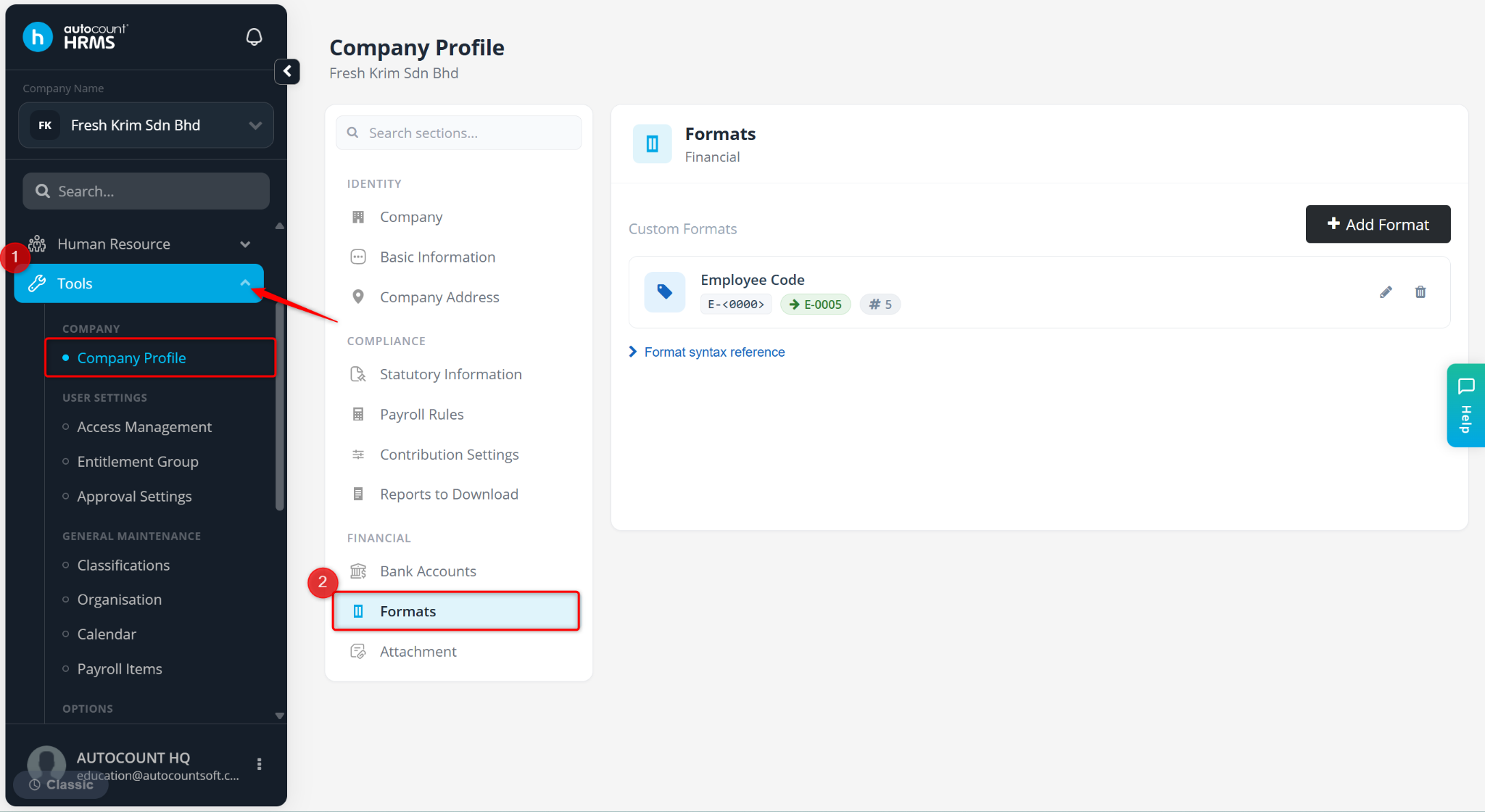
Go to Tools > Company Profile.
Under Company Profile, go to Formats.
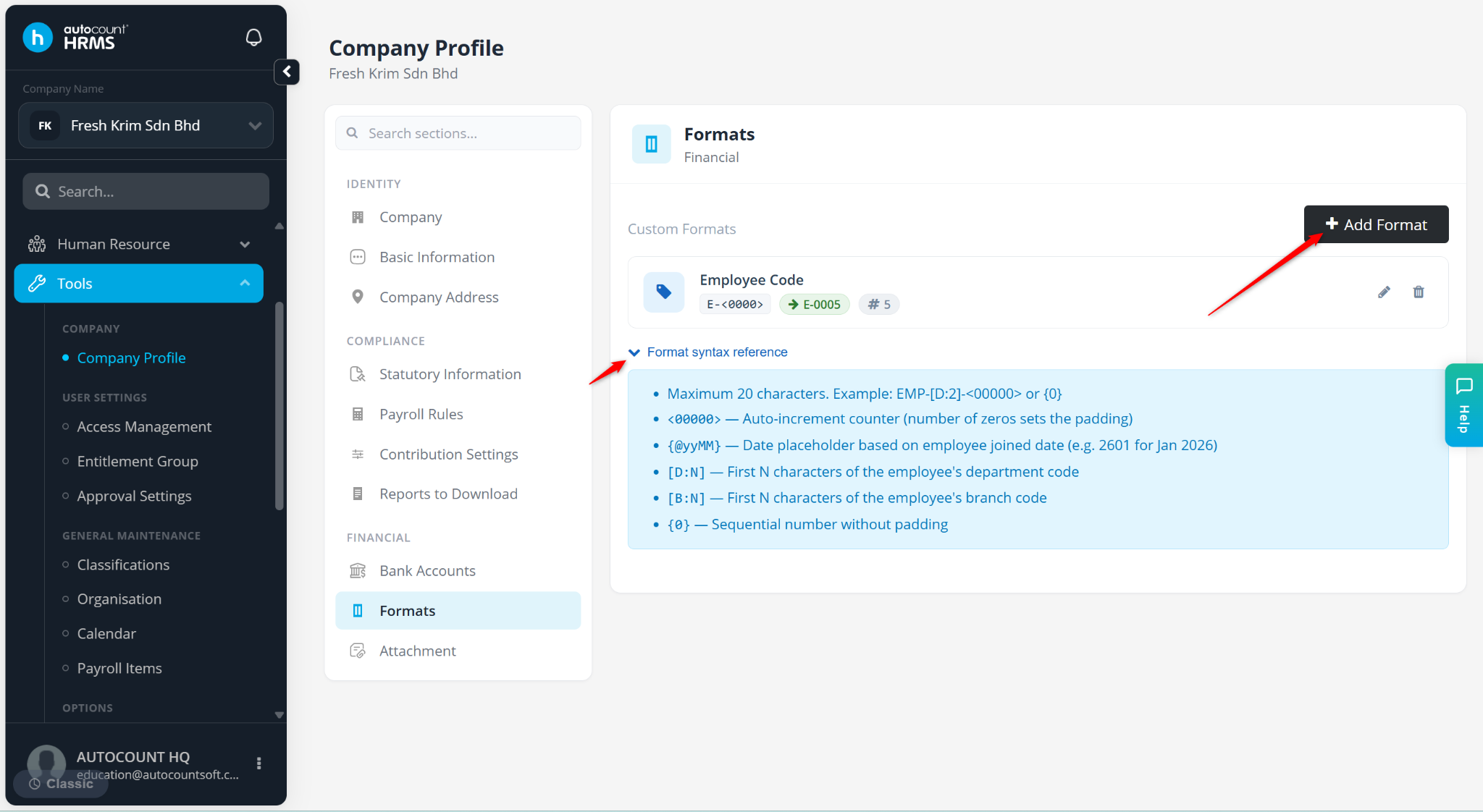
Click Add Format.
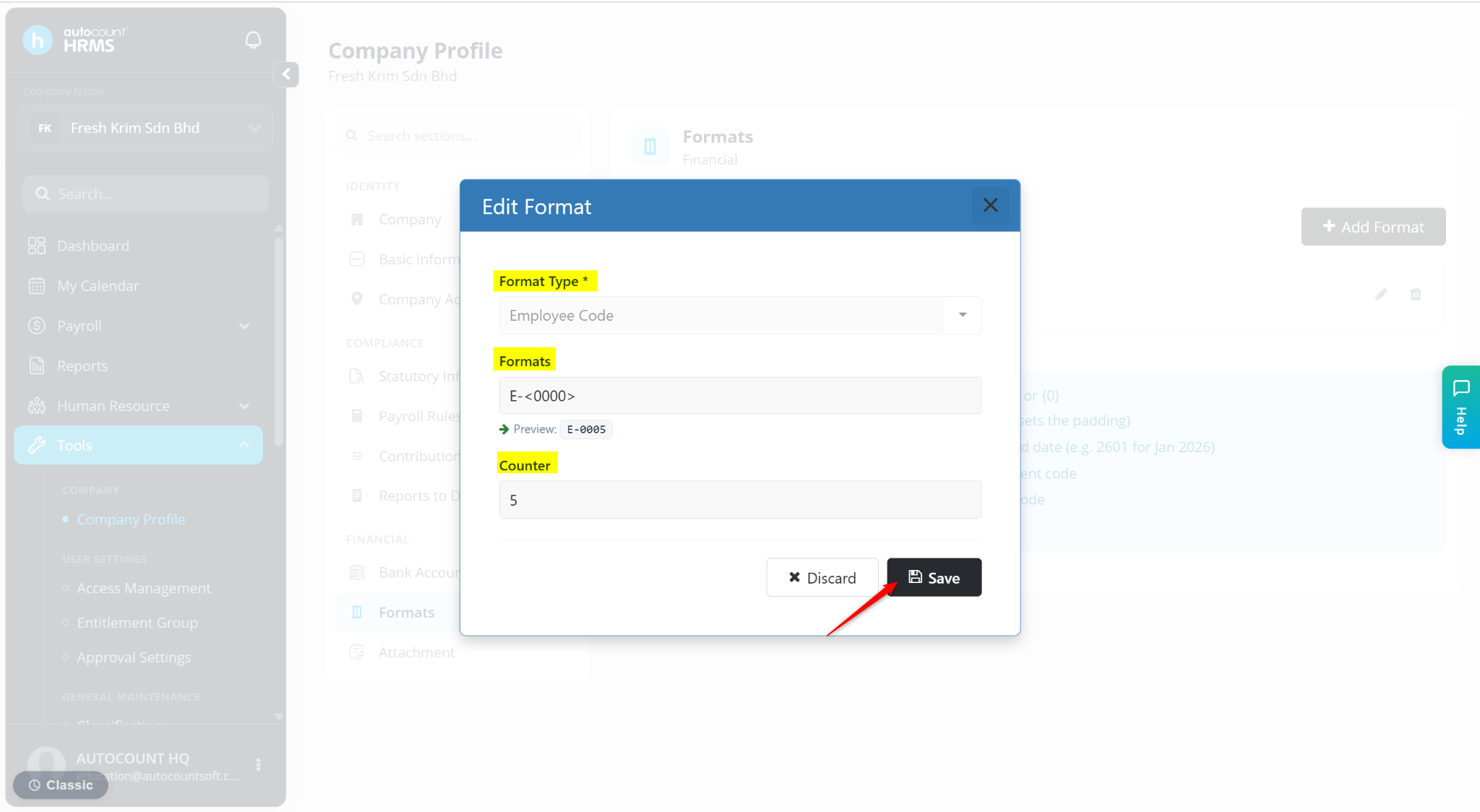
Enter the details:
Format Type – Select Employee Code.
Formats – Enter the format.
Counter – Enter the next number used.
Click Save.
The Employee Code format will be created.
Click the pencil icon to edit.
Click the trash bin icon to delete.