This feature allows employers to temporarily stop and then resume loan repayments for an employee. When a loan is suspended, no further payroll deductions will be made until it is reactivated.
Steps to Suspend a Loan:
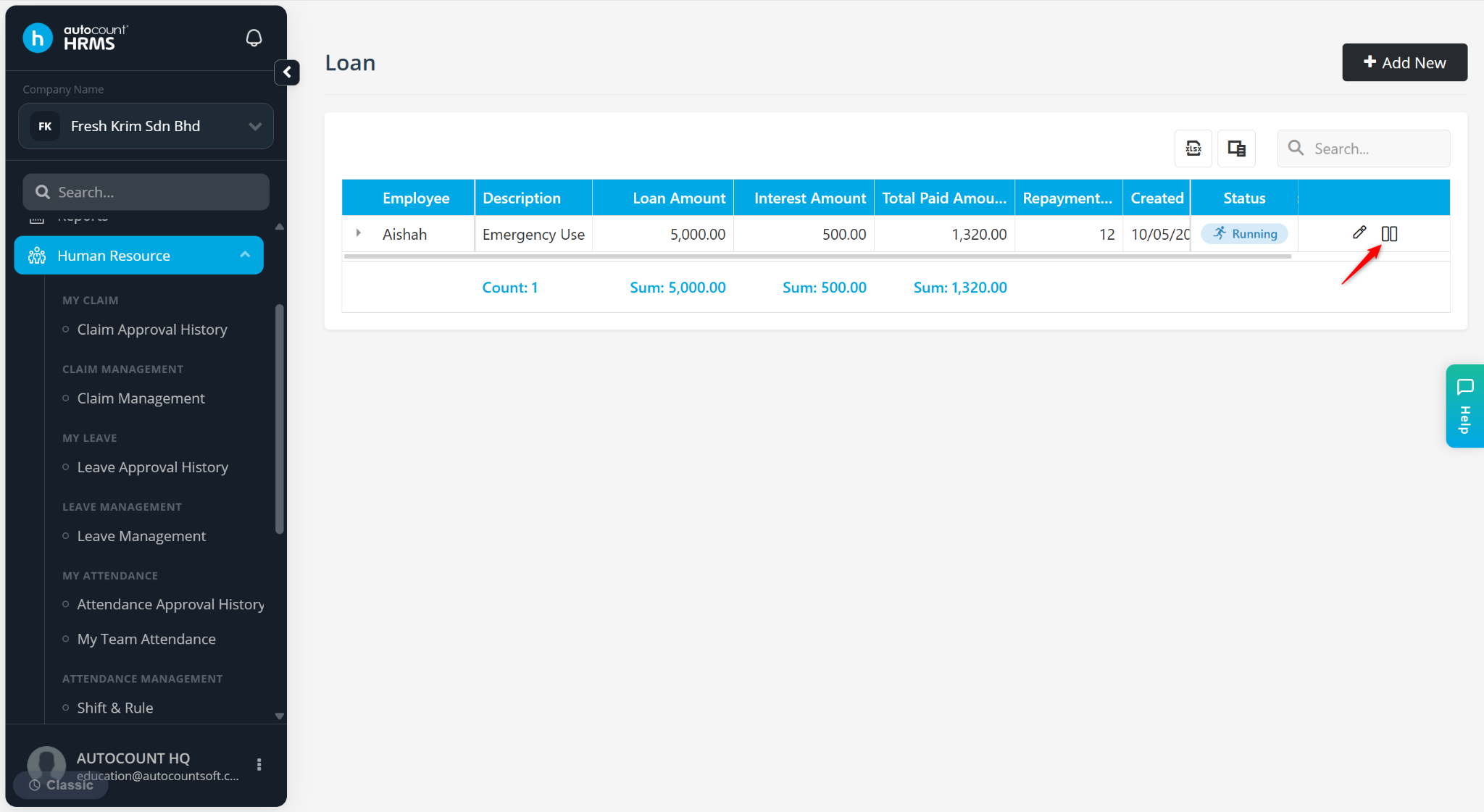
At the Loan page, locate the loan record and click the suspend (pause) icon.
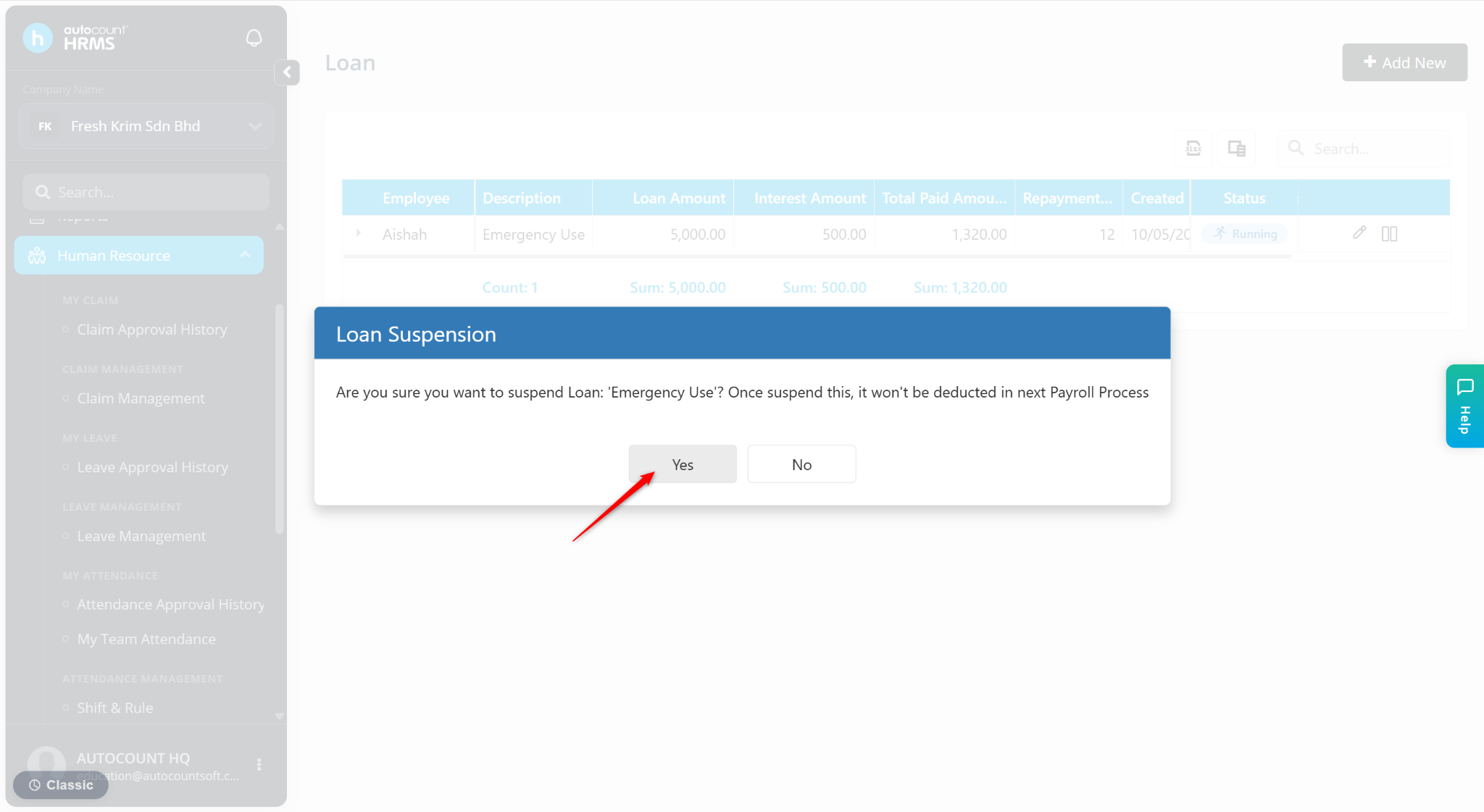
Click Yes to confirm suspension.
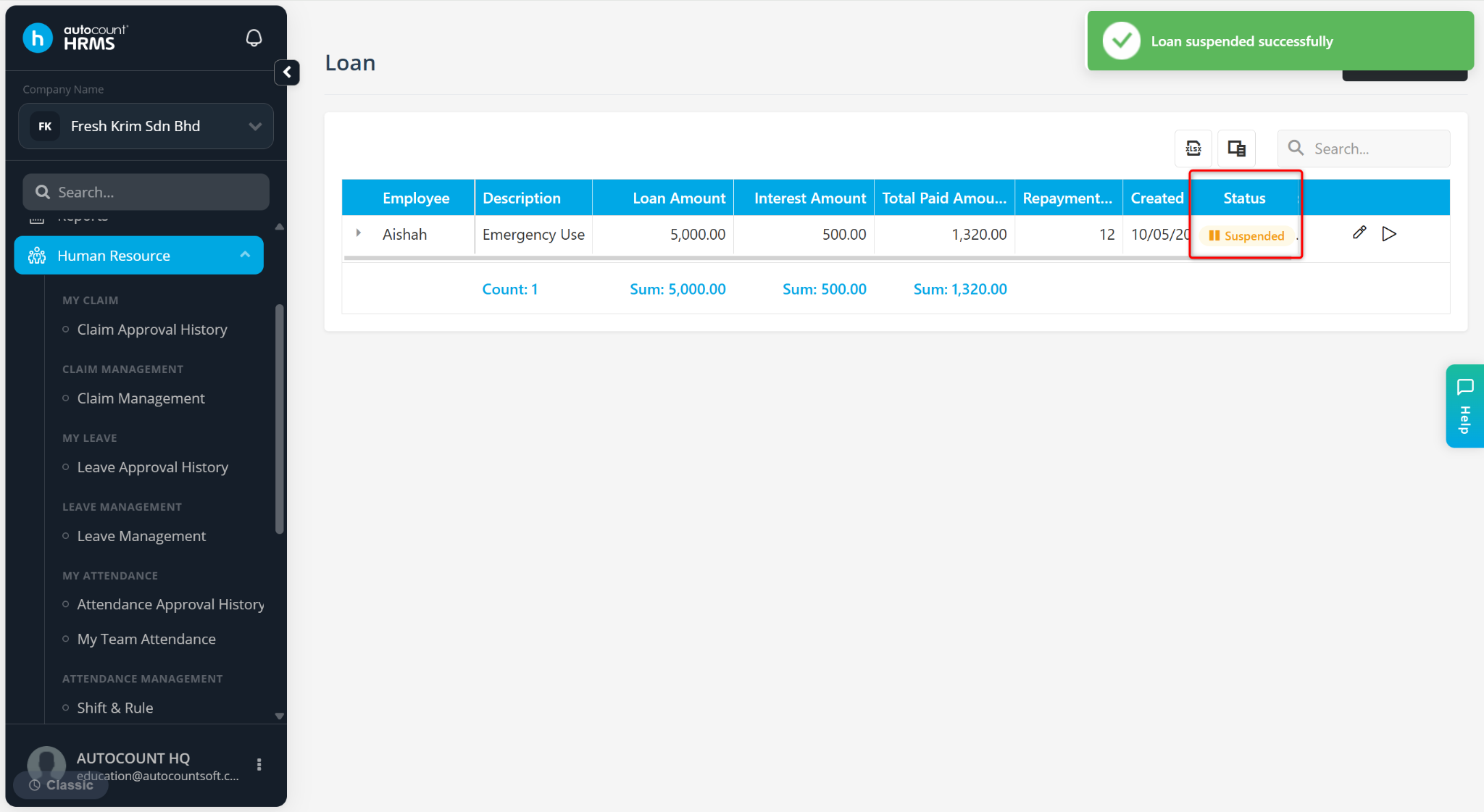
The loan status will change to Suspended, and deductions will stop.
Steps to Resume a Suspended Loan:
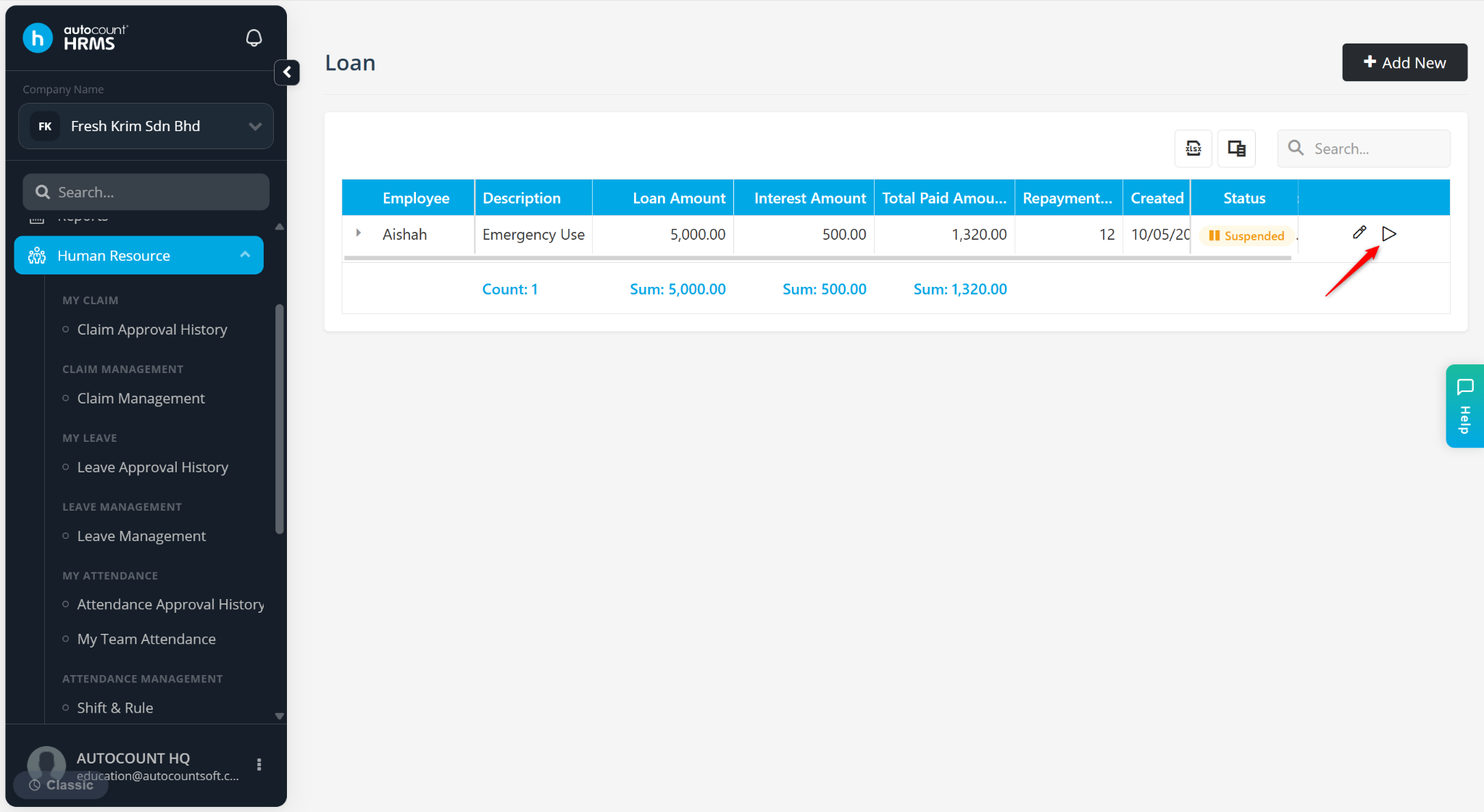
At the Loan page, locate the loan record and click the play icon.
Click Yes to confirm.
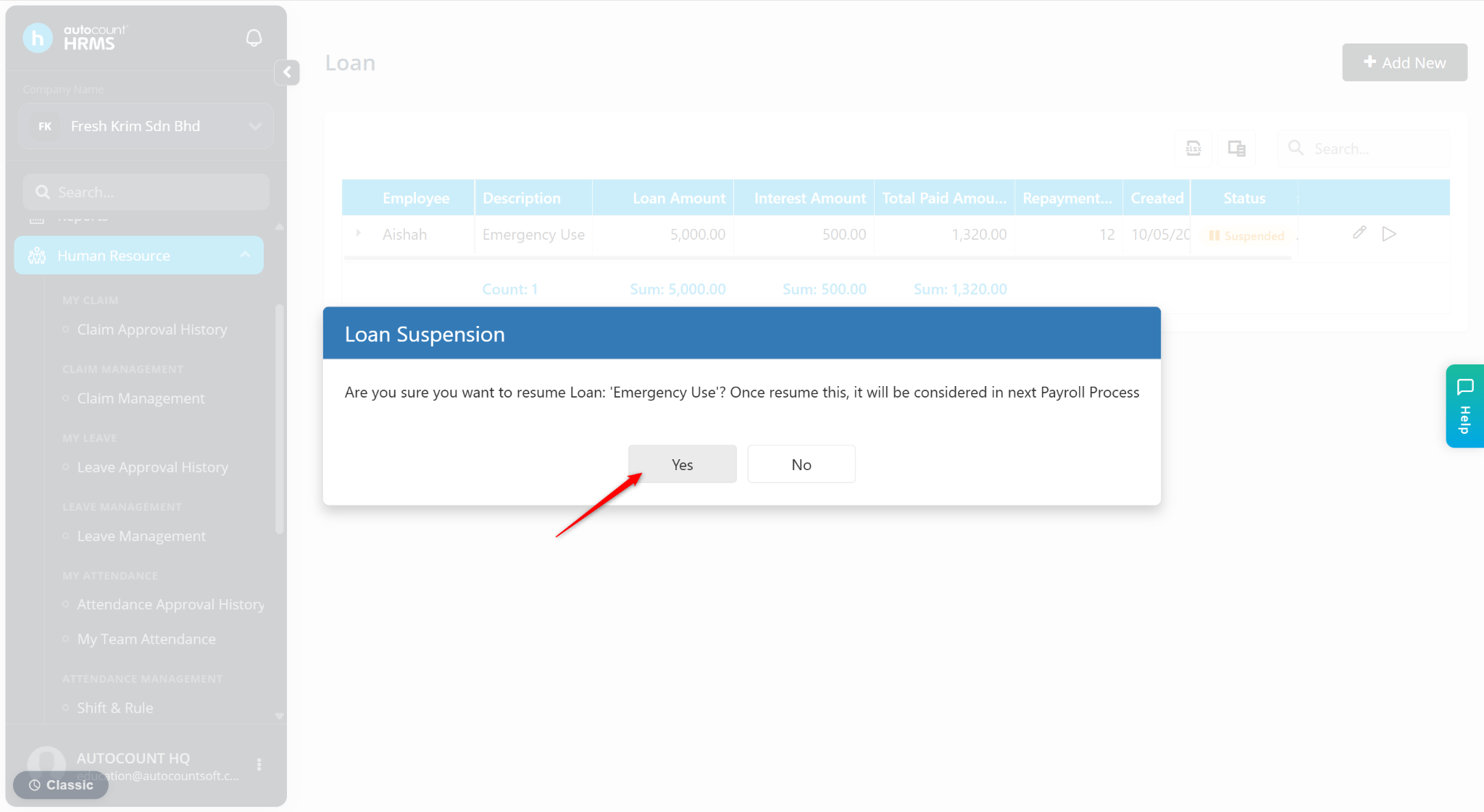
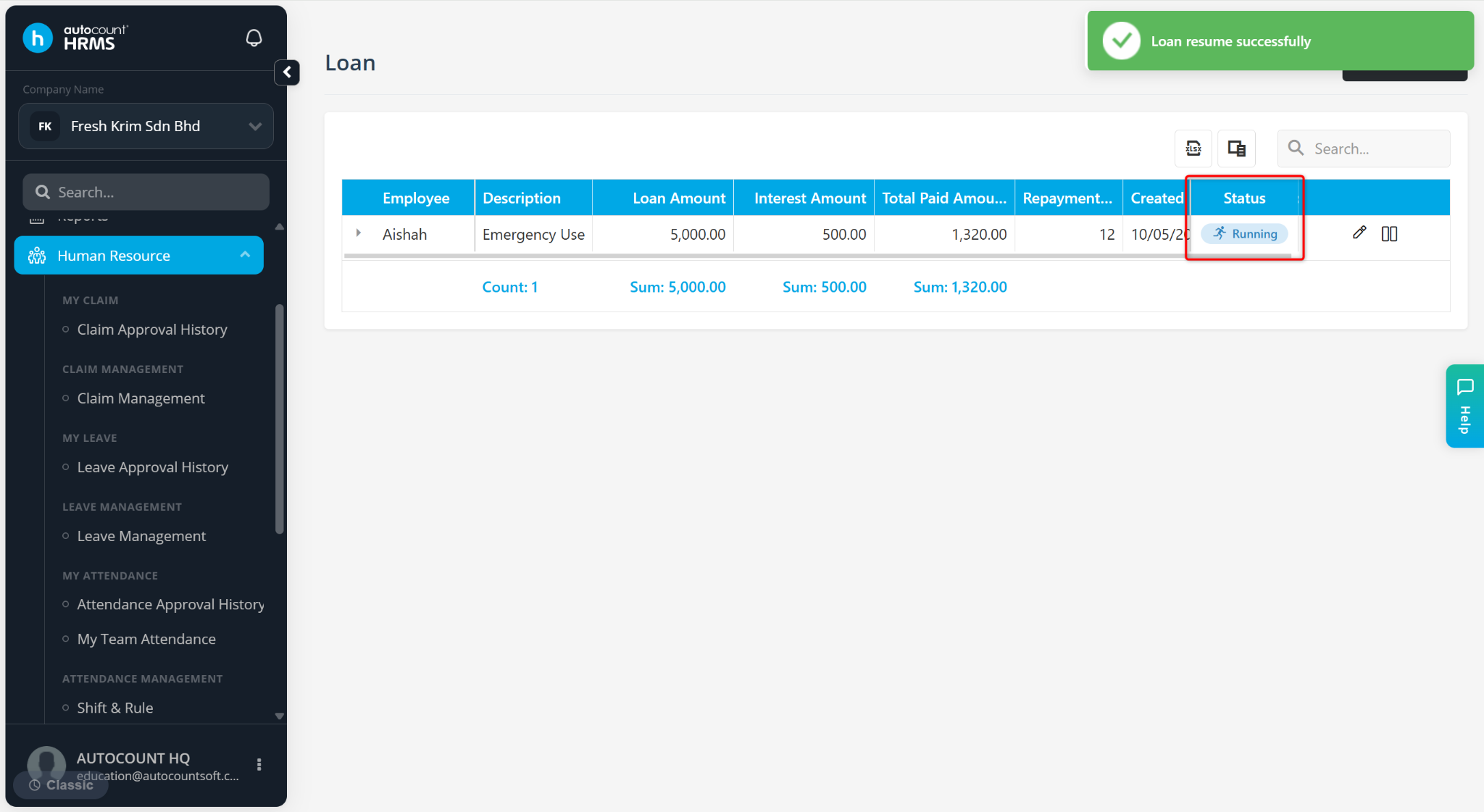
The loan status will change back to Running, and deductions will resume.