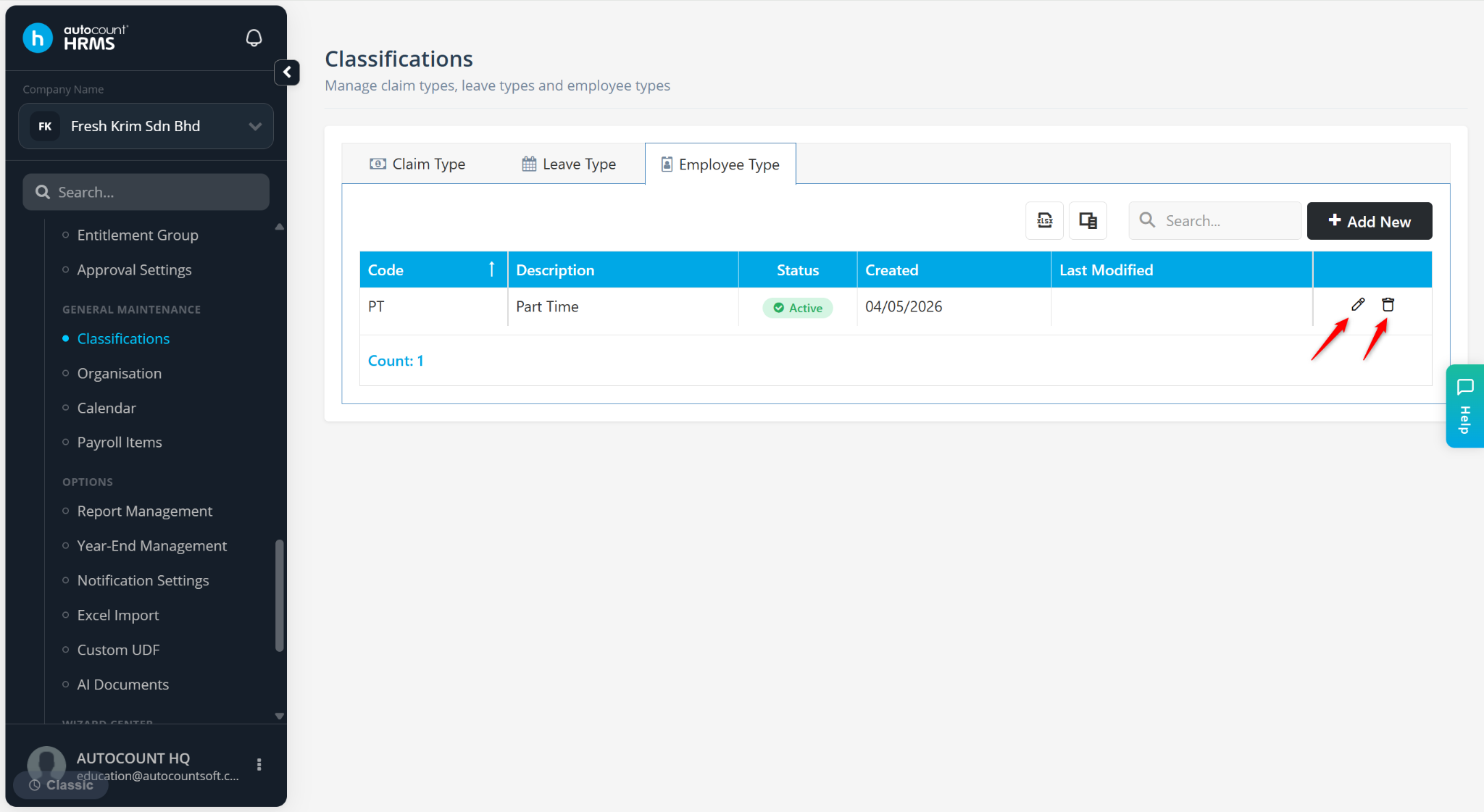
The Employee Type feature allows employers to classify employees according to their employment categories, making it easier to organise, manage, and report on different groups of employees.
Steps to Create a New Employee Type:
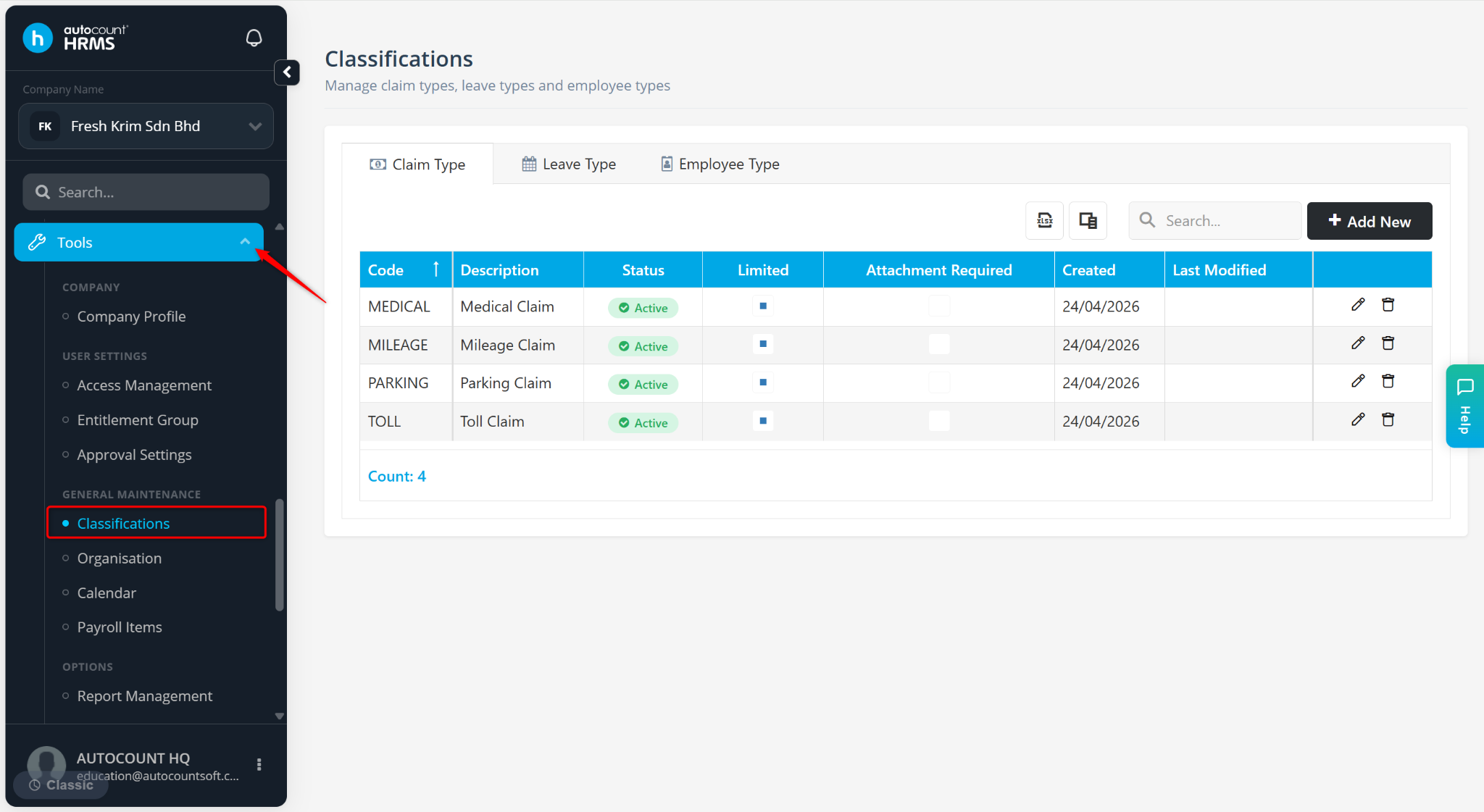
Go to Tools > Classification.
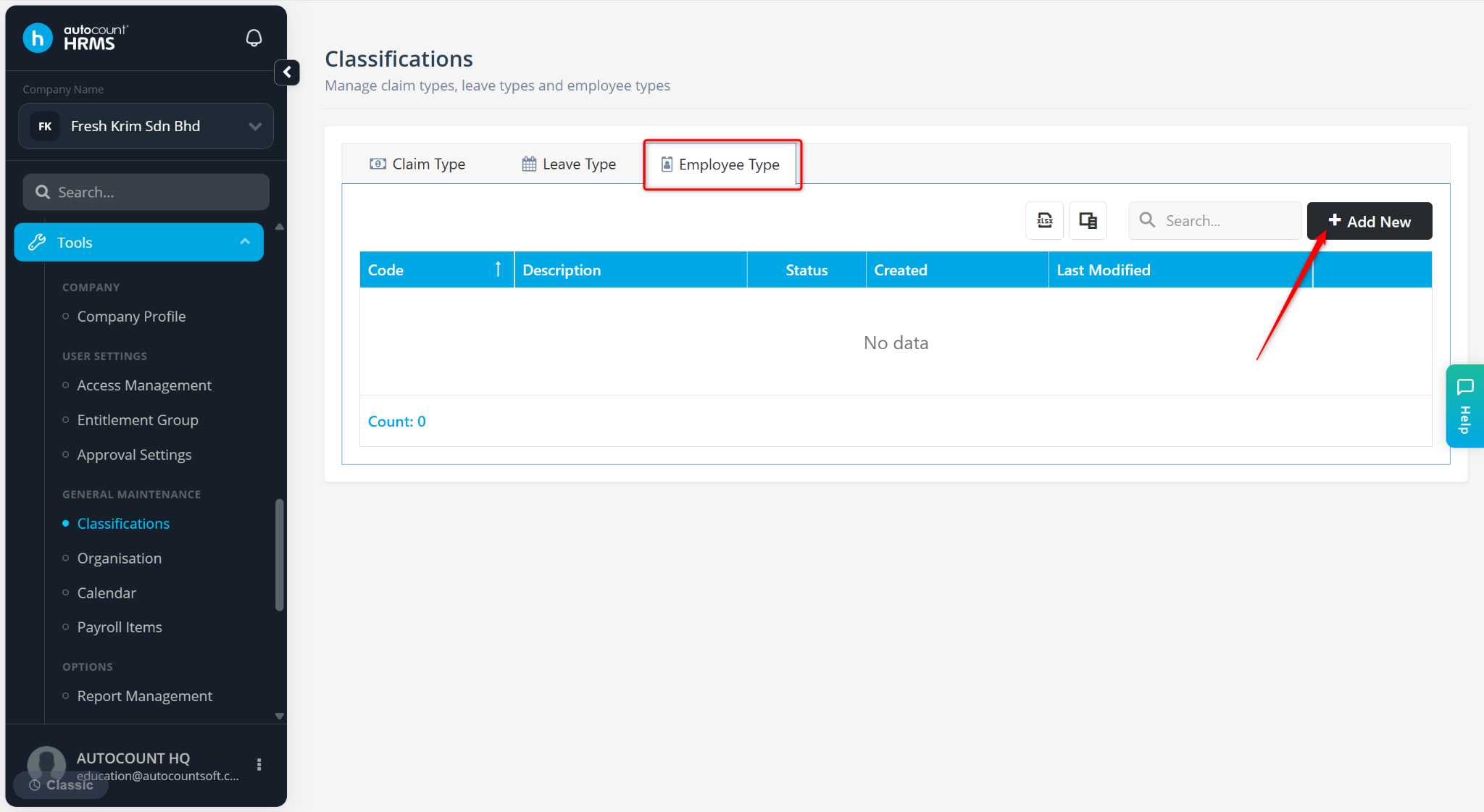
Go to the Employee Type tab and click Add New.
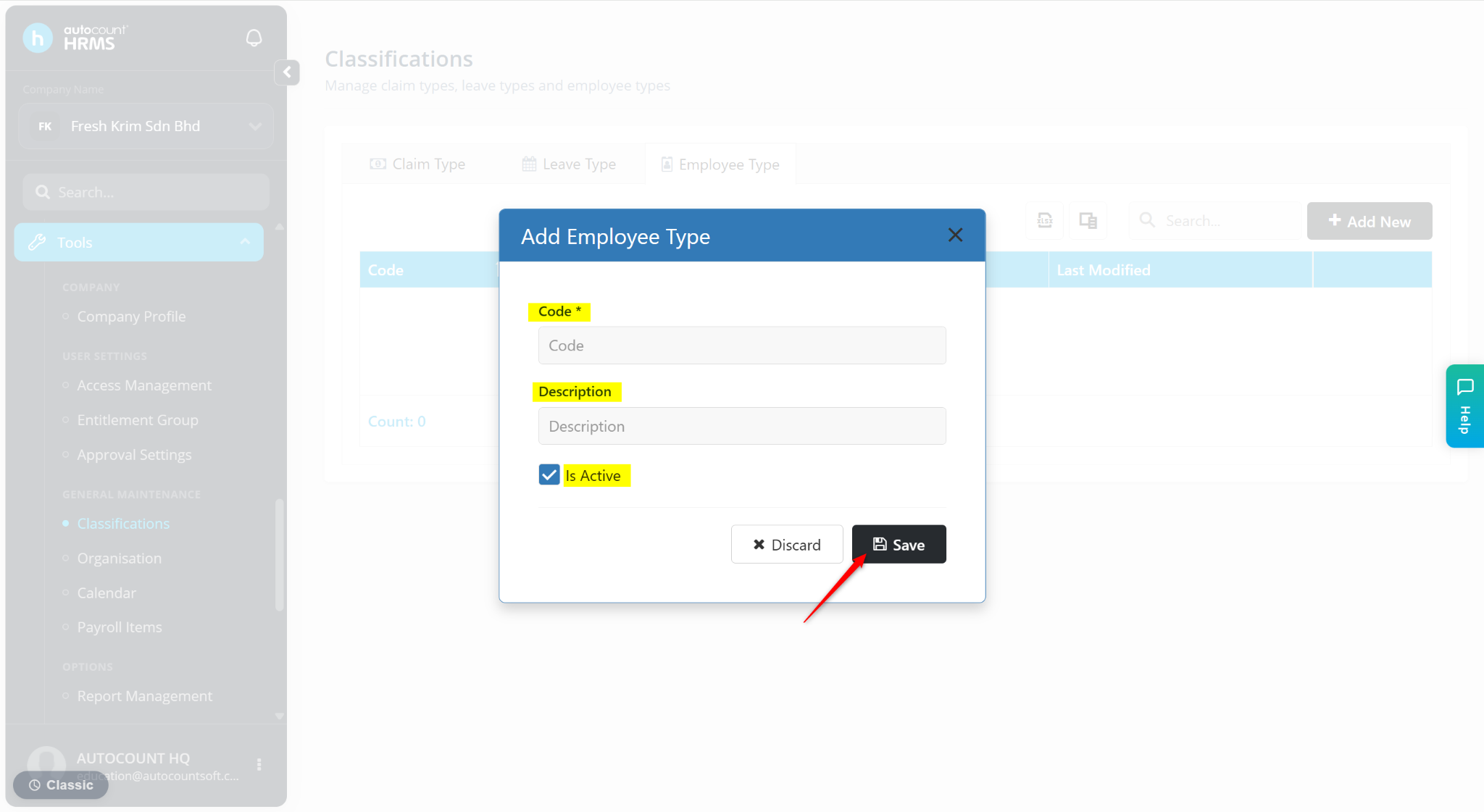
Enter the Code and Description of the employee type. Ensure the Is Active option is enabled.
Click Save.
ℹ️ Tip:
Use the pencil icon to edit.
Use the trash bin icon to delete.