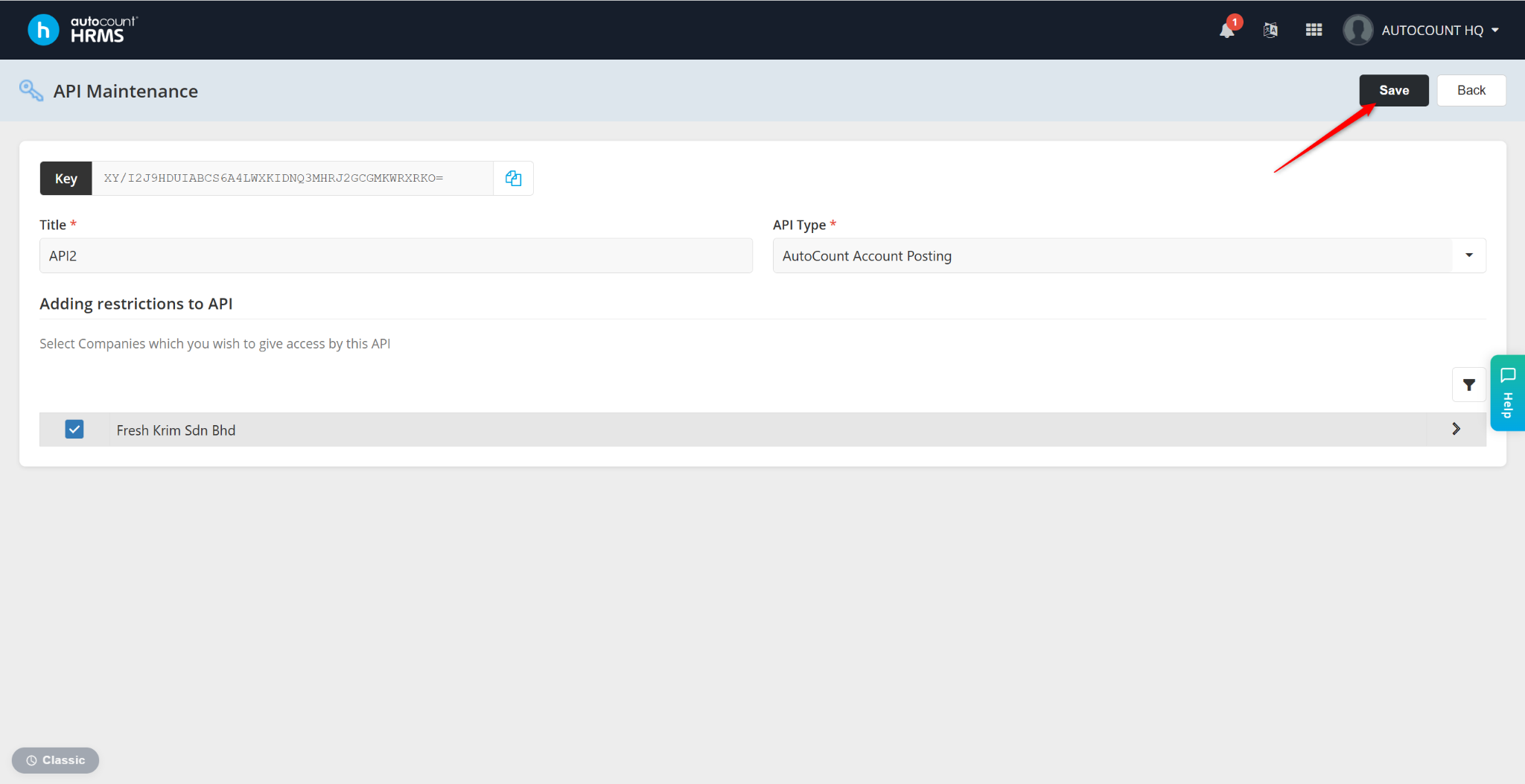
Users can configure API Maintenance for AutoCount Accounting and Migration Tool via the AutoCount HRMS Services page.
Steps to Set Up API Maintenance for AutoCount Accounting and Migration Tool:
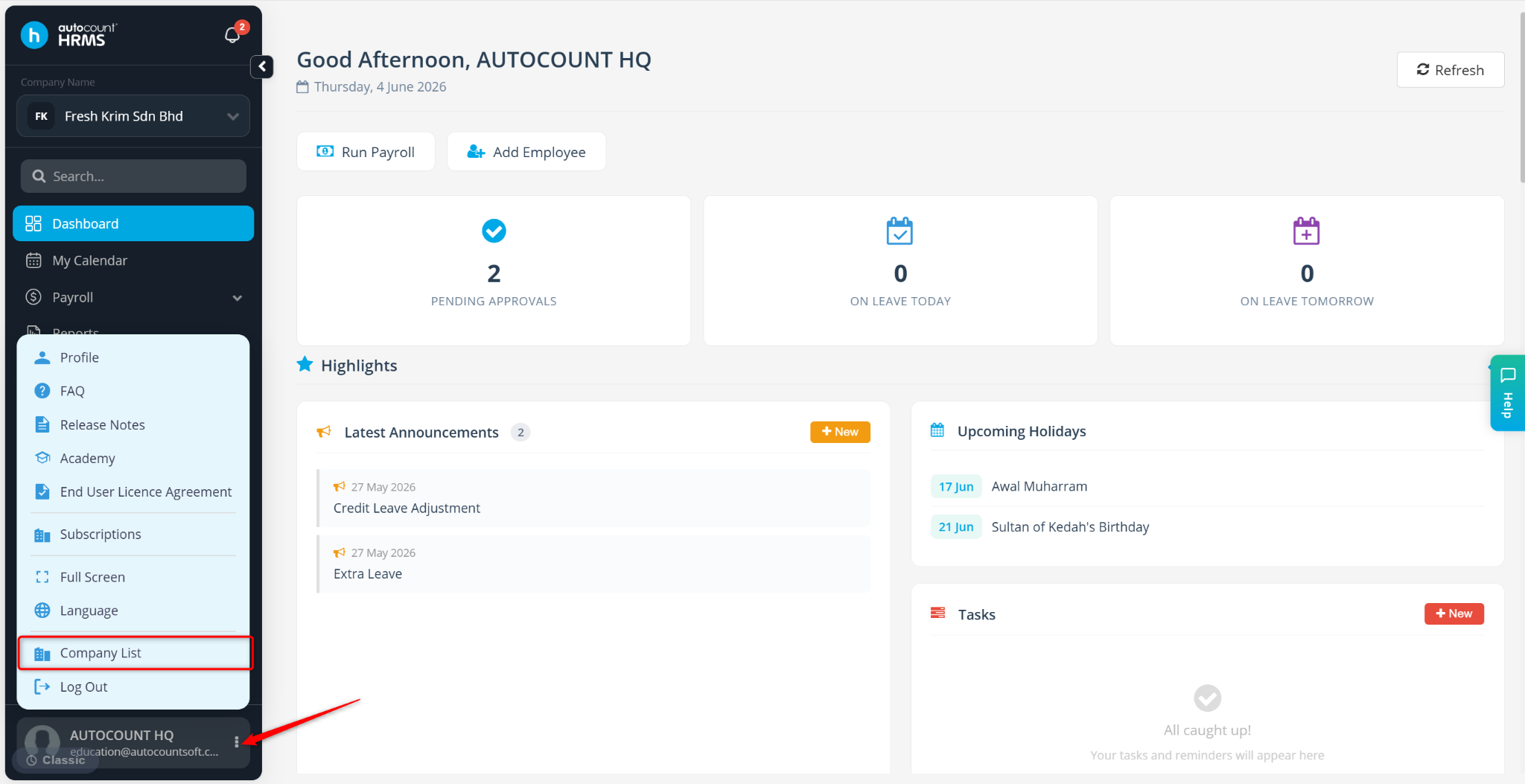
Go to Profile Name > Company List.
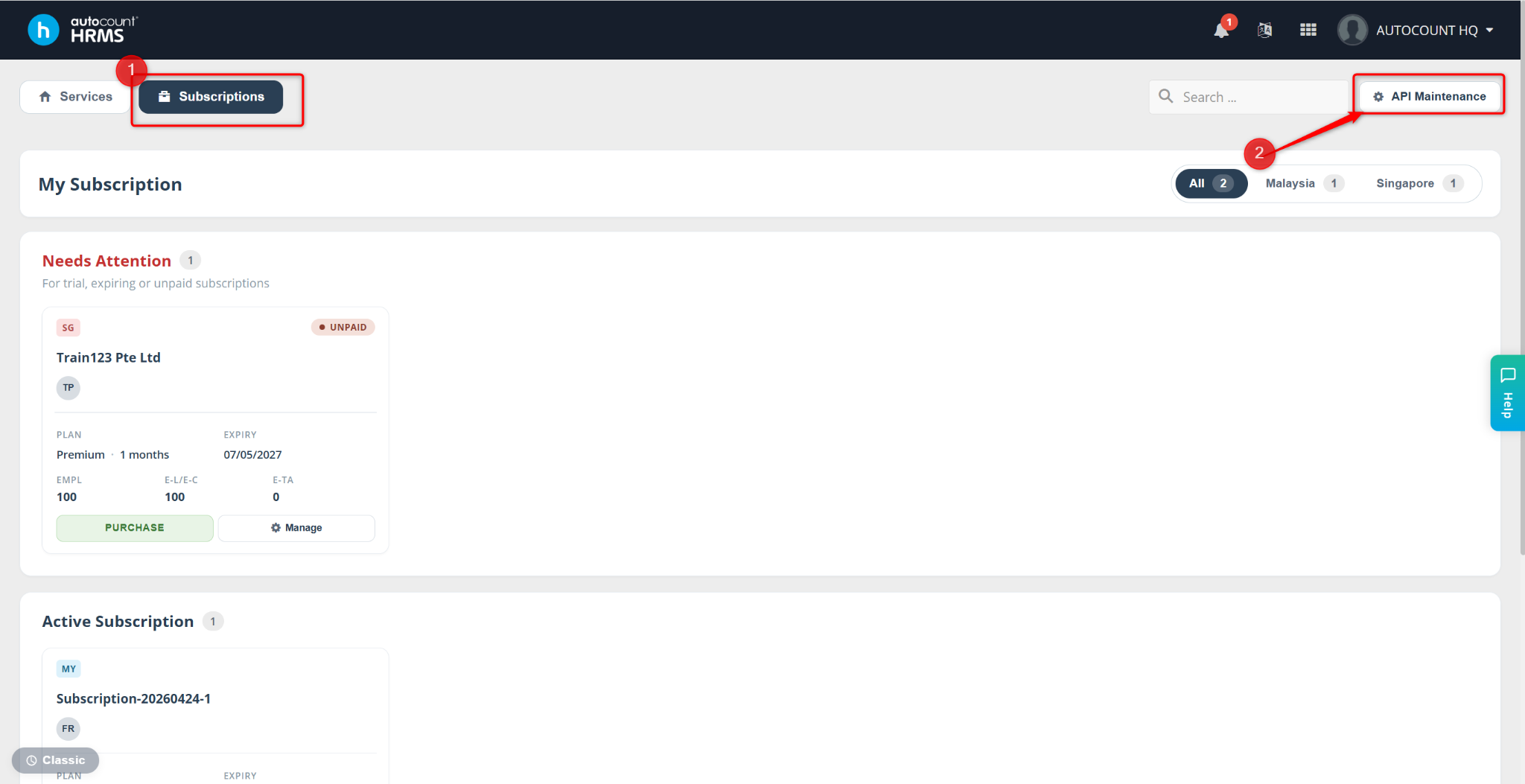
Go to Subscriptions.
Click API Maintenance.
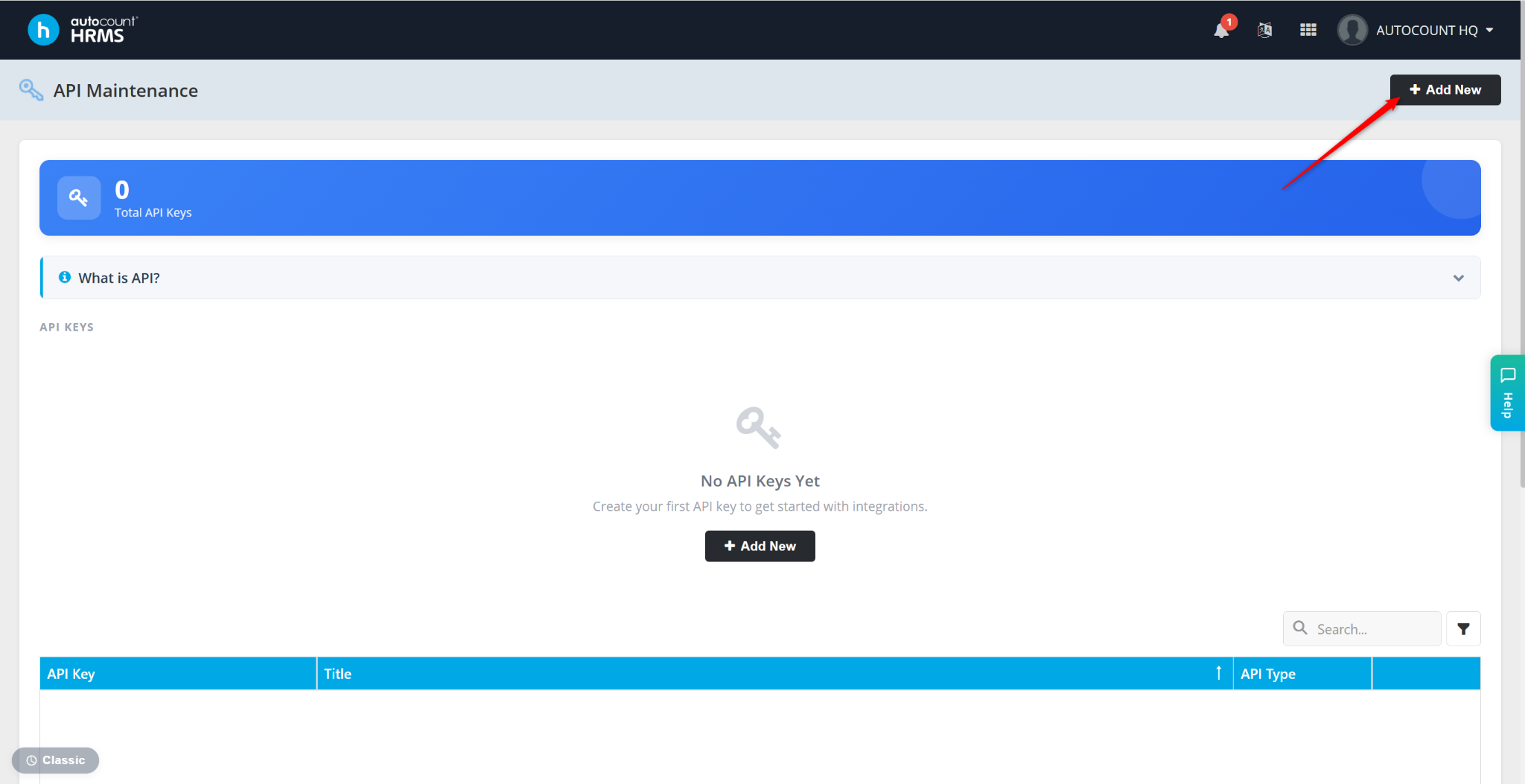
Click Add New to set up a new API Key.
Enter the Title and select the API Type (e.g. AutoCount Account Posting).
Select the companies you wish to have access to this API.
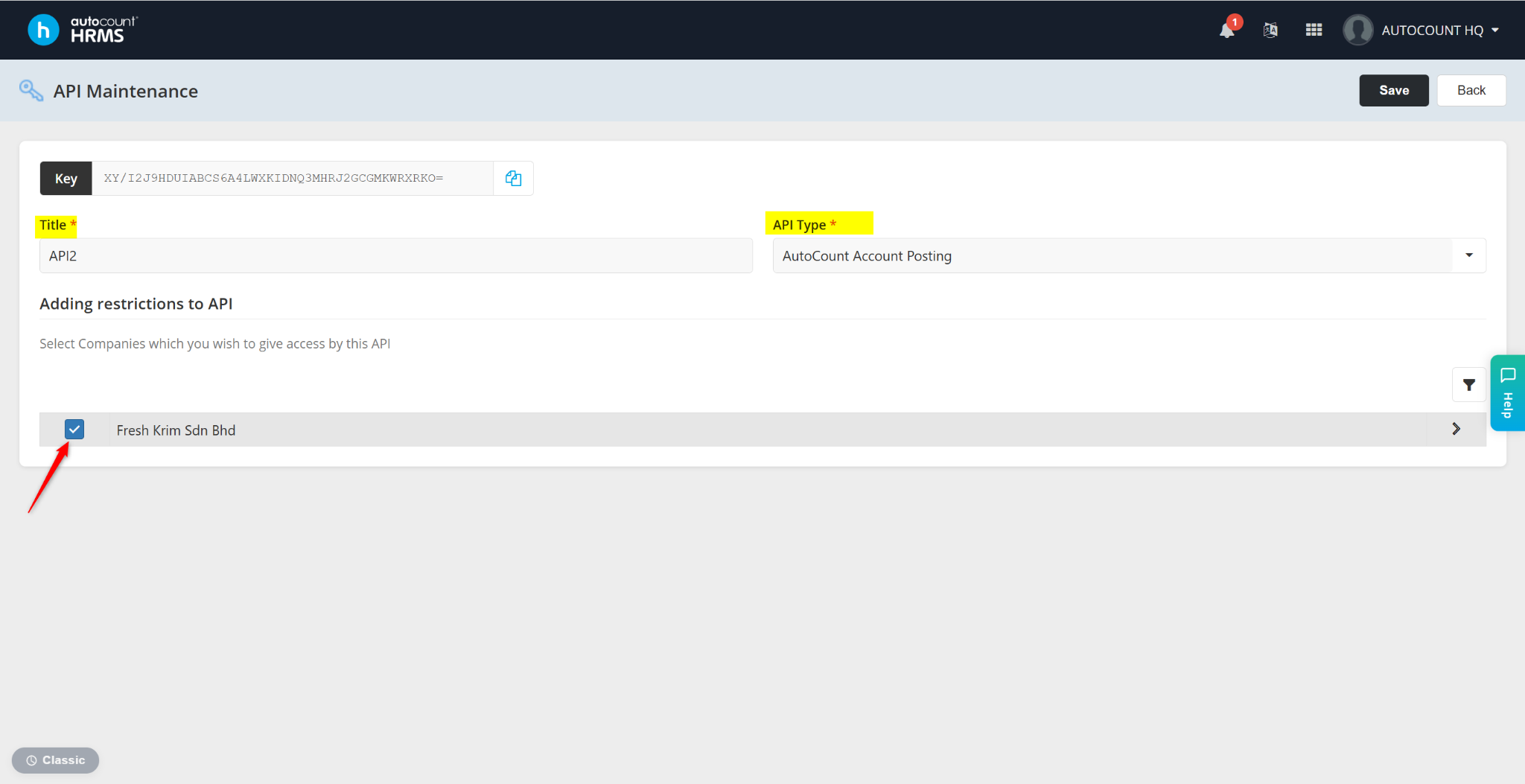
Click Save.