
Claim Approvers can review, approve, or reject employee claim applications directly through the Employee Self Service (ESS) portal.
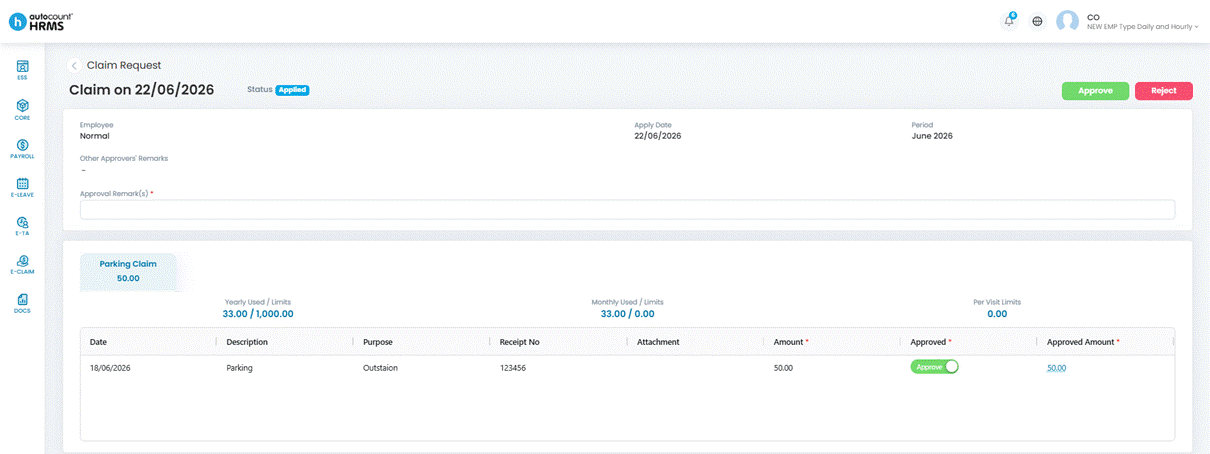
Steps to Approve or Reject a Claim:
1. Open the claim from your notification, email or the approval queue.
2. Review the claim details: Claim Type, Amount, Description, and Attachments.
3. Review the Approval History to see prior actions by other approvers (if applicable).
4. Enter Approval Remarks. This field is mandatory.
5. Click Approve or Reject.
ℹ️ Note:
- You may amend the approved amount, but it must not exceed the employee’s claimed amount.
- If you are the final approver in the workflow, the claim status changes to Approved and becomes available for payroll processing.