
Possible Reason:
The company wants to prevent a resigned employee from accessing the system while still allowing access to their payslip and EA form, if required.
Answer:
The action depends on whether the employee still needs to access their payslip and EA form.
a. If the employee still needs to view their payslip and EA form:
- Do not delete the employee's user access.
- Change the user's access permission so that the employee can only view their own payslip and EA form.
- To update the access rights:
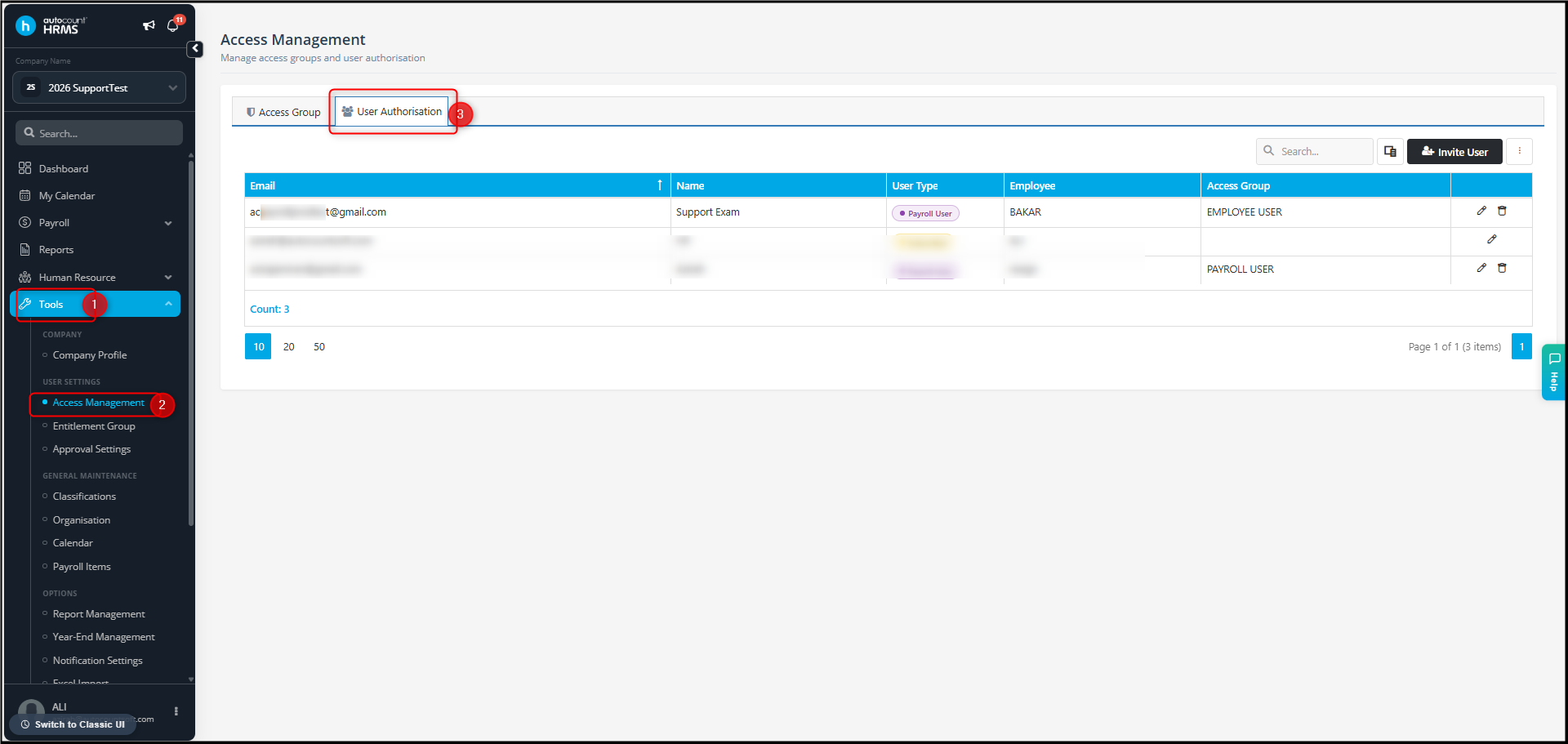
- Go to Tools > Access Management > User Authorization.
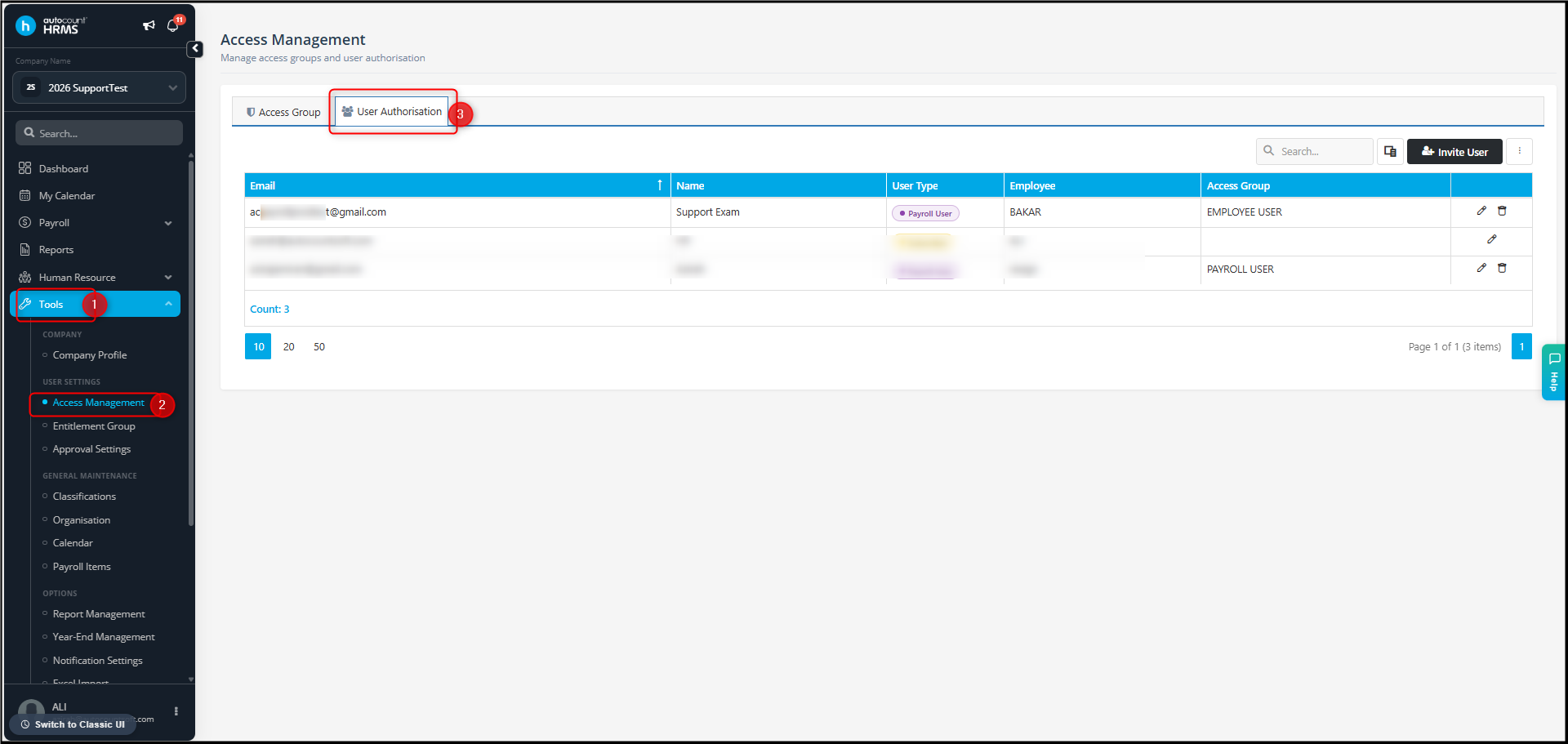
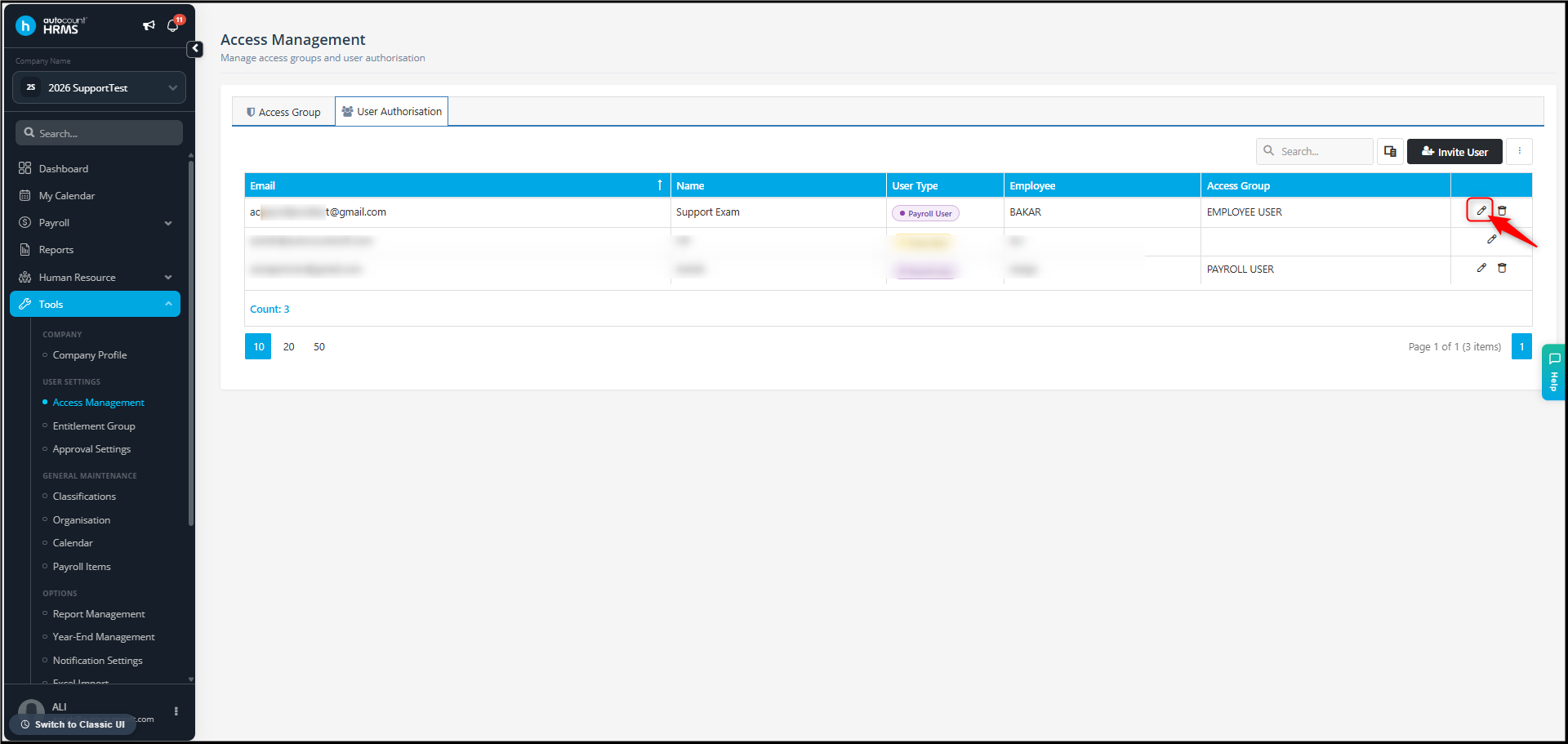
- Edit the respective employee's email account.
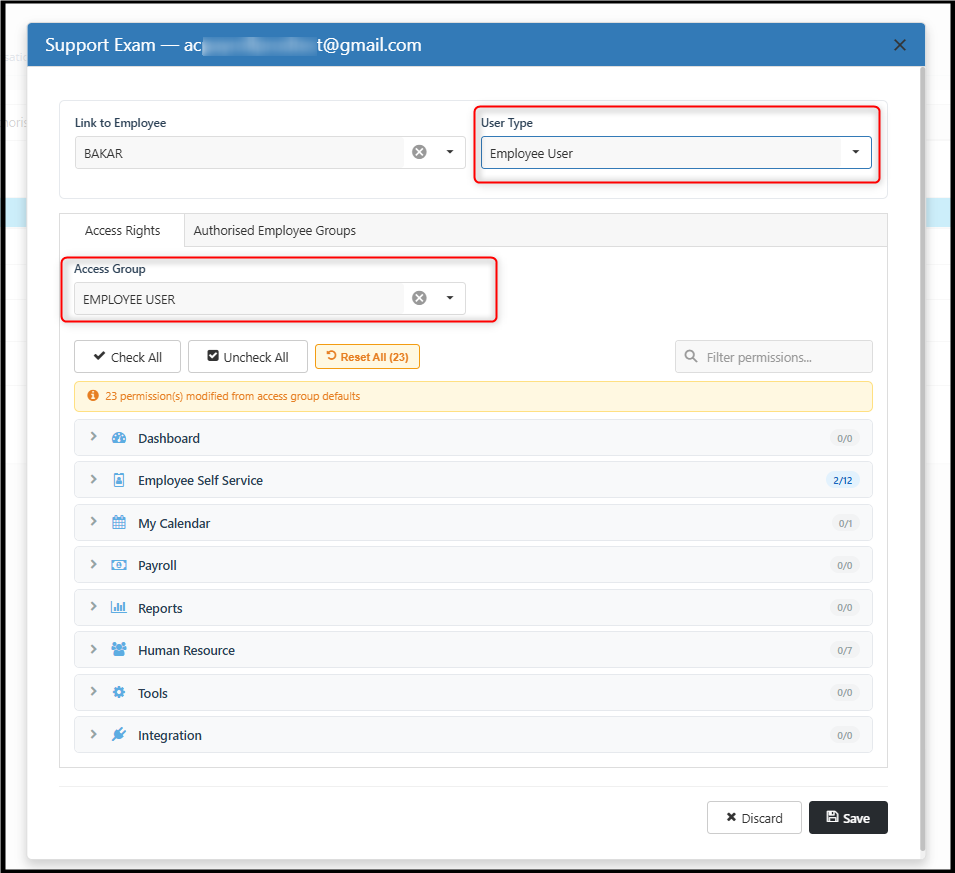
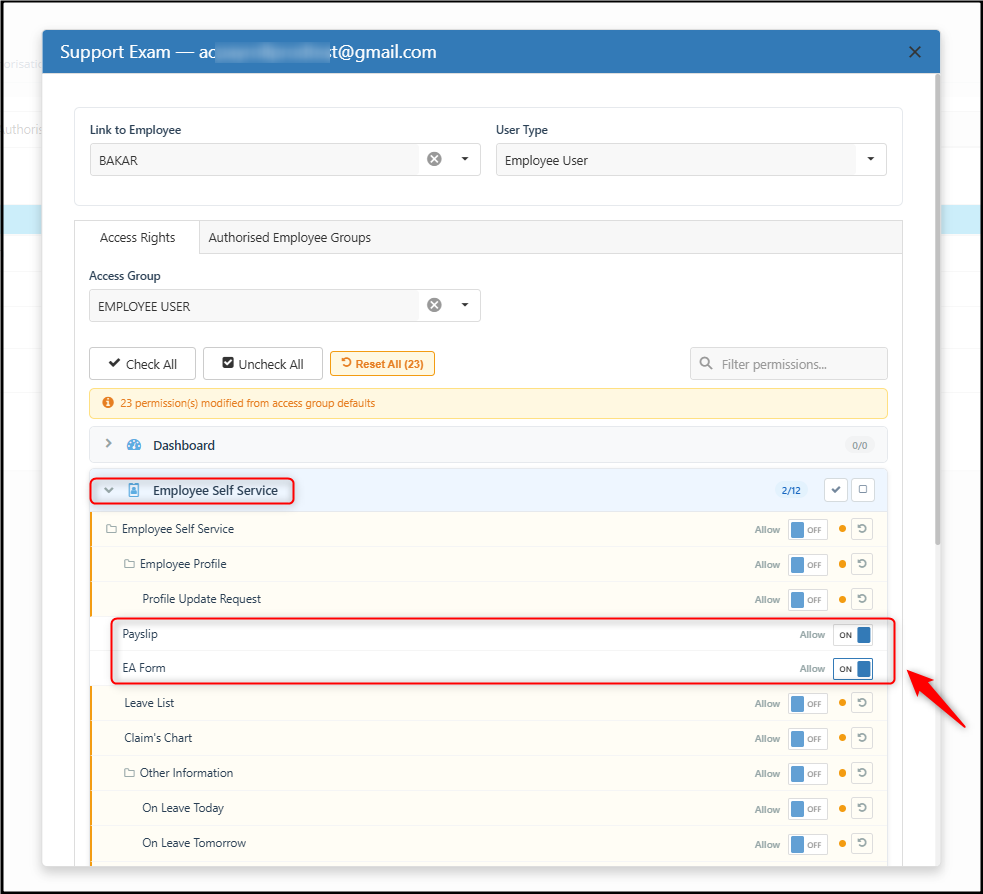
- Set the User Type and Access Group to Employee User.
- Uncheck all access rights.
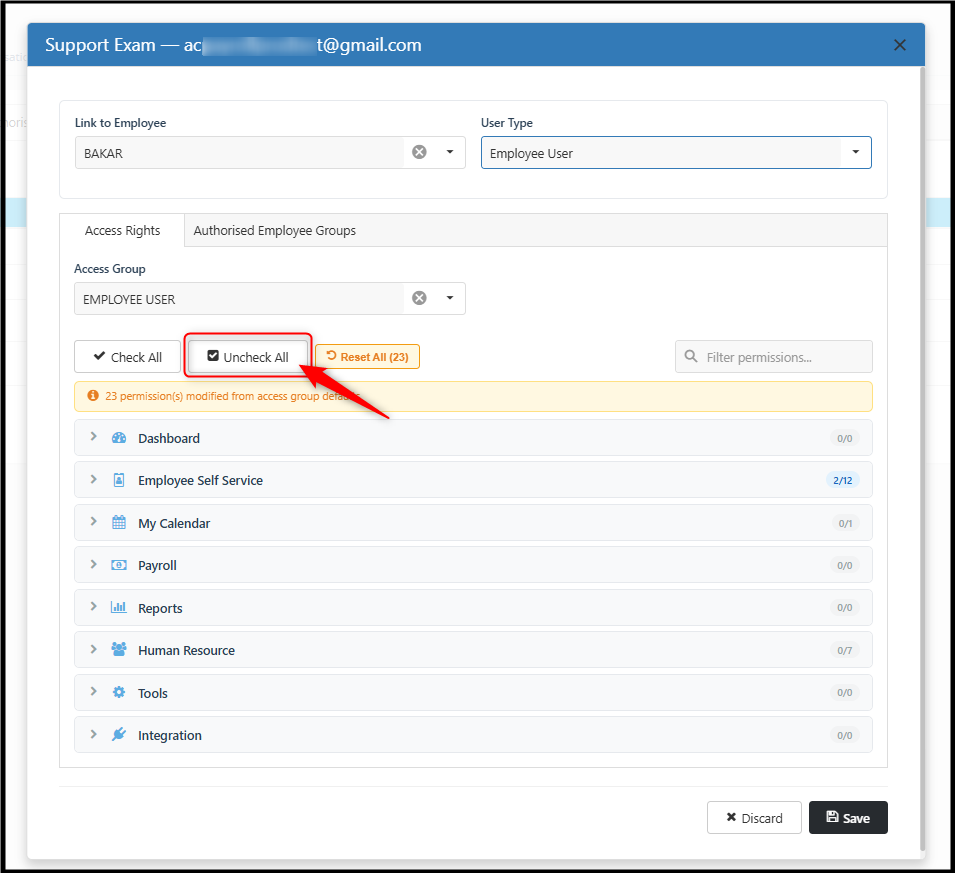
- Tick only Employee Self Service > Payslip and EA Form.
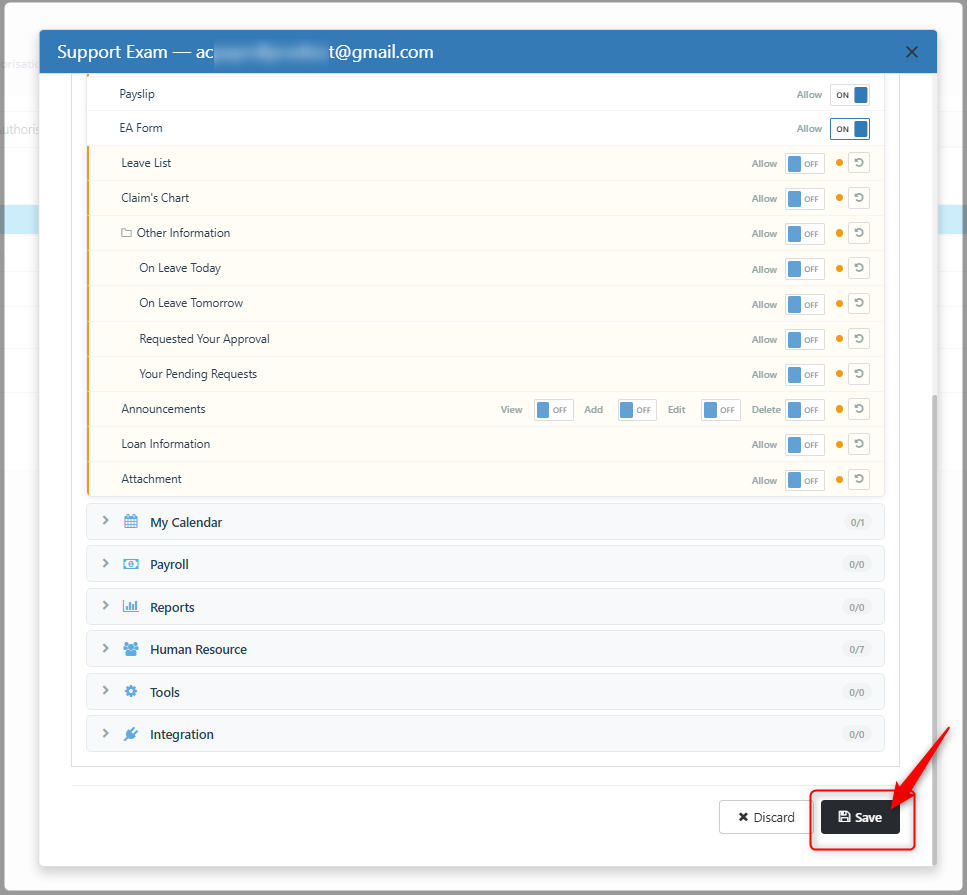
- Click Save.
- Go to Tools > Access Management > User Authorization.
- The employee can then continue to access their own payslip and EA form without accessing other employees' information.
b. If the employee does not need to view their payslip and EA form:
- You can remove the employee's login access by deleting the email address used for their system login.
- To delete the email:
- Go to Tools > Access Management > User Authorization.
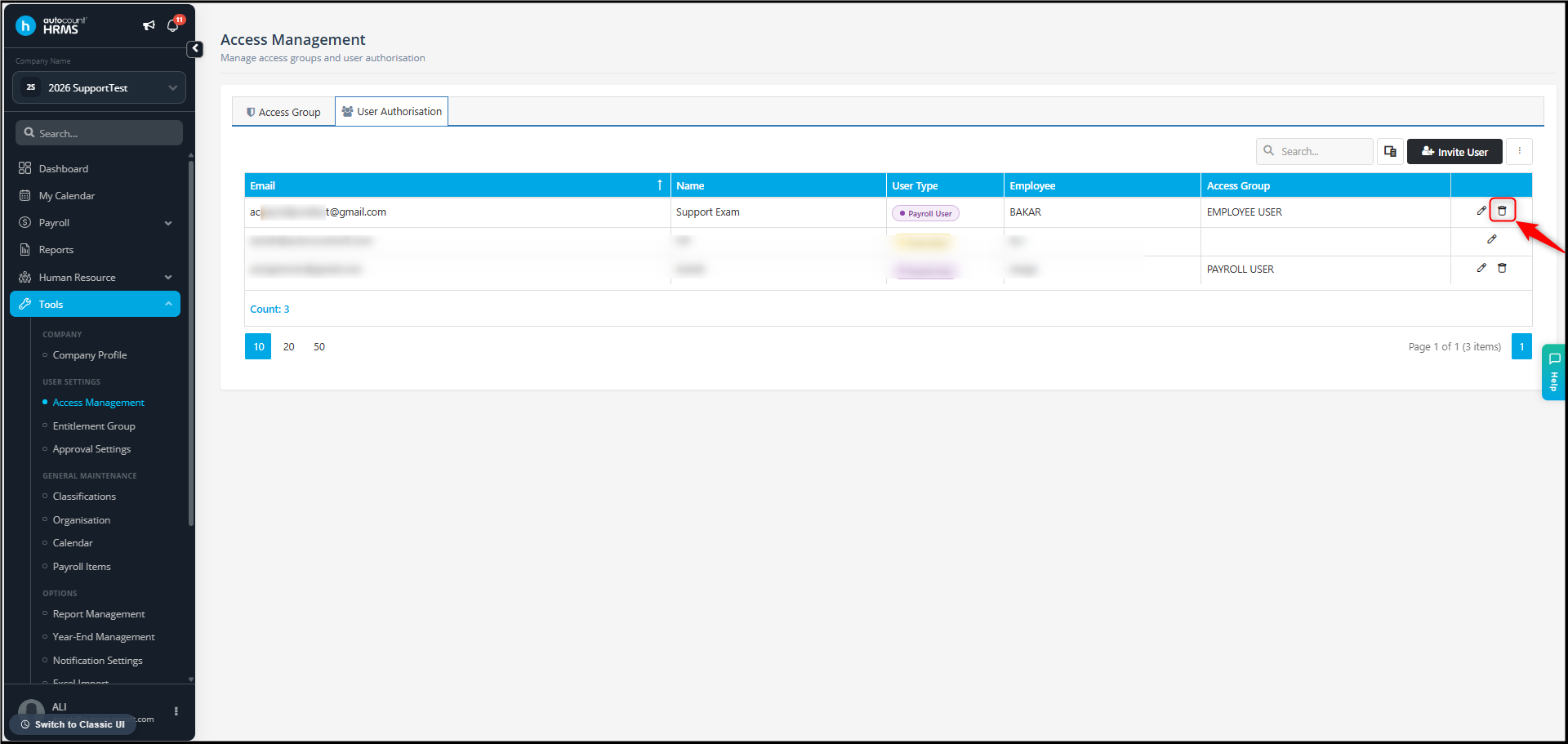
- Select the respective employee's email account and click dustbin icon to delete.
- Click Yes.
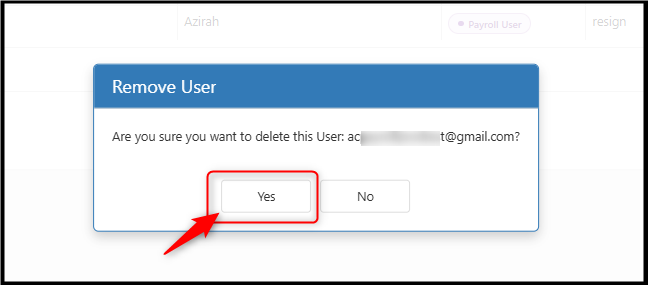
- Go to Tools > Access Management > User Authorization.
- Once the email account is deleted, the employee will no longer be able to log in to the system.
By Azirah 260818