
This guide to helps to configure the maximum number of leave days that can be carried forward to the following year.
To configure Leave Carry Forward:
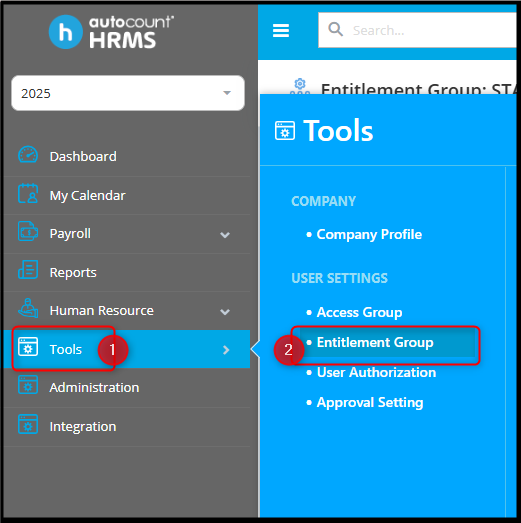
1. Go to Tools > Entitlement Group.
2. Edit the required entitlement group.

3. Select the leave type to configure carry forward (for example, Annual Leave).
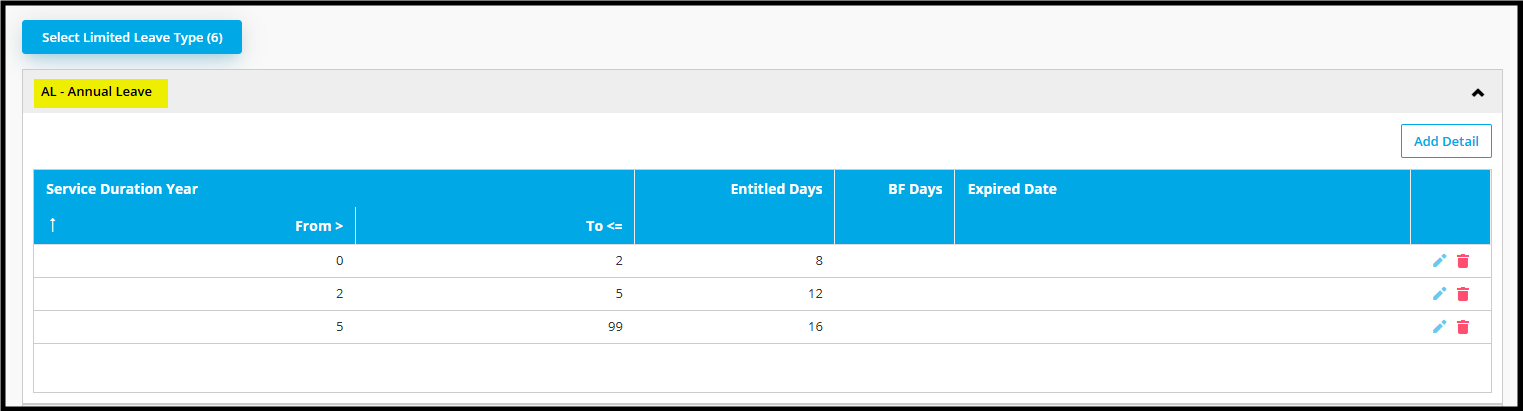
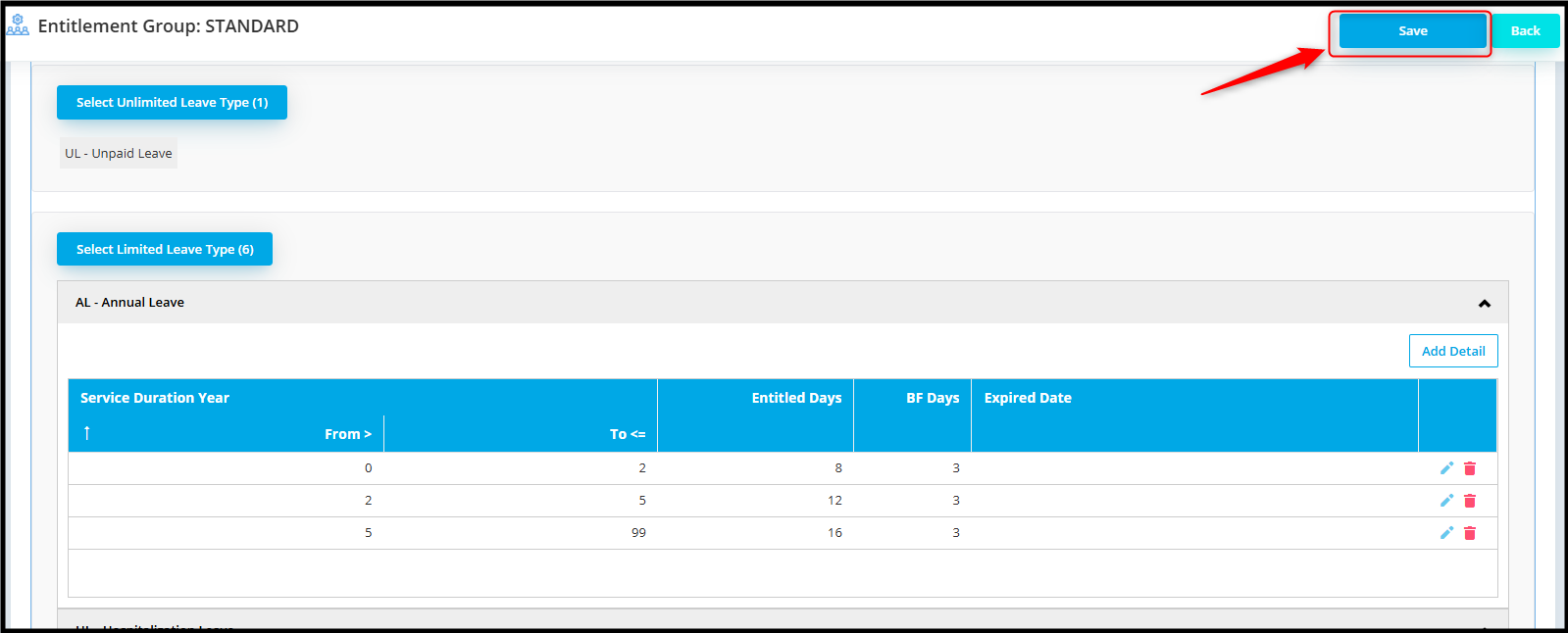
4. Click the pencil icon to edit the leave type. Under the “BF Days” column, enter the maximum number of days allowed to be carried forward (for example, enter 3 to allow only 3 days to be carried forward to the following year).

5. Click the Save icon.

6. Finally, click on “Save” button to apply the changes.
Important:
Carry forward leave is only applied during Leave Closing.
After completing this setup, please proceed to the Leave Closing process.