
If an employee’s email address changes, or if the company assigns a new email address, you can update the email address in Employee details > User Access > Change User.
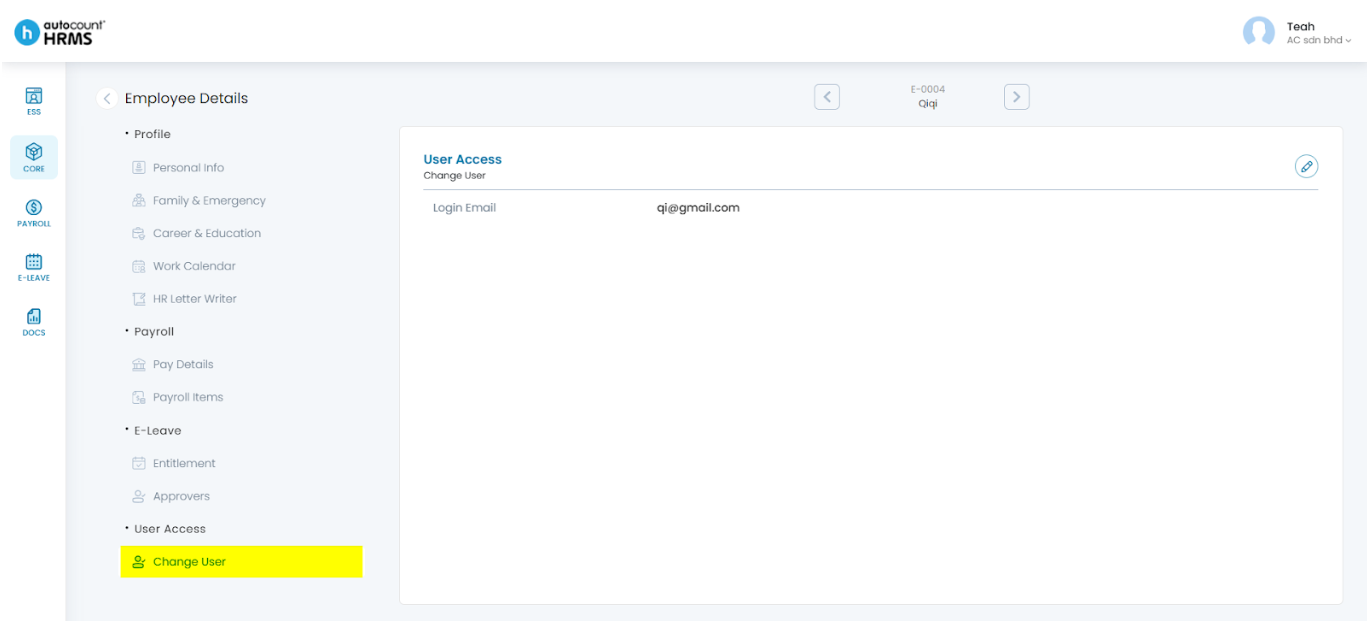
Steps to Update an Employees’ Email Address:
- Go to Core > Employee.
- Under Employee Maintenance, click Employee.
- Locate the employee and click the pencil icon next to the employee’s name.
- Under Employee Details, select User Access Change User.
- Click the pencil icon to edit.
- Enter or update the employee’s login email address.
- Click Save.
Refer to User Access for detailed instructions.
Written by: Teah Rui Harn (20251231)
Reviewed by: Tek Ee Lin (20260107)