
Maintaining accurate Family & Emergency information ensures proper record-keeping for dependants, spouse details, and emergency contacts. This information may also support certain HR processes such as benefits administration and employee communication.
Steps to Maintain Employees’ Family & Emergency Info:
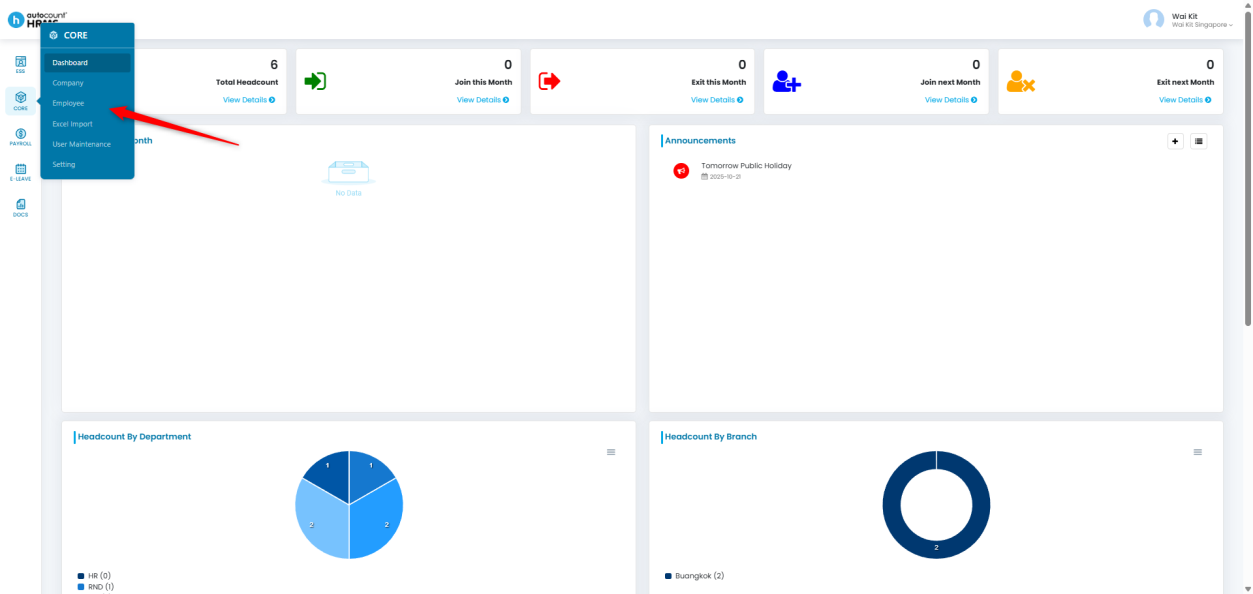
1. Go to Core > Employee.
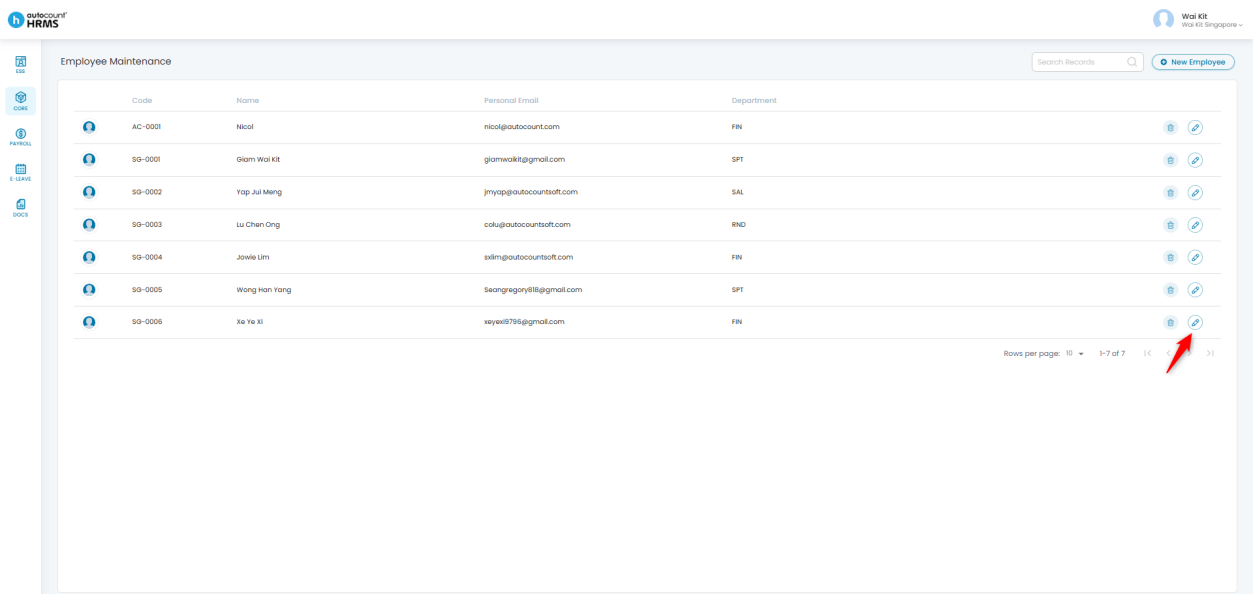
2. Locate the employee whose information you wish to update.
3. Click the pencil icon beside the employee’s name to open their Employee Profile.
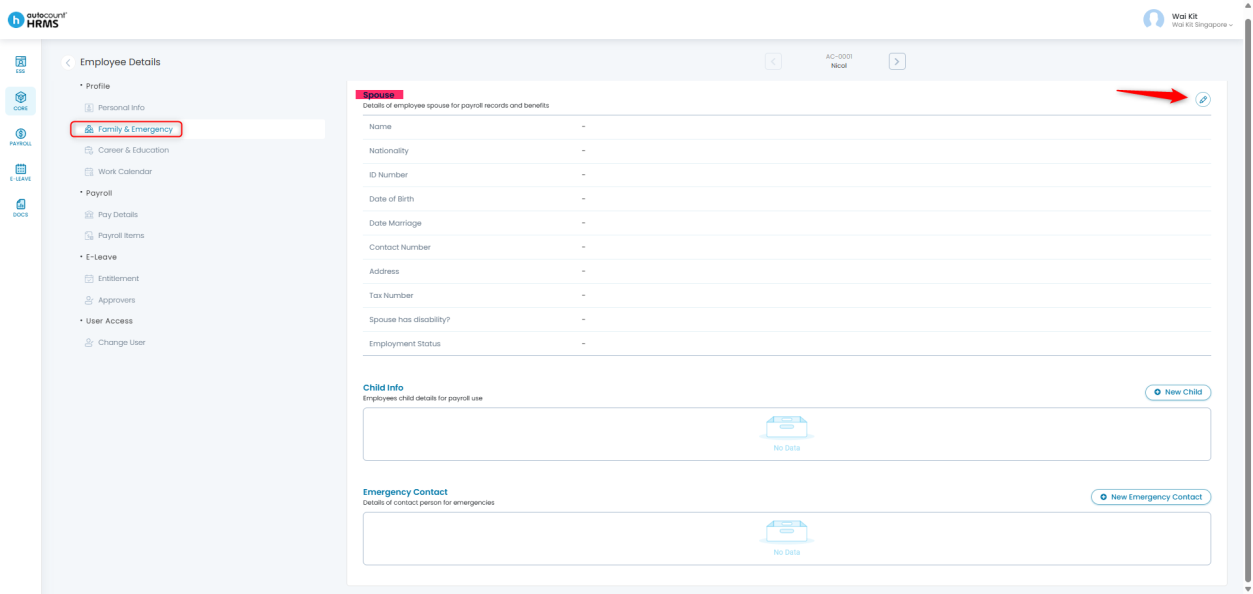
The Family & Emergency section includes:
- Spouse
- Child Info
- Emergency Contact
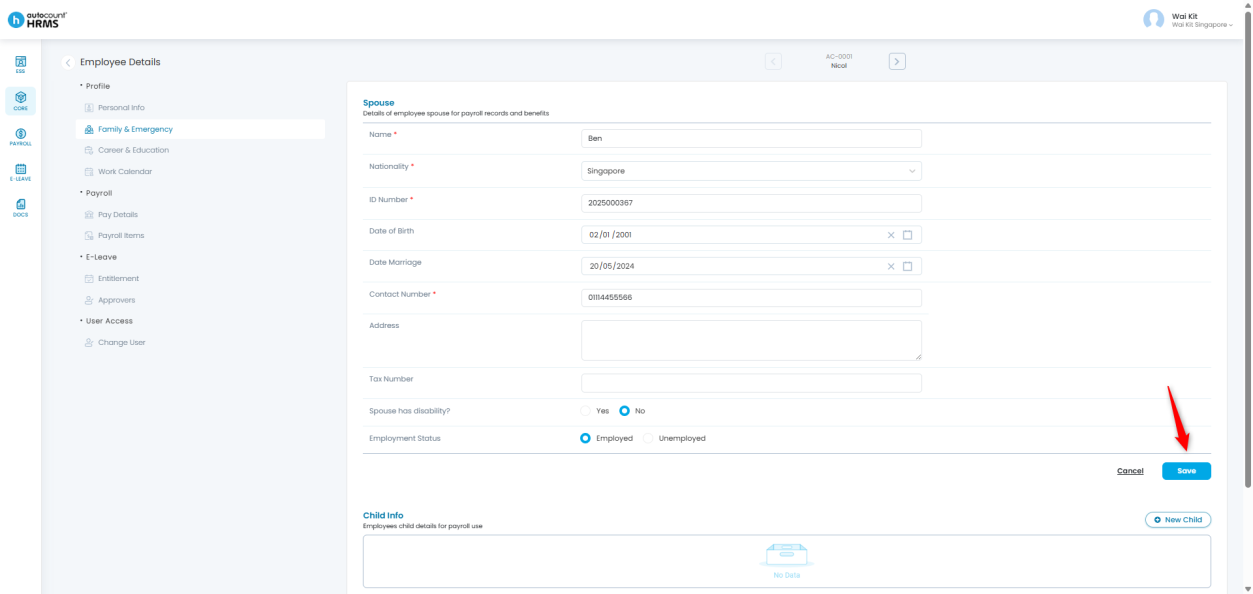
A. Spouse
1. Go to the Spouse section and click the pencil icon to edit.
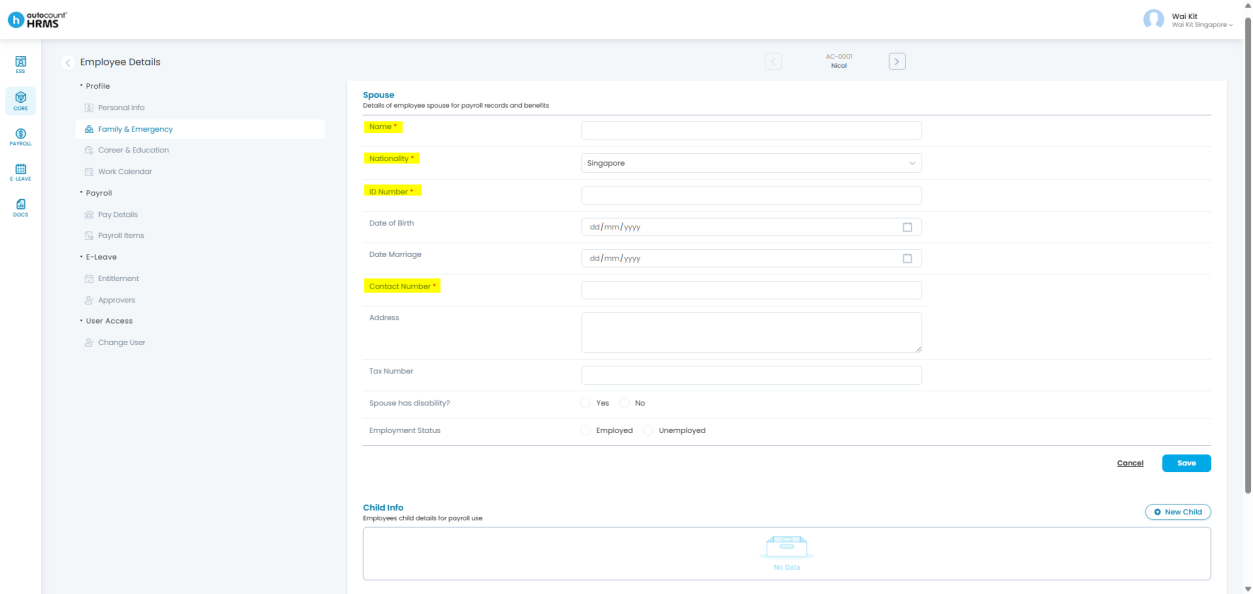
2. Update the relevant fields.
- Fields marked with a red asterisk (*) are mandatory and cannot be left blank.
3. Click Save to confirm your changes.
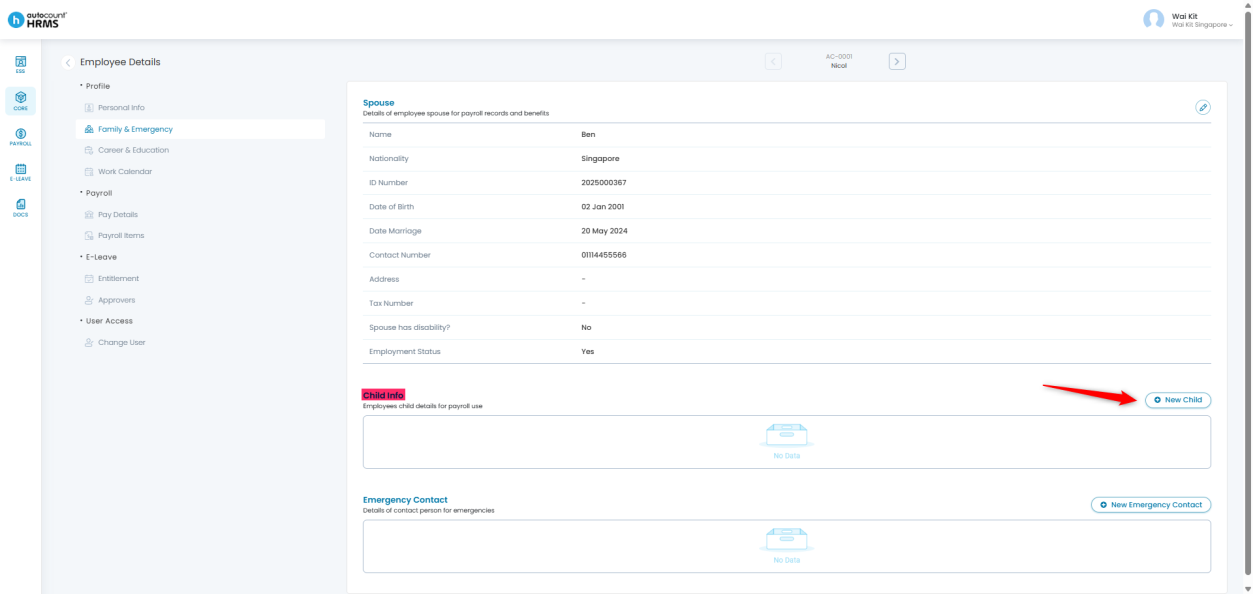
B. Child Info
1. Go to the Child Info section and click New Child to add a record.
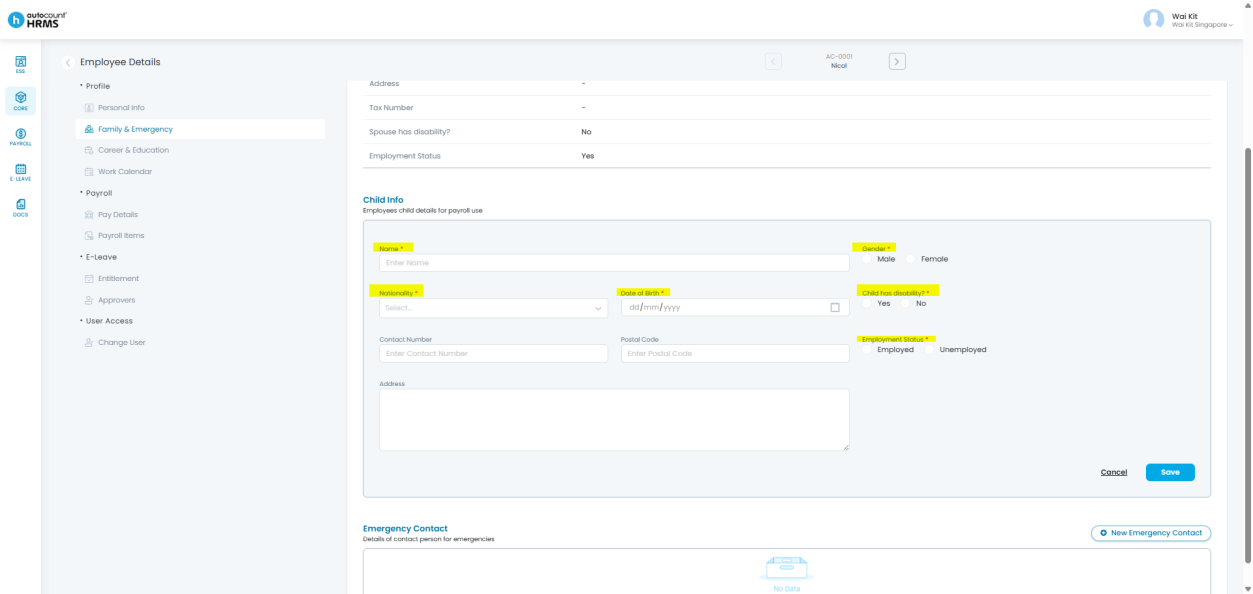
2. Enter the required child-related information.
- Fields with a red asterisk (*) are mandatory.
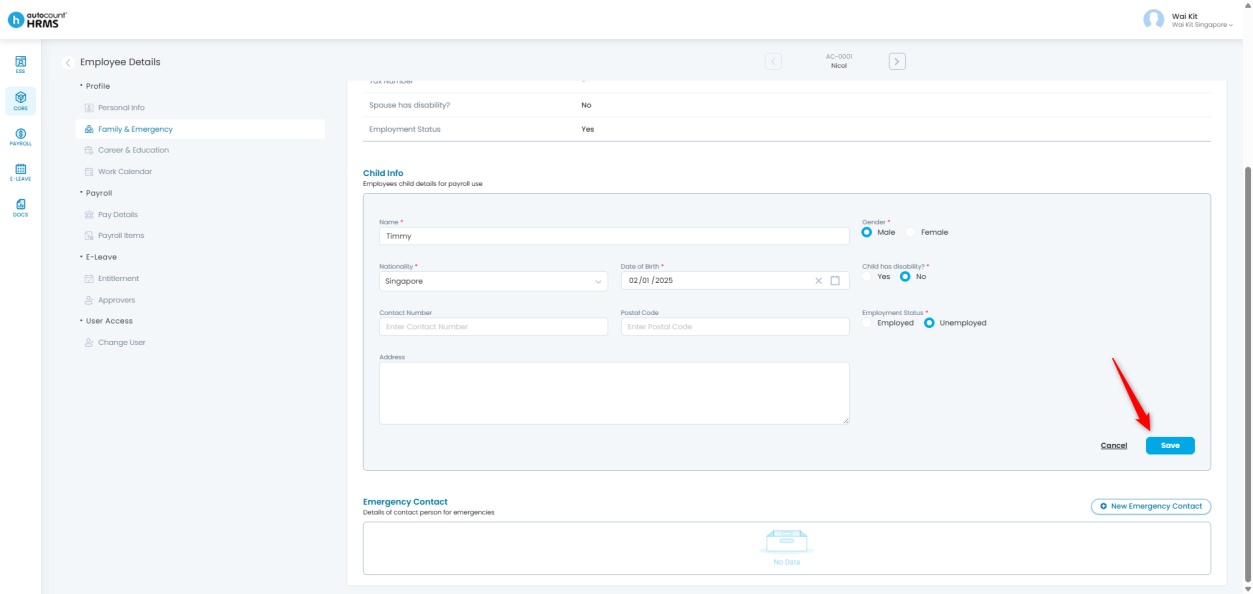
3. Click Save to apply the changes.
Update an Existing Child Record
- Go to the child entry you want to update and click the pencil icon.
- Update the necessary details and click Save.
Delete a Child Record
- Locate the child entry you want to remove.
- Click the bin icon to delete it.
C. Emergency Contact
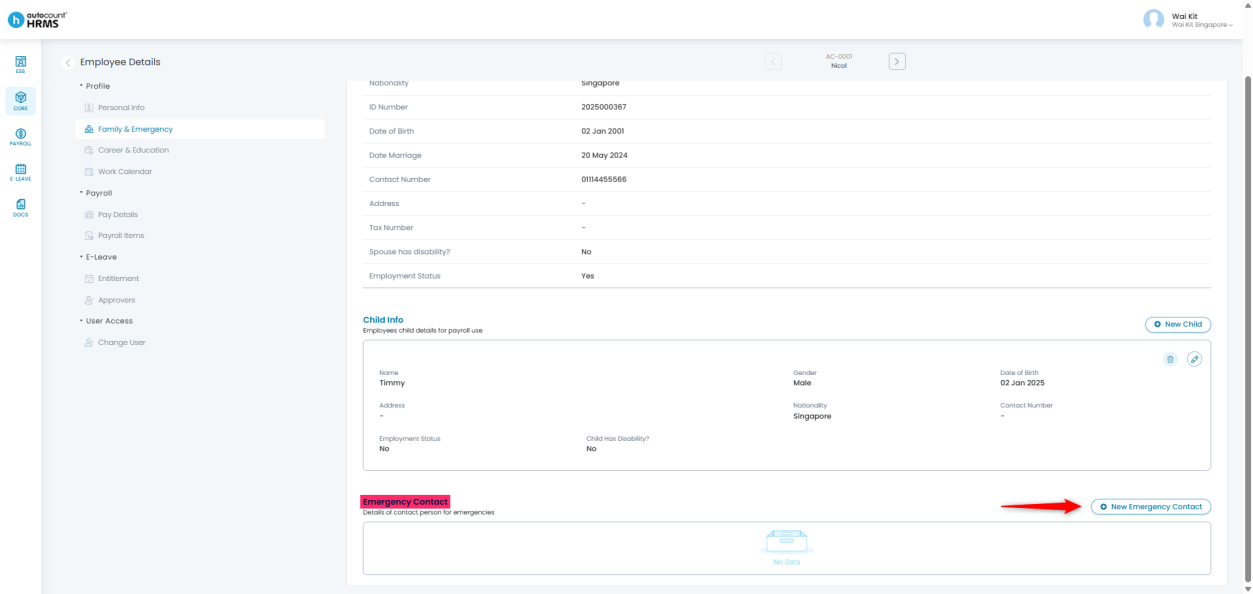
1. Go to the Emergency Contact section.
2. Click New Emergency Contact to add a new contact.
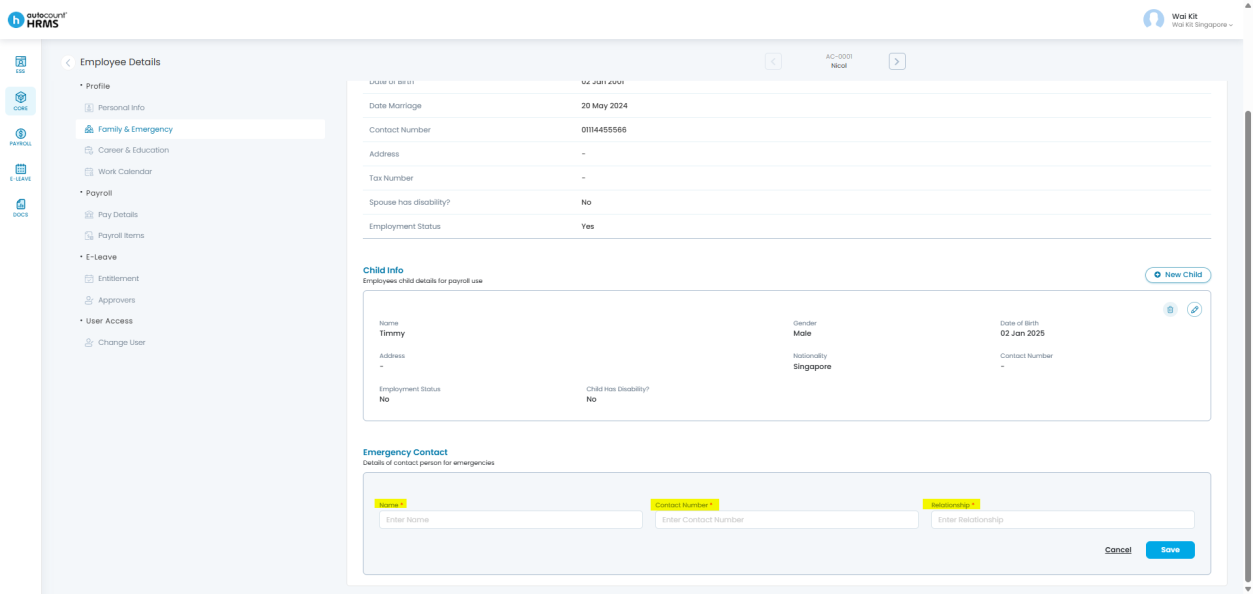
3. Complete the following fields:
- Name – Emergency contact’s full name
- Contact Number – Emergency contact’s phone number
- Relationship – Relationship between the employee and the emergency contact
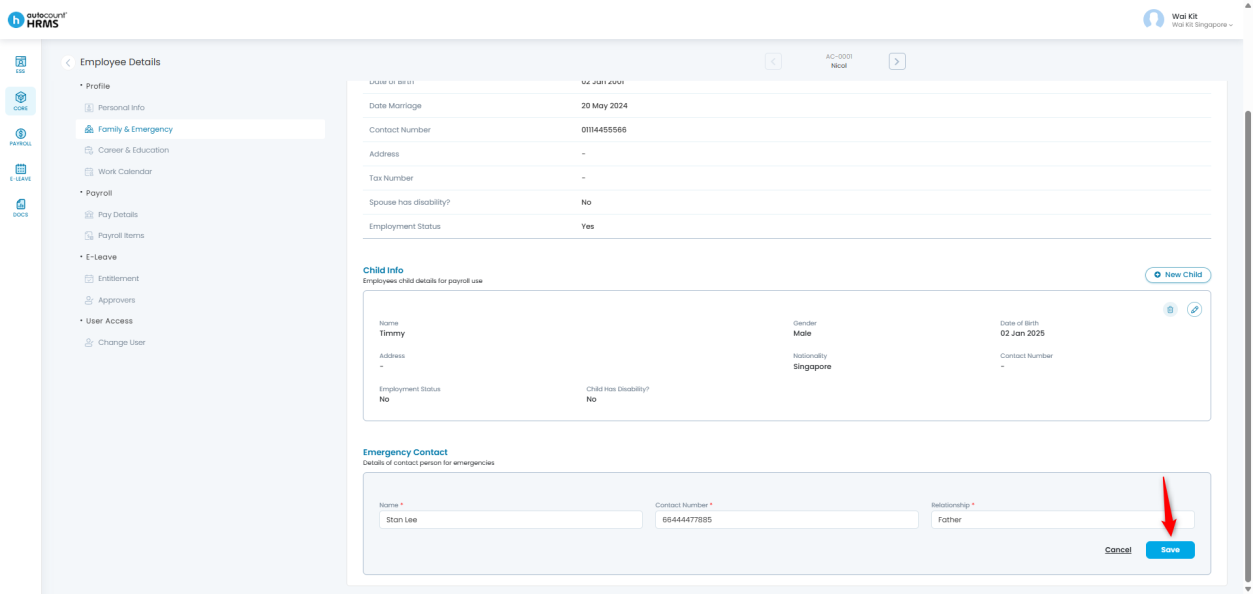
4. Click Save to store the information.
Update an Existing Emergency Contact
- Go to the emergency contact entry you want to update and click the pencil icon.
- Modify the details and click Save.
Delete an Emergency Contact
- Locate the emergency contact entry you want to delete.
- Click the bin icon to remove it.
Prepared by: Giam Wai Kit (20251114)
Reviewed by: Tek Ee Lin (20251119)