
The Adhoc Payroll feature is used for irregular payroll runs that do not follow the regular salary cycle. It allows employers to process payroll items—such as additions and overtime—that fall outside the standard payroll schedule.
The Adhoc Payroll run consists of two modes:
- Pre-Planned – Payroll items are defined in advance.
- On Demand – Payroll items can be customised from scratch.
Steps to Run Payroll with Adhoc Payroll Pre-Planned:
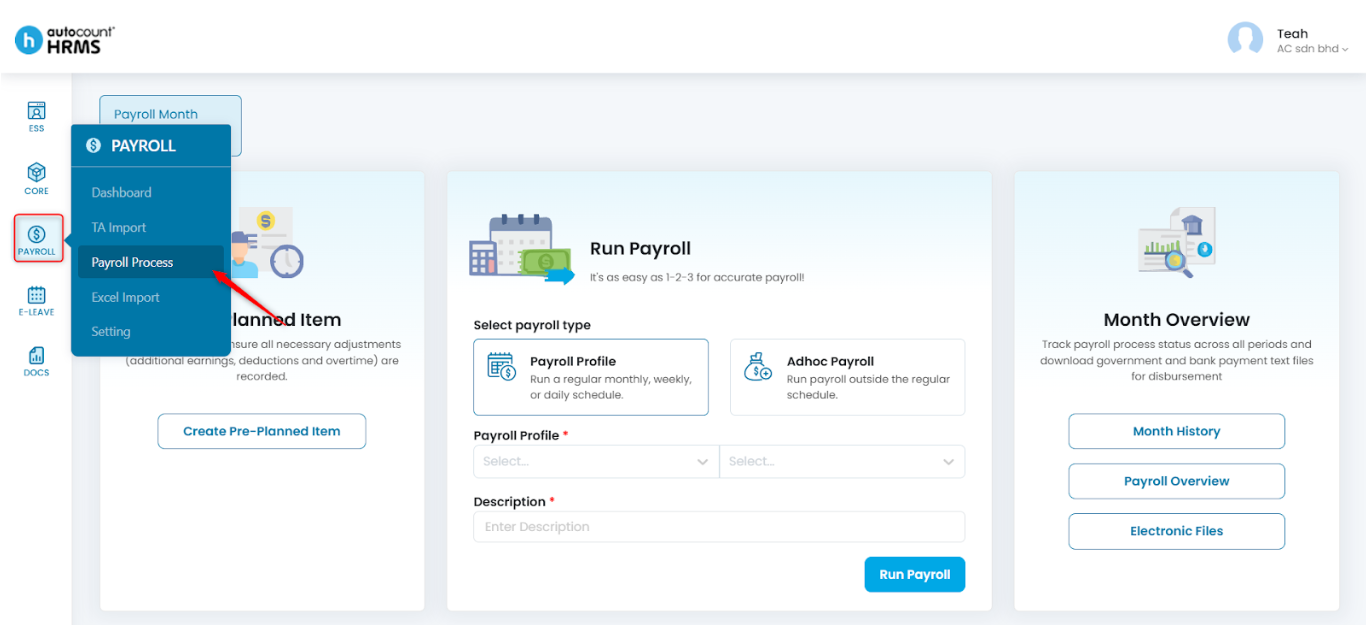
1. Go to Payroll > Payroll Process.
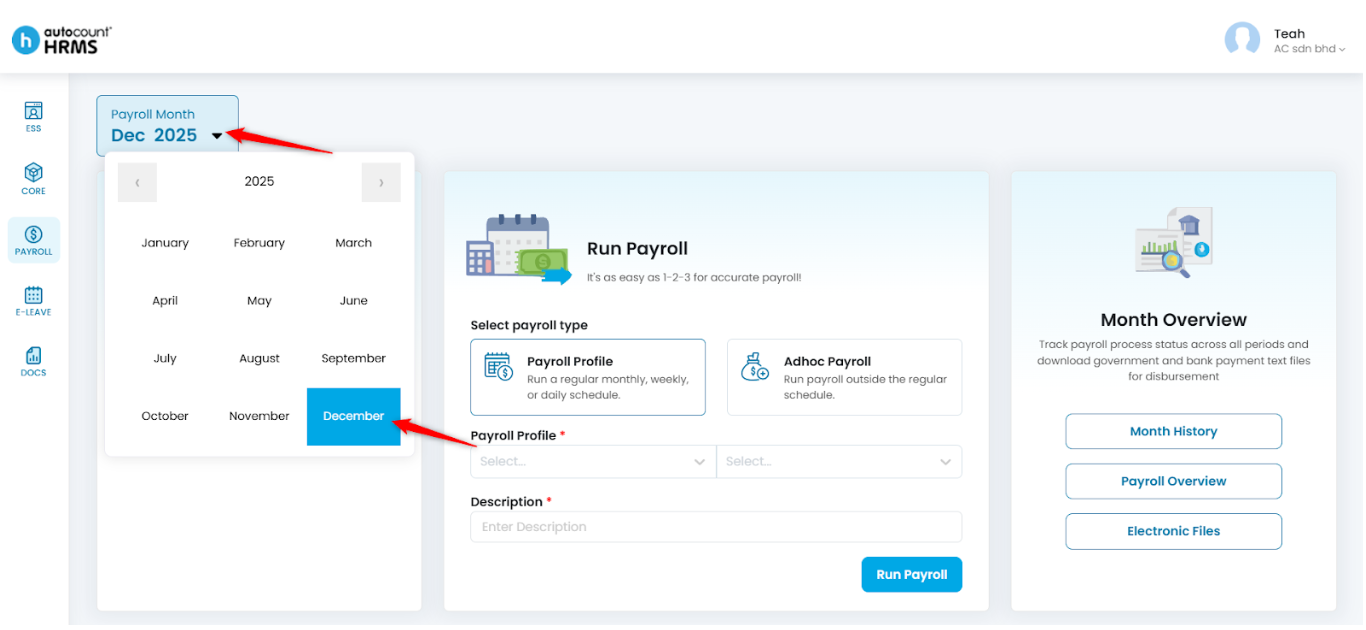
2. Click on the Payroll Month and choose the month and year of payroll you want to process.
3. Create the required Pre-Planned Items beforehand. (See: Create Pre-Planned Item)
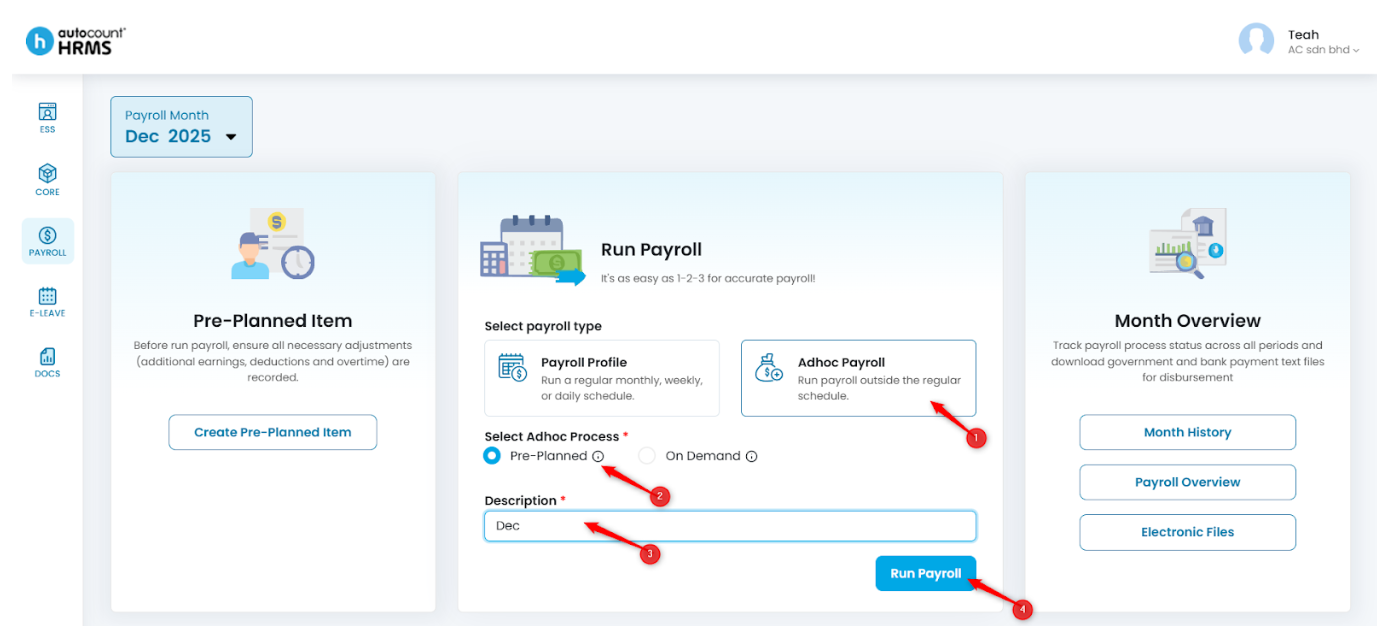
4. Under Run Payroll, select Adhoc Payroll, choose Pre-Planned, enter the Description, then click Run Payroll.
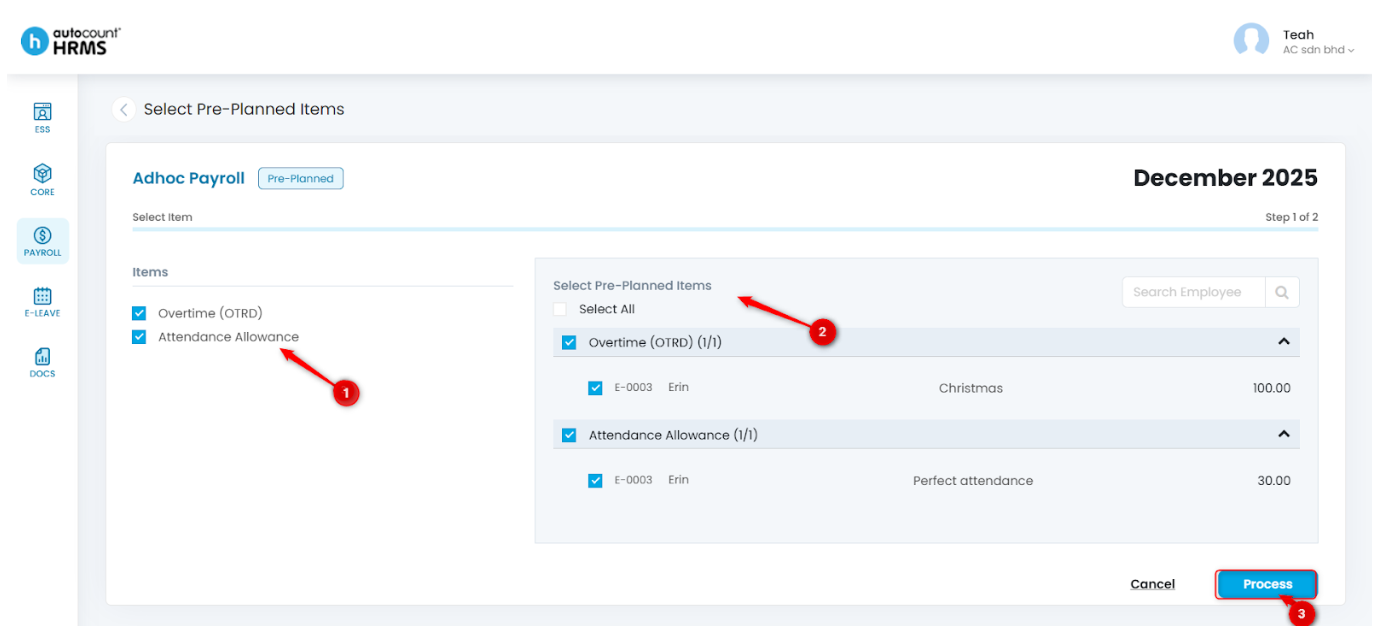
5. Select the Pre-Planned items and respective employees to include in this payroll run, then click Process.
Steps to Run Payroll with Adhoc Payroll On Demand:
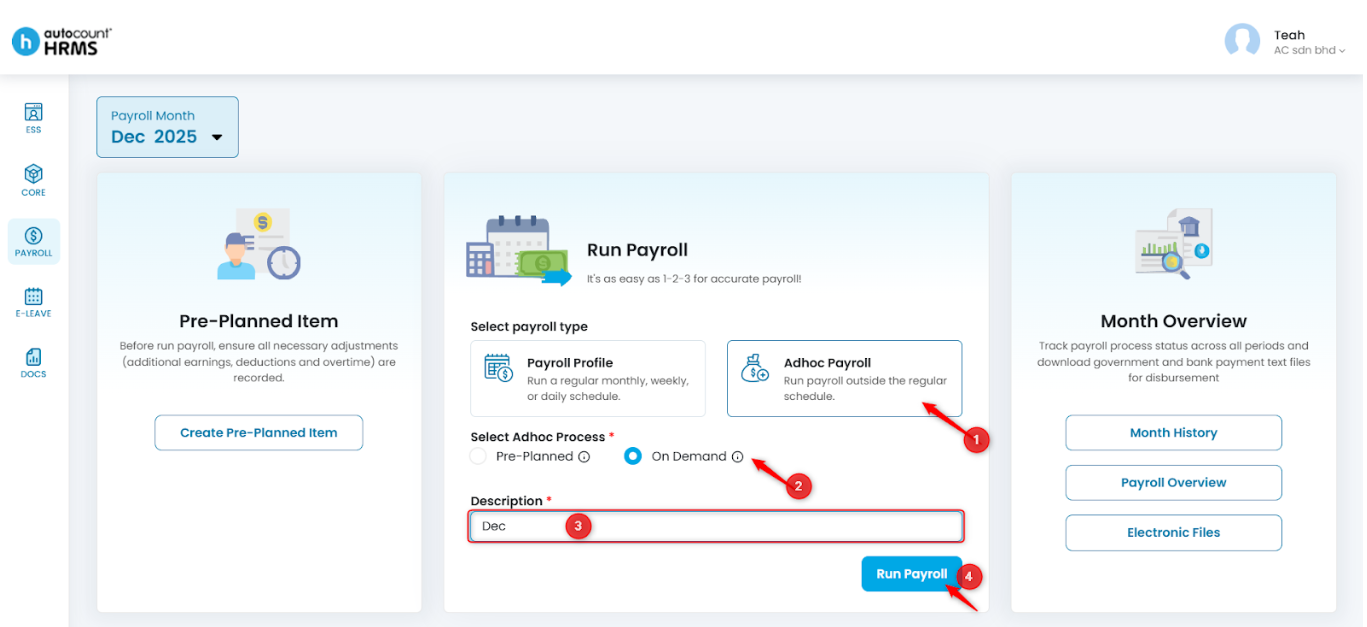
1. Under Run Payroll, select Adhoc Payroll, choose On Demand, enter the Description, and click Run Payroll to proceed.
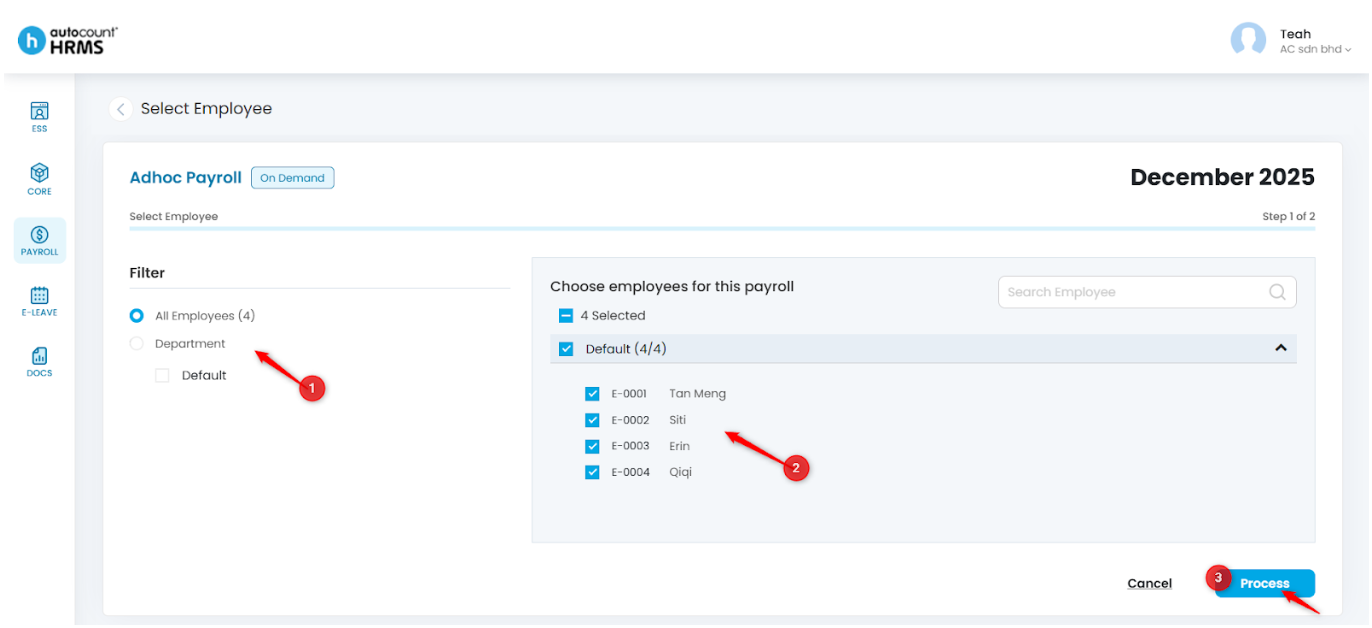
2. Filter employees as needed (e.g., by Department).
3. Select the employees to include in this payroll run, then click Process.
4. After proceeding, you may add payroll items using the Bulk Add Item feature (See Bulk Add Item ) or by adding details individually (See Add Payroll Details).
Written by: Teah Rui Harn (20251202)
Reviewed by: Tek Ee Lin (20251205)