
You are able to add or remove employee(s) after a payroll run has been created.
Steps to Add an Employee to the Payroll Run:
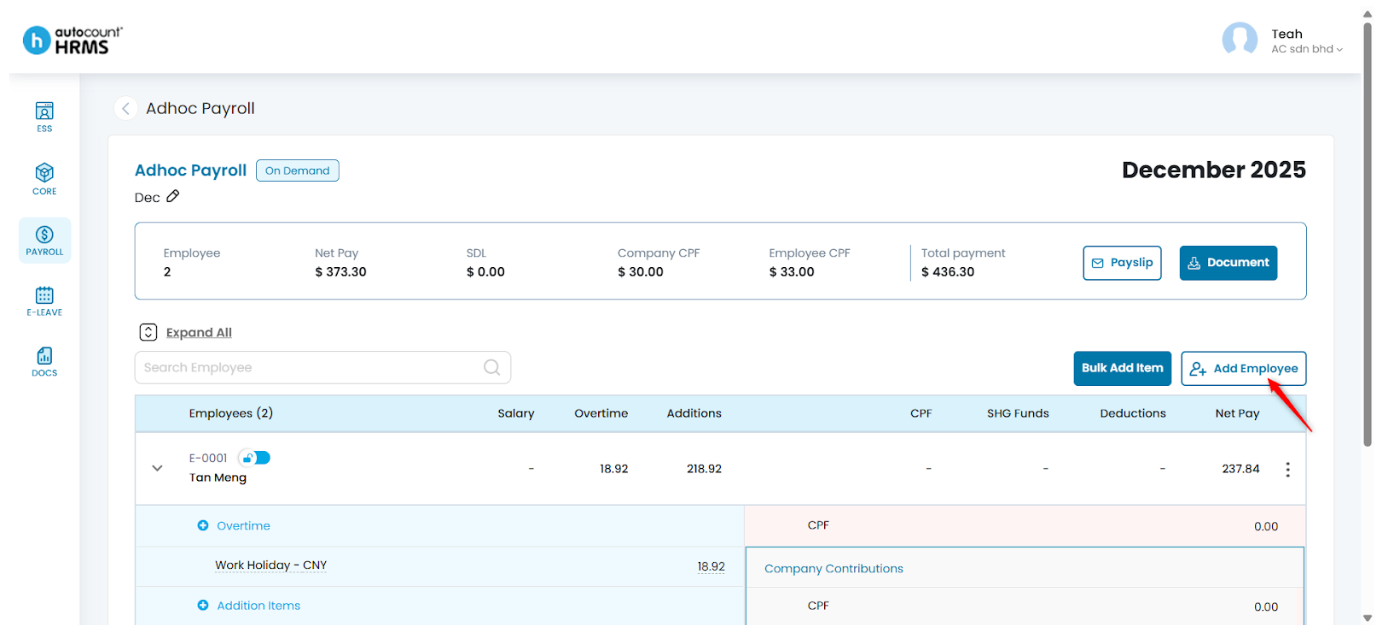
1. Ensure that you are in the Payroll details page.
2. Click Add Employee.
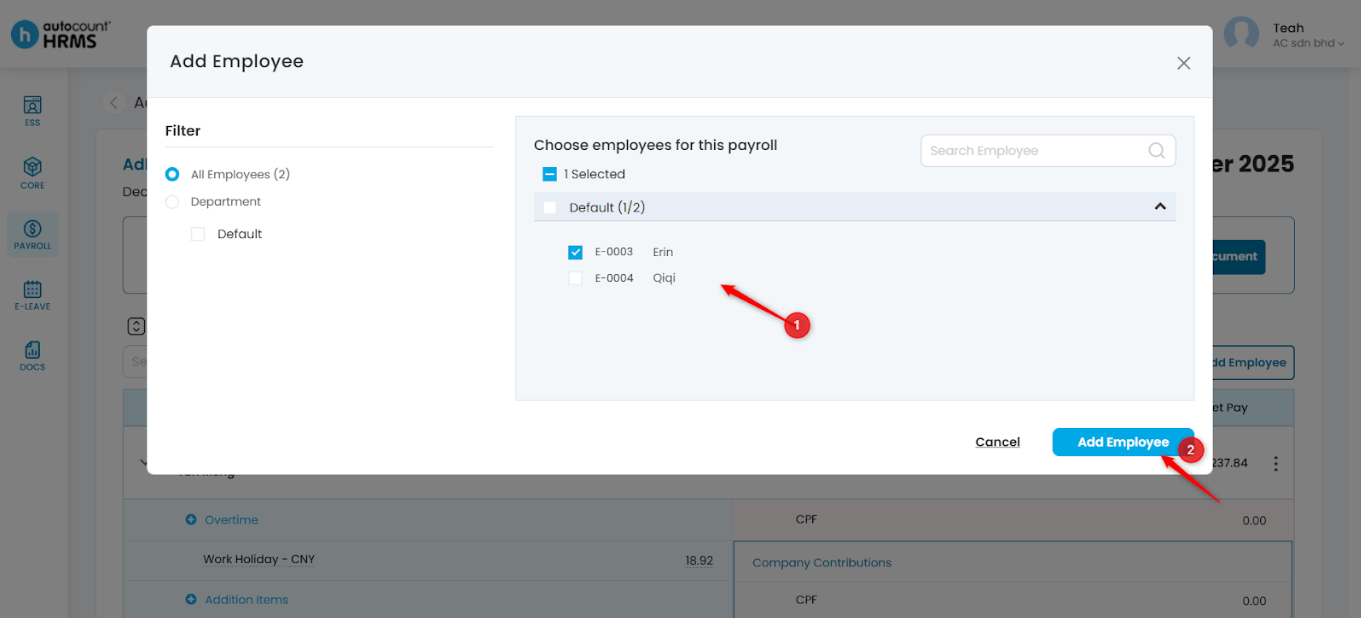
3. Select the employee you want to include and click Add Employee.
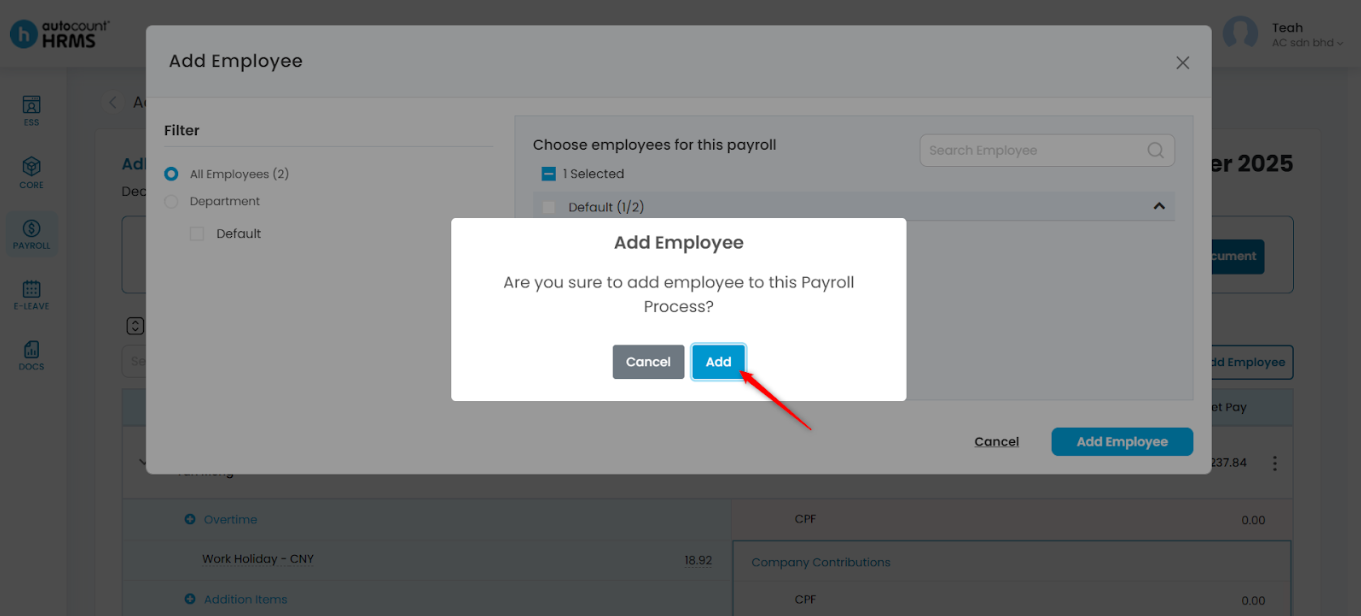
4. Click Add to confirm.
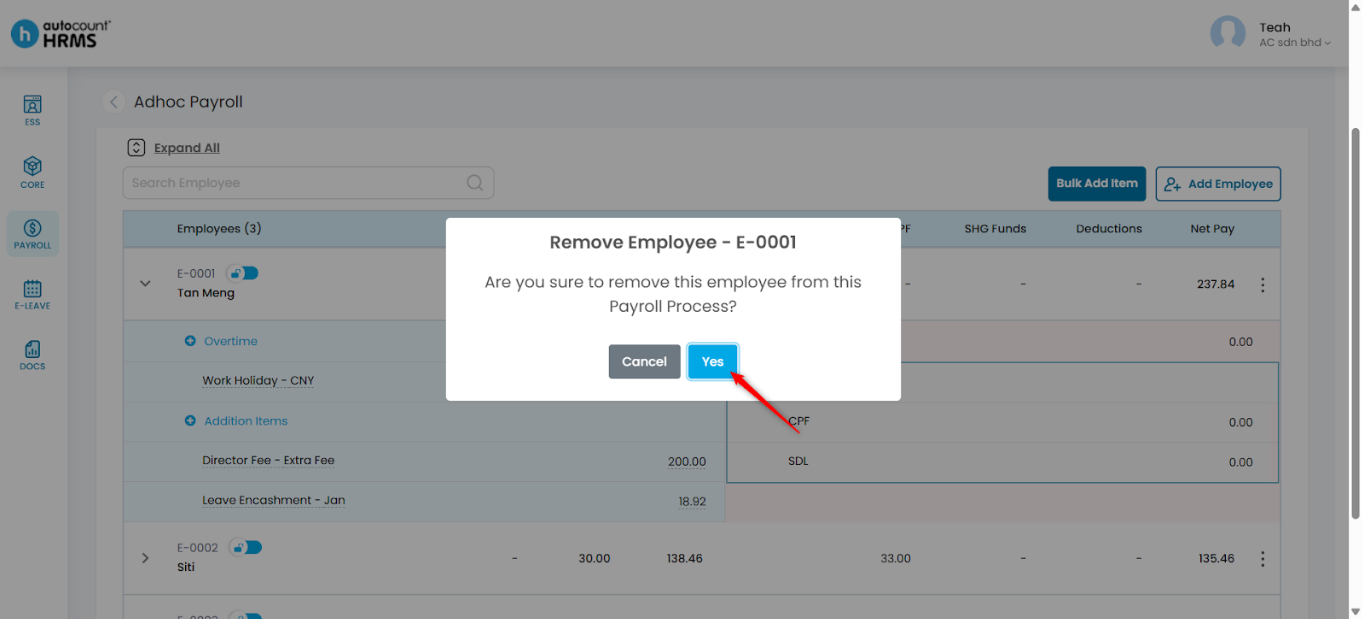
Steps to Remove an Employee from the Payroll Run:
1. Locate the employee you wish to remove, click the three-dot icon, and select Delete Employee.
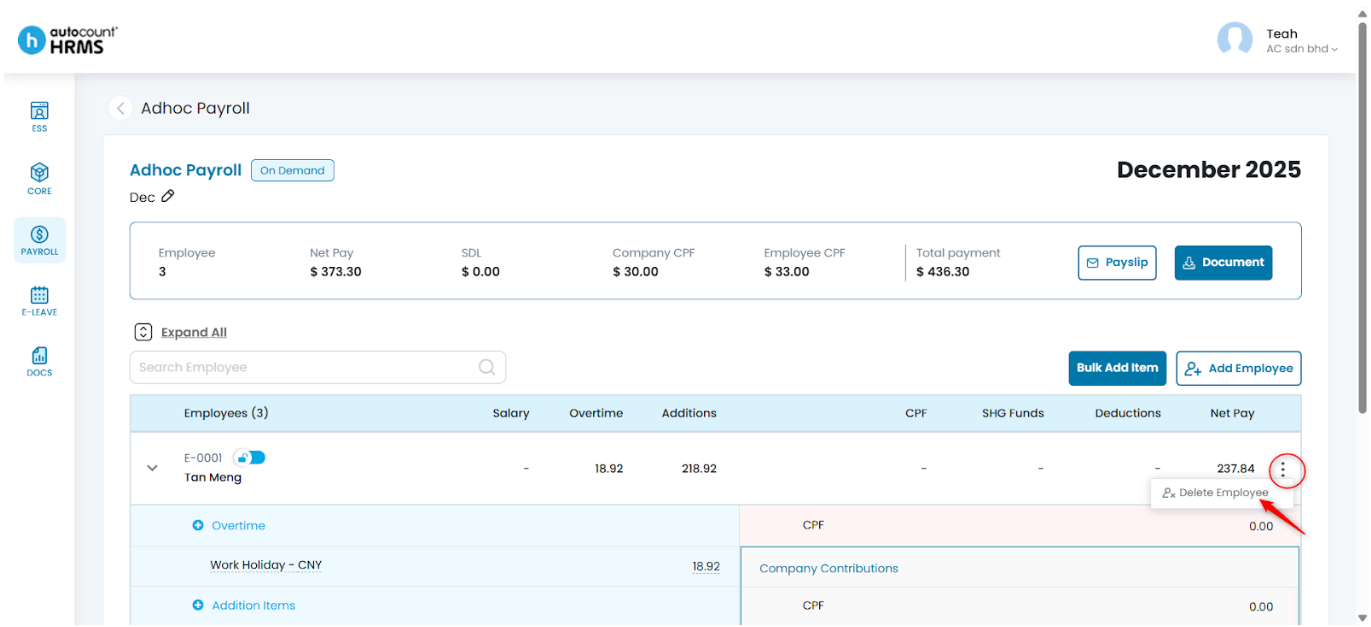
2. Click Yes to confirm deletion.
Written by: Teah Rui Harn (20251202)
Reviewed by: Tek Ee Lin (20251204)