
The Bulk Add Item feature is available in Adhoc Payroll (Pre-Planned and On Demand). Employers can apply Addition and Overtime items to multiple employees at once. This provides a faster and more efficient alternative to adding items individually for each employee.
Steps to Add a Payroll Detail to All Employees:
1. Ensure that you are in the Adhoc Payroll details page.
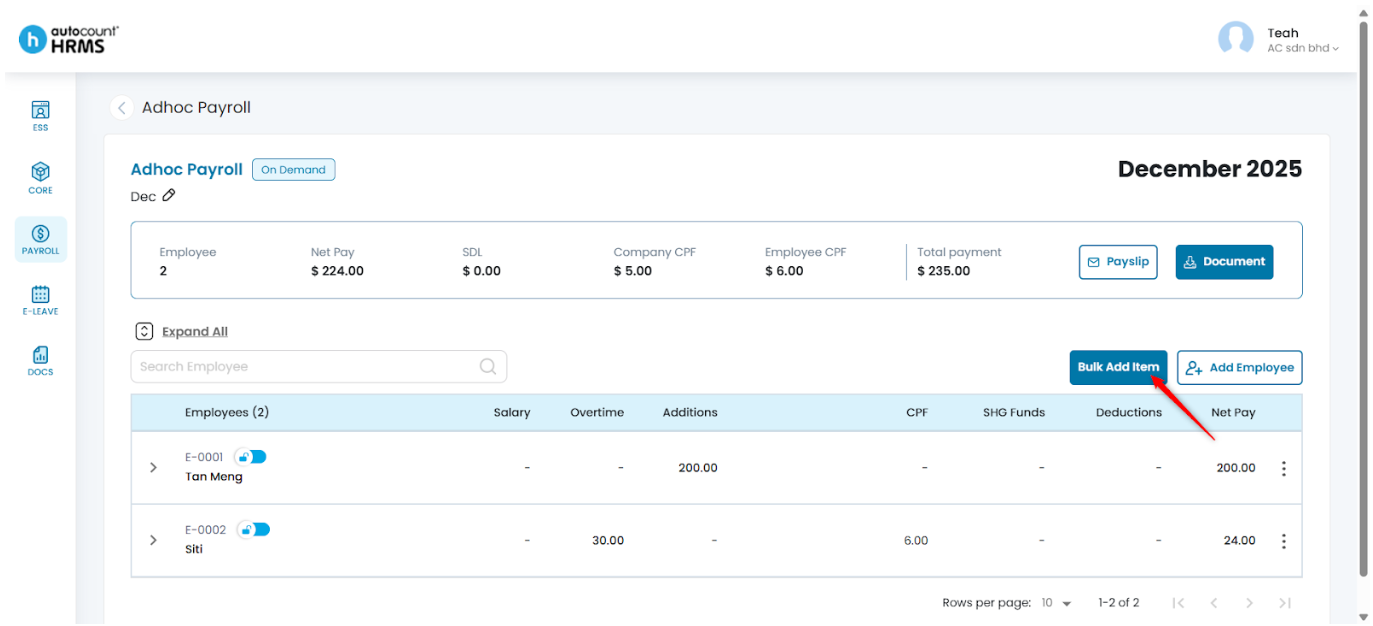
2. Select Bulk Add Item.
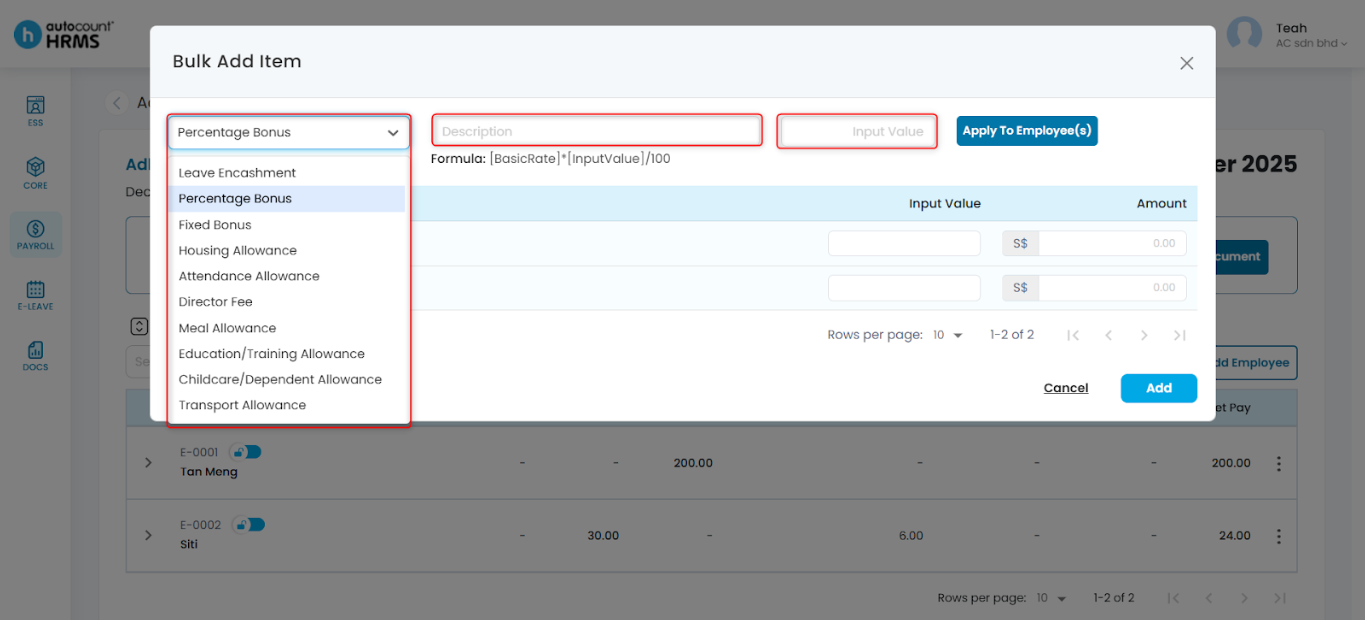
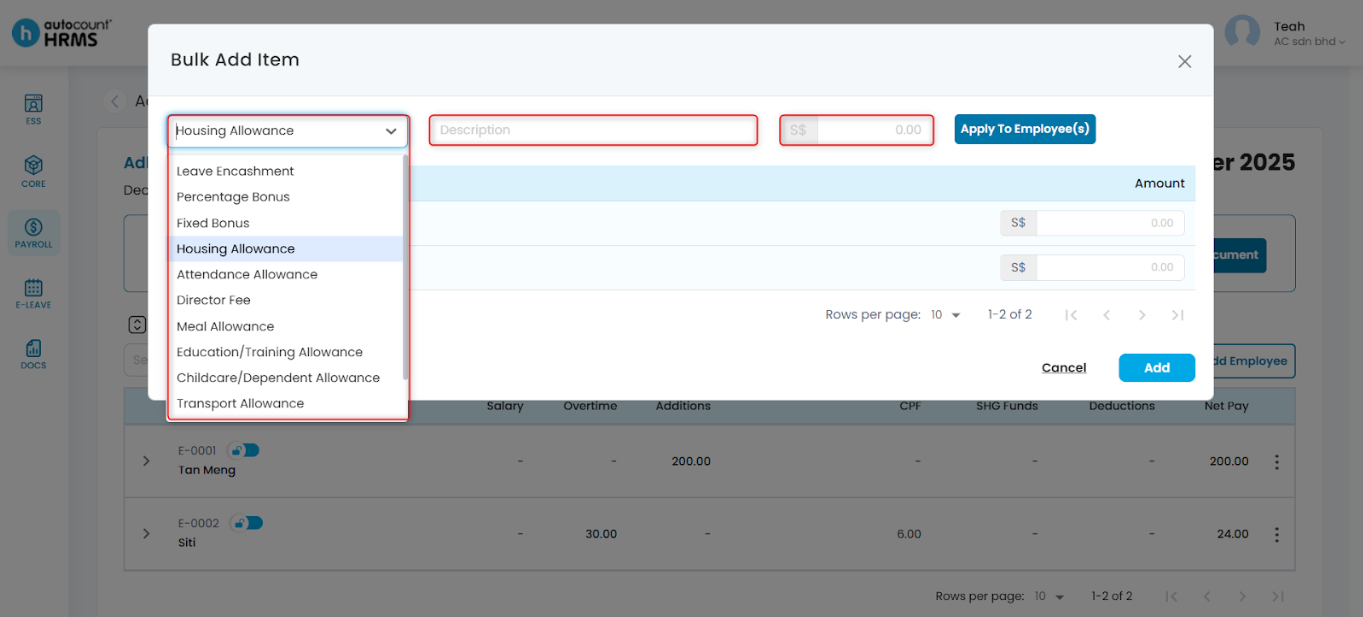
3. Choose the payroll item and enter the required details:
- Description – Enter a relevant description for the payroll run.
- Amount – Enter the amount. For items with Formula amount types, enter the Input Value and the system will calculate the final amount automatically.
Bulk Add Item panel for items with Formula Amount Type:
Bulk Add Item panel for items with Fixed or Variable Amount Type:
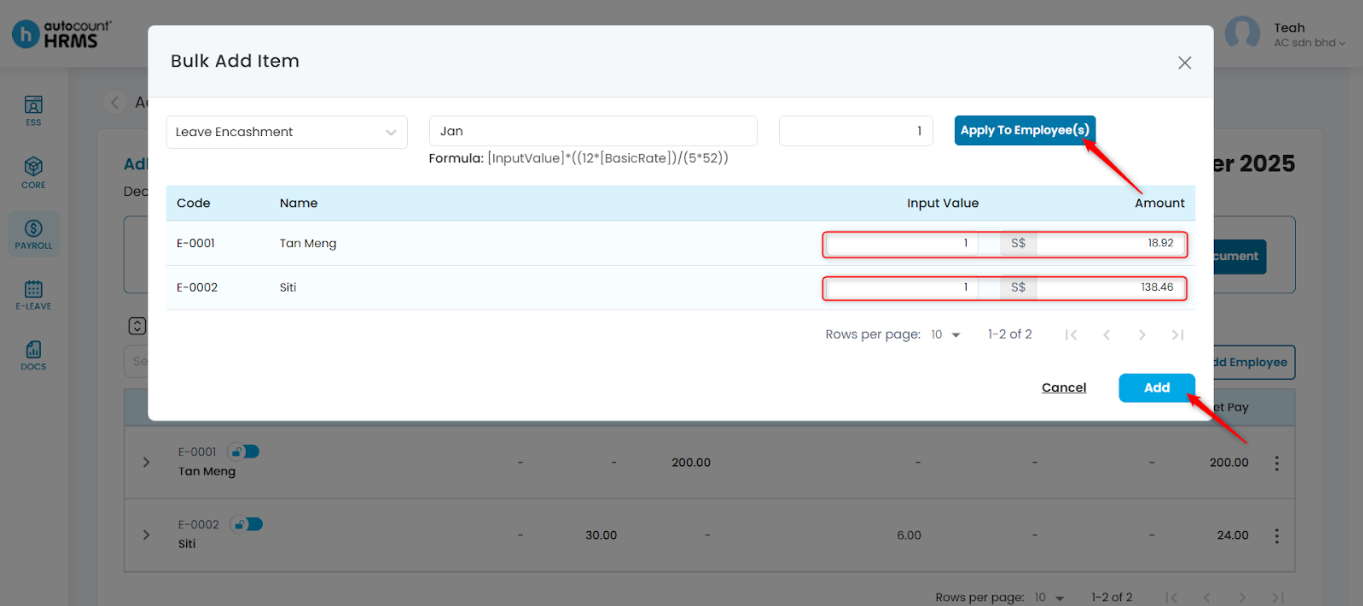
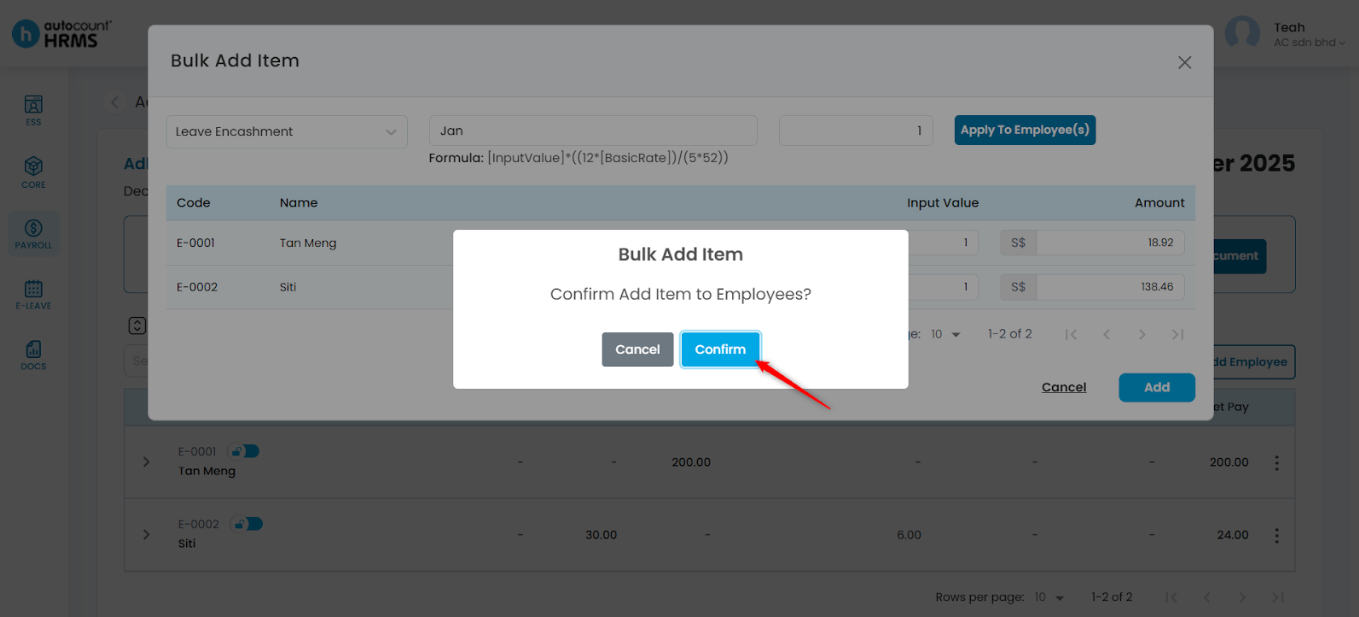
4. Click Apply To Employee(s). Review the amount added and adjust if required. After verifying the amounts, click Add.
5. Click Confirm to add items.
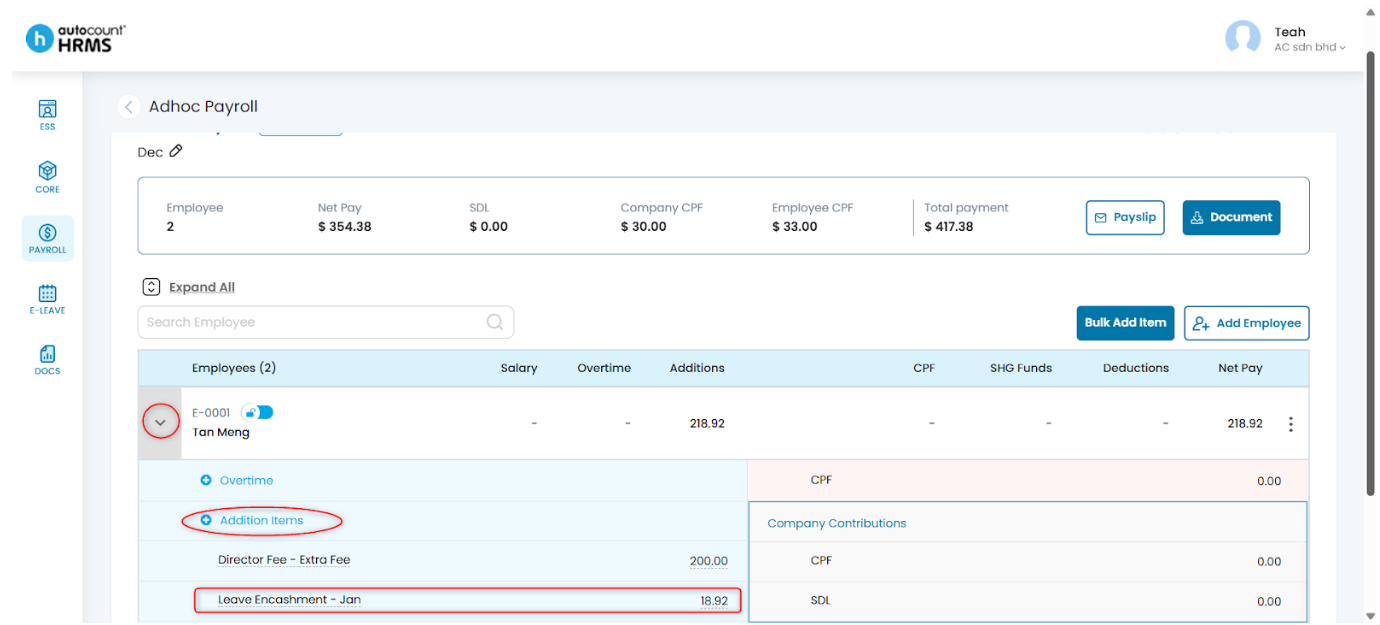
6. To view added items, click the > icon next to an employee to expand.
Note: To add additional items to individual employees, refer "Add Payroll Details".
Written by: Teah Rui Harn (20251202)
Reviewed by: Tek Ee Lin (20251208)