
HRMS allows employers to create payroll items in advance to streamline the payroll process.
- For Payroll process via Payroll Profile, creating pre-planned Addition, Overtime and Deduction items is optional.
- For Adhoc Payroll Pre-Planned, pre-planned Addition and Overtime items must be created before running payroll.
Steps to Create Payroll Items in advance:
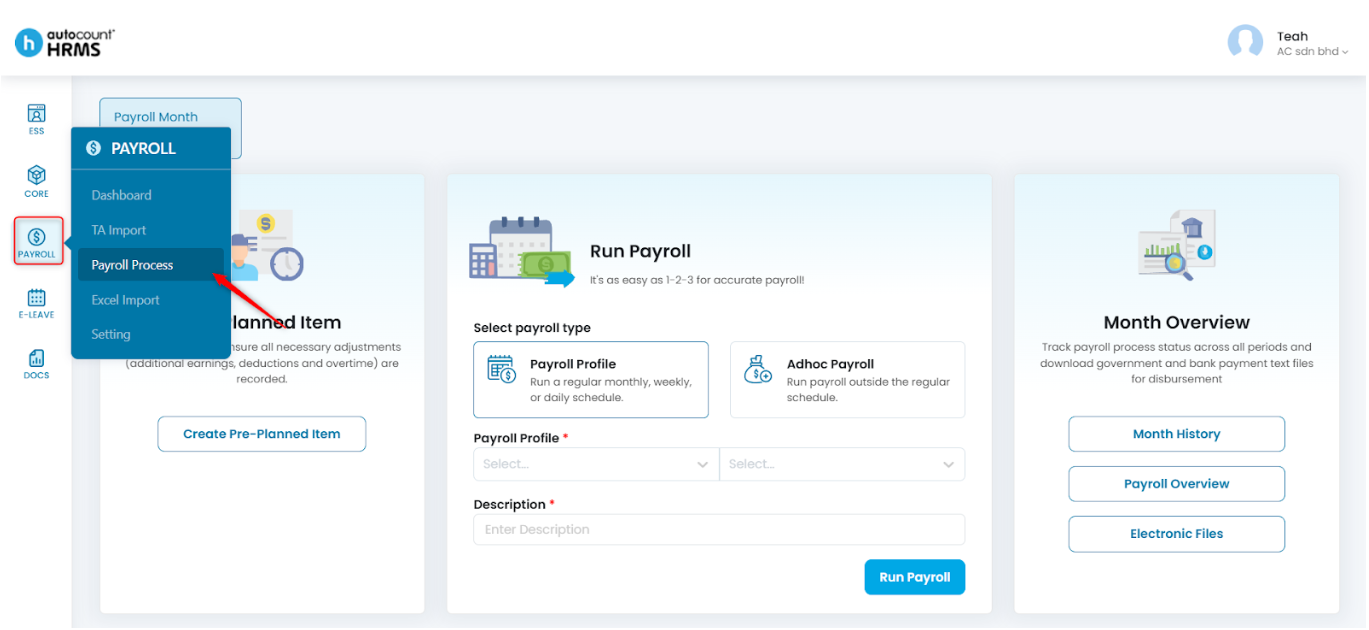
1. Go to Payroll > Payroll Process.
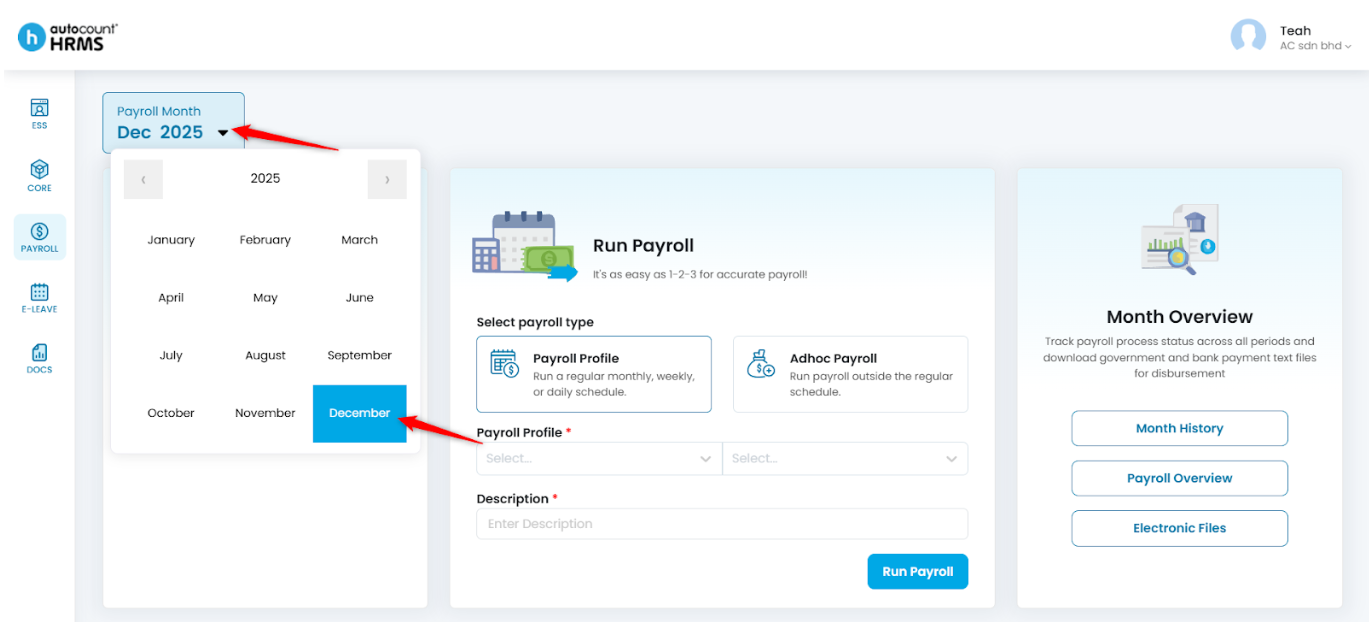
2. Click on the Payroll Month field and select the month and year you want to process.
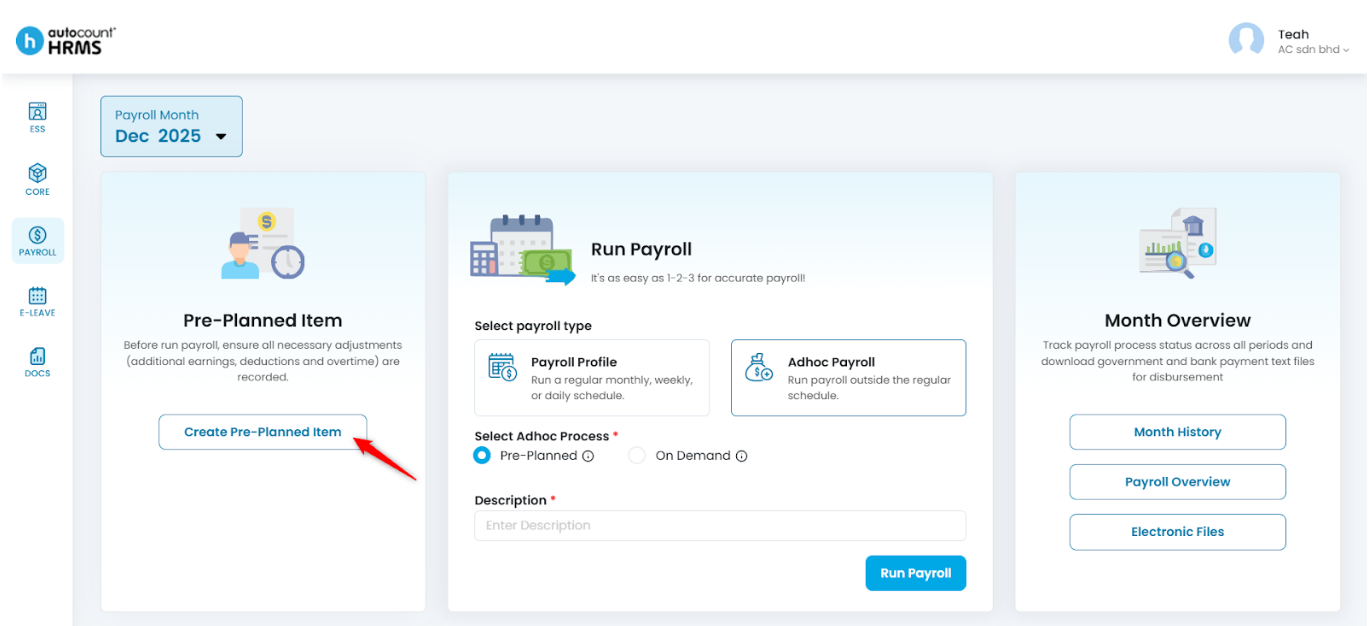
3. Select Create Pre-Planned Item.
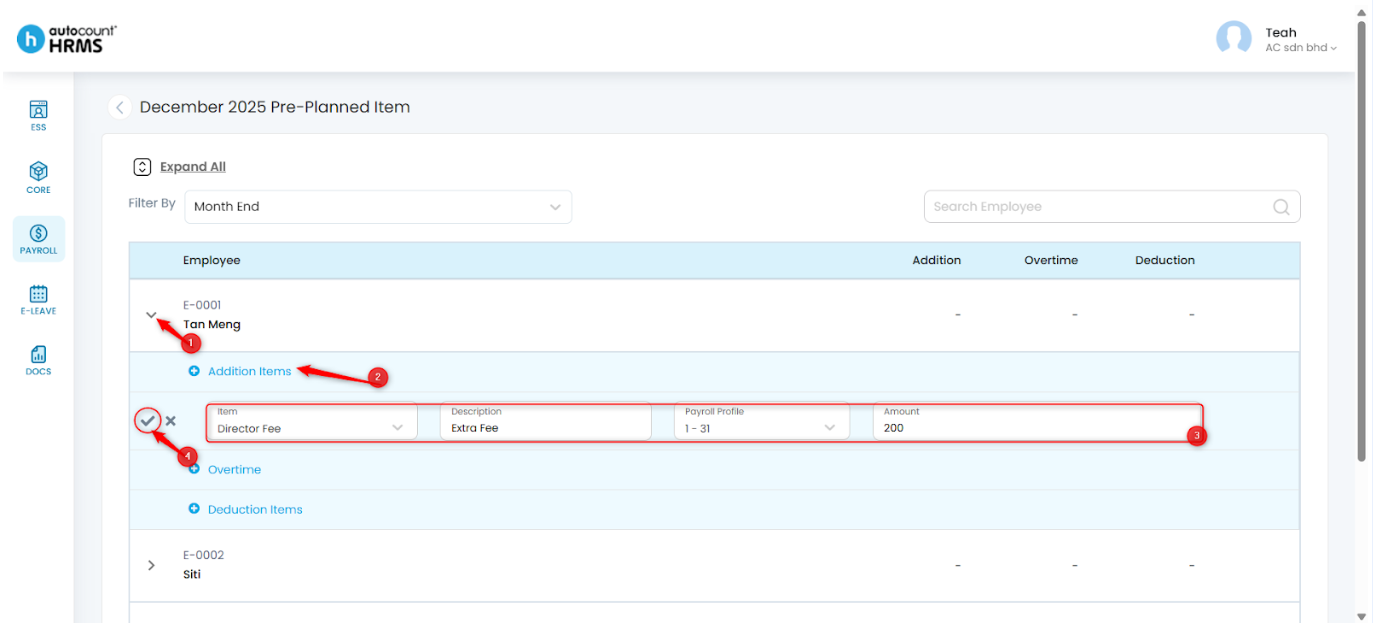
4. Filter payroll profile or use the search bar to find the employees you want to add payroll items for. Click Expand All or click the > icon next to the employee’s name to reveal payroll item options, then click the Add (+) icon to insert a new payroll item. Complete the following fields:
- Item Type – Select the item type (e.g., Fixed Bonus, Transport Allowance).
- Description – Enter a clear description that will appear on the payslip.
- Payroll Profile – Select and confirm the applicable payroll dates.
- Amount – Enter the amount.
Click the Tick icon to confirm. To remove the entry before saving, click the Cross icon.
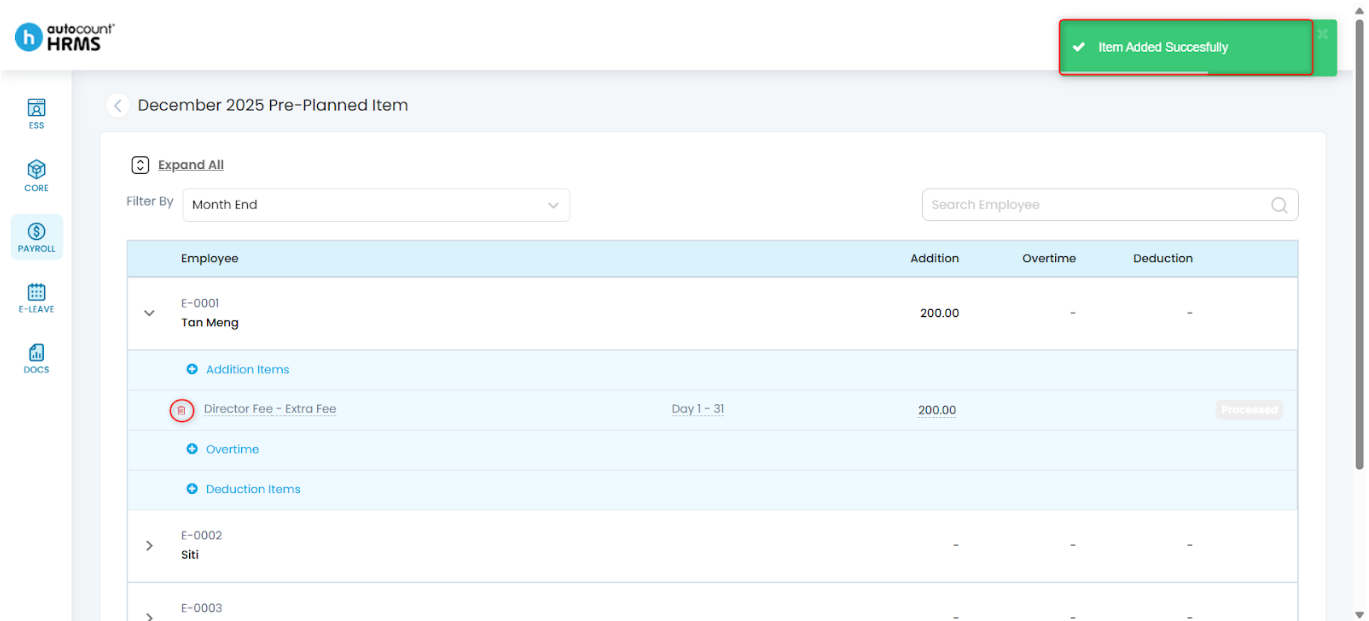
5. The item will be added successfully. To delete the saved item, click the trash bin icon.
Written by: Teah Rui Harn (20251202)
Reviewed by: Tek Ee Lin (20251204)