
After completing a payroll run, you may download various payroll documents such as Payslips, Summary Reports, and Electronic Payment Text Files for bank submission.
Steps to Download Payslip(s), Summary Report(s) and/or Electronic Payment Text File(s):
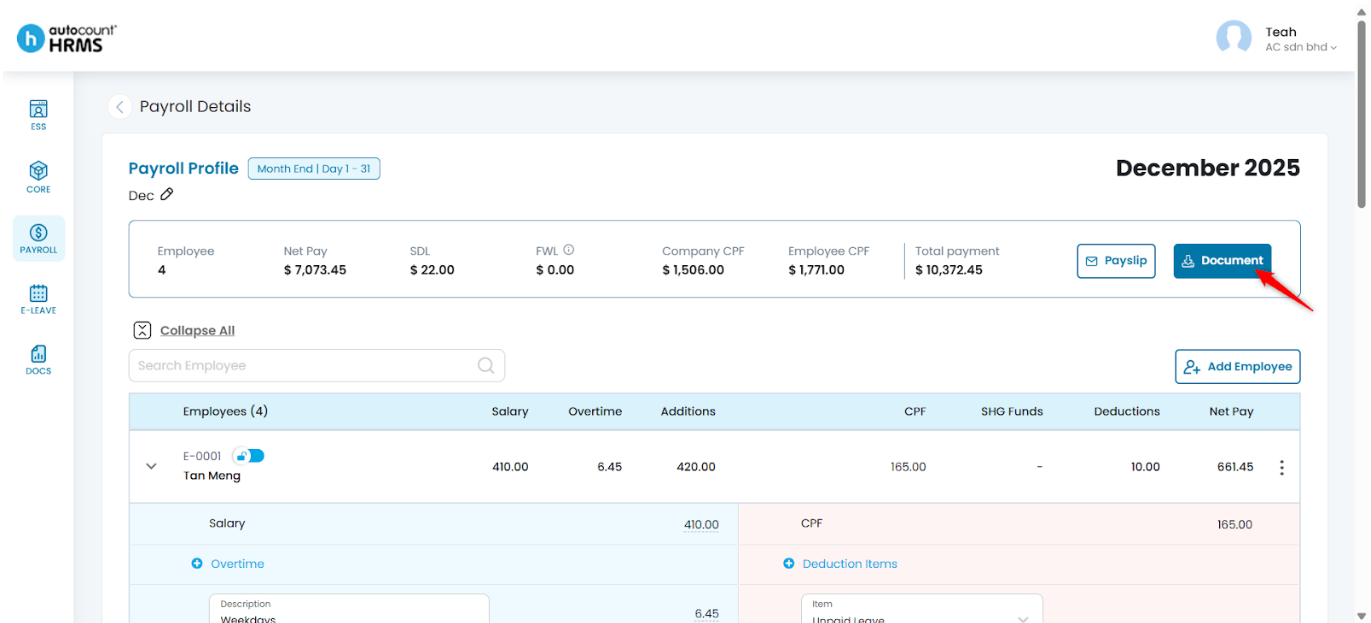
1. Ensure that you are in the Payroll Process details page.
2. Click Document.
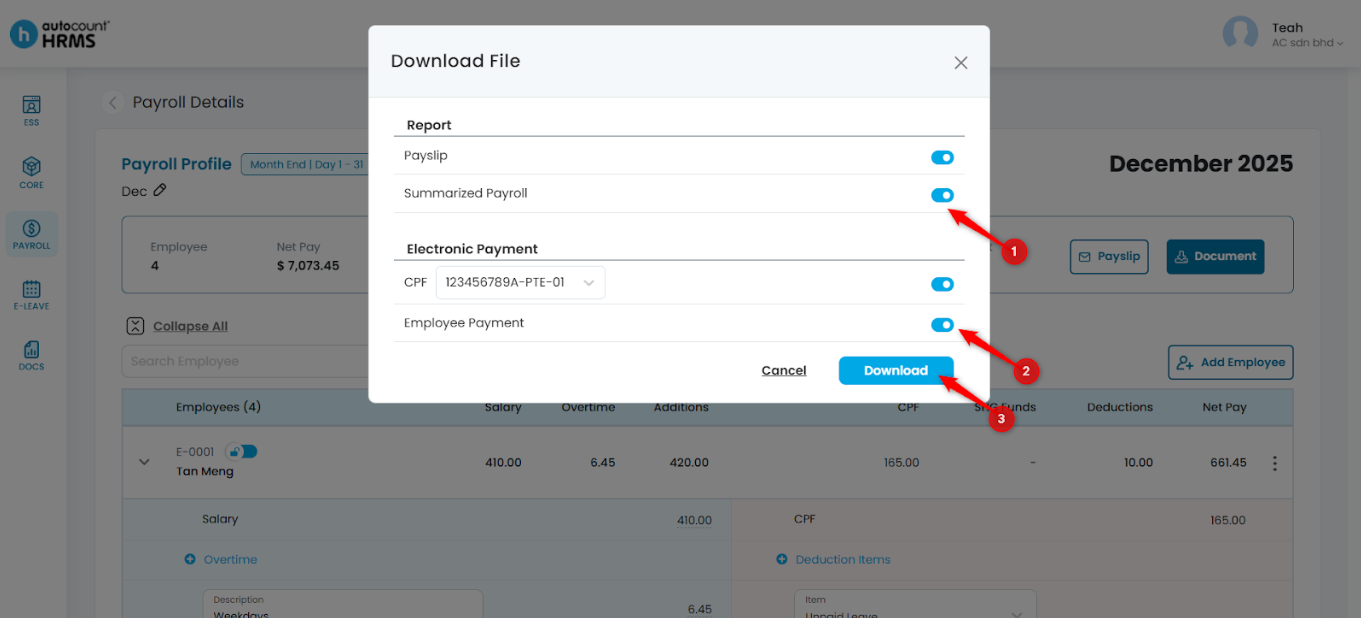
3. Select the required Report and/or Electronic Payment text file(s), then click Download.
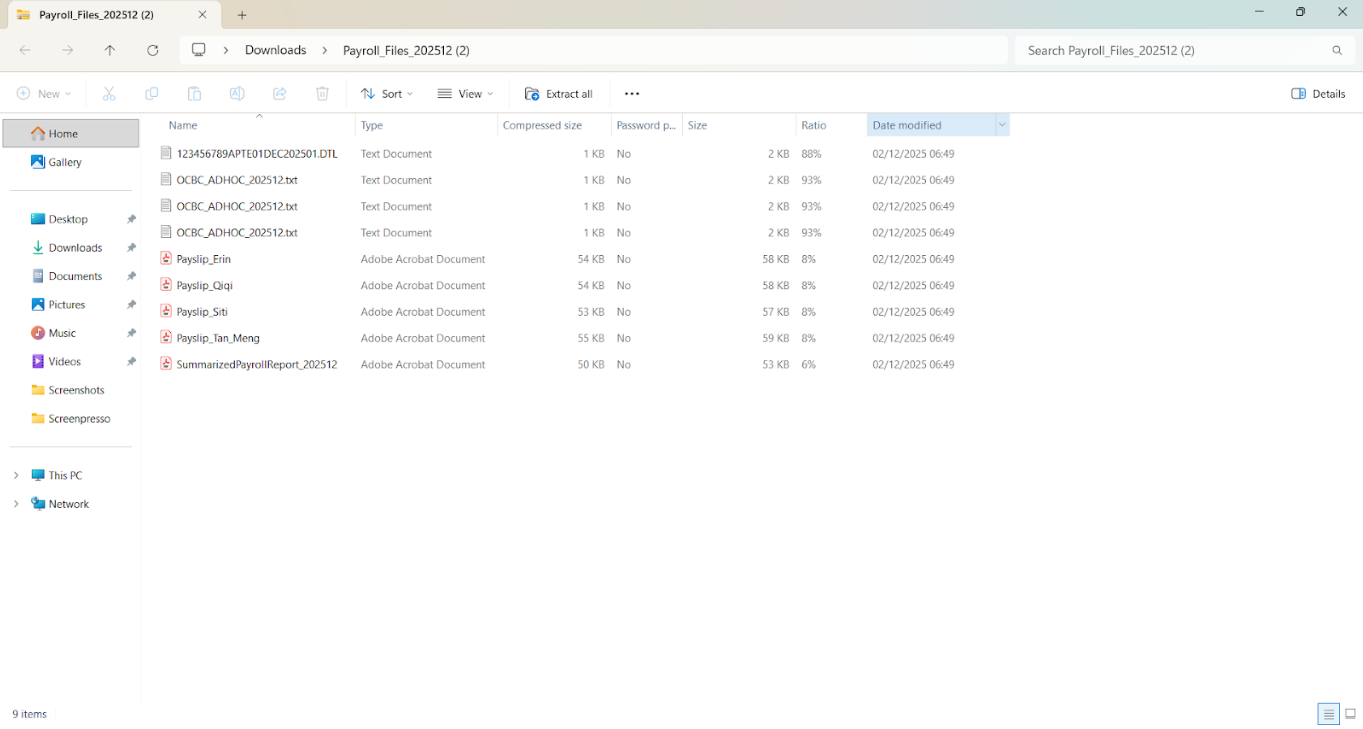
4. The downloaded documents will be saved to your device’s local folder.
Written by: Teah Rui Harn (20251202)
Reviewed by: Tek Ee Lin (20251204)