
The Occupational Employment Dataset (OED) is an online registry managed by Singapore’s Ministry of Manpower (MOM).
It collects occupational and employment data of all workers currently on payroll in Singapore — including Citizens, Permanent Residents (PRs), and Foreign Workers employed by registered businesses.
The data supports manpower planning, wage policy, and helps reduce redundant surveys.
When there are changes to your employees’ employment details, you must perform an OED Submission to update MOM.
Steps to Perform OED Submission:
1. Go to Core > Employee.
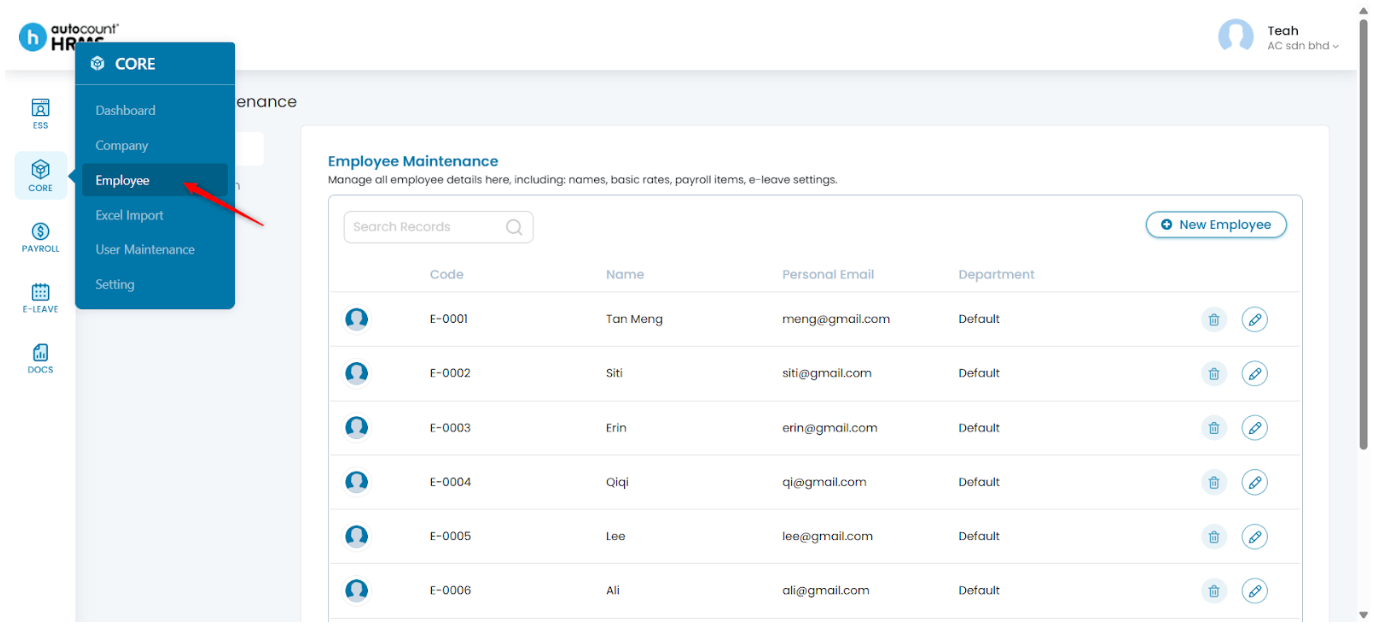
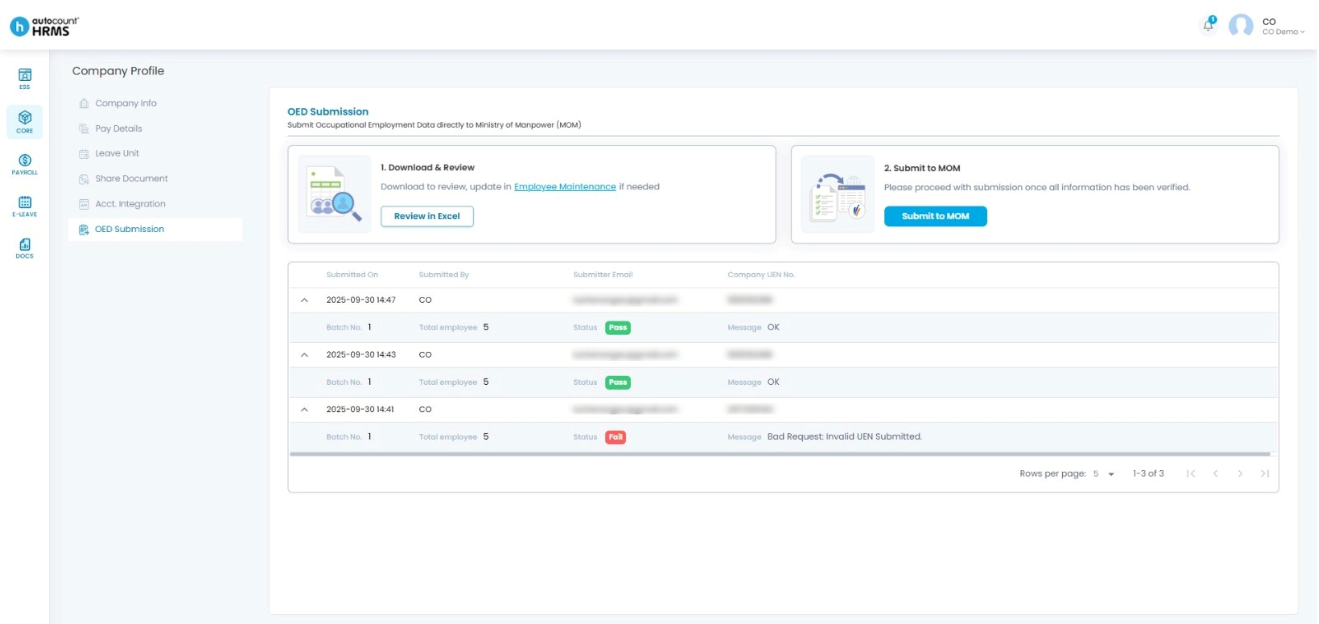
2. Under Employee Maintenance, select OED Submission.
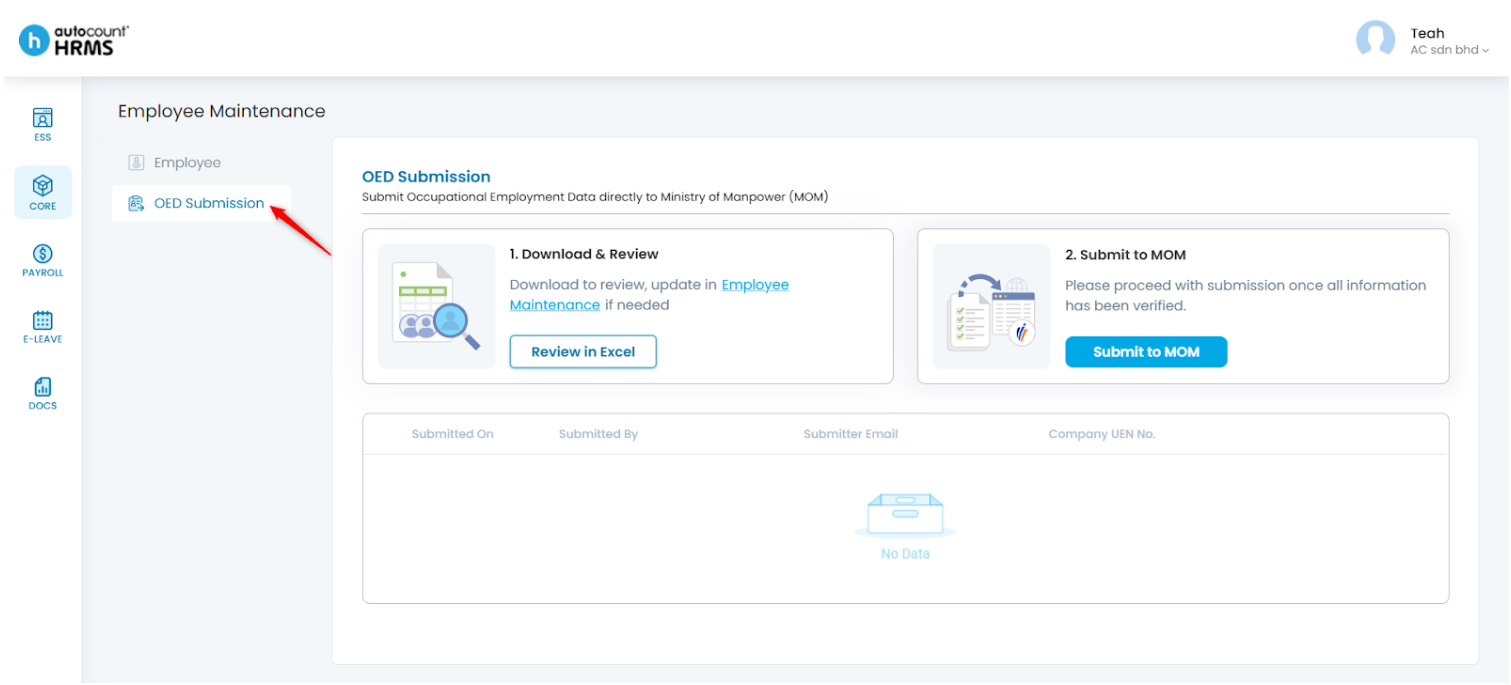
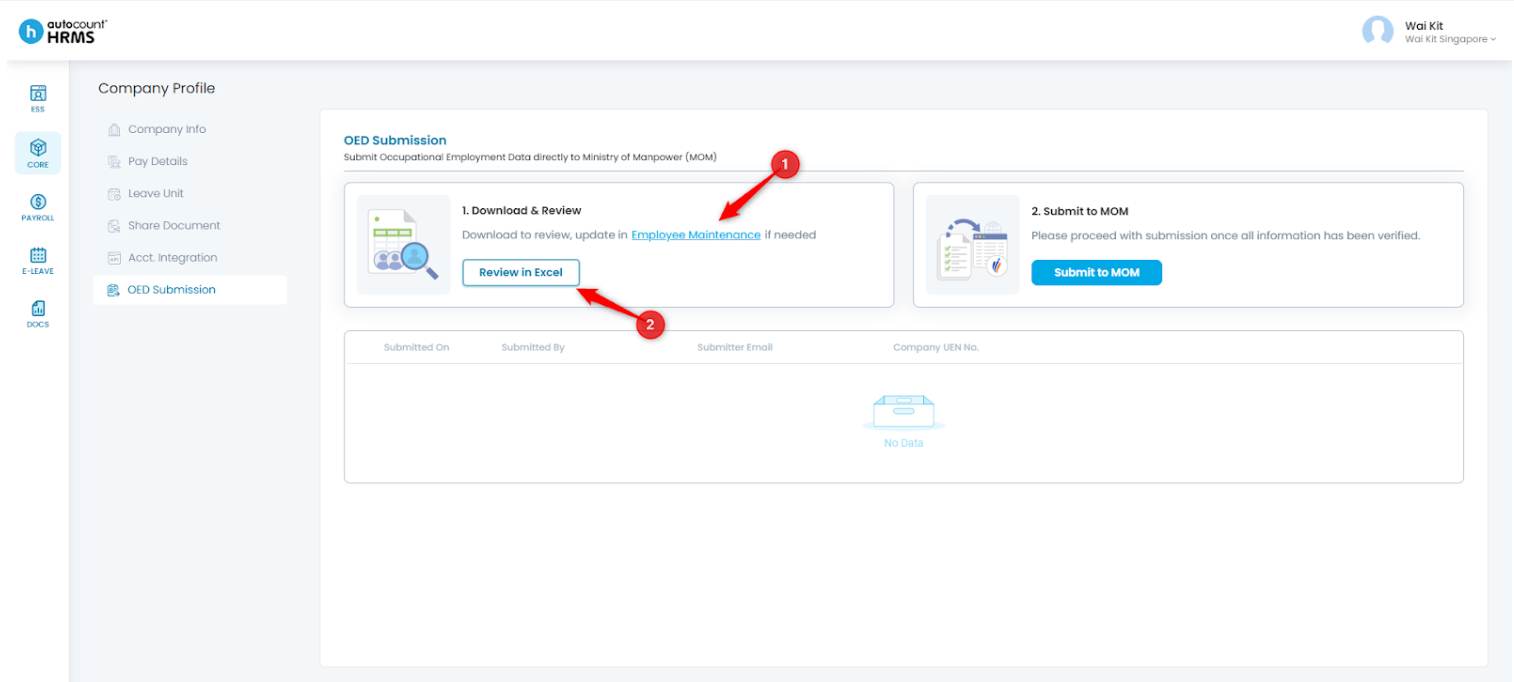
3. Click Employee Maintenance to update employee information if needed, or Review in Excel to review the data in Excel format.
4. Columns highlighted in orange indicate missing or incomplete information in the employee’s record.
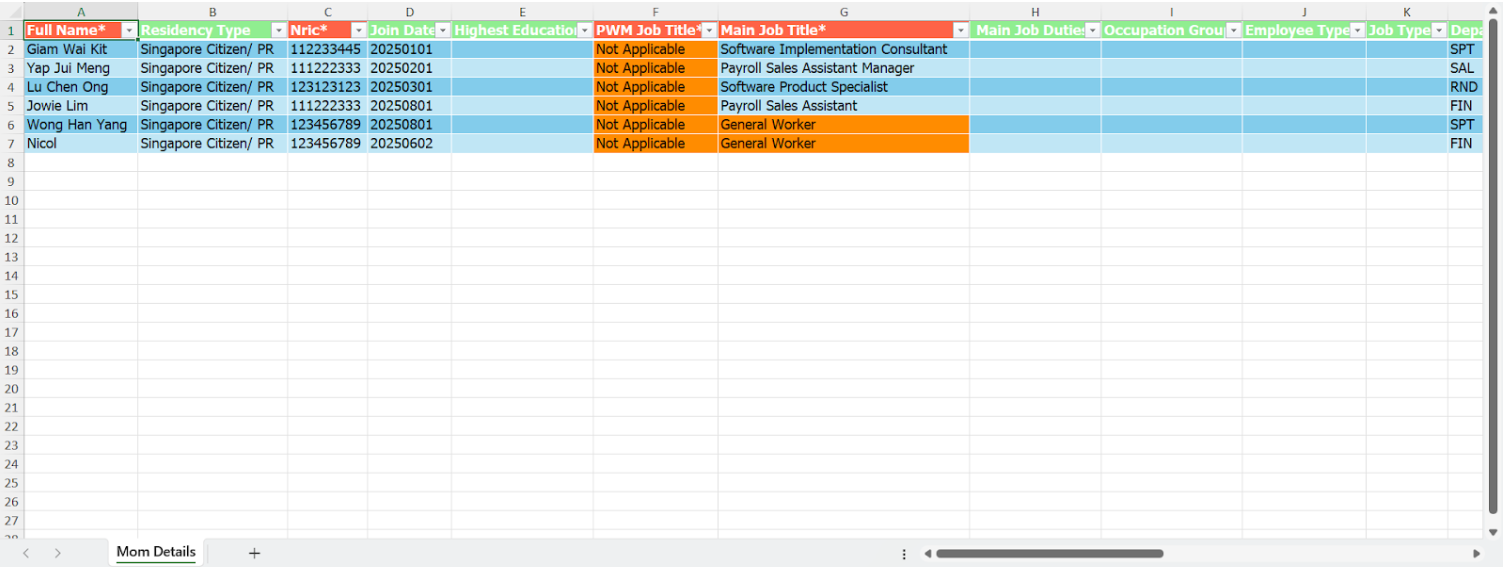
5. Once all information has been verified, click Submit to MOM.
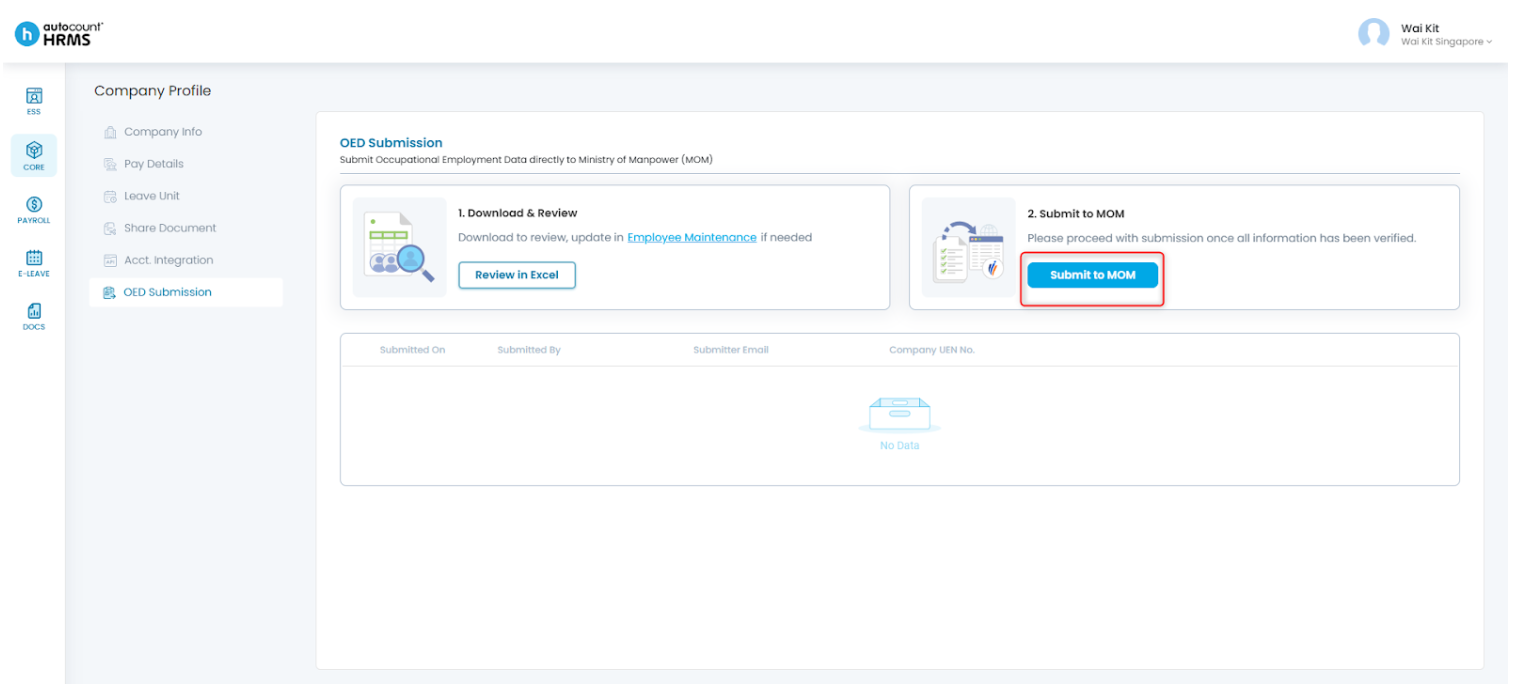
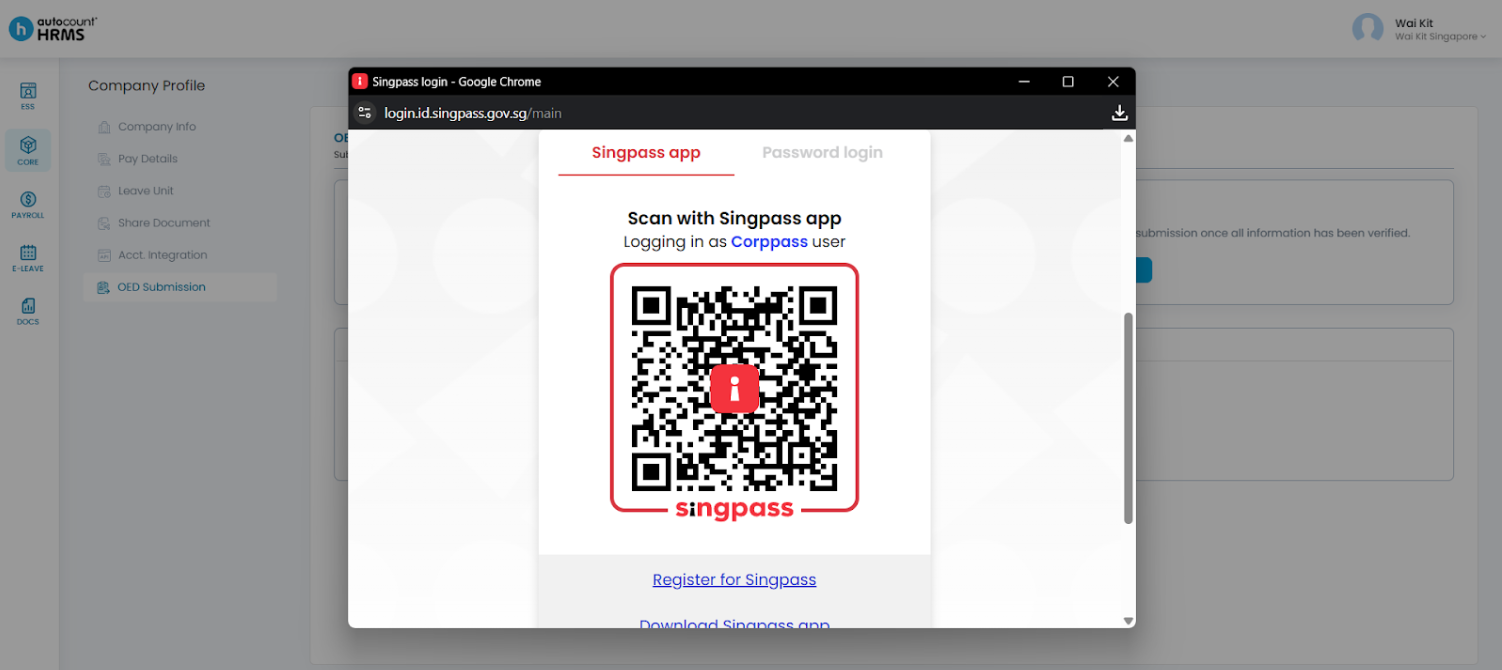
6. A login window will appear — sign in using your Corppass with Singpass.
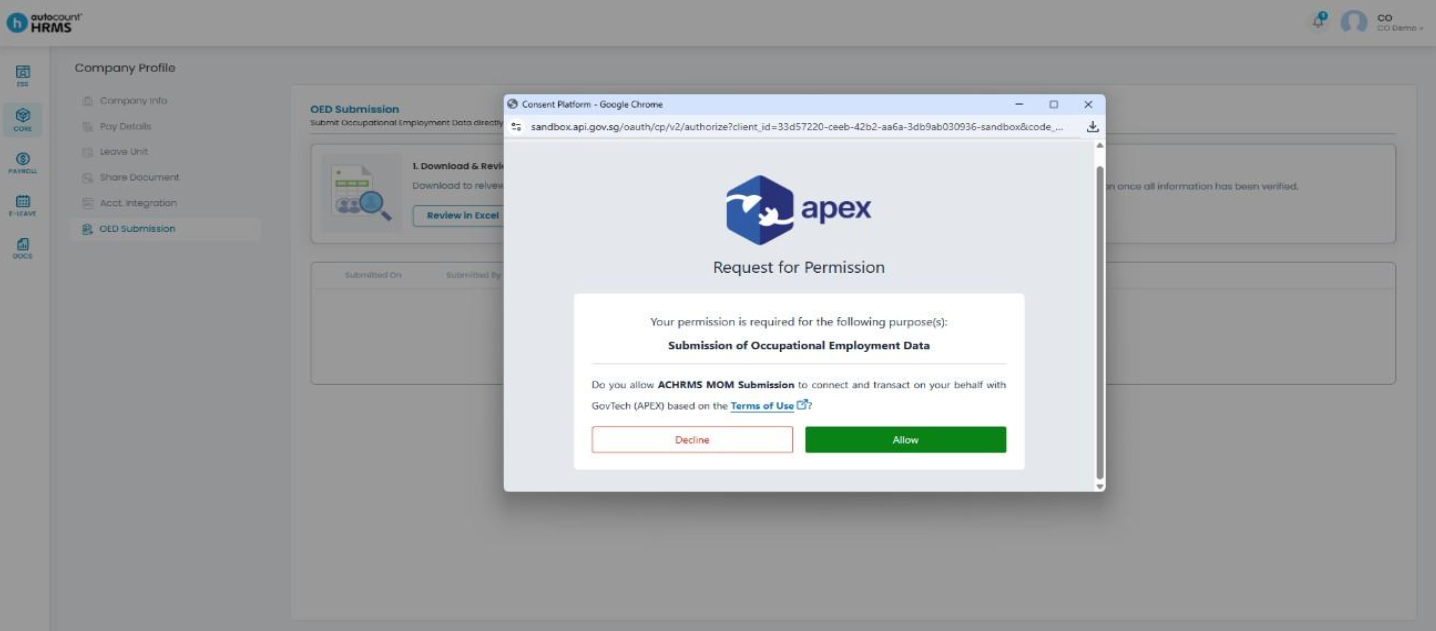
7. Allow APEX Permission, select the correct UEN, and the file will be submitted accordingly.
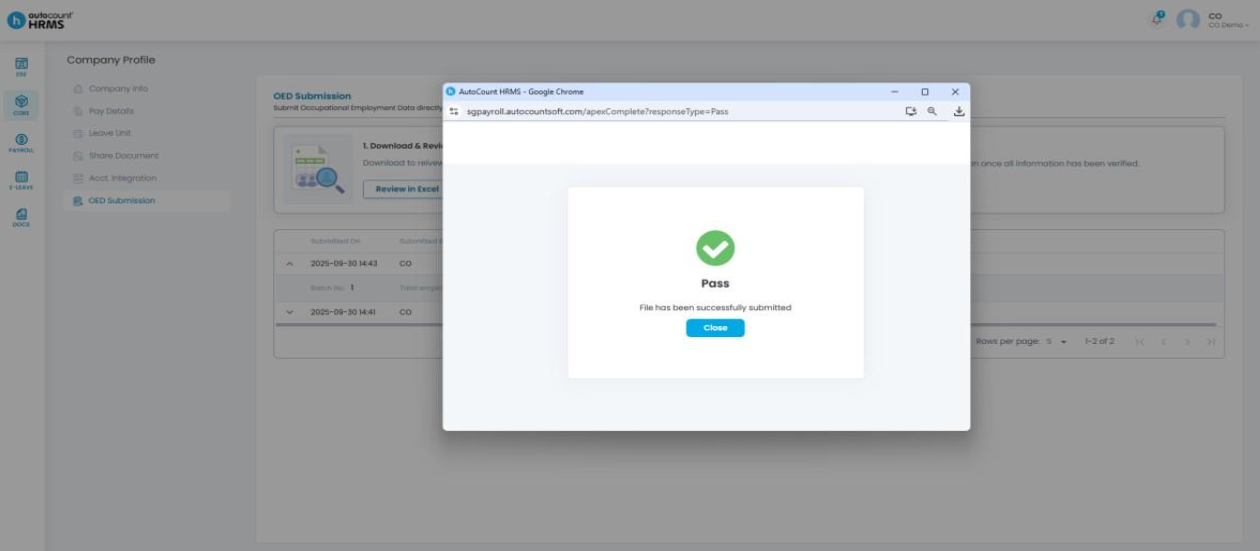
8. You can check the submission results on the same page after submission.
Written by: Giam Wai Kit (20251112)
Modified by: Teah Rui Harn (20251201)
Reviewed by: Tek Ee Lin (20251202)