
Yes, you may delete a resigned employee’s account. However, doing so will permanently remove the employee’s records from the system, which may affect reporting accuracy—such as employee turnover summaries and historical payroll or leave records.
Instead of deleting the employee, we recommend marking the employee as Inactive. This preserves historical data while ensuring the employee is excluded from future payroll and HR processes.
Steps to Mark a Resigned Employee as Inactive:
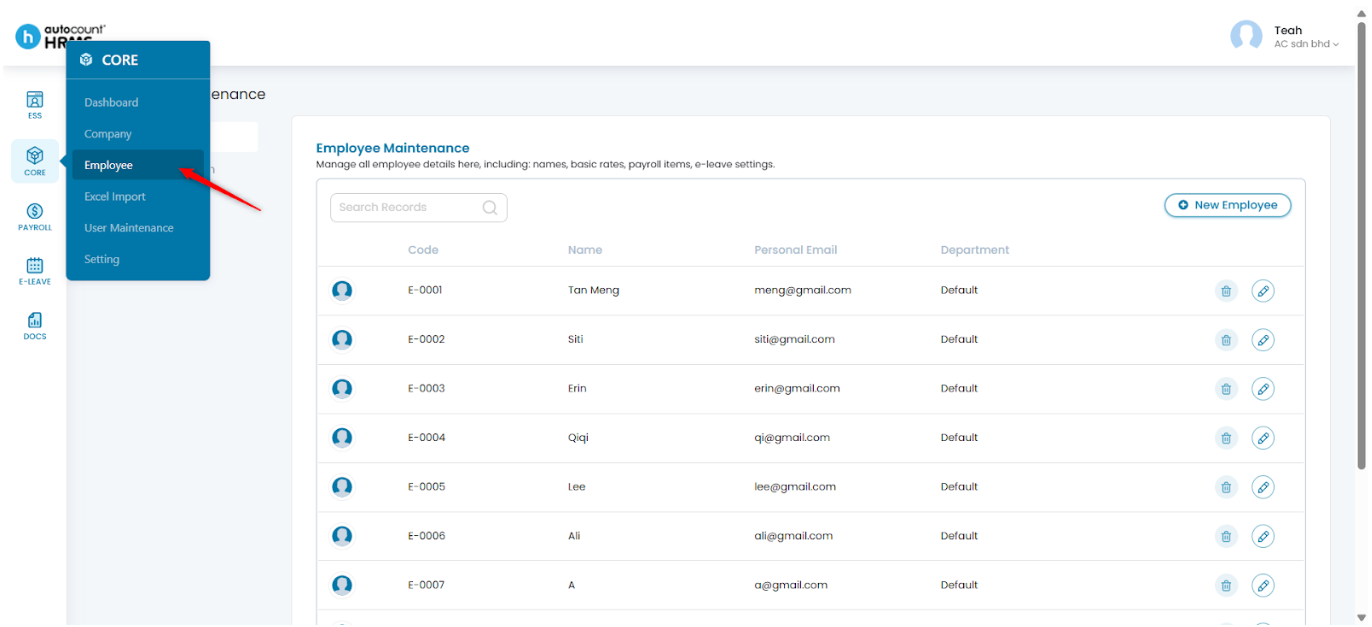
1. Go to Core > Employee.
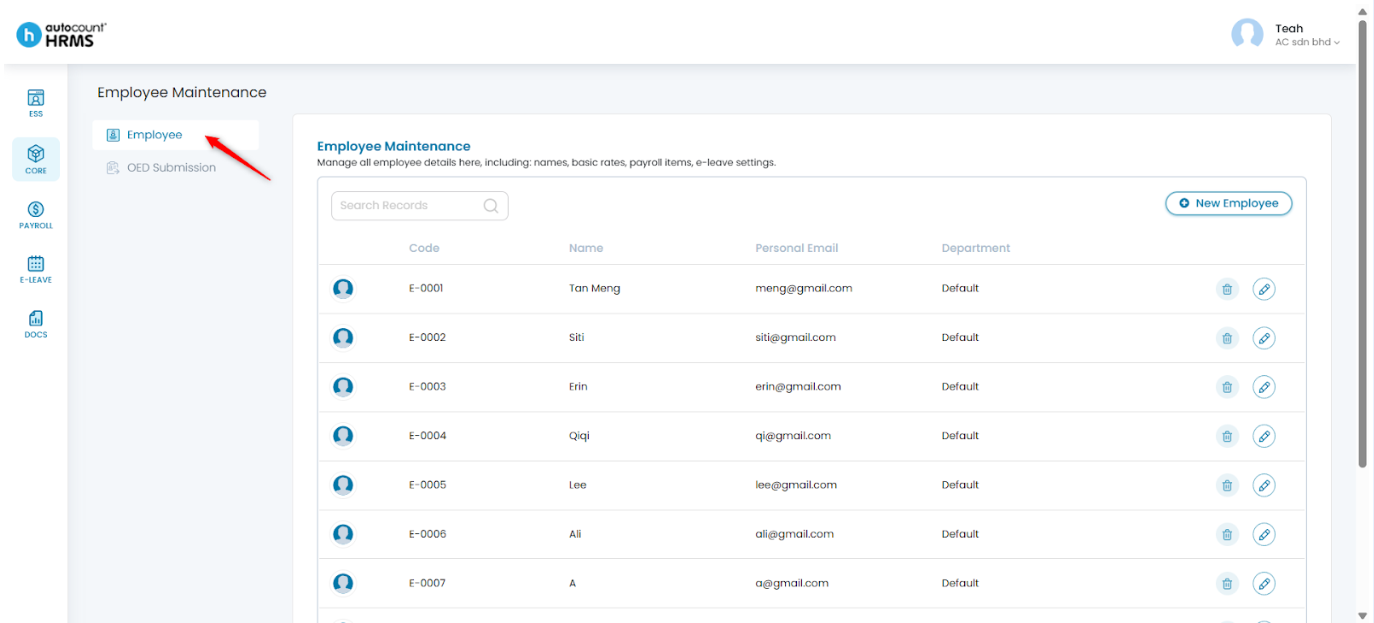
2. Under Employee Maintenance, select Employee.
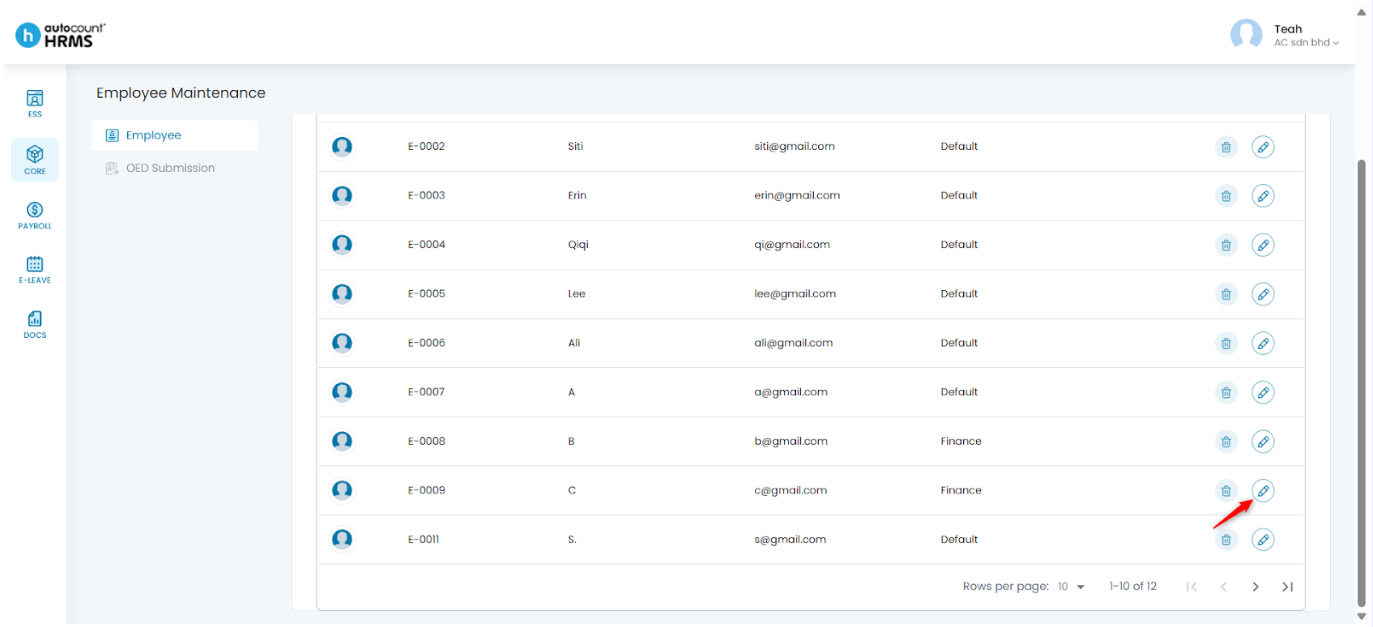
3. Locate the employee and click the pencil icon to open the Employee Profile.
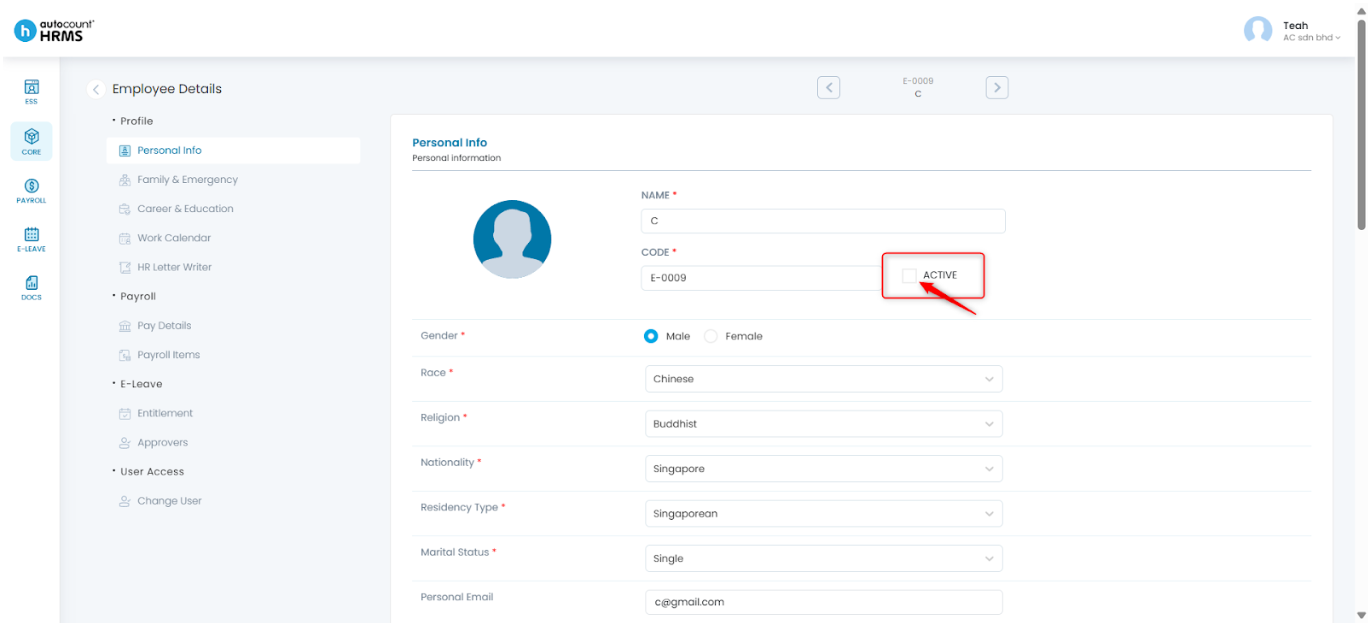
4. Under Employee Details, go to Personal Info and click the pencil icon.
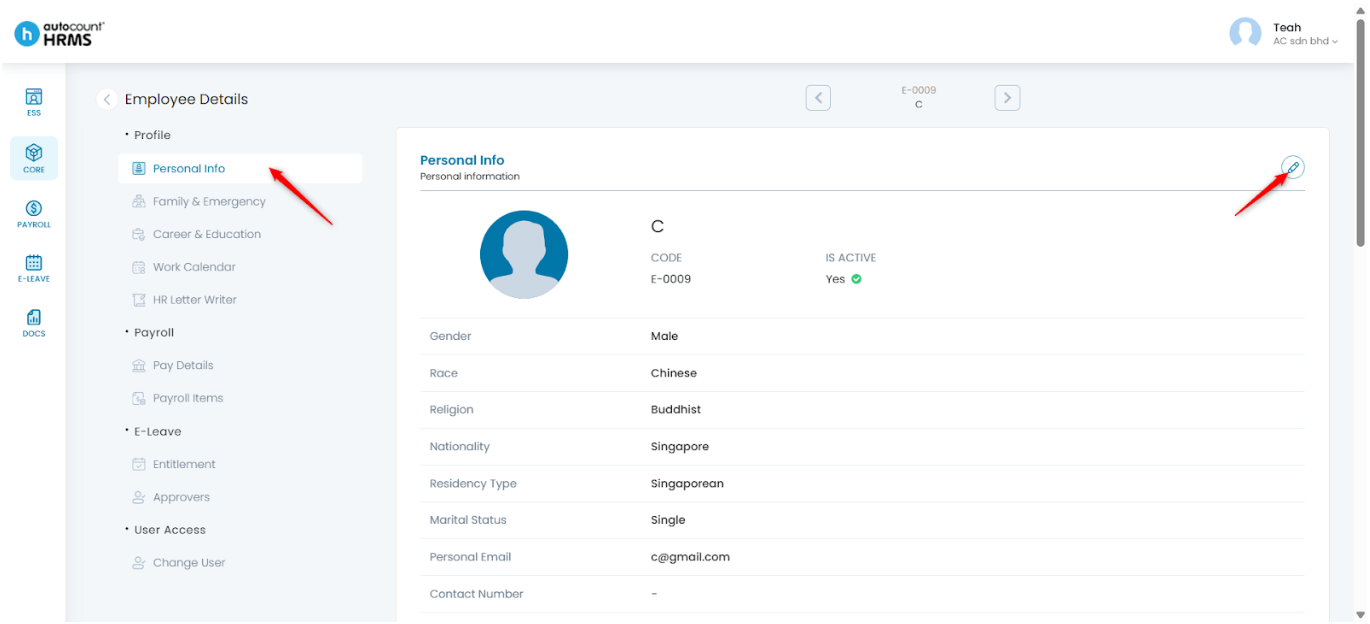
5. Untick Active, then click Save.
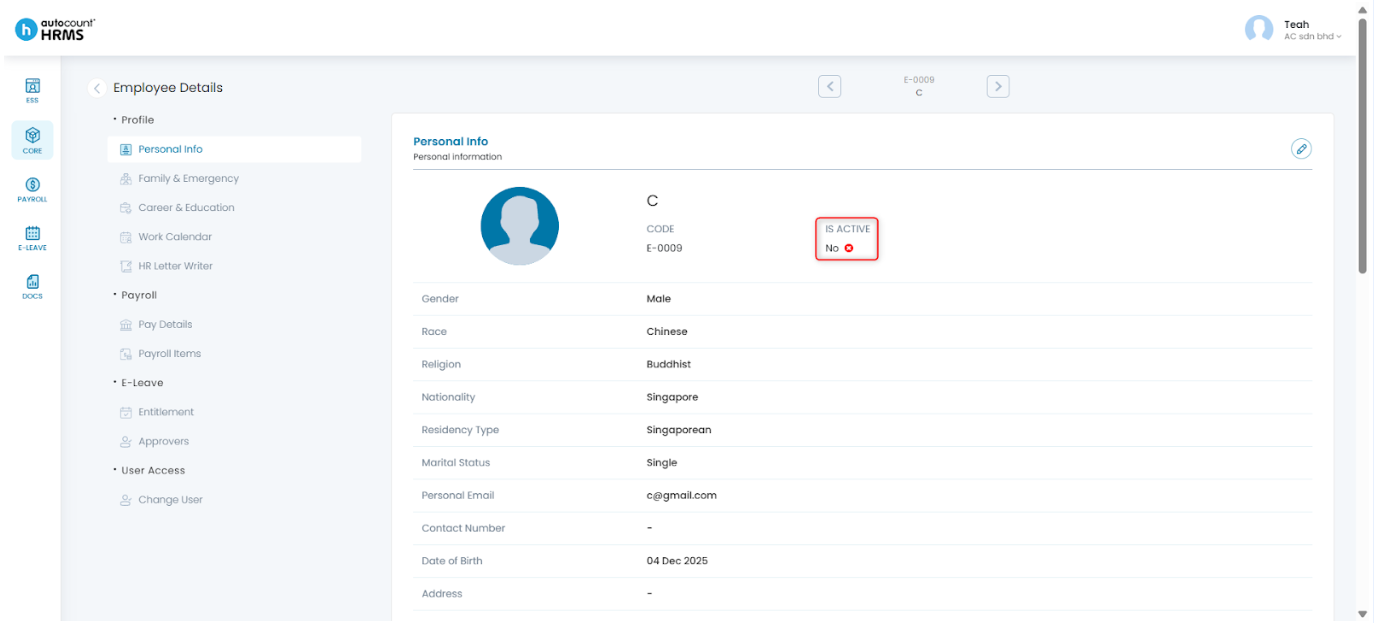
6. The employee will now be marked as inactive and will no longer appear in payroll processing or active employee lists, while historical records remain intact.
Written by: Teah Rui Harn (20251230)
Reviewed by: Tek Ee Lin (20260107)