
You can upload your company’s logo to AutoCount HRMS at Company > Company Info > Basic Details. The company logo added can be used for report template customisation.
Steps to Add your Company’s Logo:
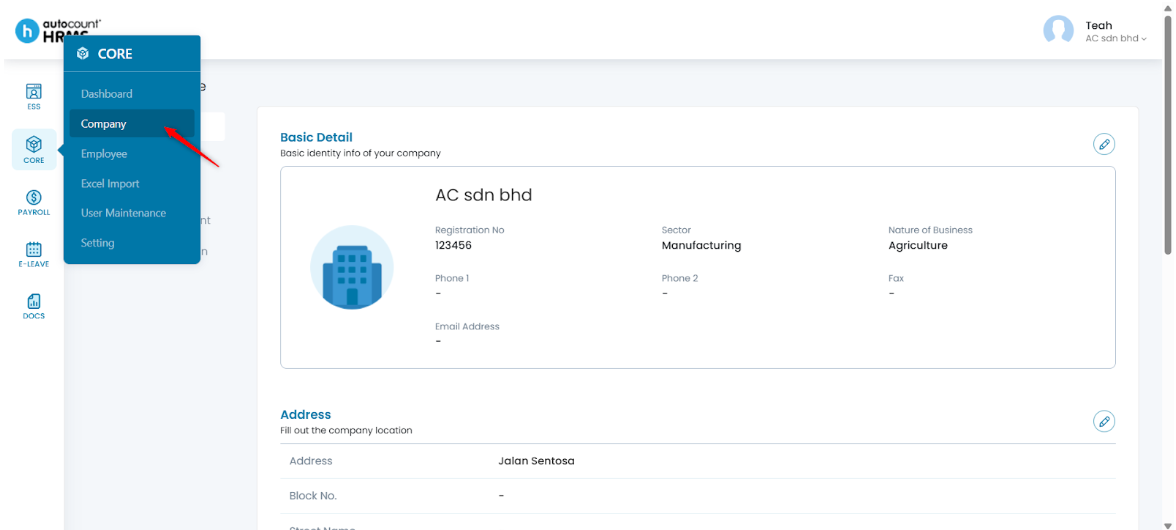
1. Go to Core > Company.
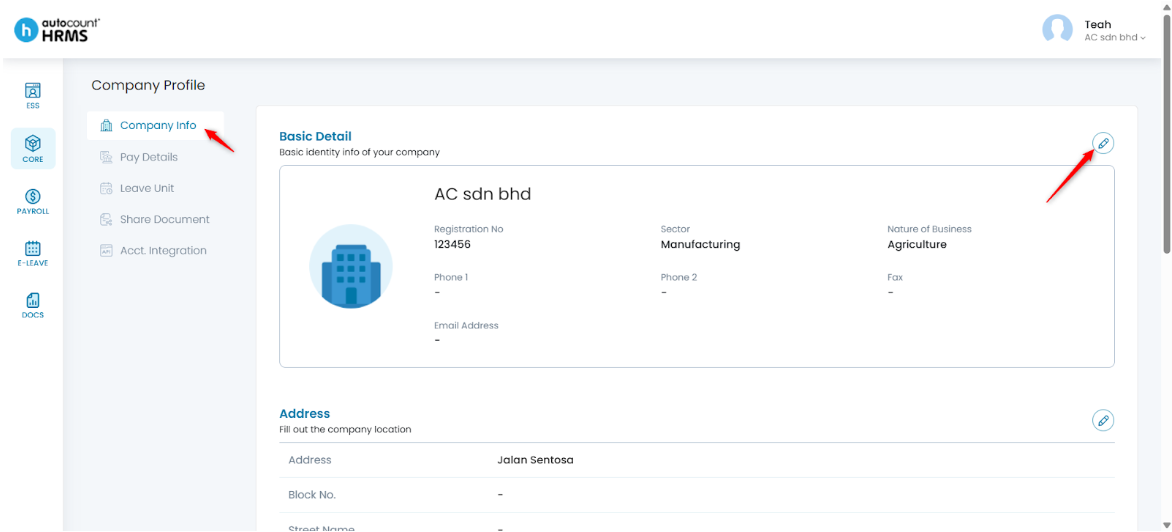
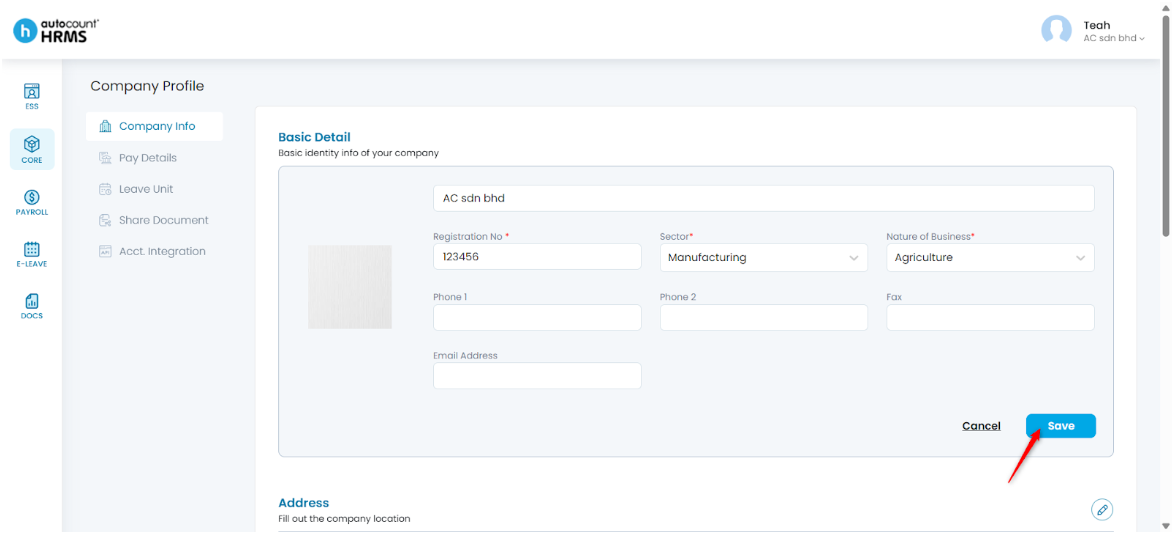
2. Under Company Profile, select Company Info. Click the pencil icon next to Basic Detail to enter edit mode.
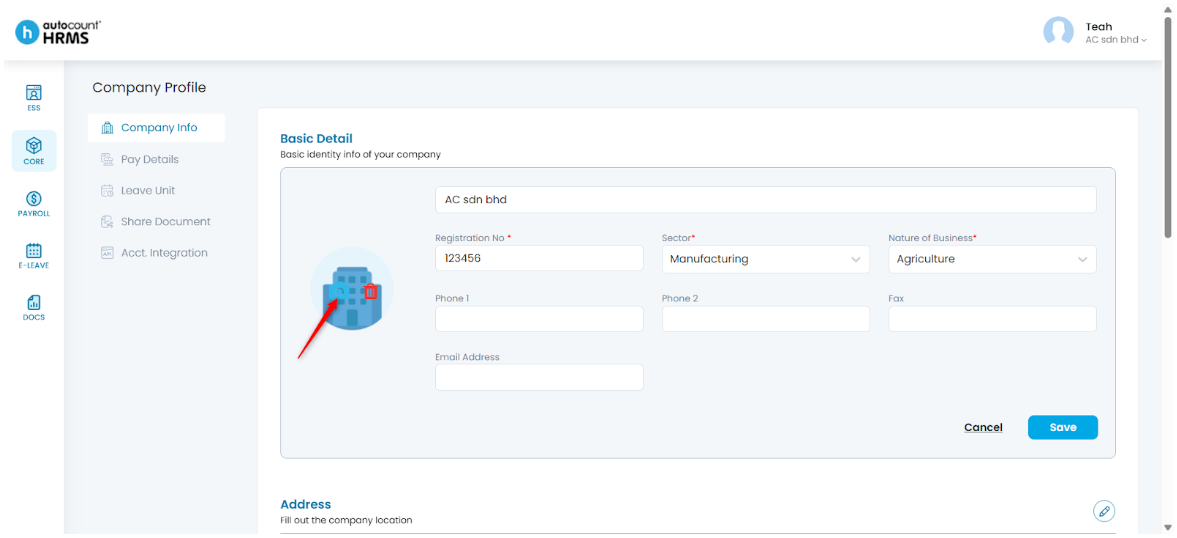
3. Place your cursor in the logo/image section and click the camera icon.
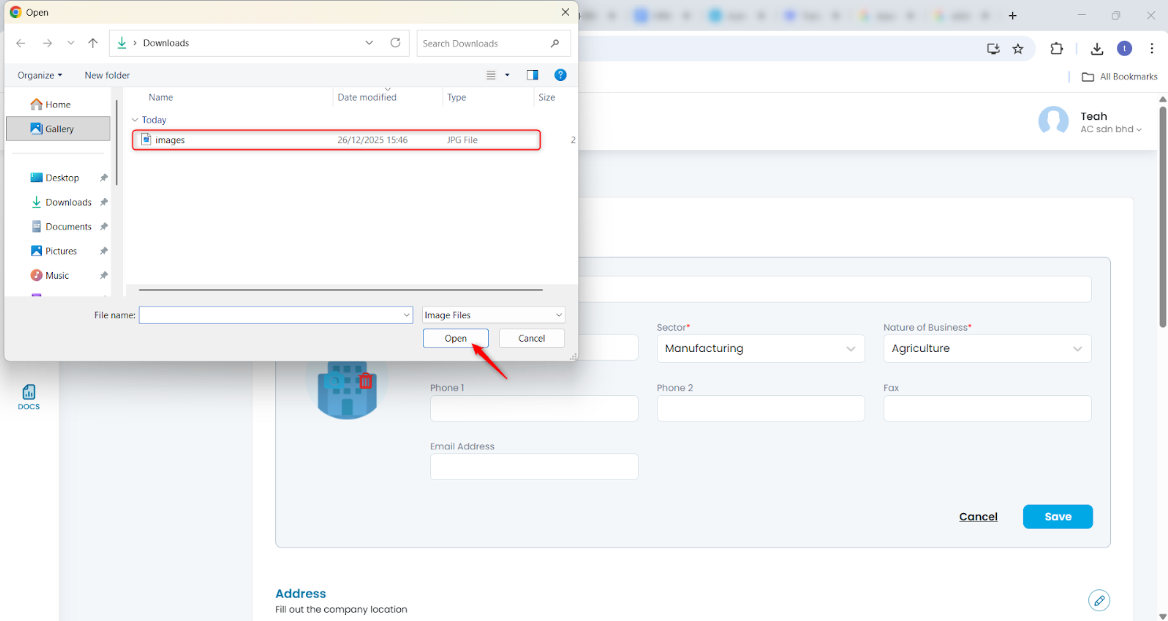
4. Select your company logo file, then click Open.
5. Click Save once the logo is displayed.
Written by: Teah Rui Harn (20251231)
Reviewed by: Tek Ee Lin (20260108)