
You can submit employees’ CPF contributions directly to the CPF Board through the Electronic Files feature in the Payroll module after completing a payroll run.
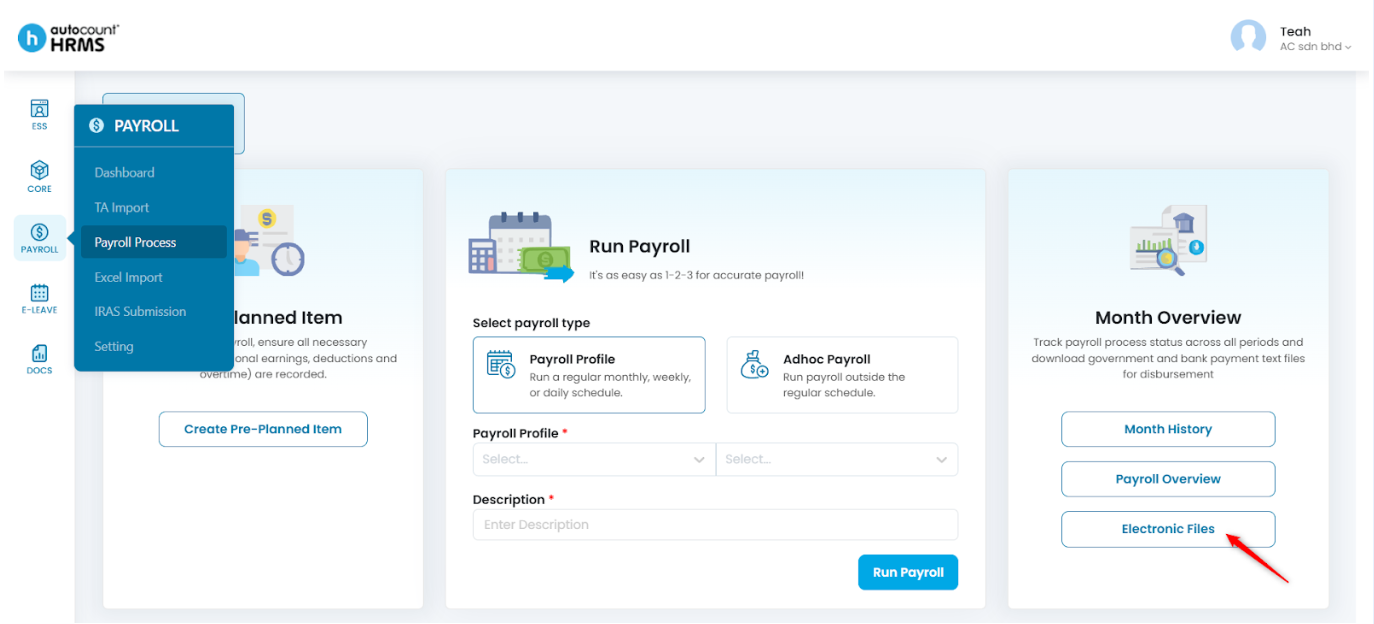
Steps to Submit employees’ CPF Contributions:
- Ensure the payroll has been successfully processed.
- Go to Payroll > Payroll Process.
- Select Electronic Files.
- Tick the processed payroll(s) you wish to submit.
- Click Submit.
- In the CPF Submission Selection panel:
- Confirm CPF Submission No.
- Select Payment Mode
- Choose Deduction Date.
- Click Submit.
- A login window will appear. Sign in using your Corppass (Singpass) account to complete the submission to the CPF Board.
Written by: Teah Rui Harn (20251230)
Reviewed by: Tek Ee Lin (20260108)