
Scenario:
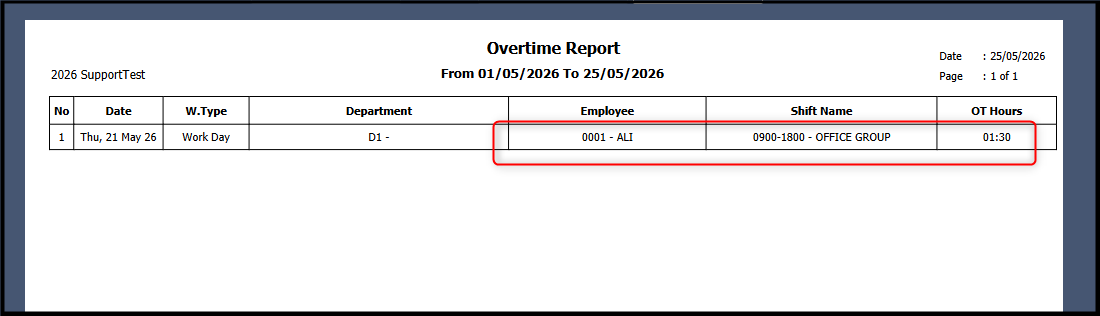
Overtime Report has OT hours for employee ALI:
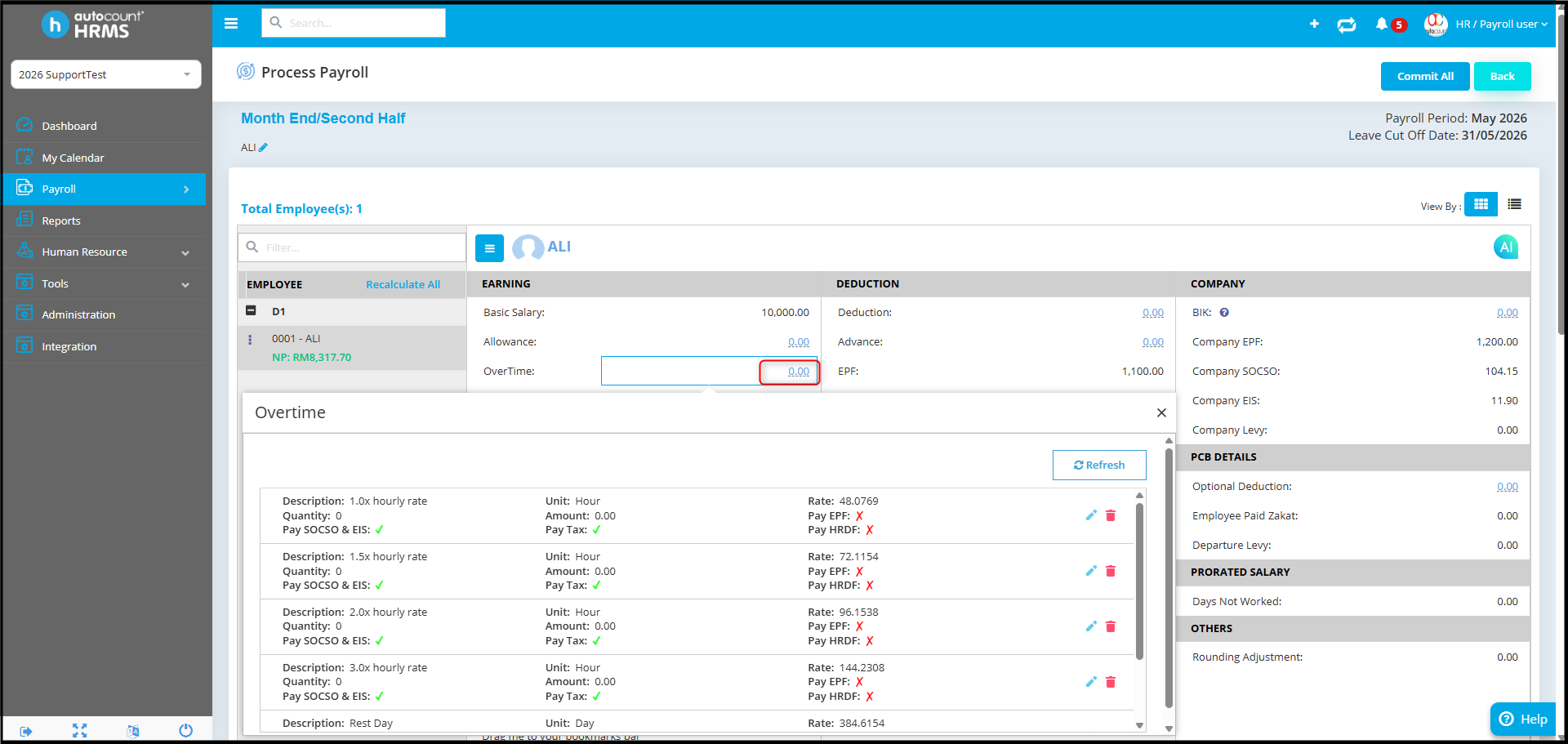
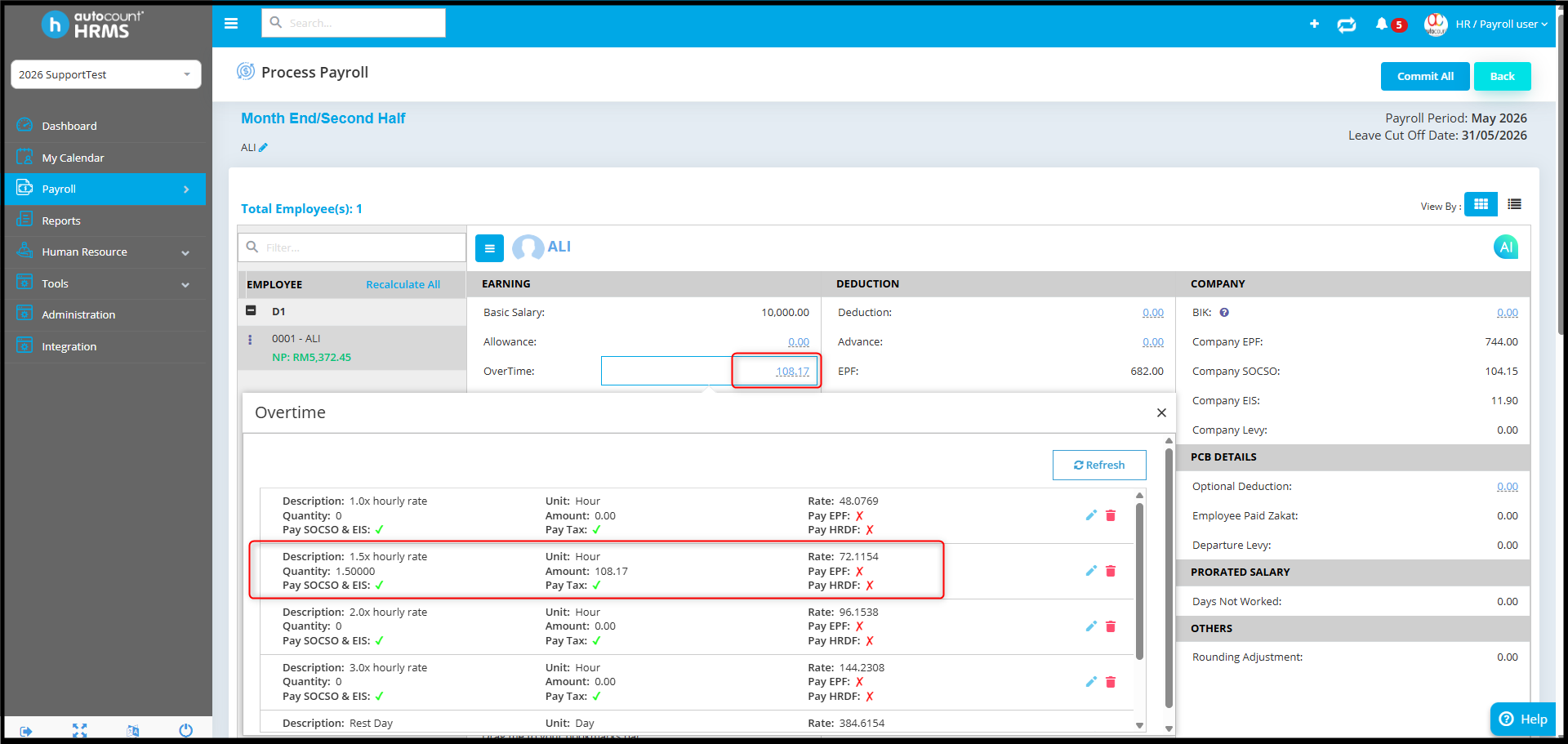
Payroll process show Overtime for employee ALI:
Possible reason:
Time Attendance Import has not been processed yet.
The Overtime Report only captures OT hours from the Time Attendance module.
Before OT can be calculated in Payroll, the Time Attendance data must first be imported into payroll.
Answer:
To run Time Attendance import:
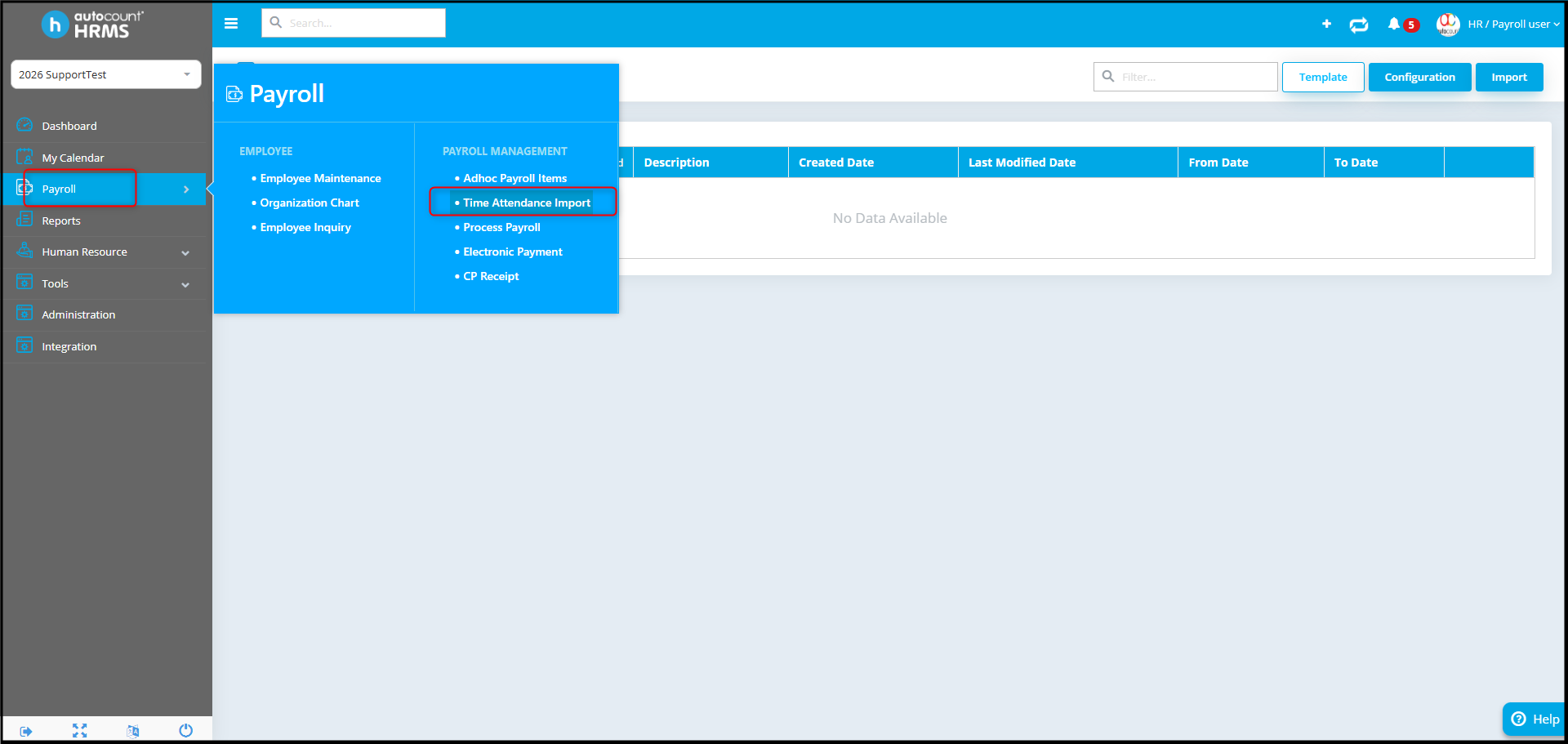
- Go to Payroll > Time Attendance Import.
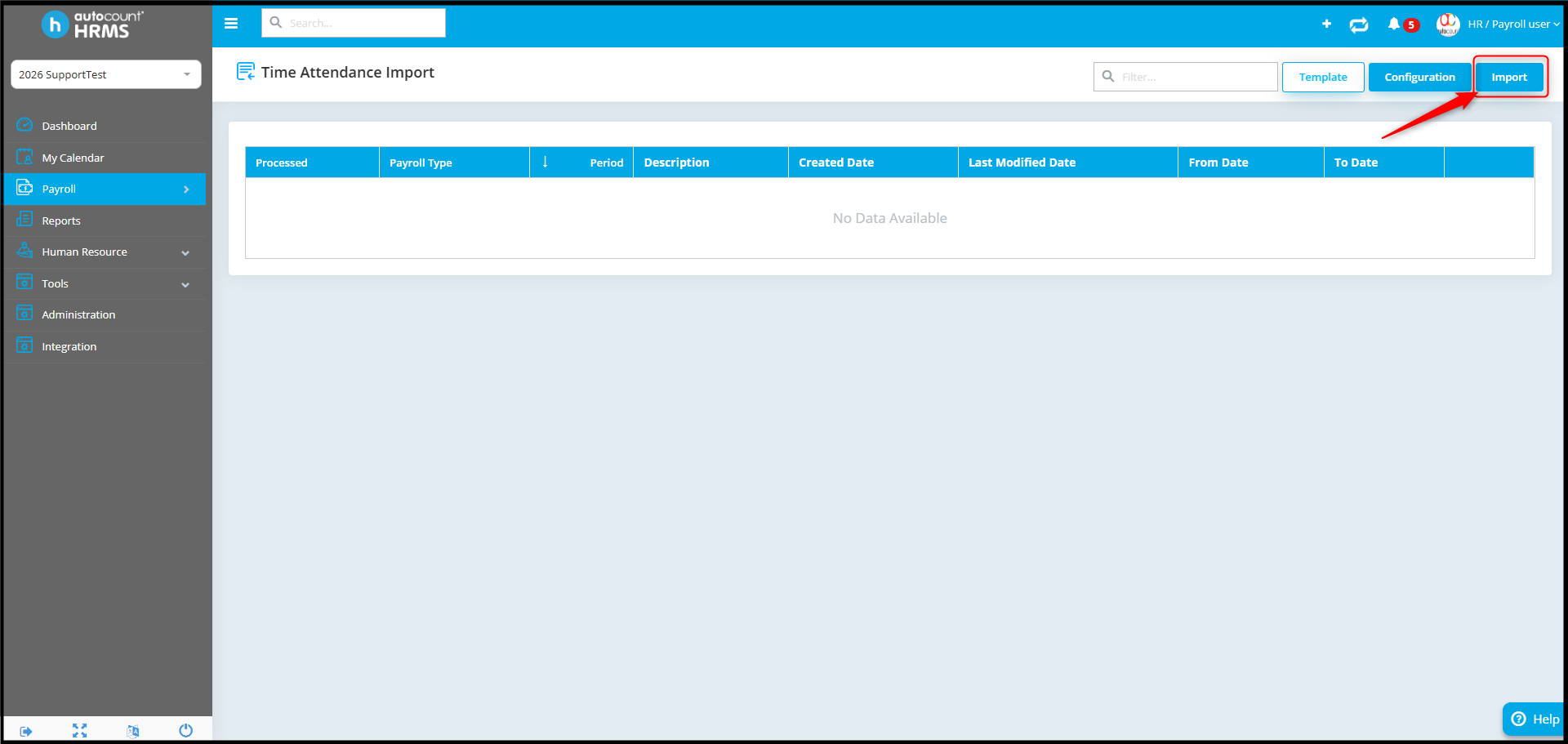
- Click Import.
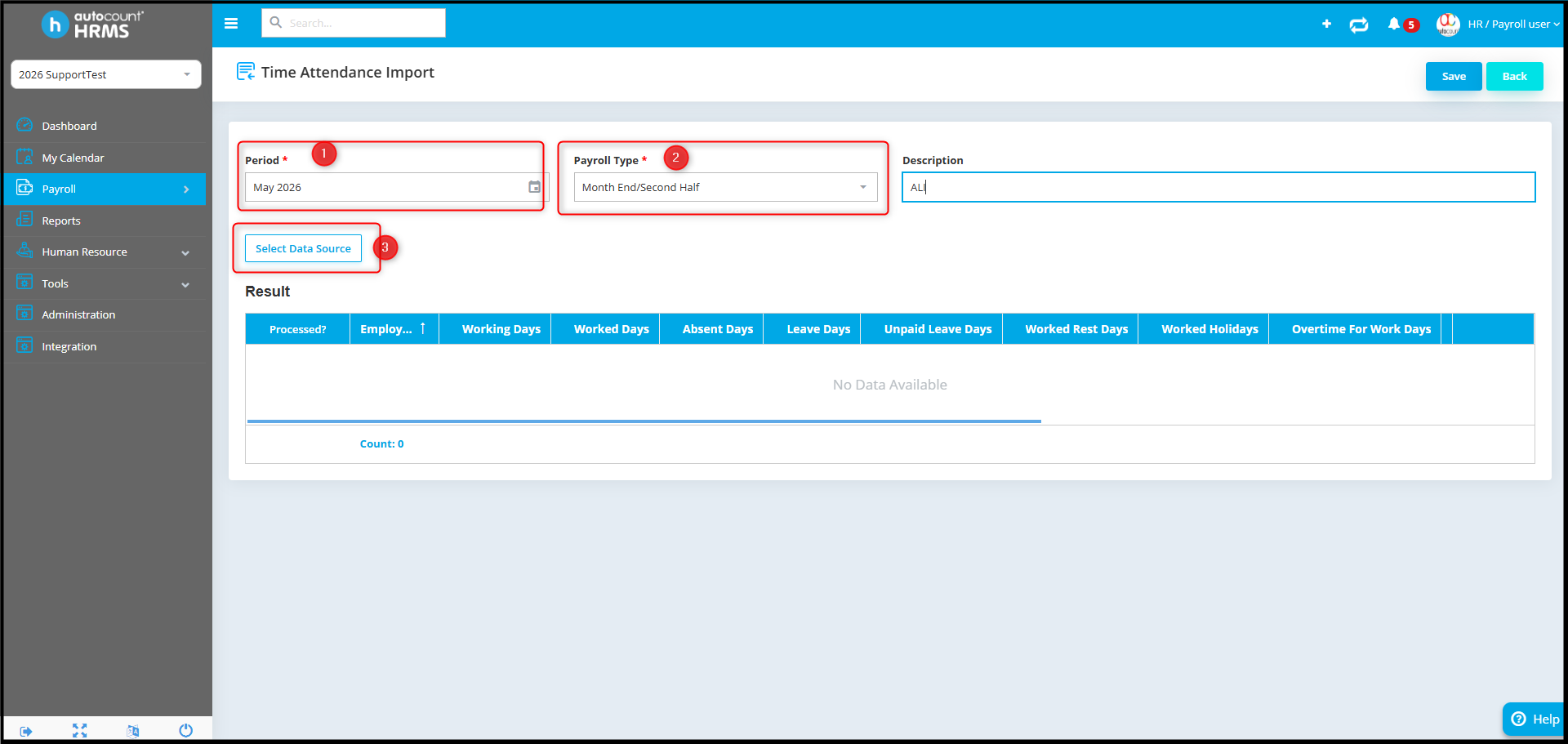
- Ensure the Period and Payroll Type are set correctly. Then click Select Data Source.
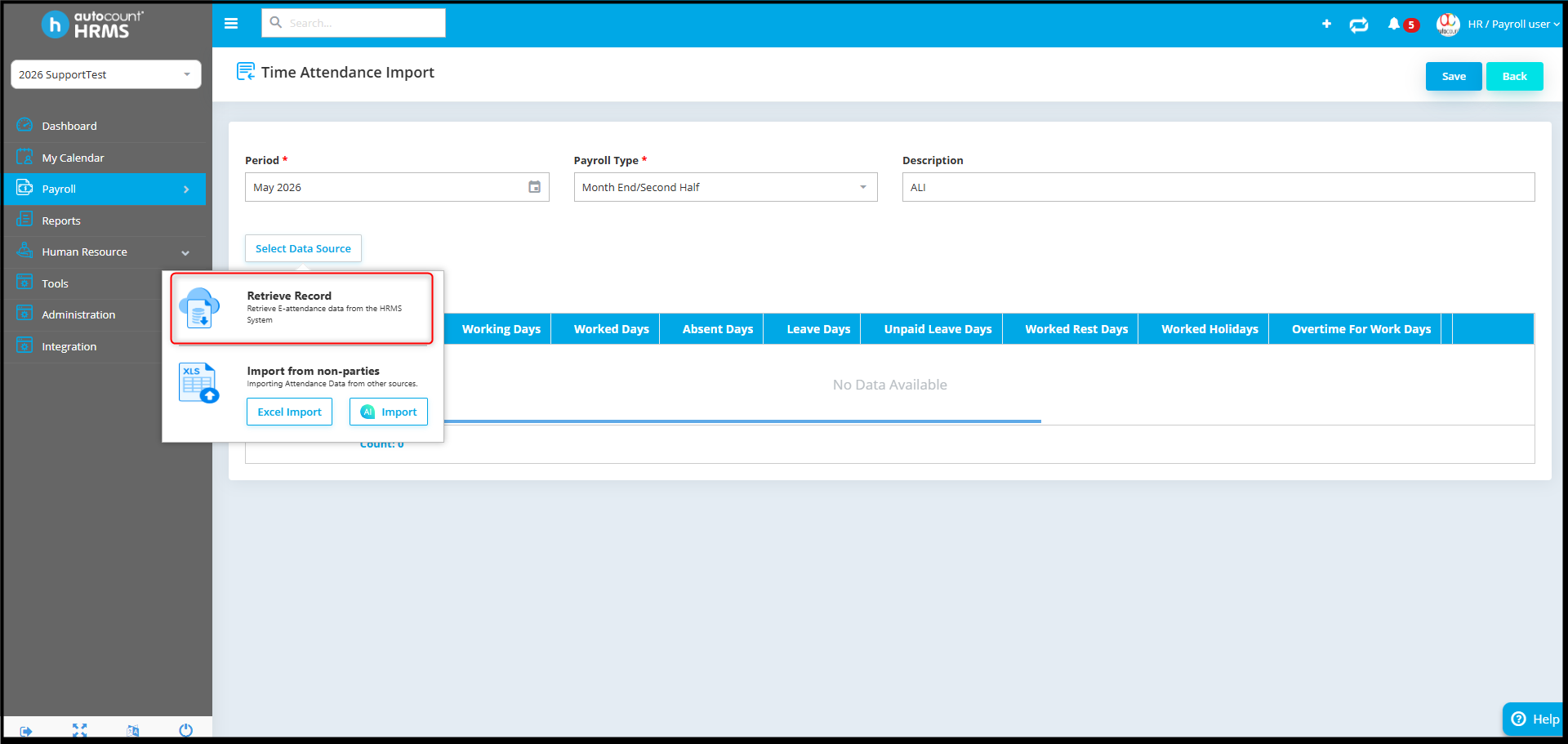
- Click Retrieve Record.
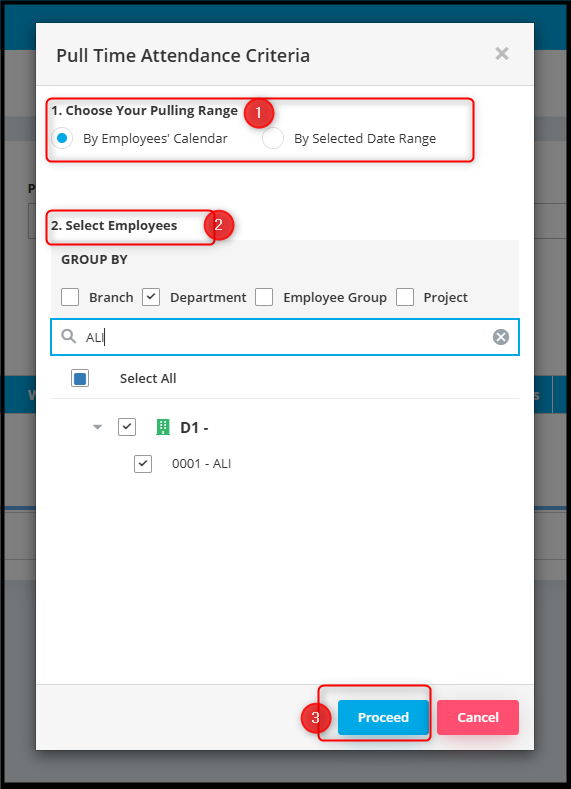
- Select the required time attendance criteria and click Proceed.
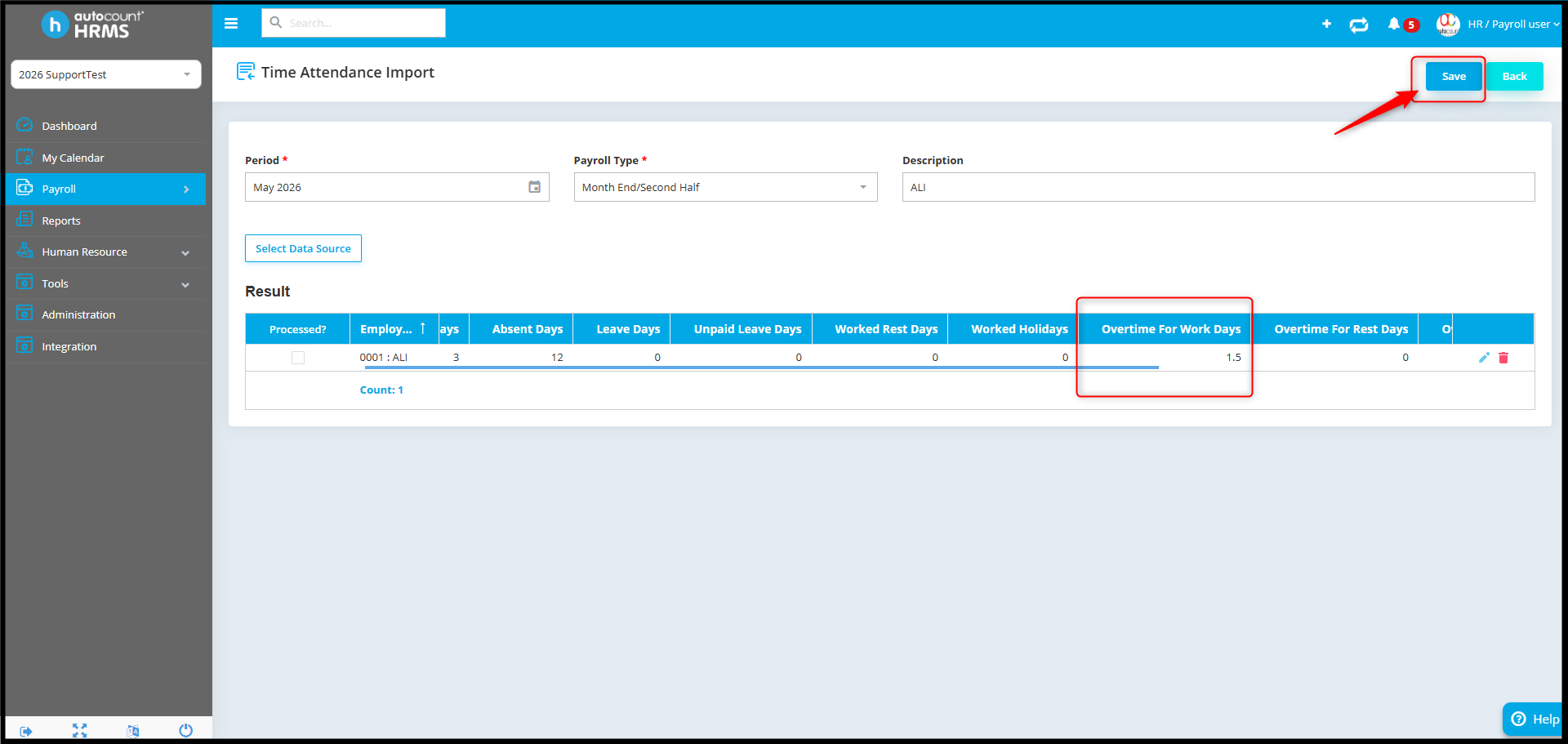
- Verify the Result detail and click Save.
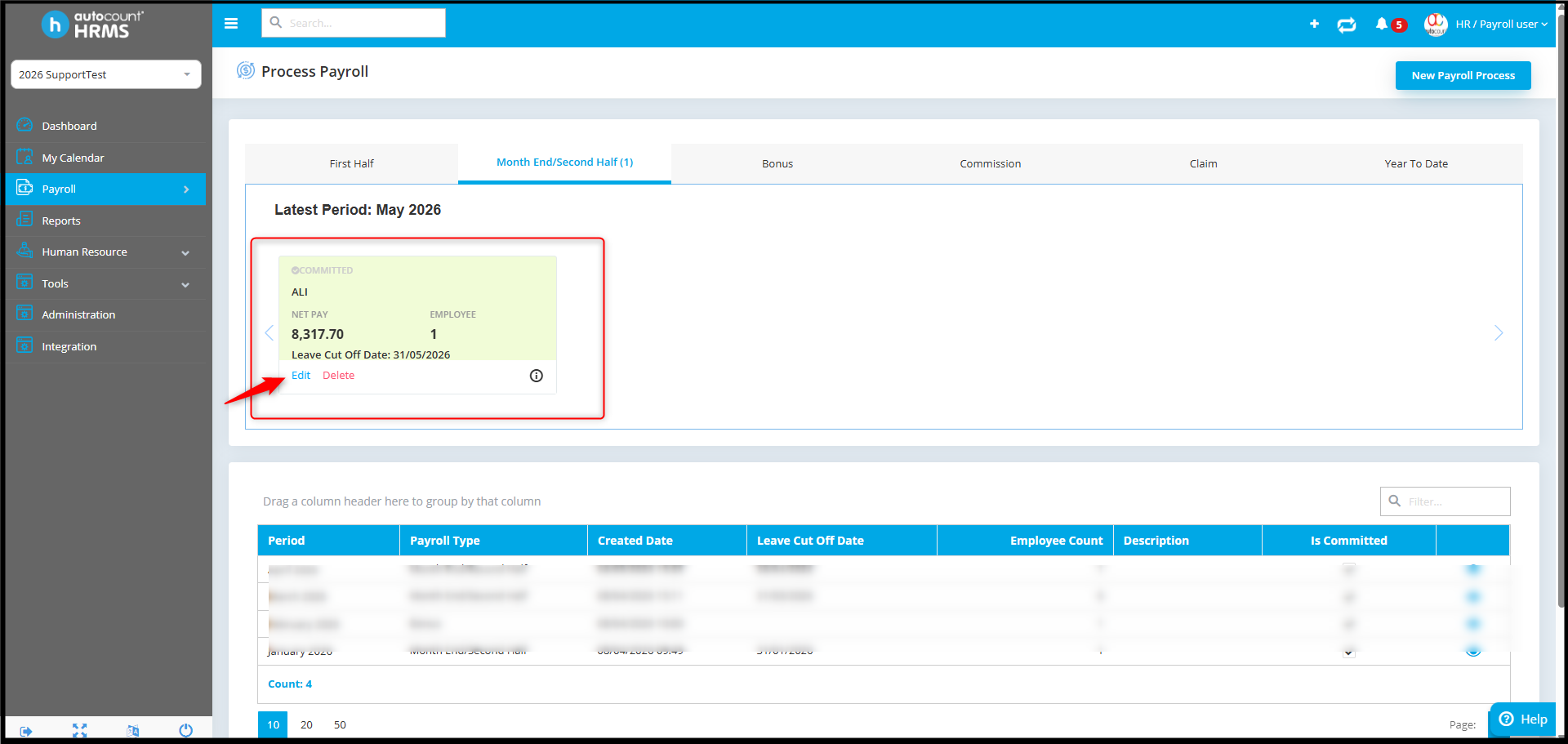
- Go back to the Payroll > Process Payroll and edit the previous payroll process.
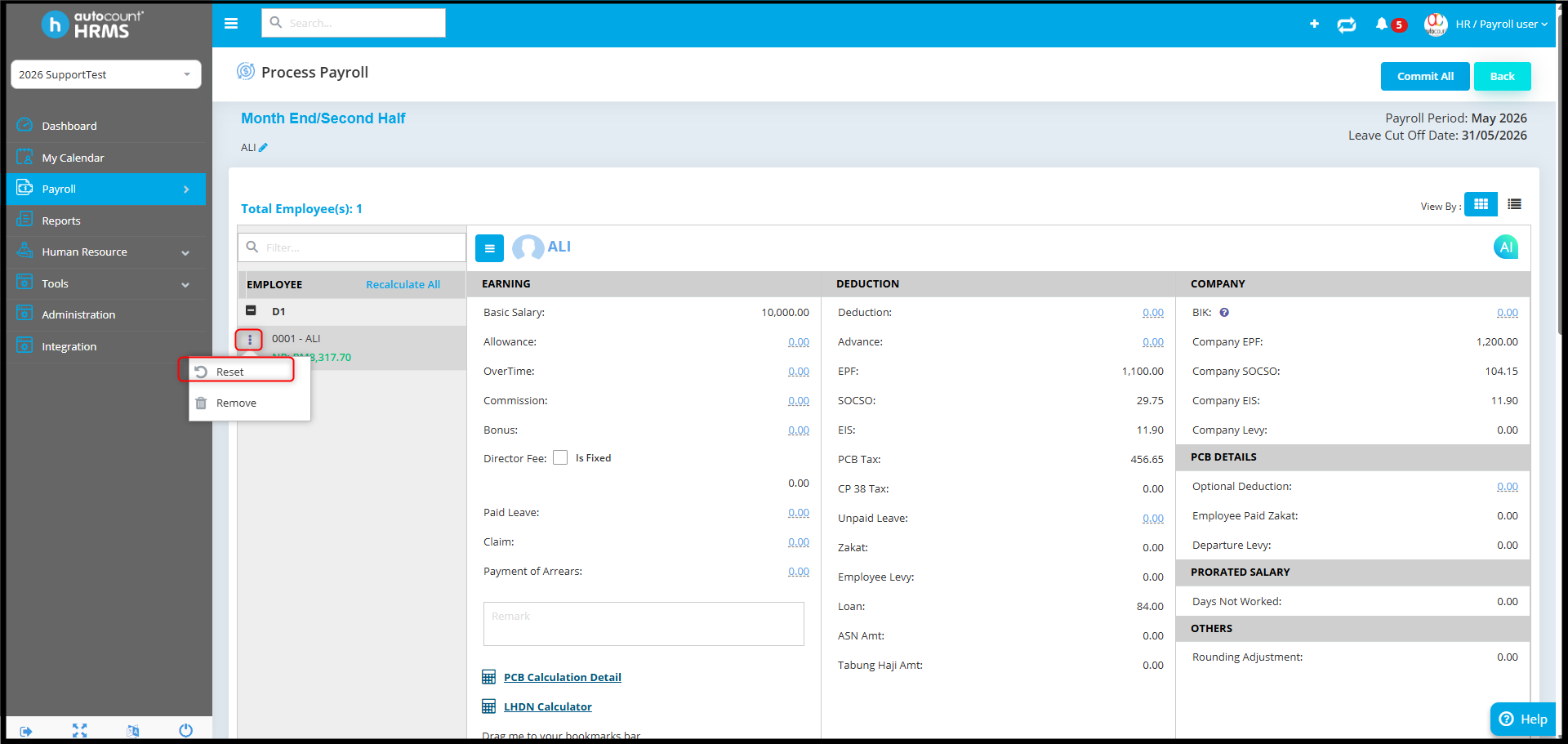
- Select the employee, click on the three dot icon, then click Reset.
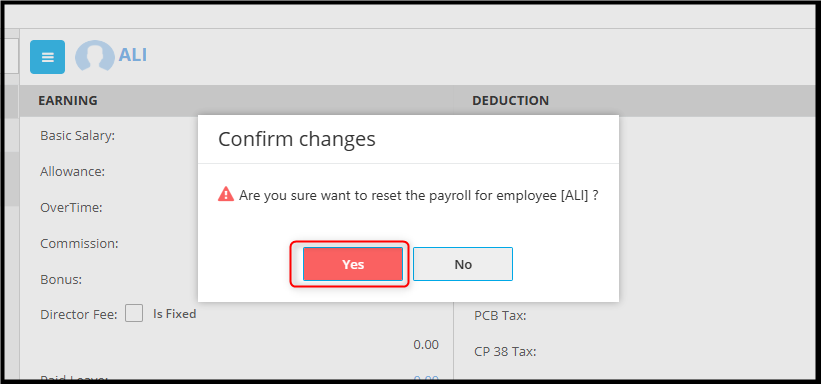
- Click Confirm to proceed.
- The overtime amount should now appear correctly.
By Azirah 260522