
Scenario:
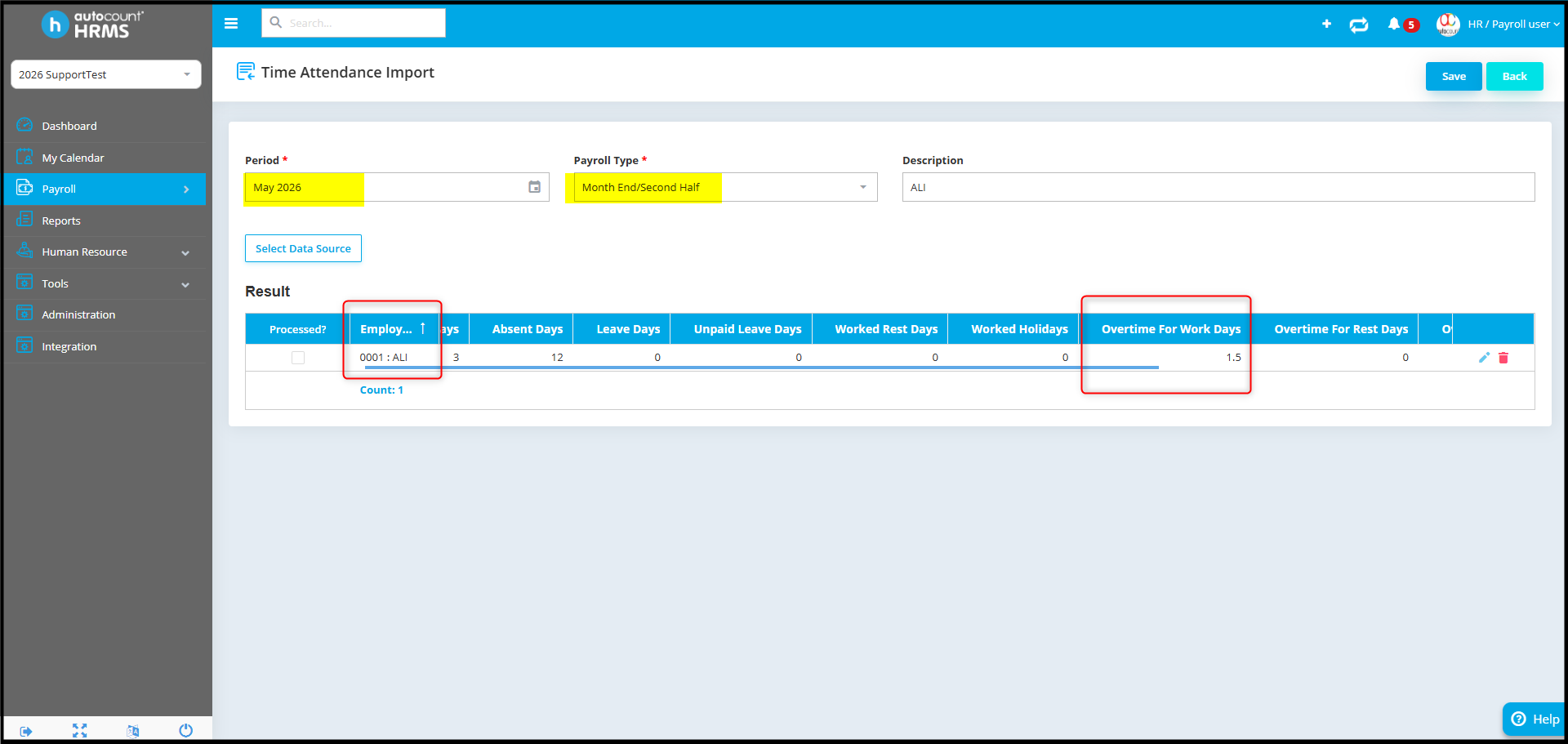
Time Attendance Import show Overtime for Work Days for employee ALI:
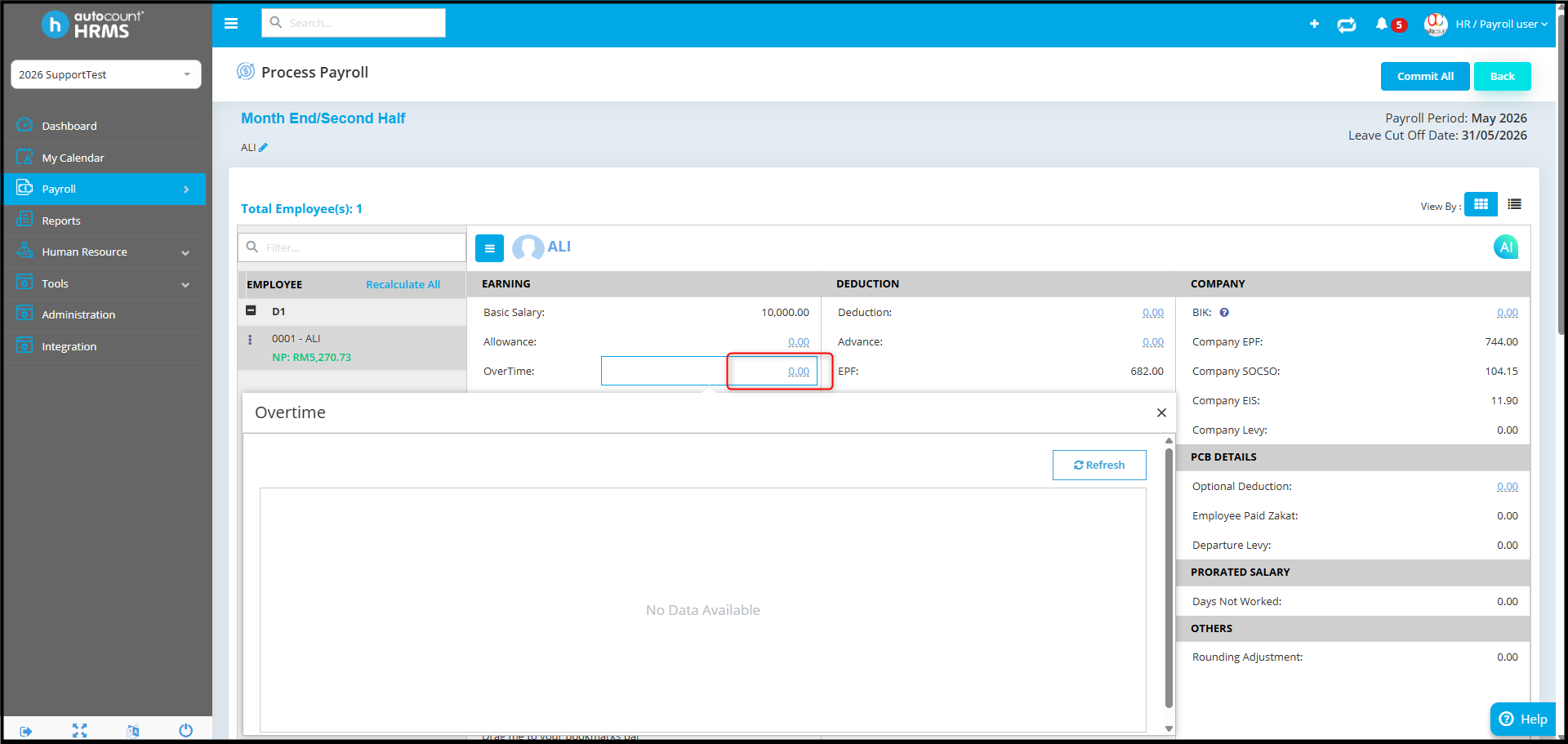
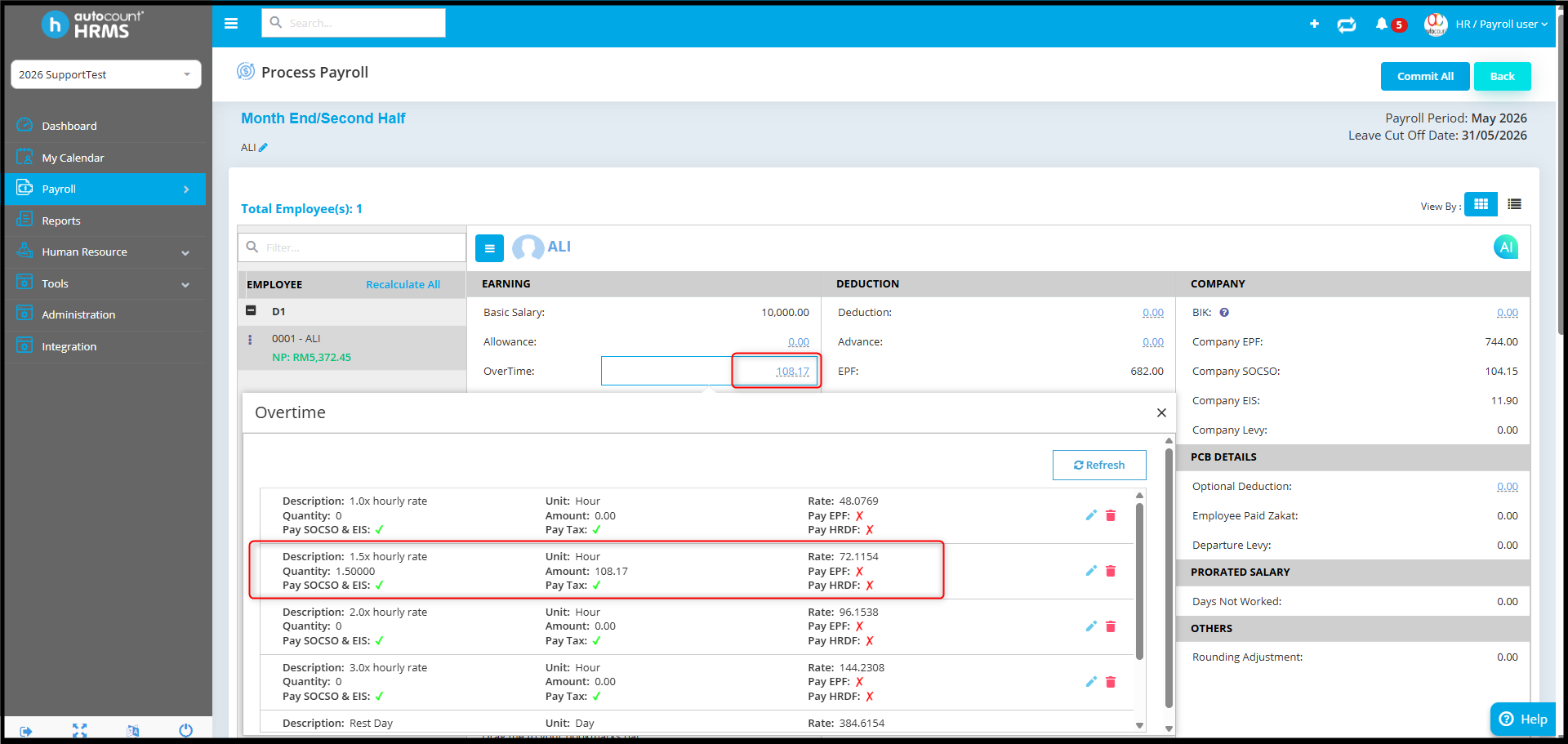
Payroll process show Overtome amount 0.00 for employee ALI:
Possible Reason:
The employee's Overtime Group is not assigned in Employee Maintenance.
Although the OT Hours have been imported successfully from Time Attendance, Payroll will not calculate the overtime amount if no Overtime Group is assigned to the employee.
Answer:
To check the Overtime group in Employee Maintenance:
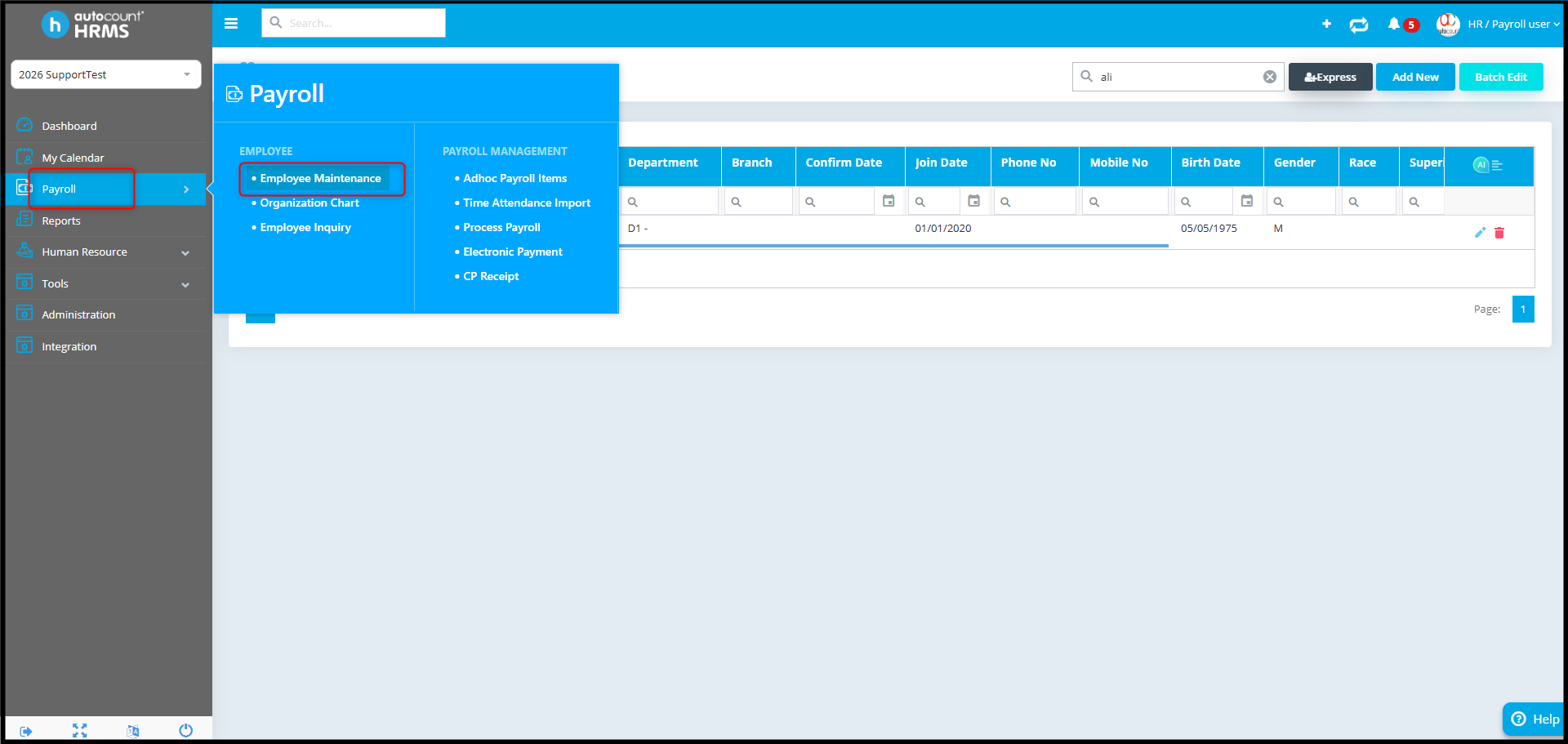
- Go to Payroll > Employee Maintenance.
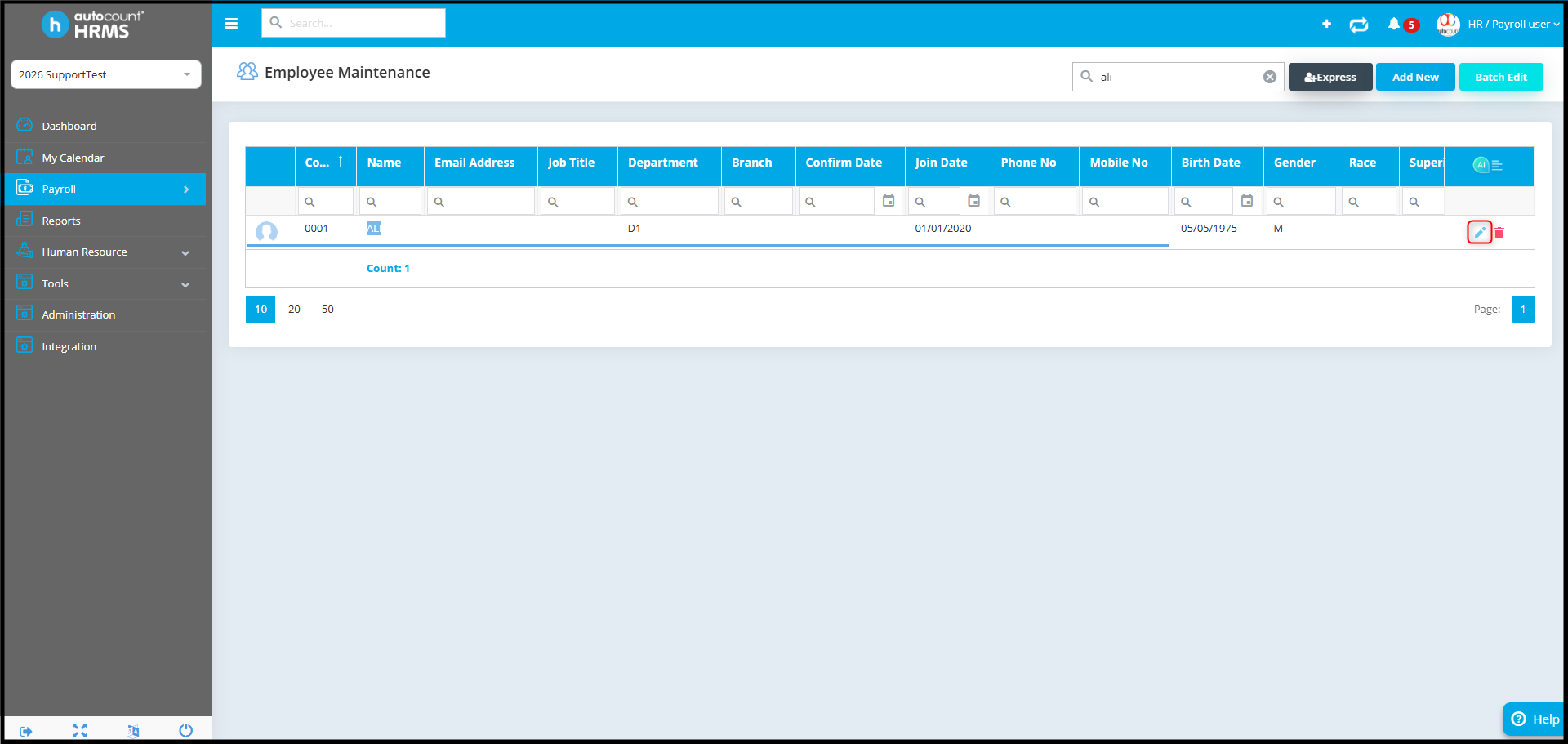
- Select the employee and click Edit.
- Under Employment Detail, assign the correct Overtime Group and click Save.
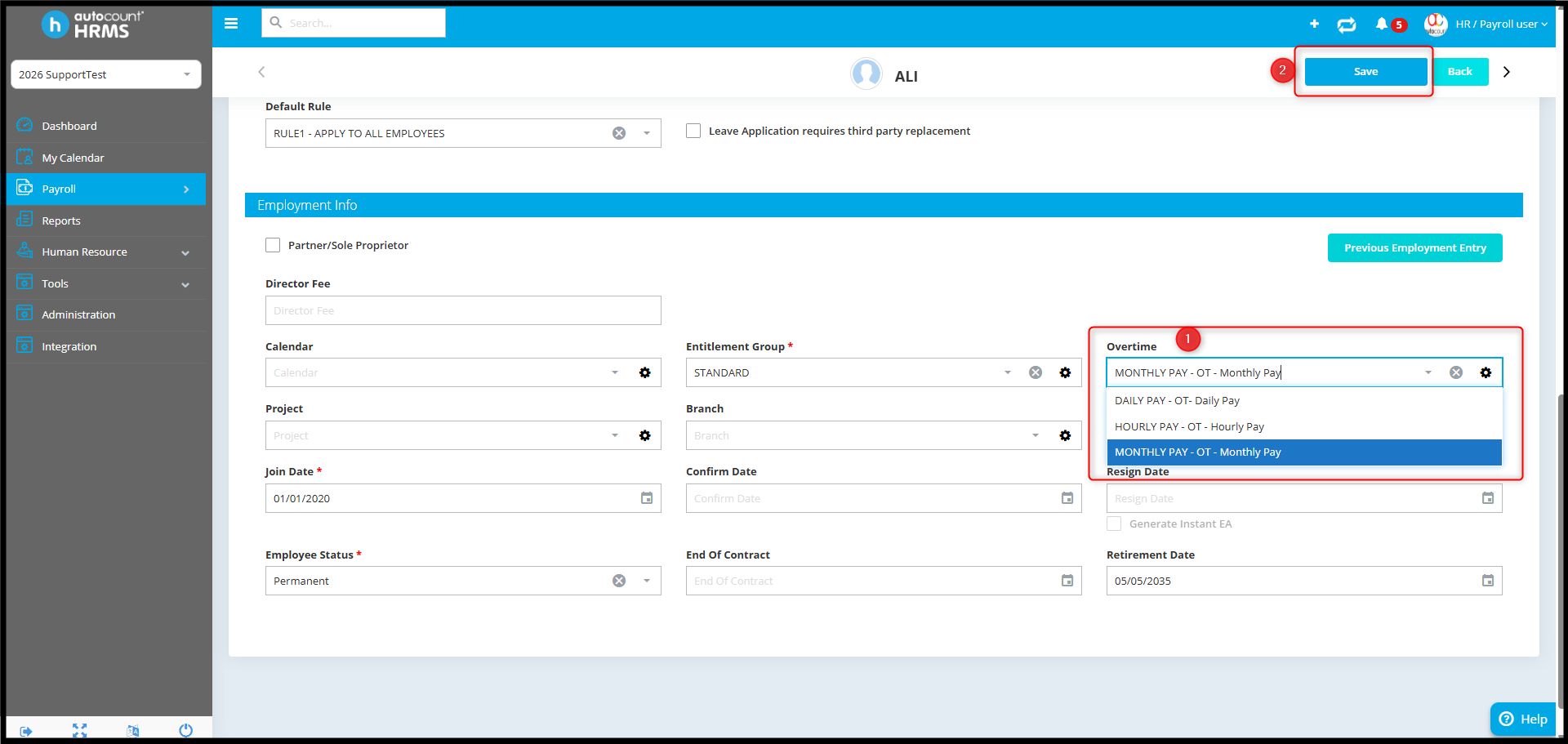
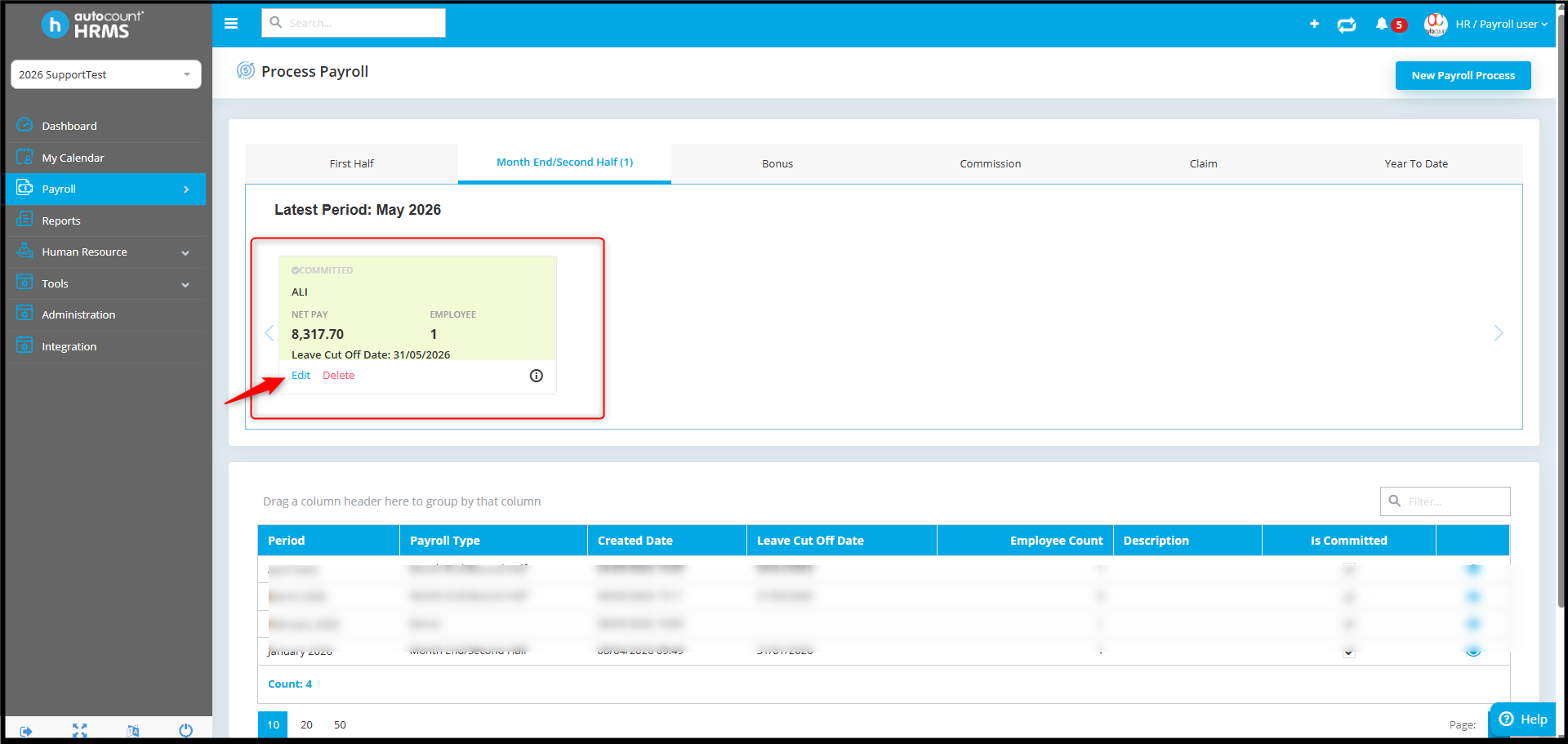
- Go back to Payroll > Process Payroll and edit the payroll period.
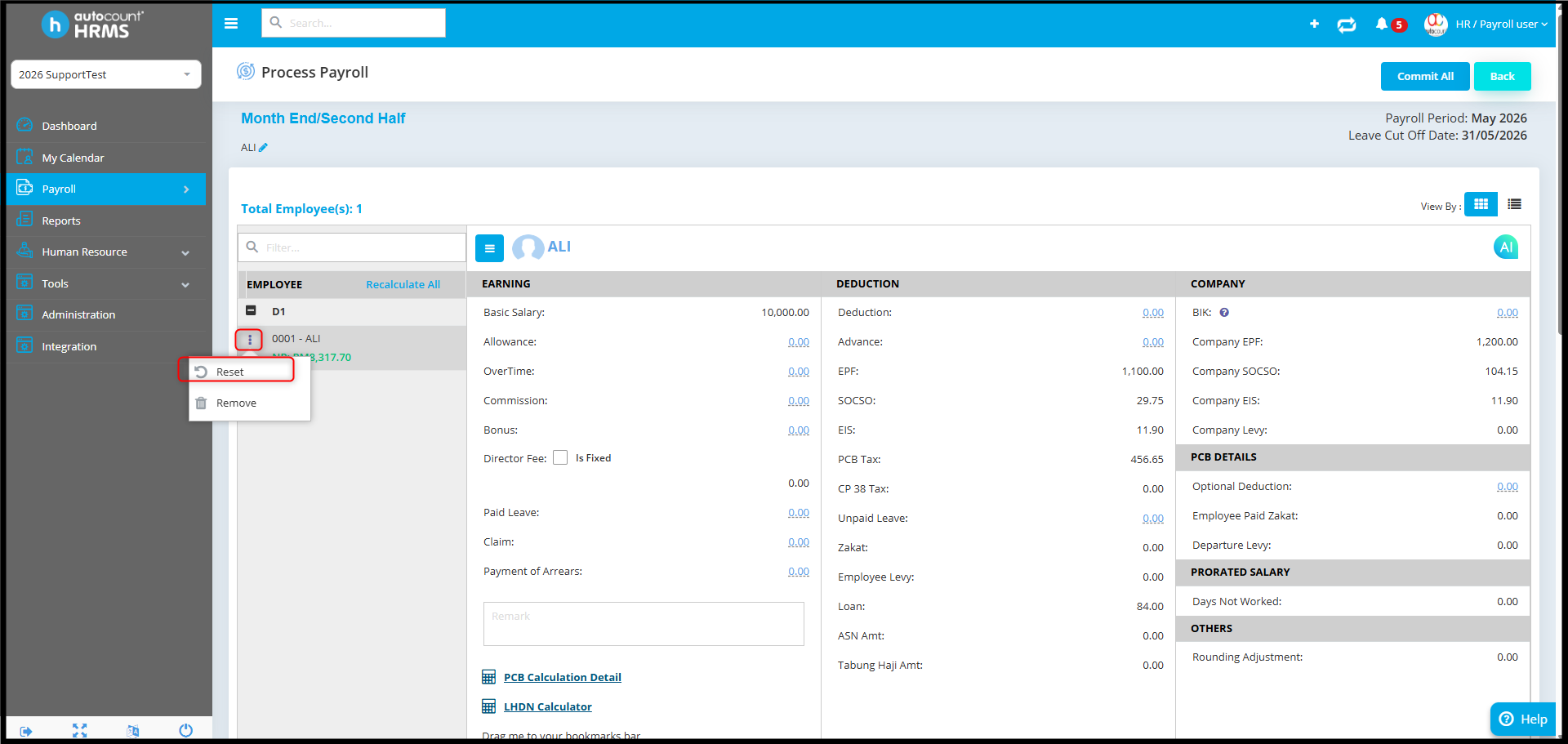
- Select the employee, click the three-dot icon, then click Reset.
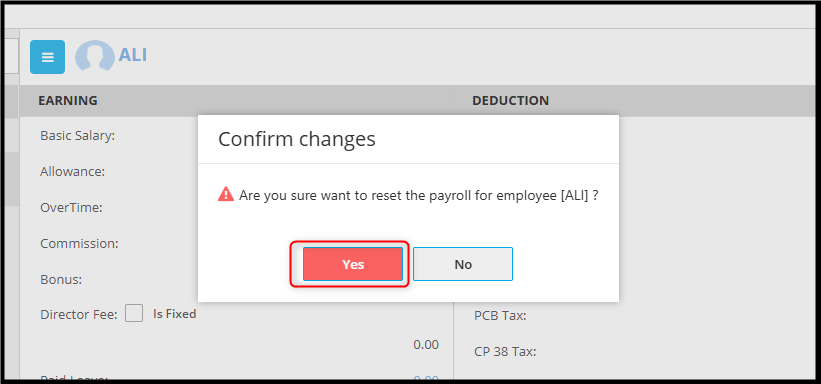
- Click Confirm to Proceed.
- The overtime amount should now appear correctly.
By Azirah 260522