
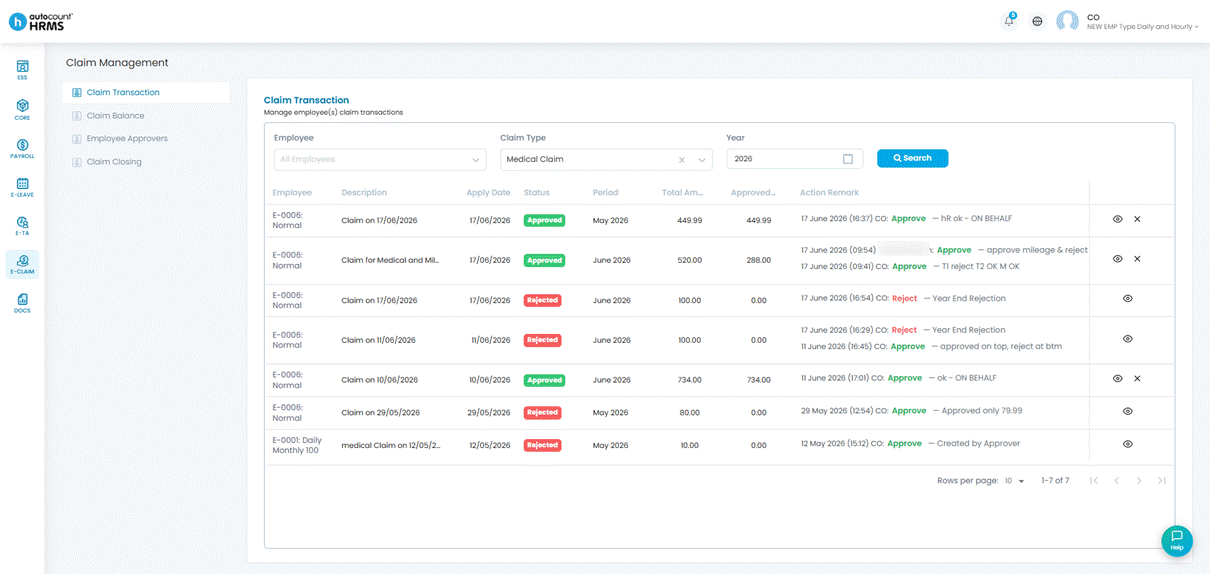
The Manage Claim Transactions screen provides a centralised view of all claim applications and their current statuses (Approved, Rejected or Pending).
Steps to View Claim Transactions:
1. Go to E-Claim > Claim Management > Claim Transaction.
2. Define the filters if required and click Search.
ℹ️ Note:
- HR can approve or reject claims on behalf of an approver.
- After payroll is processed, the Paid Period is displayed on the transaction.