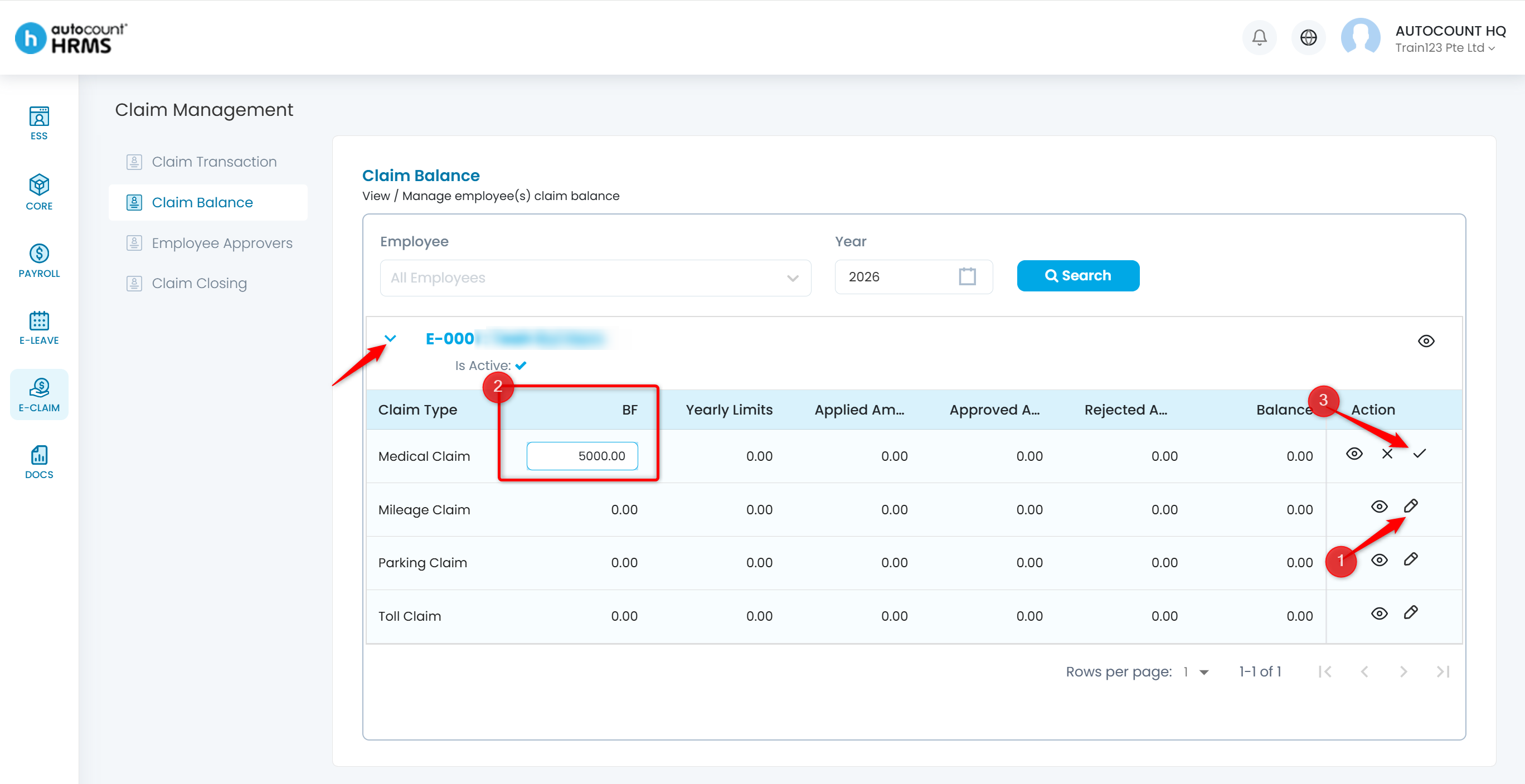
The Claim Balance screen displays up-to-date claim balances for all employees. HR may adjust the Brought Forward (BF) claim balance as needed here.
Steps to View Claim Balance:
1. Go to E-Claim > Claim Management > Claim Balance.
2. Define the filters if required and click Search.
3. Click the eye icon to view the claim details.
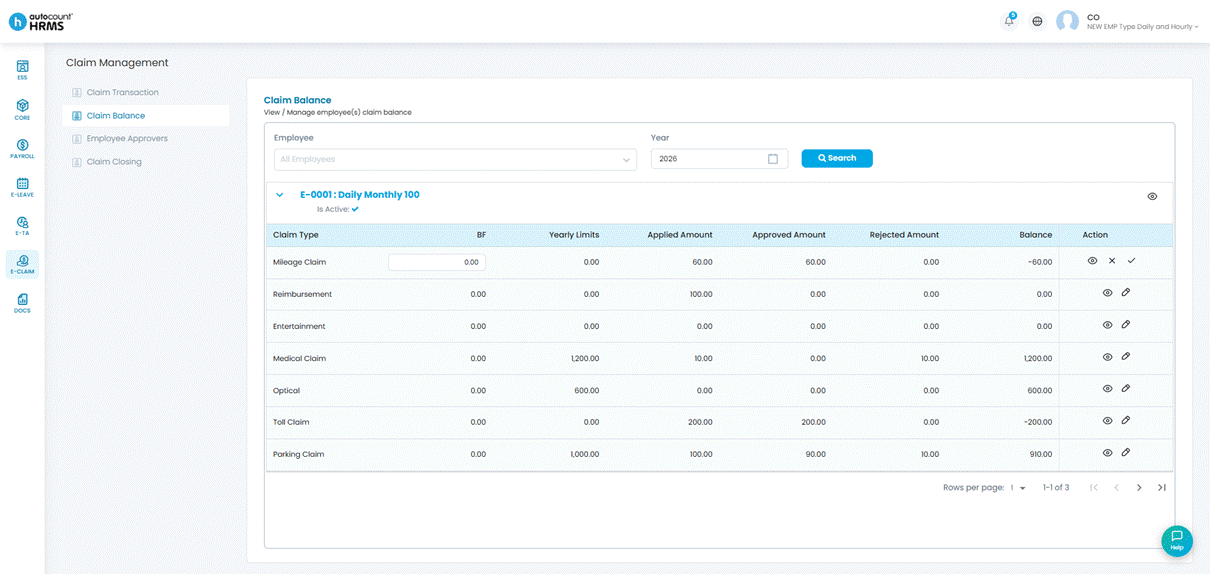
ℹ️ Note: Negative values are not allowed when adjusting BF balances.
Steps to Adjust Brought Forward Claim Balance:
1. Click the pencil icon.
2. Edit the BF amount under the BF column.
3. Click the tick icon to save.