
Claim Closing is used to finalise employees’ claim balances at the end of the year. This process calculates remaining claim entitled, and manages Brought Forward (BF) actions to prepare claim balances for the new year.
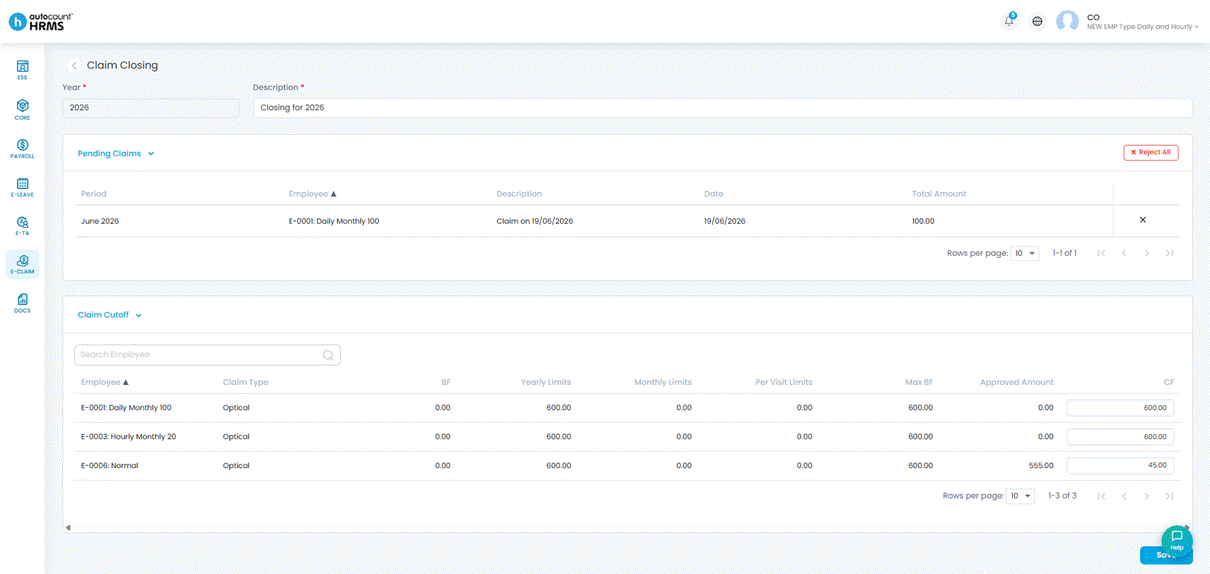
Steps to Run Claim Closing:
1. Go to E-Claim > Claim Management > Claim Closing.
2. Select the year to perform closing and enter the description.
3. Check the CF column for carry forward claim amount then click Save.
ℹ️ Notes:
- Negative balances cannot be carried forward.
- Once a year is closed, employees cannot submit claims for that year.