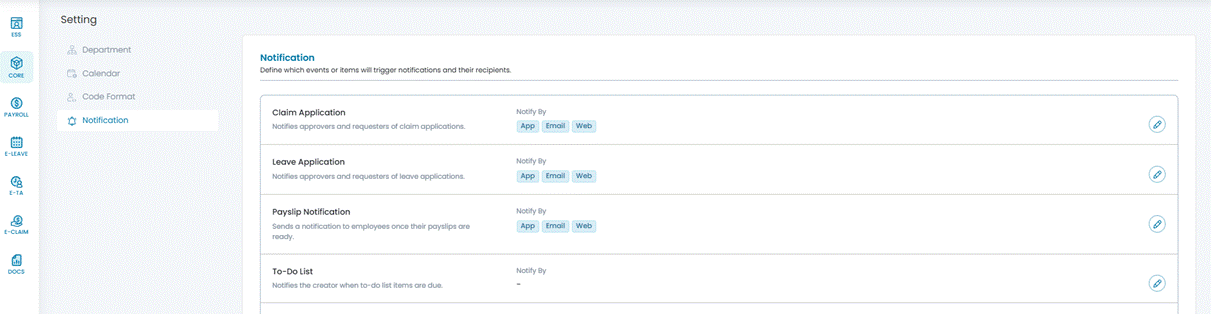
Claim notifications can be delivered through in-app notifications, web notifications, and/or email notifications, depending on the notification settings configured in the system.
The following notification methods are available:
- App – Receive notifications through push notifications in the AutoCount HRMS mobile application.
- Email – Receive notifications via the employee's registered email address.
- Web – Receive notifications while logged in to the system. Notifications are displayed on the Dashboard and under the Notification Bell icon.
Steps to Setup Claim Notifications:
1. Go to Core > Setting > Notification.
2. Click the pencil icon next to Claim Application.
3. Enable App, Email, and/or Web.