
Before an employee can submit claims through the Employee Self Service (ESS) portal, the E-Claim module must be enabled for the employee in Employee Maintenance.
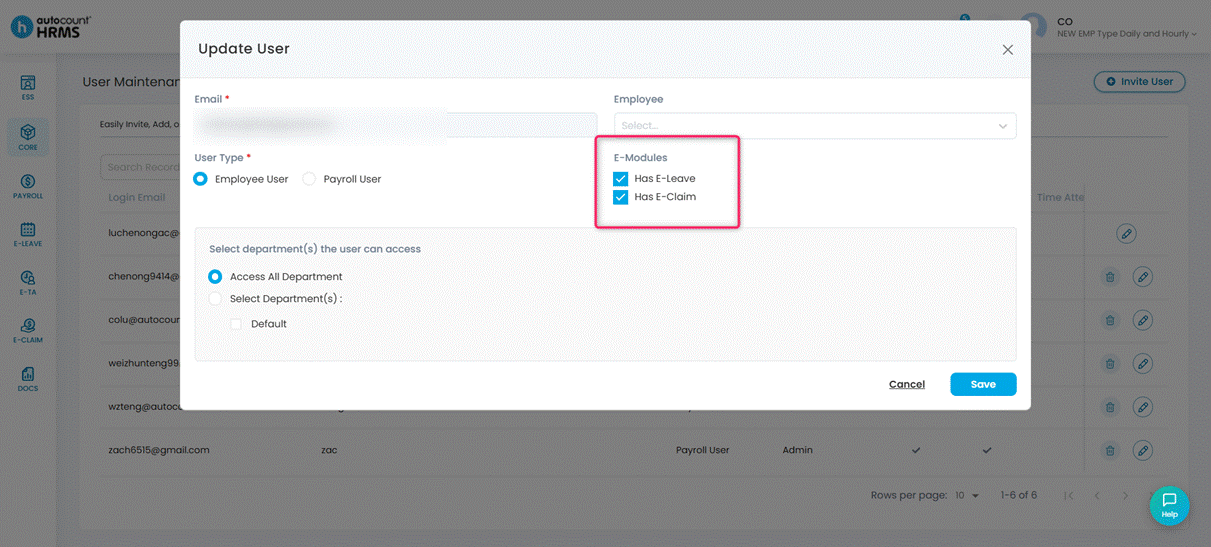
Steps to Enable Employee(s) to Submit Claims:
1. Go to Core > User Maintenance.
2. Find the employee and click the edit (pencil) icon.
3. Under E-Modules, tick Has E-Claim.
4. Click Save.